How To Find AI Search Prompts Hidden In Your Google Search Console In 30 Seconds (And Use Them To Rank In AI Overviews)

TL;DR
Google Search Console is quietly exposing the exact AI prompts people type into AI Overviews and AI Mode. You can find them in 30 seconds by typing “I am” into the query filter. No paid tools, no CSV exports, no regex. Take that prompt language, weave it into your pages, and start showing up for more AI-driven searches than your competitors even know exist.
In This Post You’ll Learn
- How Google is accidentally leaking AI prompts in Search Console, and why almost nobody knows
- The 30-second GSC hack that reveals exactly what people ask AI about you
- 10 prompt-detection prefixes that uncover every type of AI query
- How to turn discovered prompts into content that ranks in AI Overviews
- Why this free hack beats every paid AI SEO tool on the market
Google Is Leaking AI Prompts And Nobody Is Paying Attention
Here’s something insane: Google is showing you the EXACT prompts people type into AI Overviews and AI Mode that lead them to your website.
Not keywords. Not search queries in the traditional sense.
Full, conversational, natural-language prompts. The kind of thing someone types when they’re talking to Google’s AI like it’s a person.
And they’re sitting right inside Google Search Console. For free. Right now.
Nobody’s talking about this.
When Google rolled out AI Overviews and AI Mode, something changed in how people search. Instead of typing “best running shoes flat feet,” they started typing things like “I am a runner with flat feet and I need shoes that won’t destroy my knees.”
That shift from keyword to conversation is the BIGGEST change in search behavior since Google launched.
Think about what that means. When someone types “I am a beginner trying to learn email marketing,” that tells you infinitely more than the keyword “email marketing.” You know their experience level. You know their intent. You know their emotional state.
Traditional keyword data gives you topic. AI prompt data gives you topic + context + intent + emotion. All in one query.
And here’s the part that changes everything: those conversational prompts are showing up in your Search Console query data.
Google doesn’t flag them. Doesn’t label them. Doesn’t separate them into a special report.
They’re just… there. Mixed in with your regular keyword data. Hiding in plain sight.
Most SEOs scroll right past them.
Big mistake.
You’re not going to.
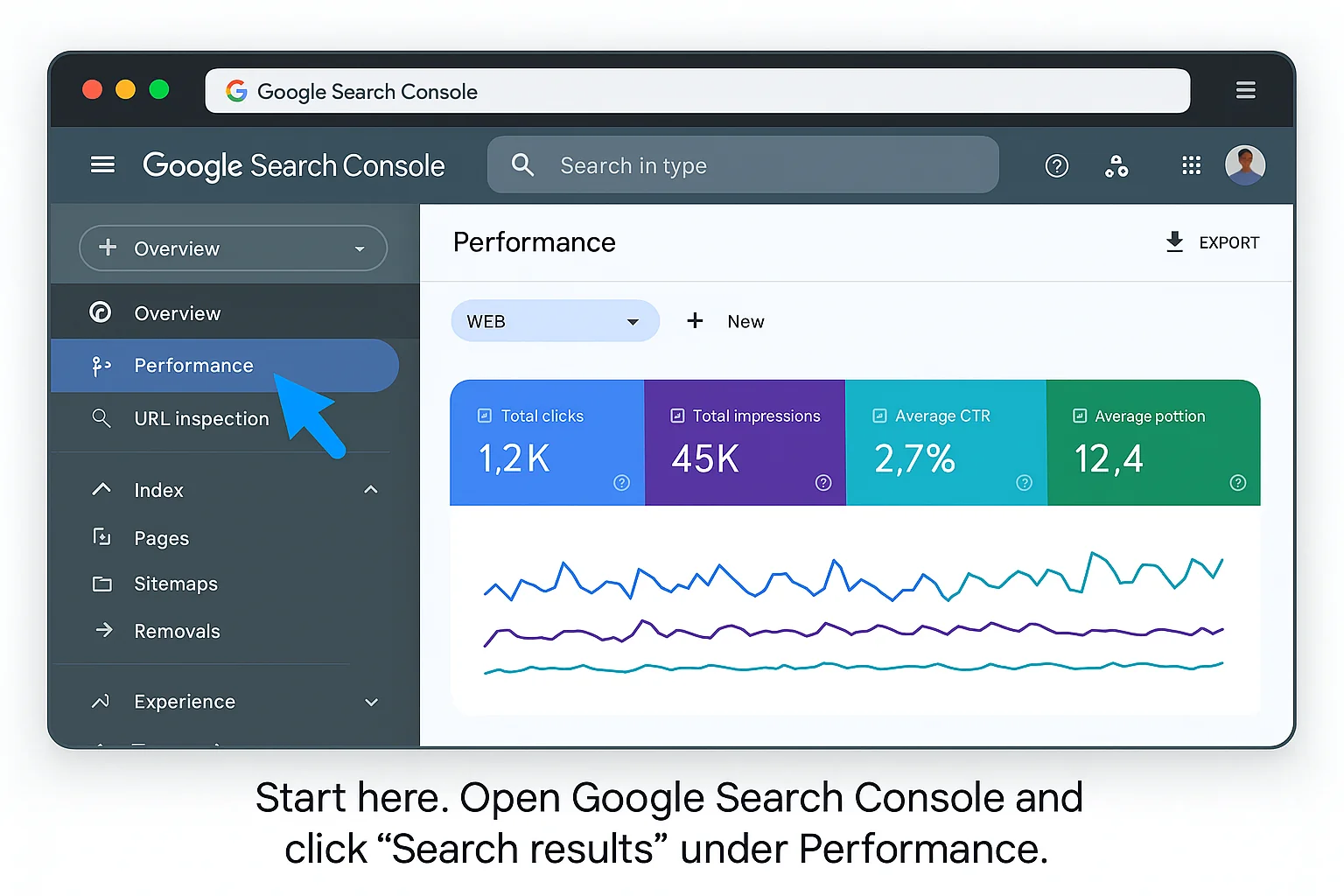
The 30-Second GSC Hack That Reveals What People Ask AI About You
This is the core tactic. It takes 30 seconds. No tools. No downloads. No regex. No excuses.
Here’s exactly what to do:
Step 1: Open Google Search Console and click Performance, then Search Results.
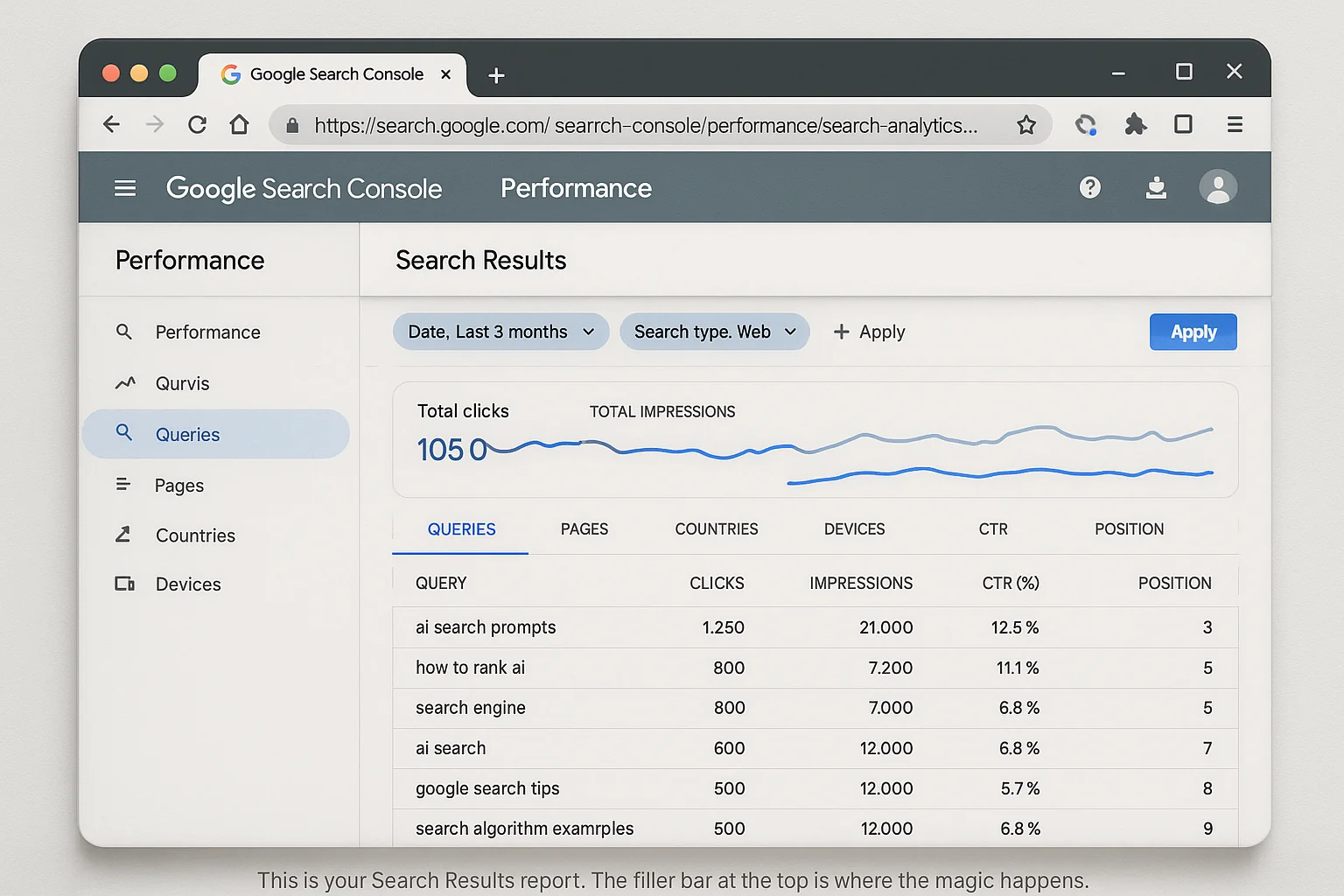
Step 2: Click + New (or “Add filter”) in the filter bar at the top.
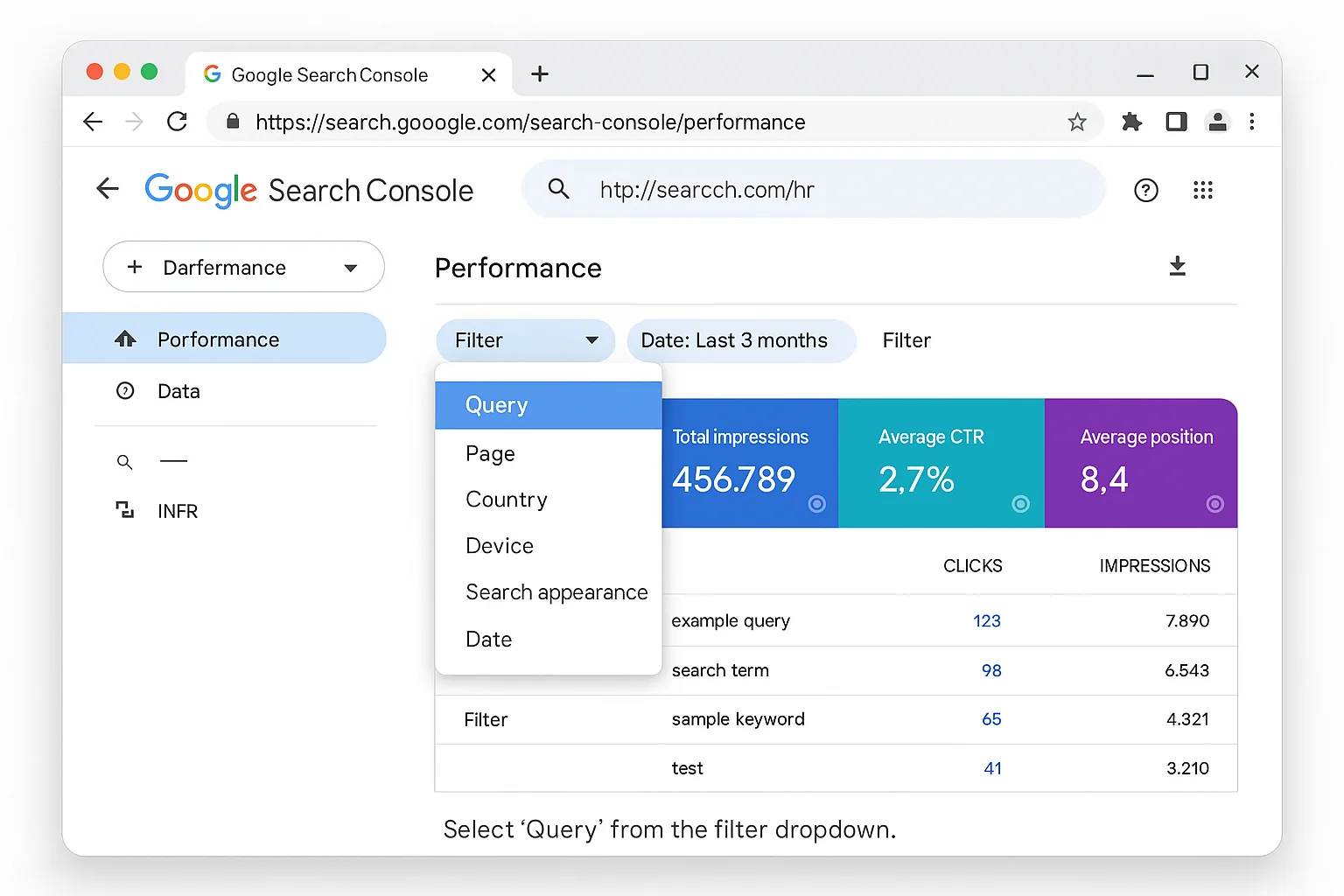
Step 3: Select Query.
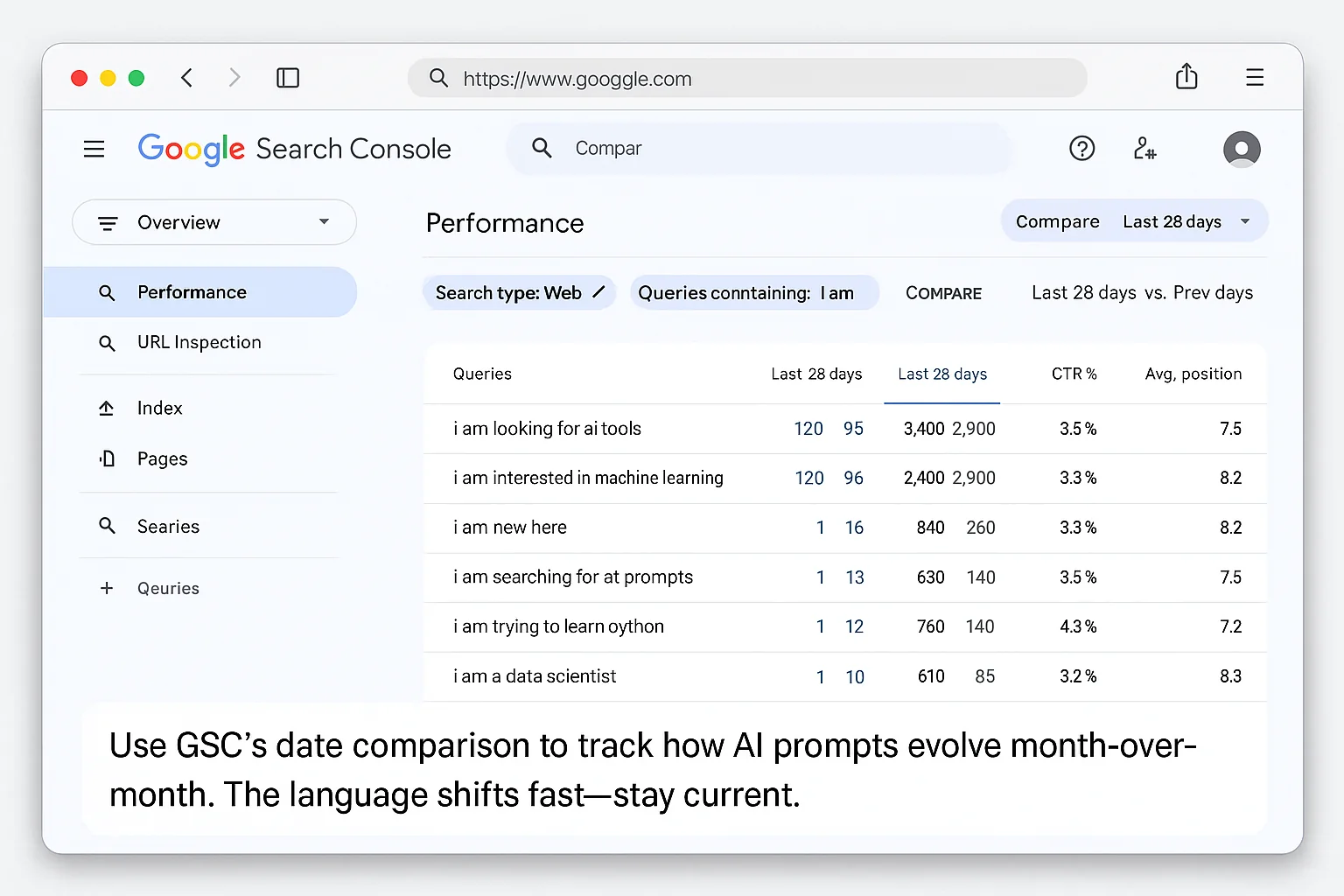
Step 4: In the query filter box, select “Queries containing” and type: I am
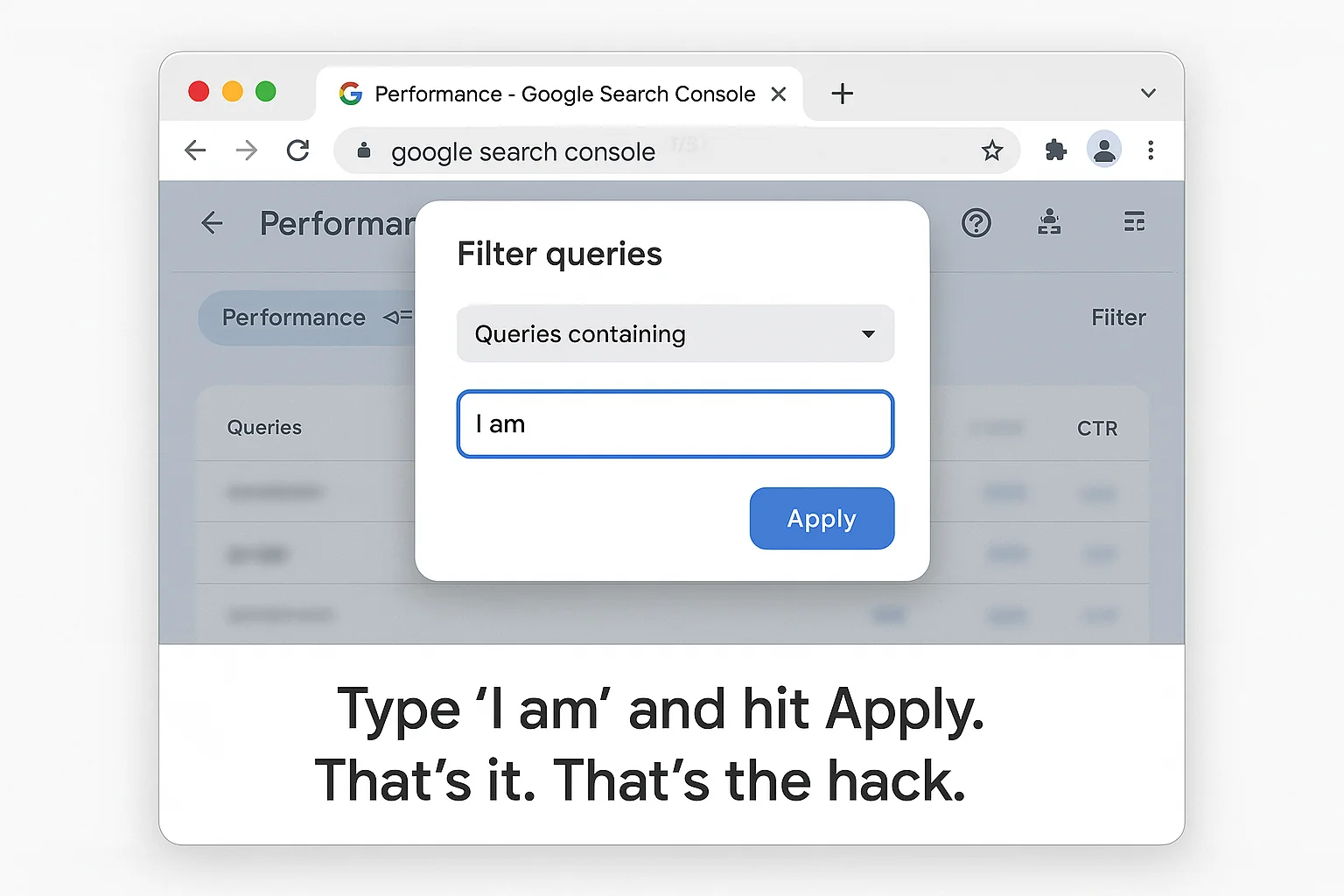
Step 5: Hit Apply.
Now look at what shows up.
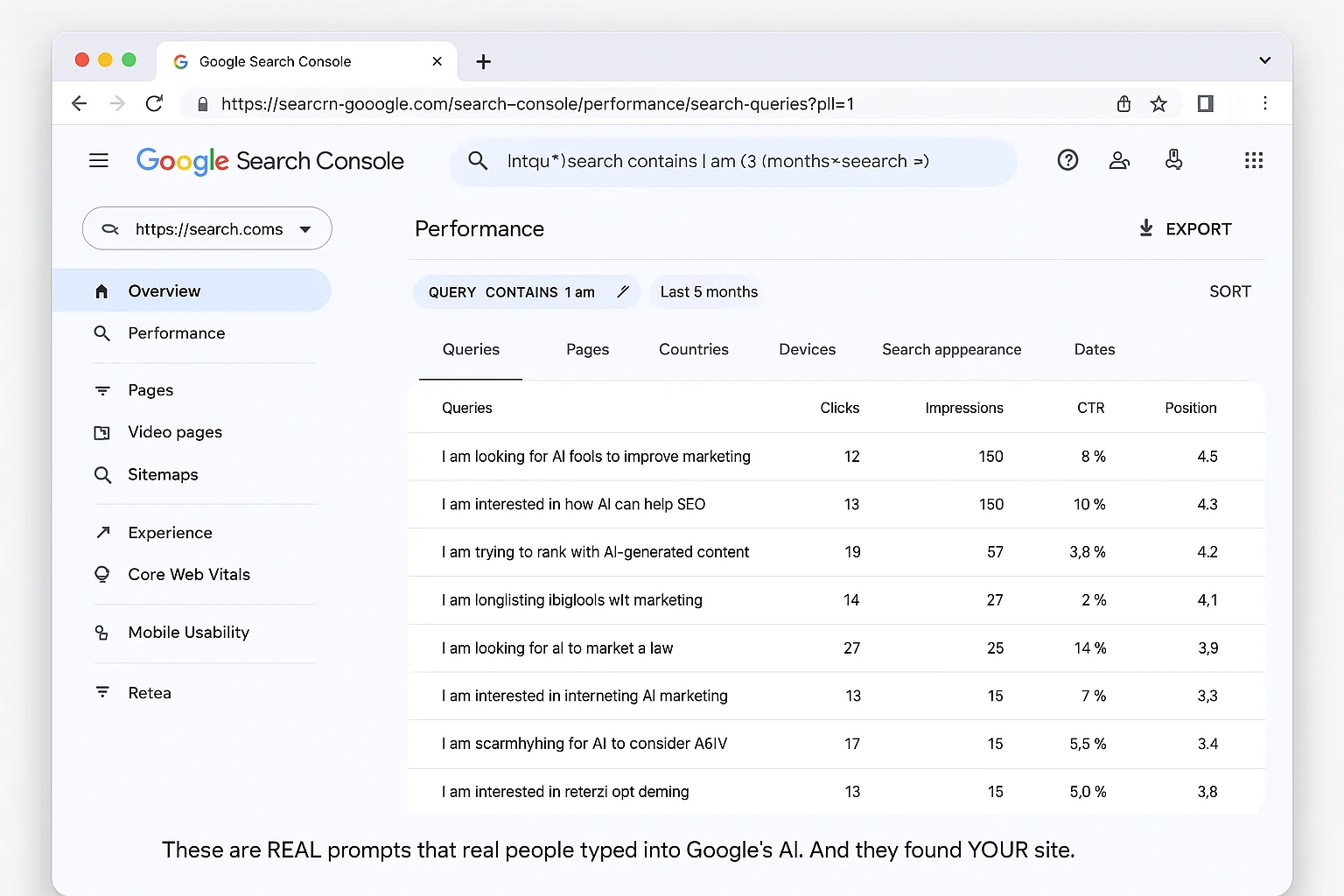
Instead of short keyword phrases, you’ll see things like:
- “I am trying to figure out the best way to…”
- “I am a small business owner looking for…”
- “I am starting a new project and I need help with…”
These are actual AI prompts. People typed these into Google’s AI Overview or AI Mode, Google’s AI generated a response, and your site was surfaced as a source.
This is first-party data. From Google itself. Not a third-party estimate. Not a guess.
The real thing.
And here’s what makes this so powerful: the traditional keyword “small business software” gets you competing against every SaaS company on the planet. But the AI prompt “I am a small business owner looking for affordable project management software that works with Google Workspace” tells you exactly what page to build, exactly what to say on it, and exactly who you’re talking to.
That’s the difference between shouting into a crowd and having a conversation.
10 Prompt-Detection Prefixes To Try Right Now
“I am” is just the starting point. Here are 10 more conversational prefixes you can plug into the same query filter to uncover different types of AI prompts:
| Prefix | What It Reveals | Example Prompt |
|---|---|---|
| “help me” | Users asking AI for direct assistance | “help me find the best CRM for a 5-person team” |
| “what should I” | Decision-stage queries | “what should I use to track website analytics” |
| “can you” | Users treating Google AI like a chatbot | “can you explain how retargeting works” |
| “I need” | High-intent, problem-aware users | “I need a free tool for keyword research” |
| “I want to” | Goal-oriented prompts | “I want to grow my Instagram without paid ads” |
| “how do I” | Classic how-to in conversational form | “how do I set up Google Analytics on Shopify” |
| “best way to” | Seeking optimal solutions | “best way to improve page speed on WordPress” |
| “explain” | Informational/educational intent | “explain the difference between SEO and SEM” |
| “compare” | Evaluation-stage queries | “compare Mailchimp vs ConvertKit for small business” |
| “recommend” | Users asking AI for suggestions | “recommend a landing page builder for beginners” |
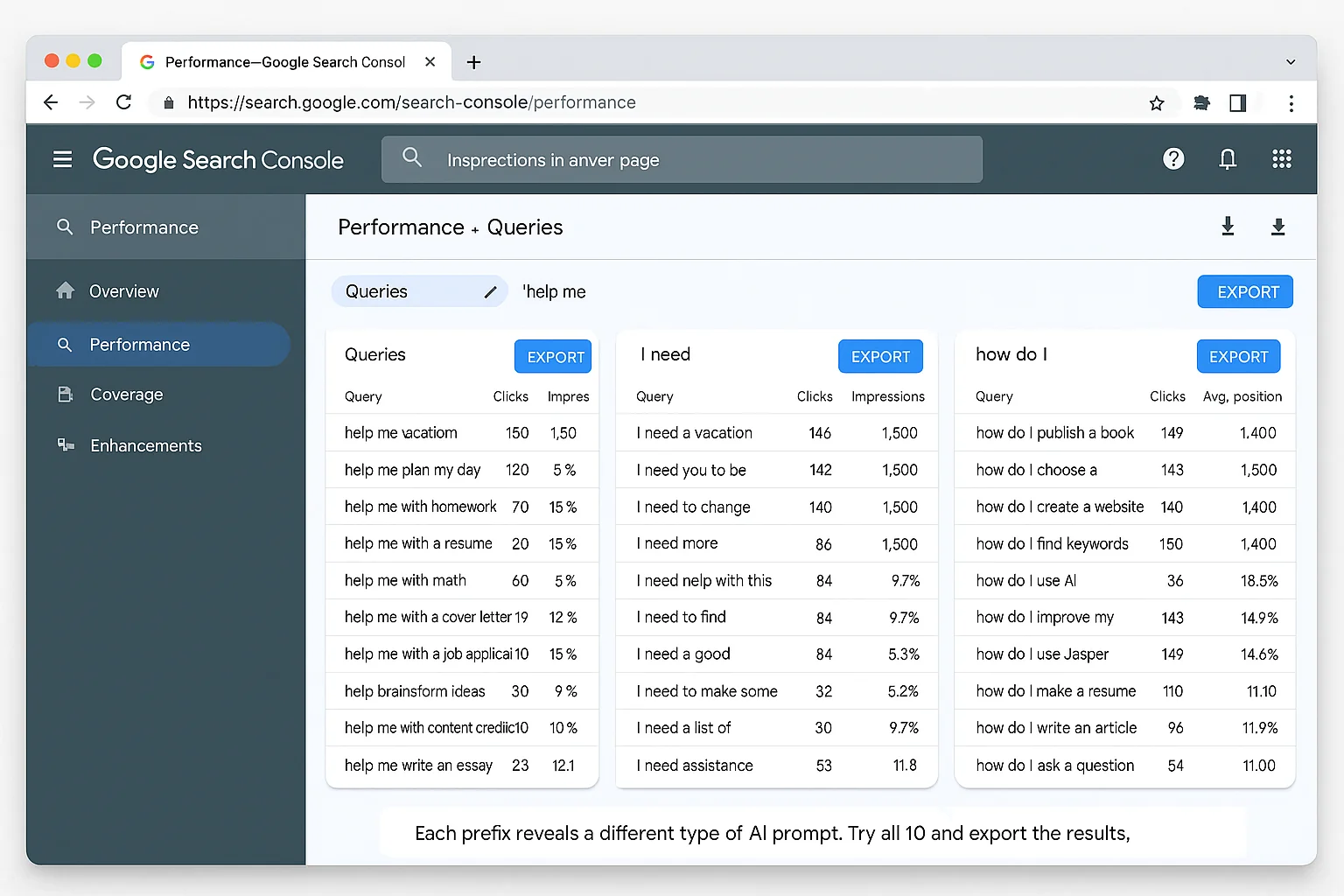
Run each of these filters separately. Export the results.
You’ll end up with a goldmine of real AI prompts, directly tied to YOUR site, organized by intent type.
This goes way beyond keyword research. This is AI prompt intelligence.
The takeaway: Every prefix reveals a different user mindset. “I need” signals urgency. “Compare” signals evaluation. “Help me” signals someone ready to be guided. You’re looking at a complete map of how people talk to AI about your topic.
How To Turn AI Prompts Into Content That Ranks In AI Overviews
Finding the prompts is step one.
The REAL advantage comes from what you do next.
Here’s the four-step process for turning those prompts into content that shows up in more AI-generated results.
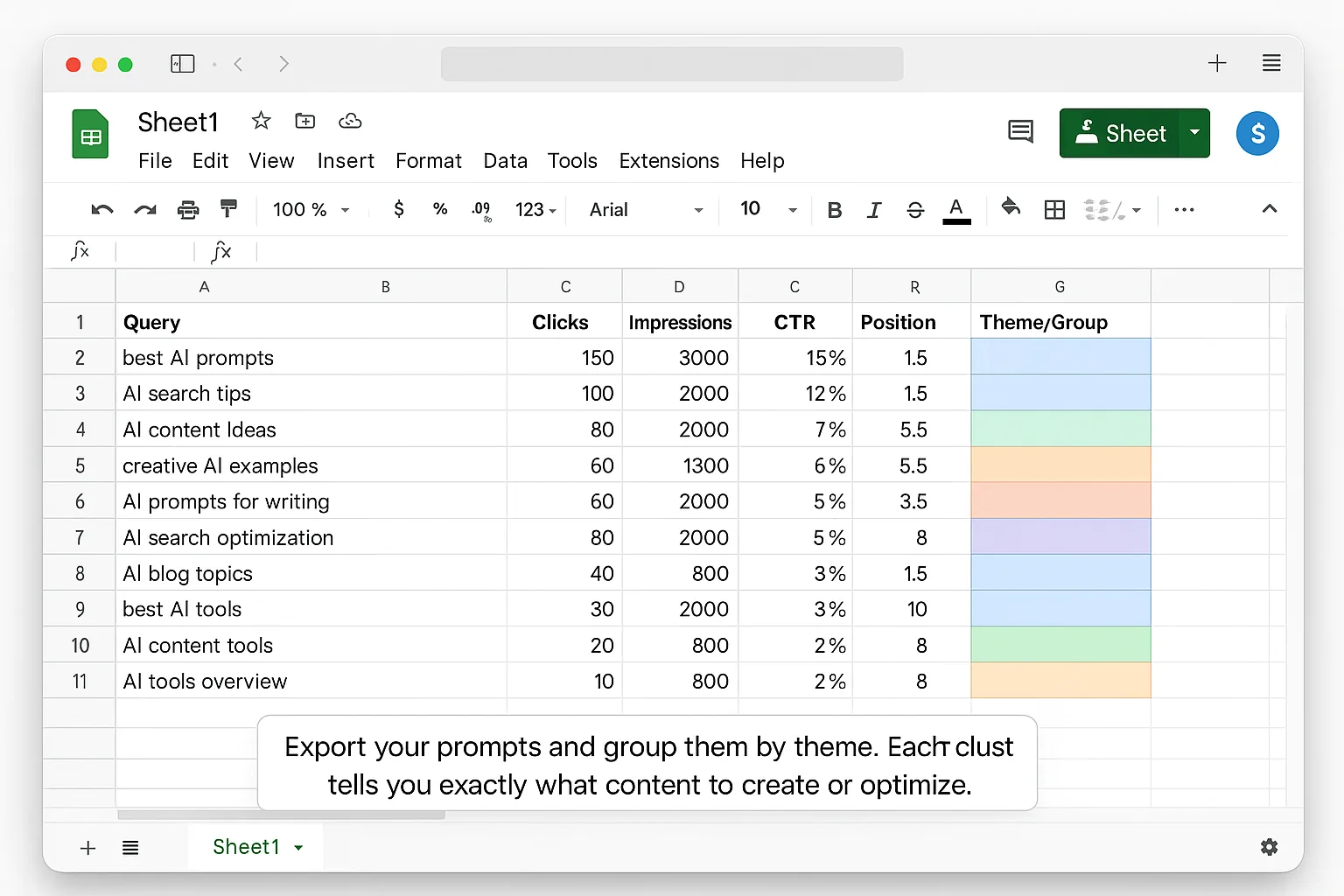
Step 1: Group Your Prompts By Theme
Once you’ve exported prompts from all 10+ prefix filters, group them.
You’ll notice clusters. 15 prompts about pricing. 20 about setup. 30 comparing you to a competitor.
Each cluster = a content opportunity. Each one = a page you should optimize or create.
Step 2: Mirror The Prompt Language In Your Pages
This is the key insight most people miss.
Traditional SEO says to optimize for keywords: “CRM software small business.”
AI overview optimization says to mirror how people actually talk to AI: “I need a CRM for my small business that’s easy to set up.”
Take the exact language from your discovered prompts and work it into:
- Page titles and H1s: reflect the conversational structure, not exact wording
- Opening paragraphs: address the prompt directly in your first 2-3 sentences
- H2 subheadings: use prompt language as section headers
- Meta descriptions: write them as if you’re answering the prompt
Before: “Best CRM Software for Small Business in 2026”
After: “What CRM Should a Small Business Use? The Best Options If You Need Easy Setup and Low Cost”
The “after” version mirrors how people are actually prompting AI. Google’s AI is more likely to pull from content that sounds like the answer to the question being asked.
You’re reverse-engineering the exact language your audience uses and feeding it right back to them. The prompts tell you what to say. All you have to do is listen.
Step 3: Answer The Prompt In Your First 2-3 Sentences
AI Overviews pull from content that directly answers the query. Fast.
When someone prompts “I need a free tool for keyword research,” and your page starts with a 400-word introduction about the history of SEO… you lose.
Instead, your page should answer the prompt immediately:
“The best free keyword research tool is Google’s Keyword Planner. It gives you search volume, competition data, and keyword suggestions directly from Google’s own index. Here’s how to use it.”
Then expand. Then go deep. But answer first.
This is how AI Overviews work. Google’s AI scans pages for the most direct, concise answer and surfaces it at the top. According to Search Engine Journal’s research on AI Overviews, pages that provide direct answers in the first 100 words are significantly more likely to be cited.
Bury your answer under a 400-word intro? You lose. EVERY. TIME.
Step 4: Build FAQ Sections Using Real Prompts As Questions
Take your discovered prompts and turn them into an FAQ section on the relevant page.
Not generic FAQs you made up. Real questions from real people, pulled straight from your Search Console data.
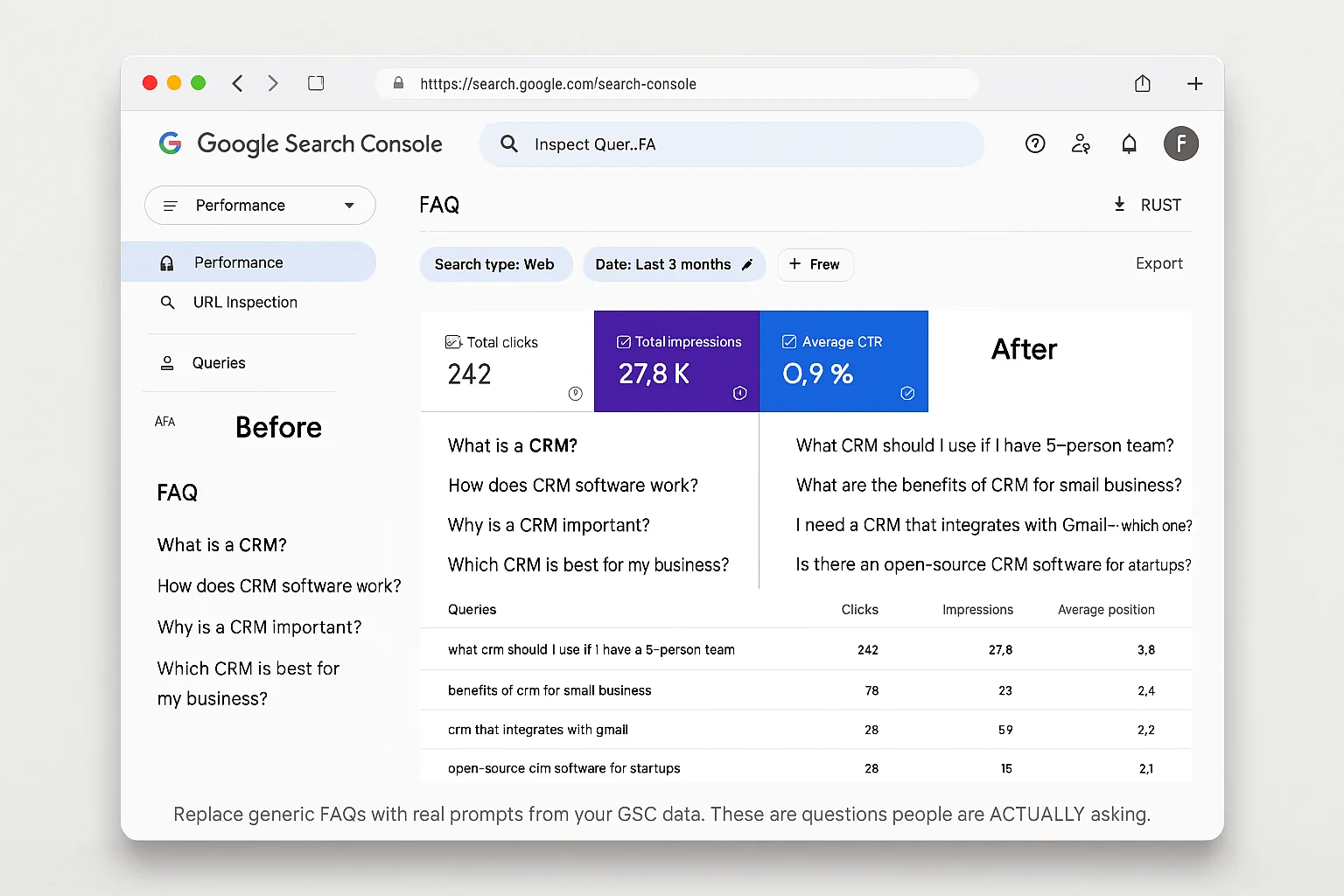
This is absurdly effective because:
- You’re using Google’s own data to tell you what questions to answer
- The language matches how people prompt AI, so AI is more likely to cite your answer
- You’re answering questions your competitors don’t even know are being asked
The takeaway: The prompts ARE your content strategy. Find them, mirror them, answer them directly, and build FAQ sections around them. You’re not guessing what AI users want. Google is literally telling you.
Why This Beats Every Paid AI SEO Tool
There are tools out there charging $50, $100, even $200 a month to tell you what AI queries are relevant to your site.
They’re guessing. Modeling. Estimating.
Meanwhile, Google Search Console is showing you the actual prompts. First-party. From Google’s own index.
For free.
Let that sink in.
Here’s why this 30-second hack is more valuable than any tool subscription:
It’s real data, not modeled data. Third-party tools scrape SERPs and make educated guesses about what queries trigger AI Overviews. GSC shows you what actually happened. The actual prompts that led to impressions and clicks on YOUR site.
It updates continuously. AI search behavior is evolving fast. The prompts people use today are different from three months ago. GSC data refreshes daily, so you’re always working with current intelligence.
It’s specific to YOUR site. A tool can tell you generic AI trends. GSC tells you what AI users are typing about your specific content, your specific niche, your specific pages.
Here’s how to make this a system:
- Set a monthly calendar reminder to run all 10 prefix filters
- Export the results each time
- Compare month-over-month to watch how prompt language evolves
- Update your pages with the freshest prompt language every quarter
The sites that win in AI search won’t be the ones with the most backlinks or the highest domain authority.
They’ll be the ones that sound like the answer to the question being asked.
And now you know EXACTLY what questions are being asked.
Start Finding Your AI Prompts Today
Google is handing you a cheat sheet for AI search optimization. It’s sitting in your Search Console. Right now. It takes 30 seconds to access.
The only question is whether you’ll use it before your competitors figure it out.
Open GSC. Type “I am.” See what shows up.
Then do it for all 10 prefixes. Export. Group. Rewrite.
Your pages will start matching how people actually talk to AI. And when they match, Google’s AI starts pulling from YOU.
Go try it. The prompts will surprise you.
Follow The Growth Hacker for more tested growth tactics. The kind that actually work.