How To Find Low Competition Keywords In Google Search Console (And Rank #1 Without Paid Tools)
TL;DR
You can find low-competition keywords you already rank for in under 5 minutes using Google Search Console’s Performance report. Filter for queries where you rank in positions 2-3 with between 80 and 300 impressions, then create a short targeted page (or optimize an existing one) to jump to position 1. No paid SEO tools. No months of link building. Just free data from Google itself.
In This Post You’ll Learn
- Why the best keyword opportunities are already hiding in your GSC account
- The exact 5-step GSC filter that surfaces low-competition keywords in minutes
- Why position 2-3 keywords with low impressions signal almost zero competition
- How to turn those keywords into page-one rankings with minimal effort
- The 3 mistakes that kill most low-competition keyword strategies
Why Most People Overcomplicate Keyword Research
Here’s what most SEO advice sounds like: “Go buy Ahrefs. Pay $99 a month. Run a keyword difficulty analysis. Cross-reference with SEMrush. Build a content calendar. Wait 6 months.”
That advice works. For people with budgets and patience.
But there’s a faster path that costs exactly $0.
The best low-competition keywords you can target are already sitting inside your Google Search Console account. You just need to know how to find them.
Google Search Console tracks every query your site appears for in search results. That includes queries where you rank on page one but haven’t created a dedicated page for. Queries where Google already thinks your content is relevant enough to show in positions 2 or 3.
These keywords are the easiest wins in SEO.
You’re not starting from scratch. You’re not competing against sites with thousands of backlinks. Google already trusts your site for these terms. You just need to give it a small push.
The takeaway: Before you spend a dollar on keyword research tools, mine the data Google is giving you for free. Your GSC account is a goldmine of keywords you’re already close to winning.
The 5-Minute GSC Filter That Finds Keywords You Can Rank #1 For
This is the exact filtering process used by top SEO practitioners to surface low-competition keywords without any paid tools. Five steps. Five minutes. Zero guesswork.
Step 1. Open Performance and Toggle Average Position
Log into Google Search Console. Click Performance in the left sidebar, then click Search Results.
You’ll see a dashboard with Total Clicks, Total Impressions, Average CTR, and Average Position.
Click the toggle for Average Position. This adds a fourth data column to your query table below.
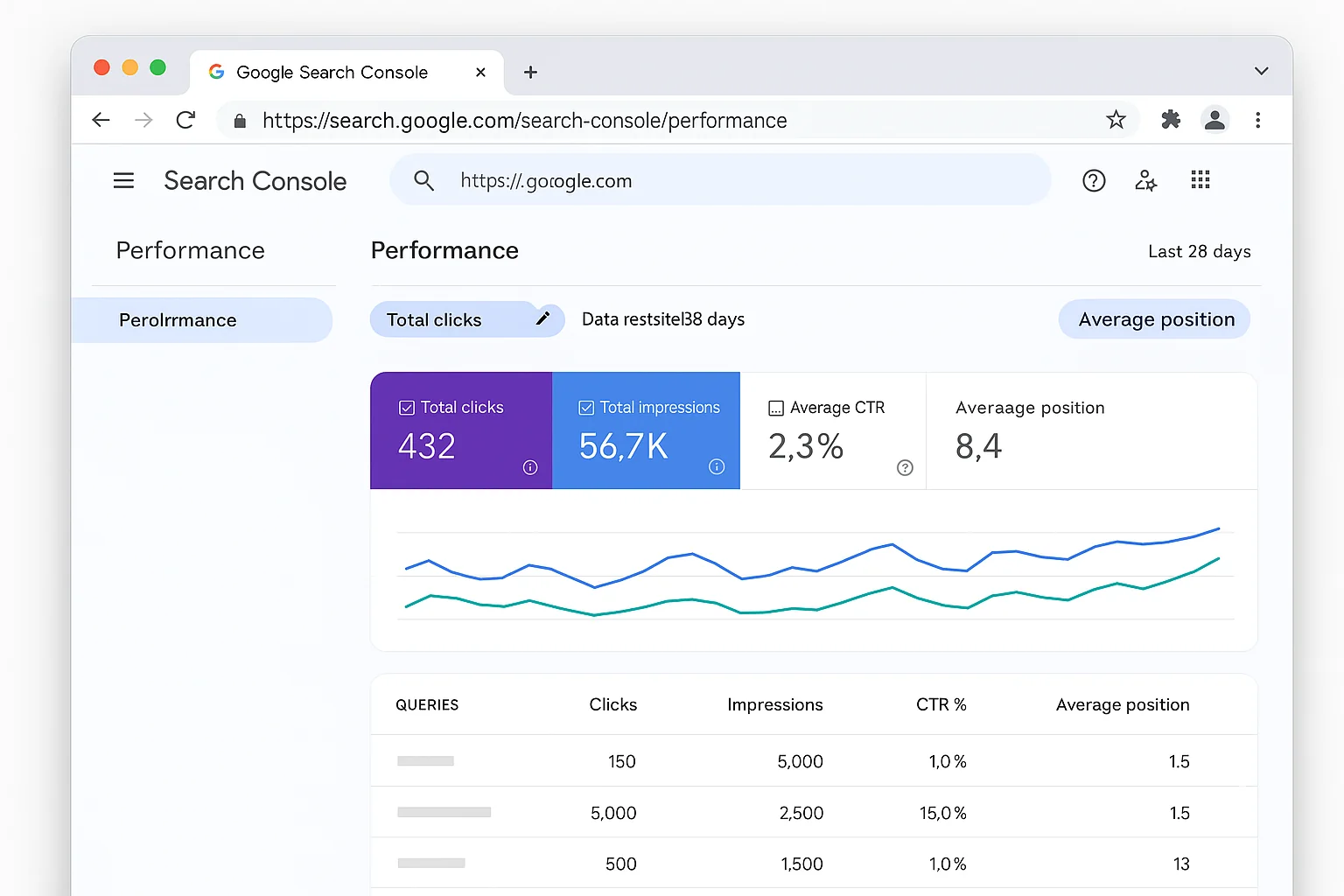
Most people never turn this toggle on. That means they’re looking at their query data blind, with no idea where they actually rank.
Step 2. Filter Queries by Position (Less Than 3)
Scroll down to the Queries table.
Click the + New button (or the filter icon) above the table. Select Position. Set it to Smaller than 3.
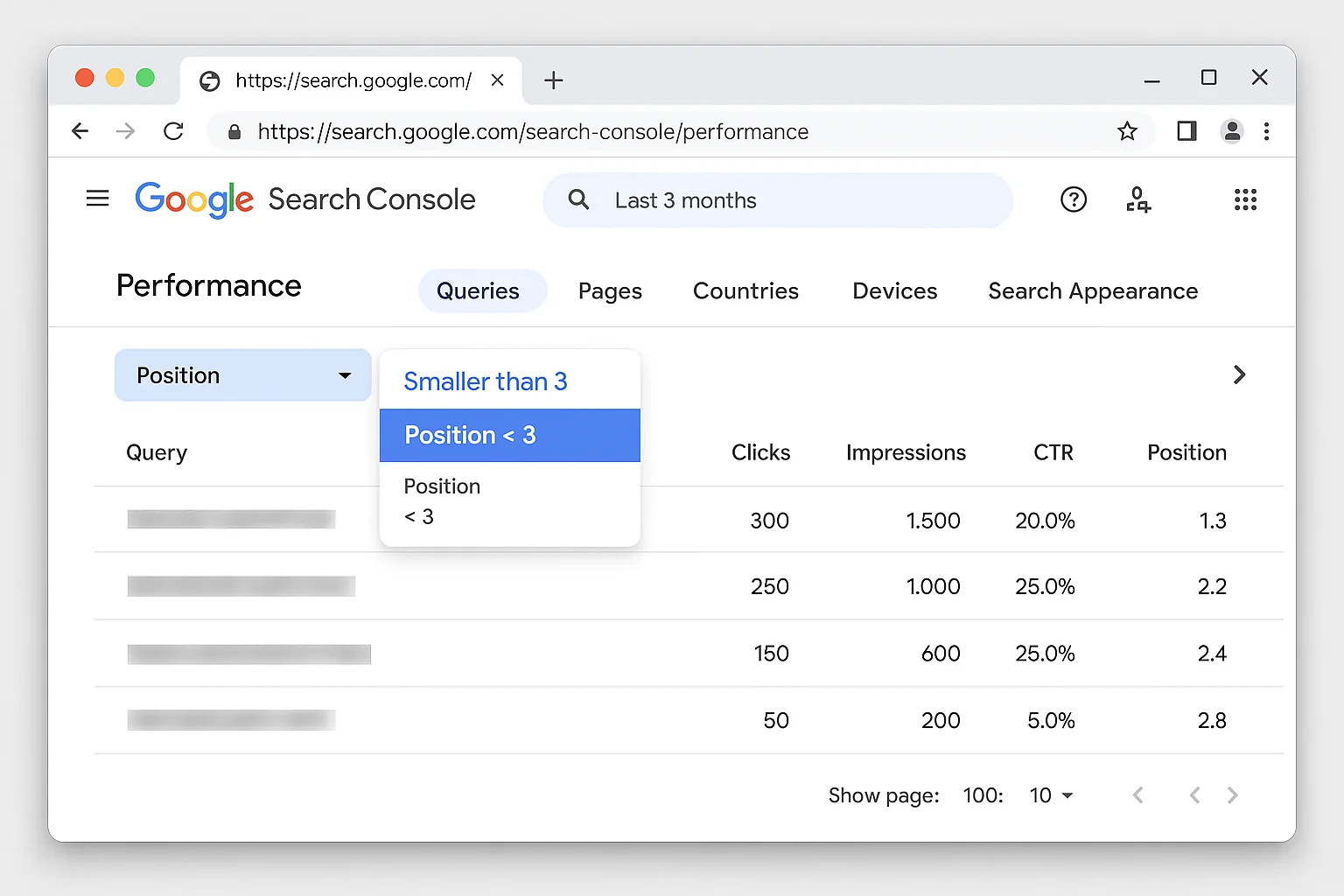
This filters your queries down to only the keywords where you rank in positions 1, 2, or 3. The top three spots on Google.
You’re already in striking distance for all of these keywords. That’s the whole point.
Step 3. Add an Impressions Filter (Greater Than 80)
Now add a second filter. Click + New again. Select Impressions. Set it to Greater than 80.
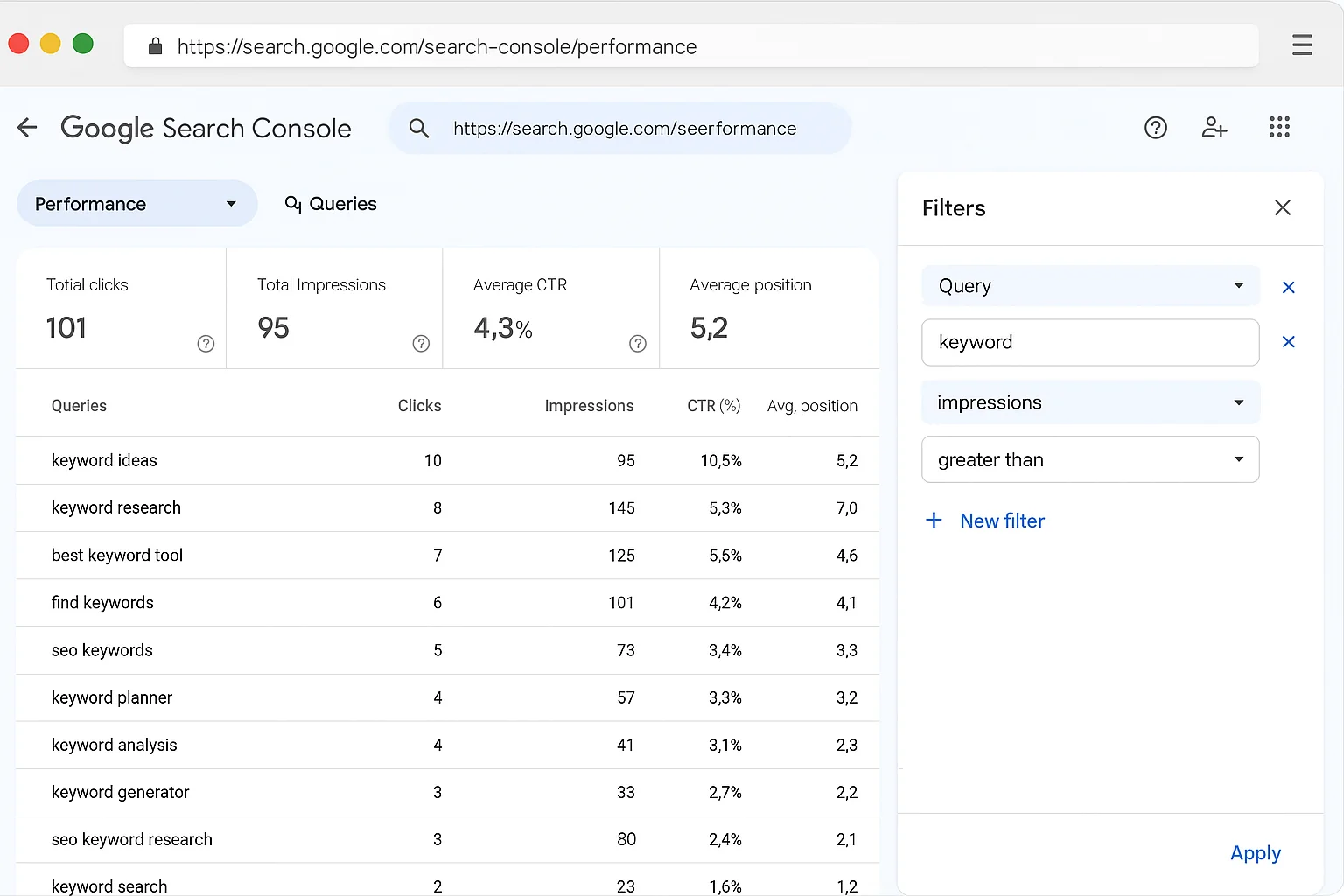
This removes the noise. Keywords with fewer than 80 impressions are too small to move the needle. They’ll bring you one or two clicks a month. Not worth your time.
You want keywords with enough search volume to actually matter, but not so much volume that they attract heavy competition.
Step 4. Sort by Impressions, Low to Highest
Click the Impressions column header to sort from low to high.
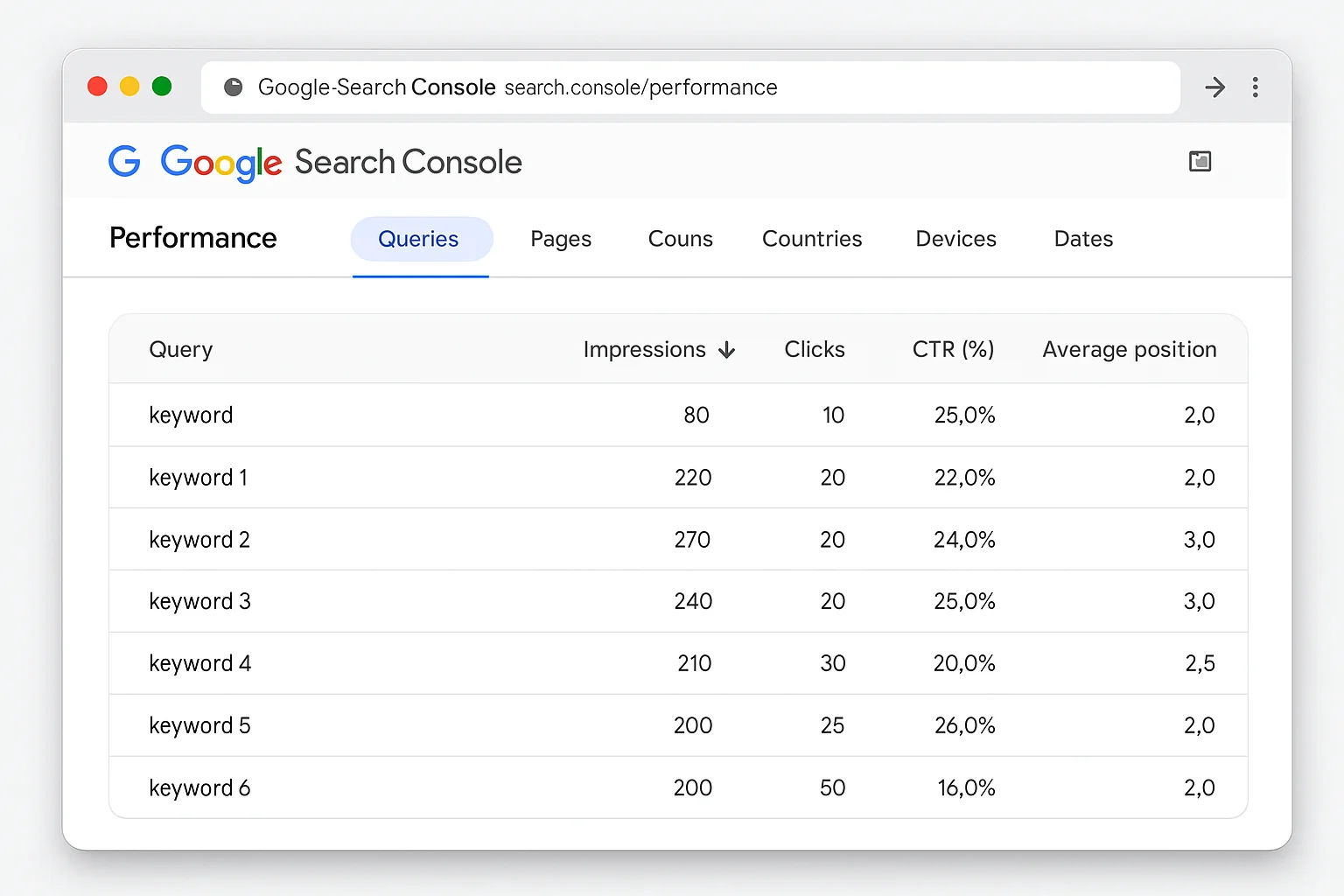
This is where the magic happens.
At the top of your sorted list, you’ll see keywords with 80-300 impressions where you rank in positions 2-3. These are your low-competition goldmines.
Step 5. Identify Your Low-Competition Winners (Under 300 Impressions)
Scroll through the sorted list. Look for keywords that meet ALL of these criteria:
- Position: 2 to 3 (you’re almost at #1)
- Impressions: Between 80 and 300 (enough volume to matter, low enough to signal weak competition)
- Relevance: The keyword makes sense for your business or content
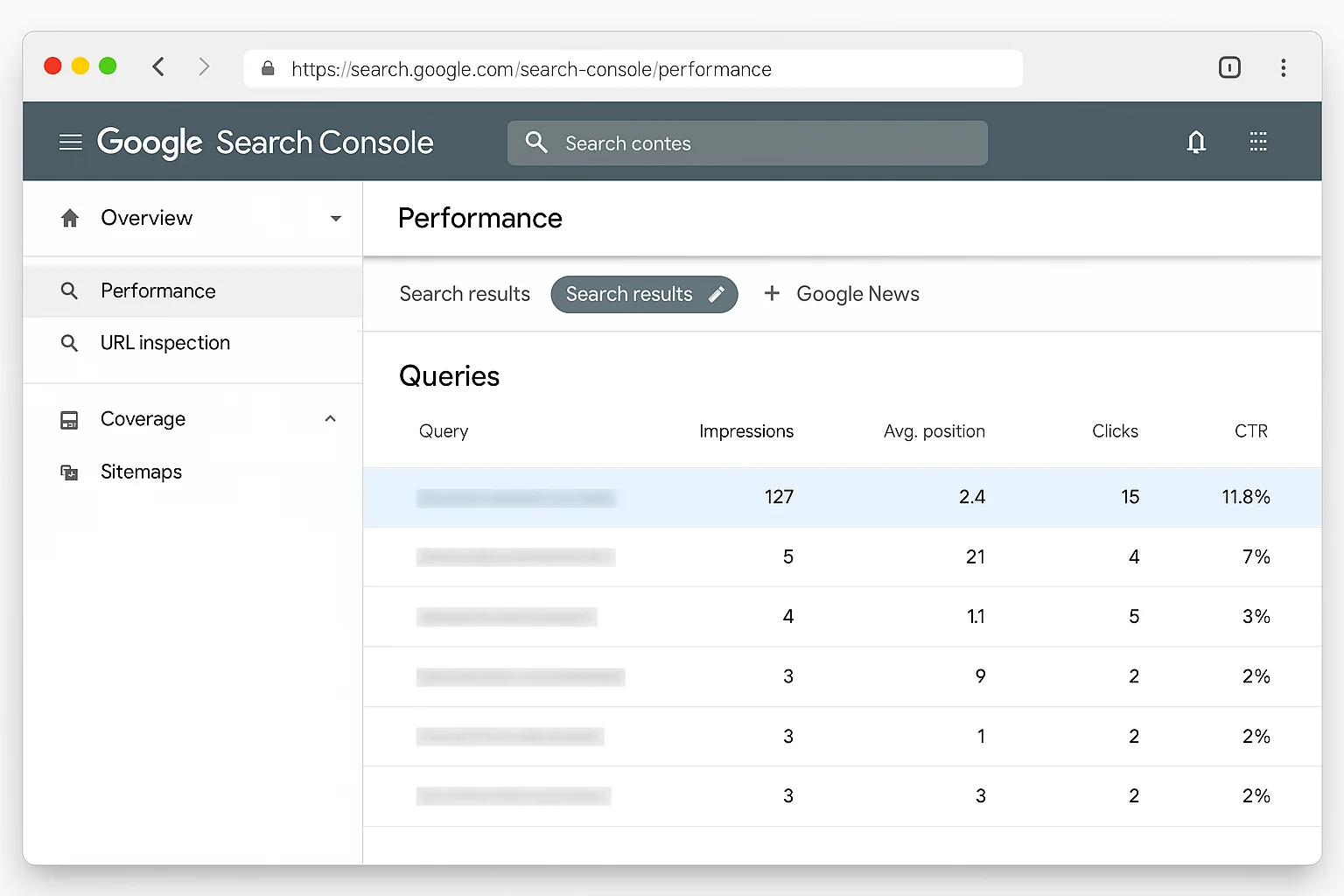
Keywords with under 300 impressions that you already rank in the top 3 for are, in almost every case, keywords with VERY little competition. The reason is simple. If a keyword had tough competition, you wouldn’t be ranking in positions 2-3 without a dedicated page targeting it.
Write down 5-10 of these keywords. Those are your next content targets.
Too easy.
The takeaway: Five filters, five minutes. Position less than 3, impressions greater than 80, sort ascending. The keywords at the top of that list are the easiest ranking wins on the internet.
Why Position 2-3 Keywords With Low Impressions Are Gold
Let me explain the growth principle behind this tactic. Because understanding WHY it works is how you squeeze even more value from it.
When your site ranks in positions 2-3 for a keyword, Google is telling you something. It is saying your content is relevant, your site has enough authority, and your page matches the search intent well enough to earn a top-three spot.
Now combine that with low impressions (80-300).
Low impressions means fewer people are searching for that exact phrase each month. And fewer searches means fewer websites are actively trying to rank for it. The big players (HubSpot, Neil Patel, Moz) skip these keywords entirely because the volume is too small for their content machines.
That’s EXACTLY why these keywords are perfect for smaller sites.
According to Moz’s guide to keyword difficulty, competition for a keyword correlates directly with search volume. The lower the volume, the fewer sites competing. When you’re already ranking 2nd or 3rd for a low-volume keyword, you have a massive advantage.
Here’s another way to think about it.
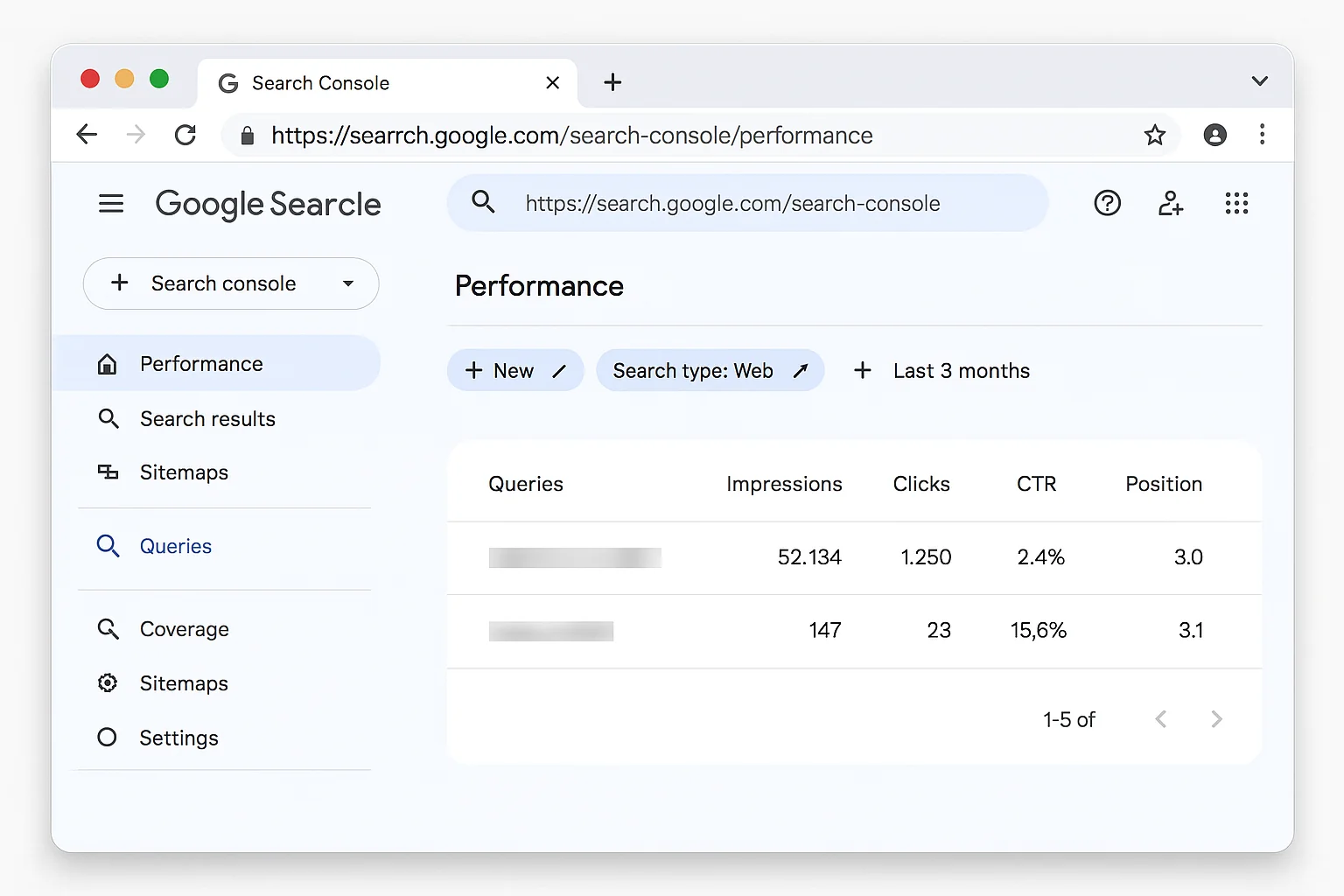
A keyword with 50,000 monthly impressions in position 3 means dozens of authoritative sites are fighting for that spot. A keyword with 150 impressions in position 3 means almost nobody else cares about it.
You already rank for it. Nobody else is competing. All you need is a small content push to claim the #1 spot.
There’s a compounding effect here, too.
When you claim the #1 spot for a low-competition keyword, Google sees stronger engagement signals from your page (higher CTR, longer dwell time, fewer bounces). Those signals feed back into your site’s overall authority. Over time, your domain builds credibility with Google, which makes it easier to rank for slightly harder keywords next.
One low-competition keyword win leads to the next one. Then the next. Stack 20 or 30 of these wins over a few months, and your site starts competing at a level that would normally take years of backlink campaigns to reach.
This is why growth practitioners call it “stacking easy wins.” Each small victory compounds into something much bigger.
How To Turn These Keywords Into Page-One Rankings
Finding the keywords is step one. Here’s how to take ownership of them.
Option 1. Create a Short, Targeted Page
For keywords that don’t have a dedicated page on your site, create one.
This page does not need to be a 3,000-word epic. A focused 500-800 word page that directly answers the query will do the job. Google already trusts your site for this keyword. You just need to give it a proper landing spot.
According to Google’s SEO Starter Guide, creating content that directly serves the searcher’s intent is the foundation of ranking well. For a low-competition keyword, that means a clean, focused page.
Here’s what that page needs:
- The keyword in the page title (H1 tag)
- The keyword in the first paragraph naturally
- The keyword in the URL slug (e.g., /your-keyword-here)
- 300-800 words of genuinely helpful content answering the query
- One or two images with descriptive alt text
That’s it. No backlink campaigns. No guest posting. No complicated internal linking schemes.
Here’s a concrete example. Let’s say your site about project management is ranking position 2.8 for “standup meeting template for remote teams” with 112 impressions. Create a page at /standup-meeting-template-remote-teams with a 600-word post that includes a downloadable template, three tips for running effective standups, and a clear title matching the query.
That page will likely hit position 1 within weeks. Because the only sites ranking for it right now are probably generic project management articles that mention standups in passing.
Option 2. Add the Keyword to an Existing Page
Sometimes you don’t need a new page at all.
If you already have a page that’s broadly related to the keyword, add a section specifically addressing that exact query. A new H2 heading with 200-400 words underneath can be enough to push you from position 3 to position 1.
This works especially well when the keyword is a variation of a topic you already cover.
For example, if your page about “email marketing best practices” is ranking position 3 for “email subject line length,” just add a dedicated section about subject line length. One new H2, a few paragraphs, done.
On-Page Optimization for the Target Keyword
Whether you create a new page or update an existing one, follow these basics from Semrush’s guide to Google Search Console keywords:
- Use the exact keyword in your title tag, H1, and meta description.
- Use close variations of the keyword in your H2 subheadings.
- Write for the searcher first. Answer the query completely.
- Keep paragraphs short. Walls of text kill engagement.
- Add schema markup if the query is a “how to” or FAQ.
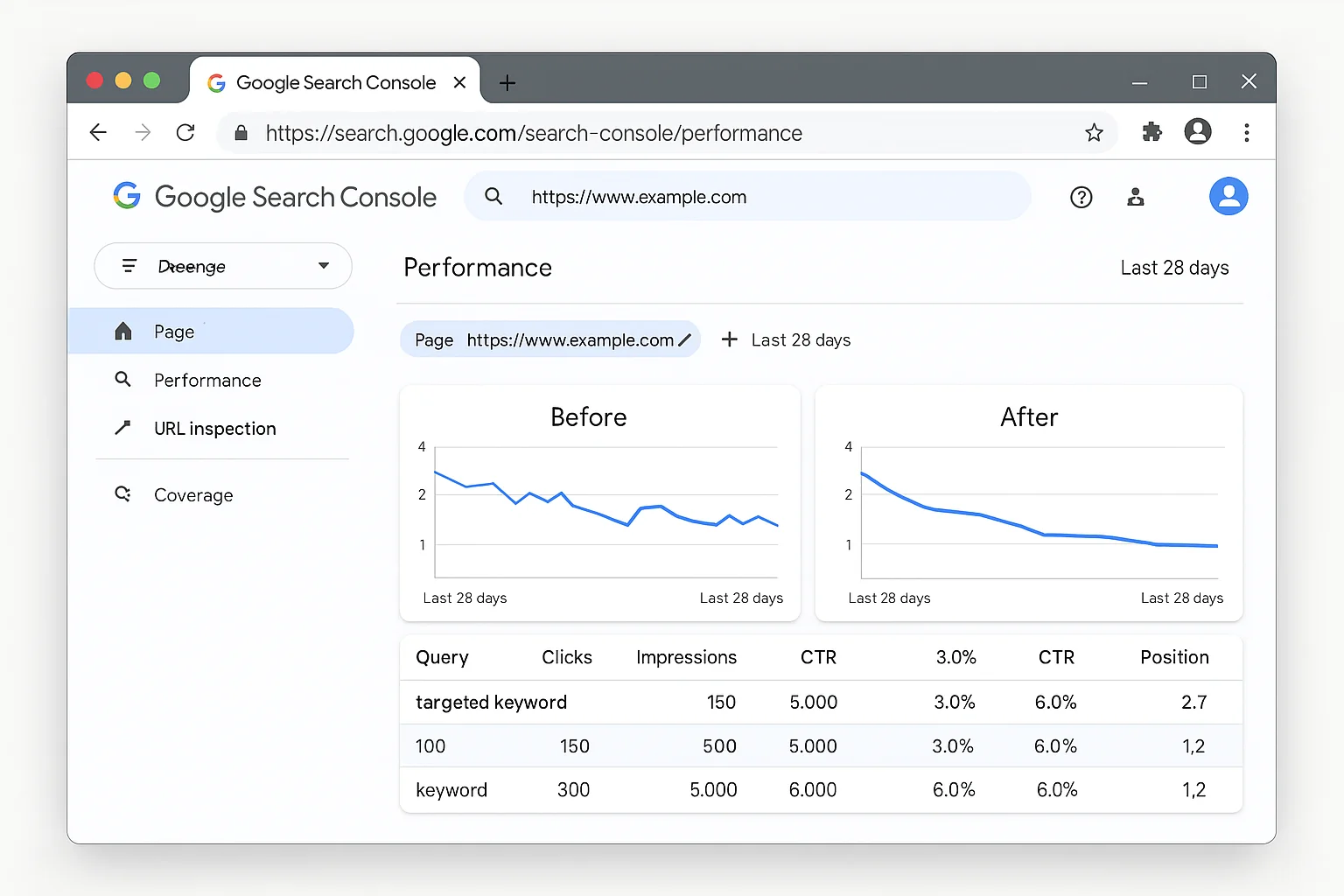
The takeaway: For low-competition keywords, a short targeted page or a new section on an existing page is all you need. No backlinks required. No paid tools. Google already trusts you. Just give it the content it’s looking for.
3 Mistakes That Kill Your Low-Competition Keyword Strategy
This method is simple. But simple does not mean foolproof. Here are the three most common mistakes that waste the opportunity.
Mistake 1. Ignoring Search Intent
A keyword can look perfect in your GSC data. Position 2.3, 140 impressions. Beautiful.
But if the search intent behind that keyword doesn’t match what you’re offering, ranking #1 won’t get you a single customer.
Before creating content for a keyword, Google it yourself. Look at the top results. Are they blog posts? Product pages? Videos? Definitions?
Match the format and depth of what’s already ranking. If Google shows video results, consider adding a video. If Google shows short definitions, write a short definition. Fighting the intent is a losing battle.
Mistake 2. Targeting Keywords With Zero Business Value
Not all keywords are worth your time. A keyword with 150 impressions that brings tire-kickers who will never buy, sign up, or engage is a dead end.
Focus on keywords that connect to your product, service, or content goals. Ask yourself: “If someone searches this and finds my page, is there a clear next step for them?”
If the answer is no, skip it.
The best low-competition keywords sit at the intersection of low difficulty AND high business relevance. A keyword like “how to fix broken CSS grid on Safari” has low competition, but if you sell marketing software, that traffic does nothing for you. A keyword like “best email automation for Shopify stores” with 95 impressions where you rank position 2.6? That’s a buyer keyword. That’s the one you create a page for.
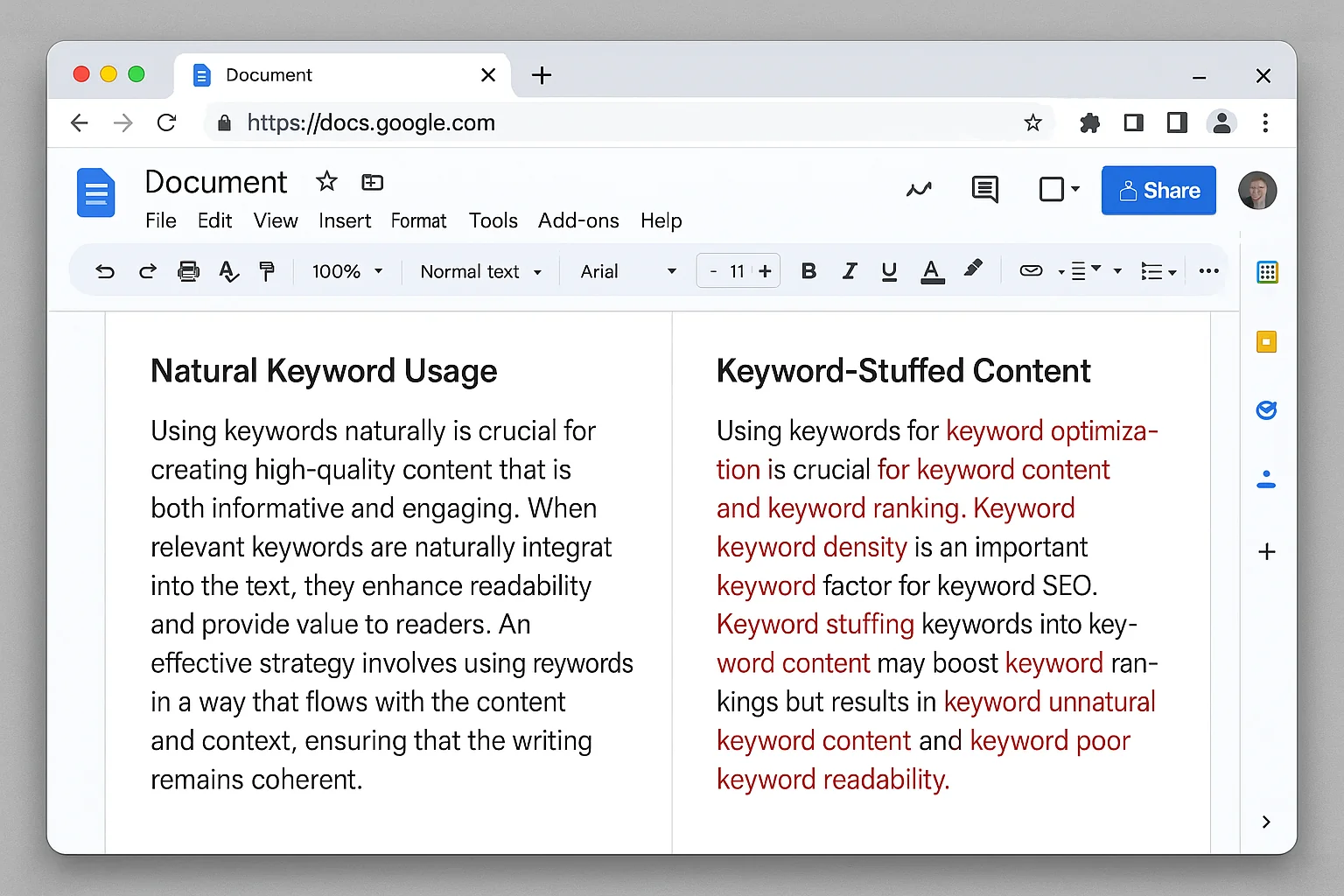
Mistake 3. Over-Optimizing and Keyword Stuffing
You found a keyword. You’re excited. So you jam it into every sentence, every heading, every alt tag.
Google catches this fast. Over-optimization signals spam, and it can actually push you down in rankings instead of up.
Use the keyword naturally. Put it in the title, the first paragraph, and maybe one H2. Then write for humans. Google’s algorithms in 2026 are smart enough to understand context, synonyms, and related concepts without you force-feeding the exact phrase 47 times.
Why This Beats Paying $99/Month for SEO Tools
Here’s the part that really matters for founders and marketers working with tight budgets.
Paid SEO tools like Ahrefs and SEMrush estimate keyword difficulty using their own algorithms. They scrape data, model competition, and give you a score from 0 to 100. These tools are good. But they’re guessing.
Google Search Console gives you first-party data directly from Google. The actual impressions. The actual position. The actual clicks. There’s no estimation involved. When GSC tells you that you rank position 2.4 for a keyword with 127 impressions, that is a FACT from Google’s own index.
No third-party tool can match that accuracy.
According to Search Engine Journal’s guide to Search Console for SEO, GSC remains the most reliable source for understanding how Google sees your site. Every other tool is building on top of (or guessing at) what GSC already tells you for free.
The paid tools shine when you need competitive analysis, backlink data, and keyword discovery at scale. Keep using them if you already pay for them.
But for finding low-competition keywords you can rank #1 for TODAY? GSC is all you need.
Think about it this way. Ahrefs shows you that a keyword has a difficulty score of 12 out of 100. That’s useful. But GSC shows you that YOU specifically rank position 2.4 for that keyword with 127 impressions. That’s actionable.
One tells you the game is winnable. The other tells you that you’re already winning and just need to finish the play.
The takeaway: $0 per month. First-party data from Google. Keywords you already rank for. Paid tools became optional the moment you learned this filtering technique.
Go Claim Your Keywords
You have a free tool that tells you exactly which keywords you almost own.
You have a 5-minute filtering process that surfaces the ones with the least competition.
You have a simple playbook for turning position 3 into position 1.
The only thing left is to open Google Search Console and do it.
Make haste.