Google Ads AI Max: The 4-Step Readiness Framework Before You Hit That Toggle

TL;DR
Google Ads AI Max combines broad match, dynamic creatives, and final URL expansion into one toggle. If you are still running only exact match keywords and have never tested automation features, turning on AI Max is like going from crawling to running a marathon. Use this 4-step readiness framework (broad match experiments, dynamic ad groups, constrained PMax, then AI Max) to progressively test Google’s automation and actually be satisfied with the results.
In This Post You’ll Learn
- The “crawl-walk-run” framework that prevents AI Max from torching your budget
- How to set up a broad match experiment as your first automation test
- Why dynamic ad groups are the missing middle step most advertisers skip
- The strict target CPA/ROAS trick that forces Performance Max into search inventory
- How to know you are actually ready to activate AI Max
- The AI Max Readiness Scorecard to rate yourself before you toggle
The Crawl-Walk-Run Framework for Google Ads AI Max
Here is the truth about Google Ads AI Max: it is the most powerful automation suite Google has ever released for Search campaigns. Search term matching, asset optimization, and final URL expansion all rolled into one toggle.
And that is exactly why most advertisers should NOT turn it on yet.
If you have been running exact match keywords with manual bid adjustments for years, flipping on AI Max is a shock to your entire account. You are handing Google control over which queries you show for, which landing pages get used, and which ad copy gets served.
That is a lot of trust to hand over in one click.
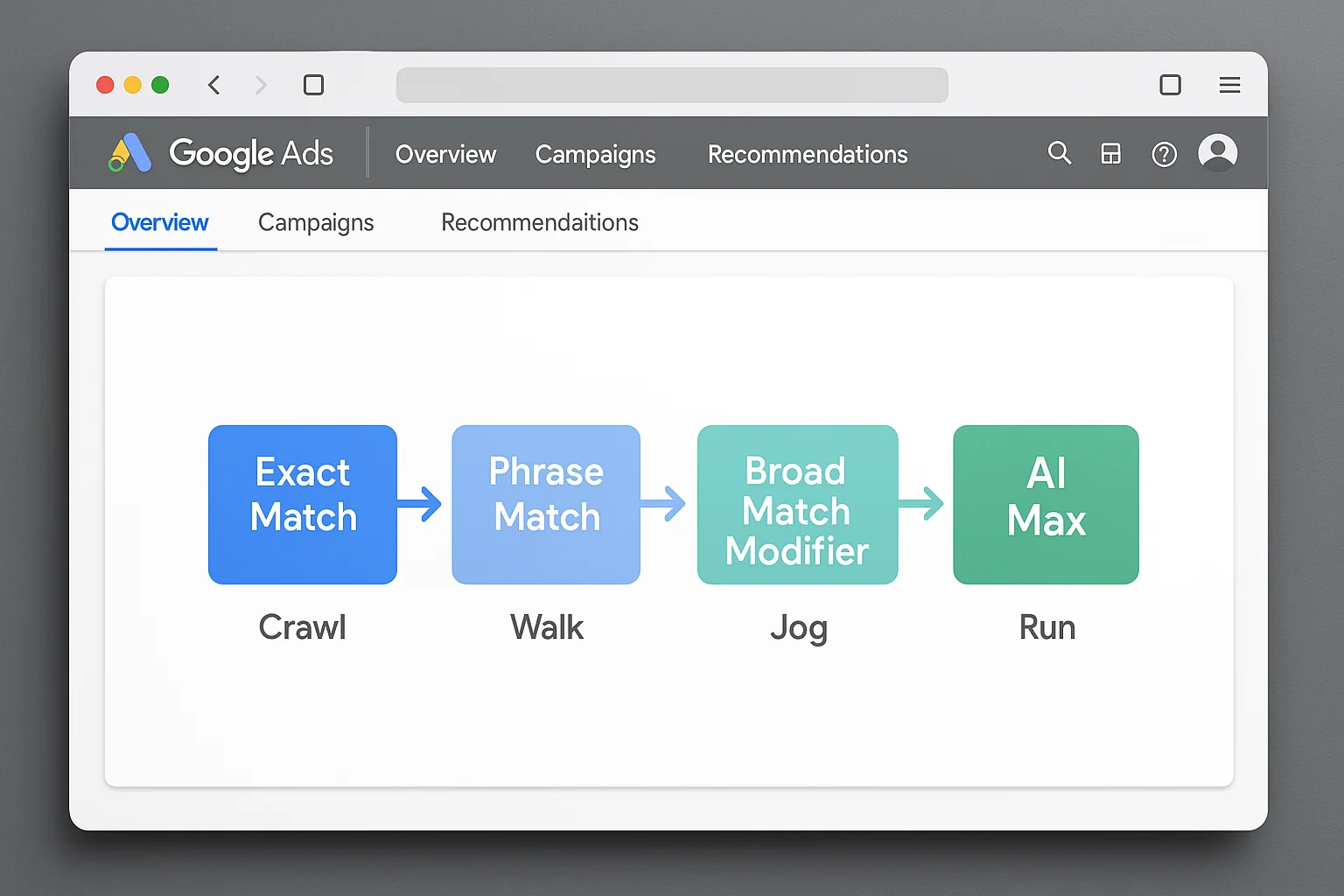
The smarter move is a progressive adoption path. Four steps. Each one tests a specific layer of Google’s automation so you build confidence (and data) before committing to the full AI Max suite.
Here is the framework:
- Crawl: Test broad match keywords with Google Ads experiments
- Walk: Run a dynamic ad group (your first keywordless test)
- Jog: Launch Performance Max with strict target CPA or target ROAS
- Run: Activate AI Max with confidence
Each step builds on the last. If broad match terrifies you, you are not ready for dynamic ad groups. If PMax makes you nervous, AI Max will keep you up at night.
The takeaway: AI Max is the finish line, not the starting line. Test each automation layer individually before combining them all into one toggle.
Step 1 - Test Broad Match Keywords With Google Ads Experiments
This is where it all starts.
Broad match is the foundation of AI Max’s search term matching feature. When you turn on AI Max, Google uses broad match logic to expand your keywords beyond their literal text and match them to search intent. A comprehensive match type performance study by Adalysis found that broad match paired with smart bidding unlocks additional signals like user search history. If you have never tested broad match, you have never experienced this level of keyword expansion.
And you need to experience it in a controlled environment first.
How to Set Up a Proper Broad Match Experiment
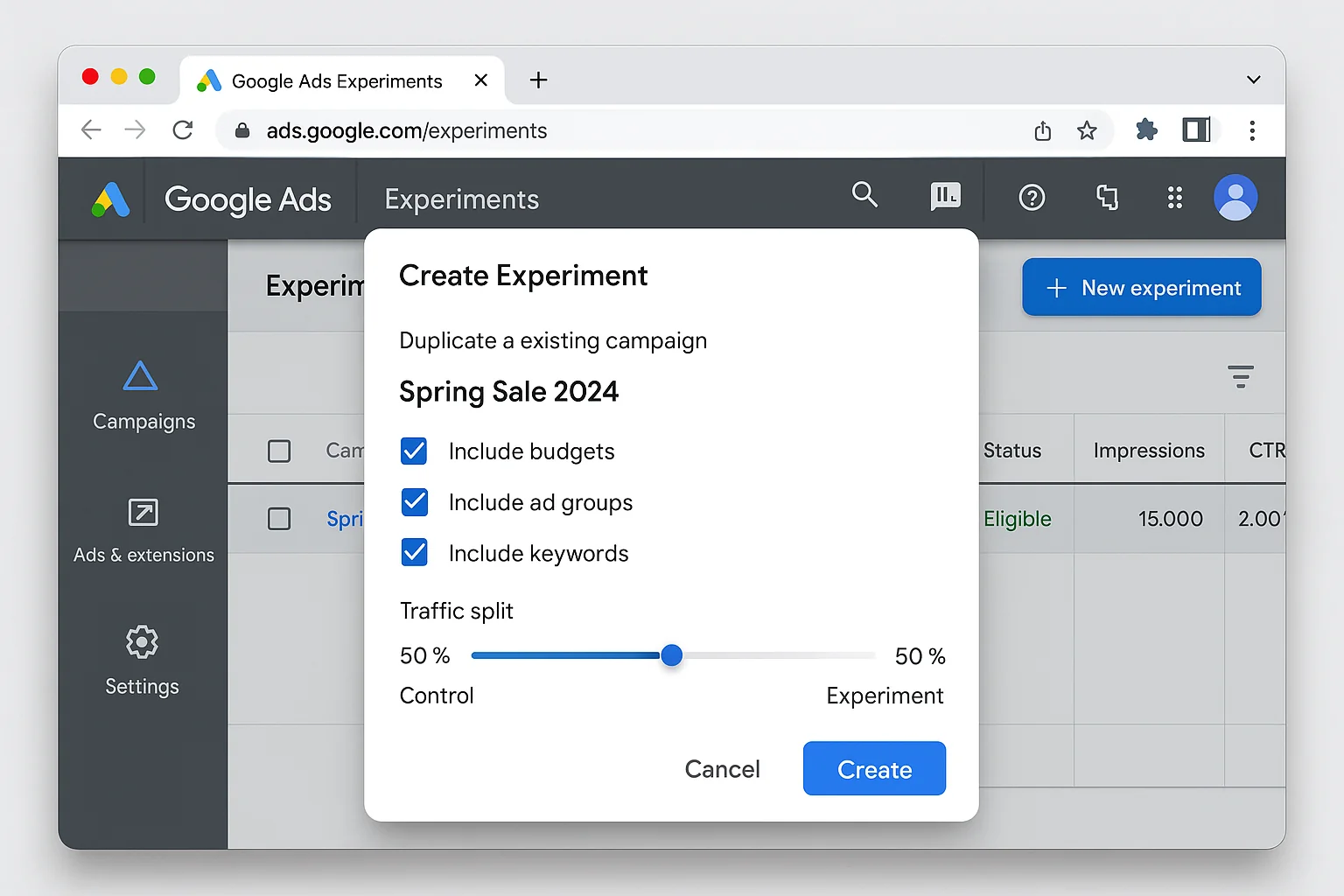
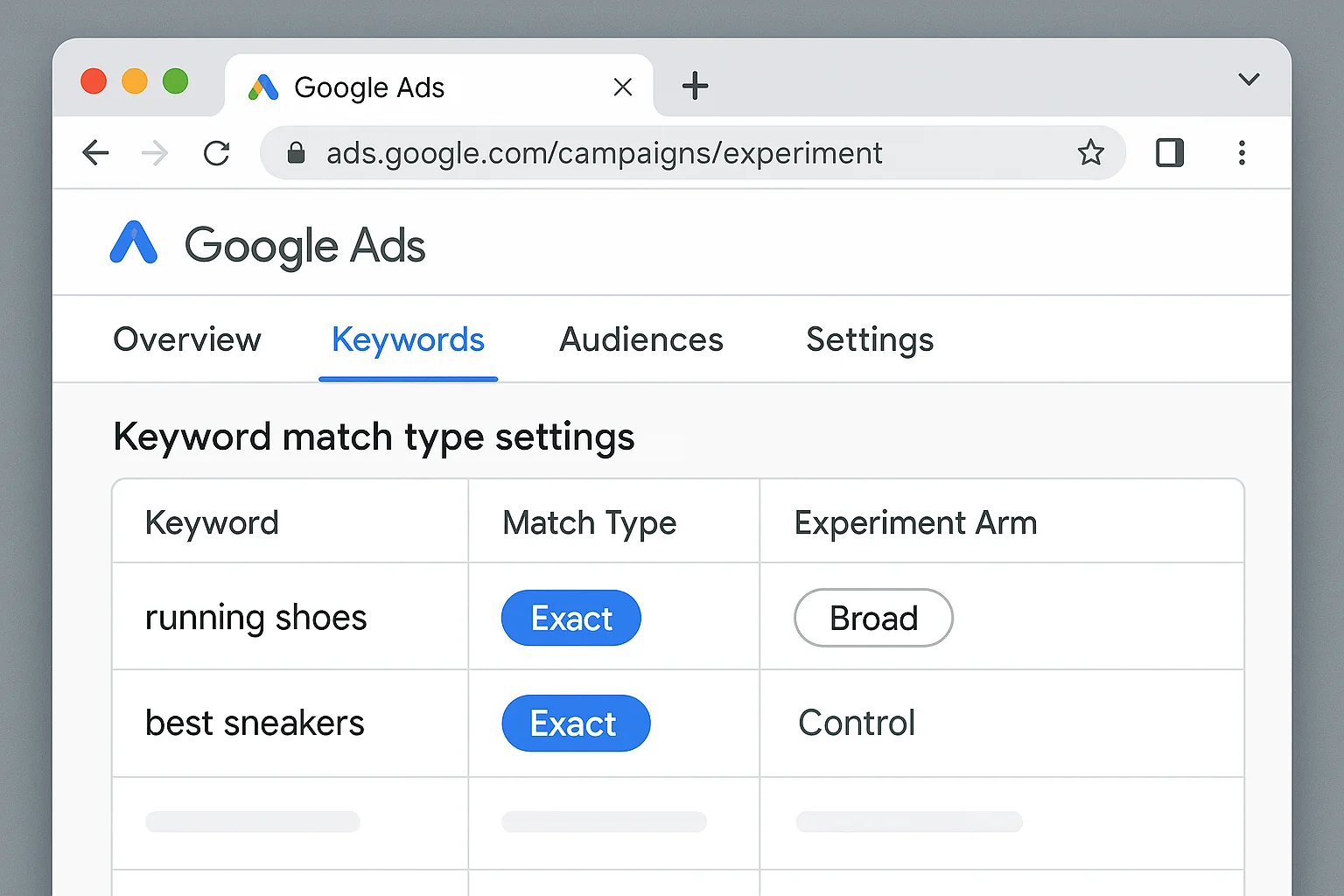
Google Ads has a built-in Experiments feature that lets you test broad match against your current exact match keywords with zero risk to your main campaign.
Here is the setup:
- Pick your best-performing exact match campaign (the one with the most conversion data)
- Navigate to Experiments in the left sidebar of Google Ads
- Create a Custom Experiment
- Set your experiment to duplicate the campaign and change all keywords from exact match to broad match
- Split traffic 50/50 between the original and the experiment
- Run it for a MINIMUM of 4 weeks (you need statistical significance)
What to Watch For
After 4 weeks, compare these metrics side by side:
- Cost per conversion. If broad match delivers conversions within 20% of your exact match CPA, that is a strong signal.
- Search term relevance. Check the search terms report. Are the queries Google matched you to actually relevant to your business?
- Conversion volume. Broad match should deliver MORE conversions. If it delivers fewer at a higher cost, dig into the search terms before killing it.
If broad match performs within your acceptable CPA range, you just passed step one. You have proof that Google’s AI can match your ads to relevant queries without you specifying every single keyword.
If broad match tanks your performance, you have valuable information too. It means your conversion tracking, landing pages, or bidding strategy need work before any automation layer will succeed.
The takeaway: Broad match is the single best predictor of AI Max success. If Google’s AI can find good queries with broad match, it can do the same (and more) with AI Max.
Step 2 - Run a Dynamic Ad Group (Your First Keywordless Test)
Most advertisers skip this step entirely. They go from keyword-based campaigns straight to Performance Max.
That is a mistake.
Dynamic ad groups are the bridge between keyword-based targeting and fully automated targeting. In a dynamic ad group, you do not add keywords at all. Instead, you give Google a set of landing pages (or your entire website) and Google decides which search queries to show your ads for based on your page content.
That is EXACTLY what AI Max’s final URL expansion feature does.
Why This Step Matters
Dynamic ad groups let you test keywordless targeting in isolation. No broad match layered on top. No asset optimization. The only thing being tested is whether Google can look at your website and match it to the right queries.
If the answer is yes, AI Max’s final URL expansion will work for you.
If the answer is no, you know to keep final URL expansion turned off when you eventually activate AI Max (yes, you can toggle individual AI Max features).
How to Set It Up
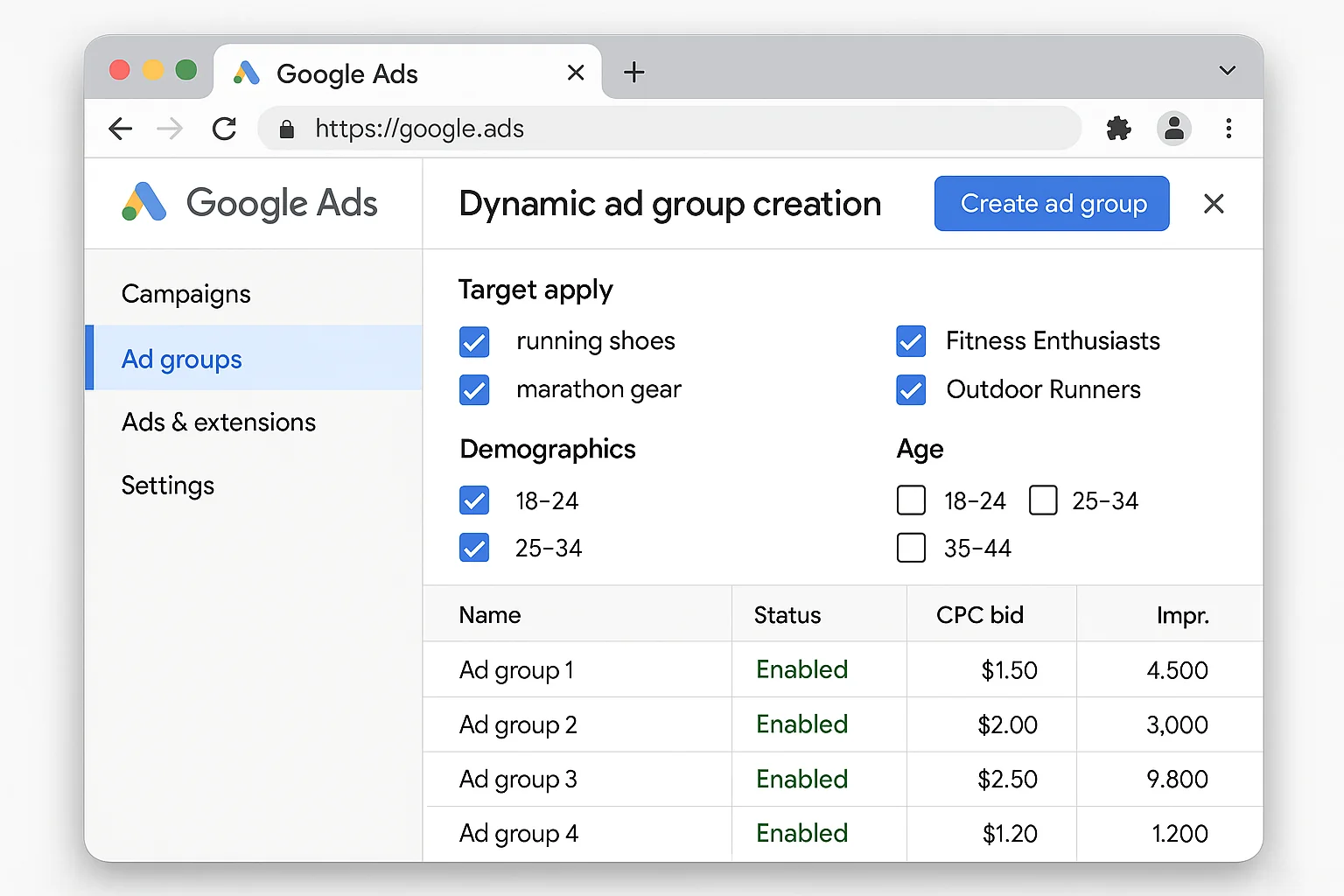
- Create a new Search campaign (or a new ad group within an existing campaign)
- Select “Dynamic ad group” as the ad group type
- Choose your targeting: specific URLs, categories Google has identified, or your entire site
- Start with specific URLs. Pick your 5-10 best-performing landing pages.
- Write your ad copy (Google will dynamically generate headlines, but you control descriptions)
- Set a conservative daily budget. This is a test, not a full rollout.
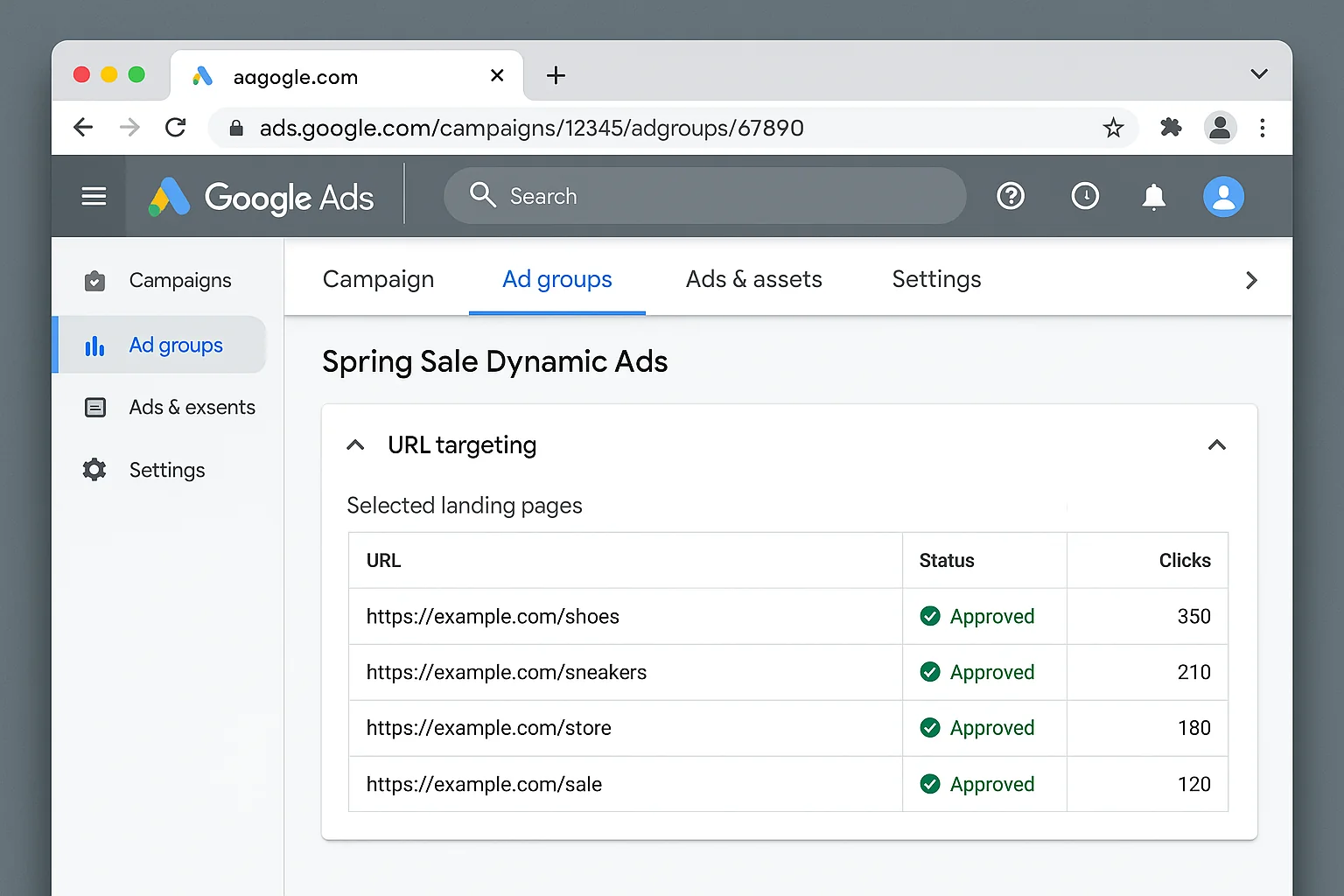
Run this for 3-4 weeks. Check the search terms report religiously.
If Google matches your landing pages to relevant, converting queries, you have cleared step two. You now have evidence that keywordless targeting works for your site.
The takeaway: Dynamic ad groups are the dress rehearsal for AI Max’s final URL expansion. Test them separately so you know exactly which AI Max feature to trust and which to constrain.
Step 3 - Launch Performance Max With Strict Targets
This is where things get interesting.
Performance Max is the closest existing campaign type to what AI Max does for Search. PMax uses Google’s AI to serve ads across Search, Display, YouTube, Gmail, Discover, and Maps. It handles keyword targeting, creative generation, audience selection, and bidding all automatically.
The problem is that most advertisers launch PMax with loose targets and watch it dump their budget into Display and YouTube inventory where the clicks are cheap but the conversions are garbage.
The fix is simple: set an aggressively strict target CPA or target ROAS.
The Strict Target Trick
When you set a target CPA that is at or below your current Search campaign CPA, Google’s AI is FORCED to prioritize the highest-converting inventory. For most advertisers, that means Search.
Here is why this works. Display clicks cost $0.50 but never convert, so Google’s AI learns that Display inventory cannot hit your target CPA. Search clicks cost $3.00 but convert at 8%, so the math works. Google’s AI figures this out fast.
A strict target CPA or target ROAS essentially turns PMax into a search-first campaign. You get to test Google’s full AI automation (creative, targeting, bidding) while keeping the inventory mix focused on what actually converts.
How to Set It Up
- Create a new Performance Max campaign
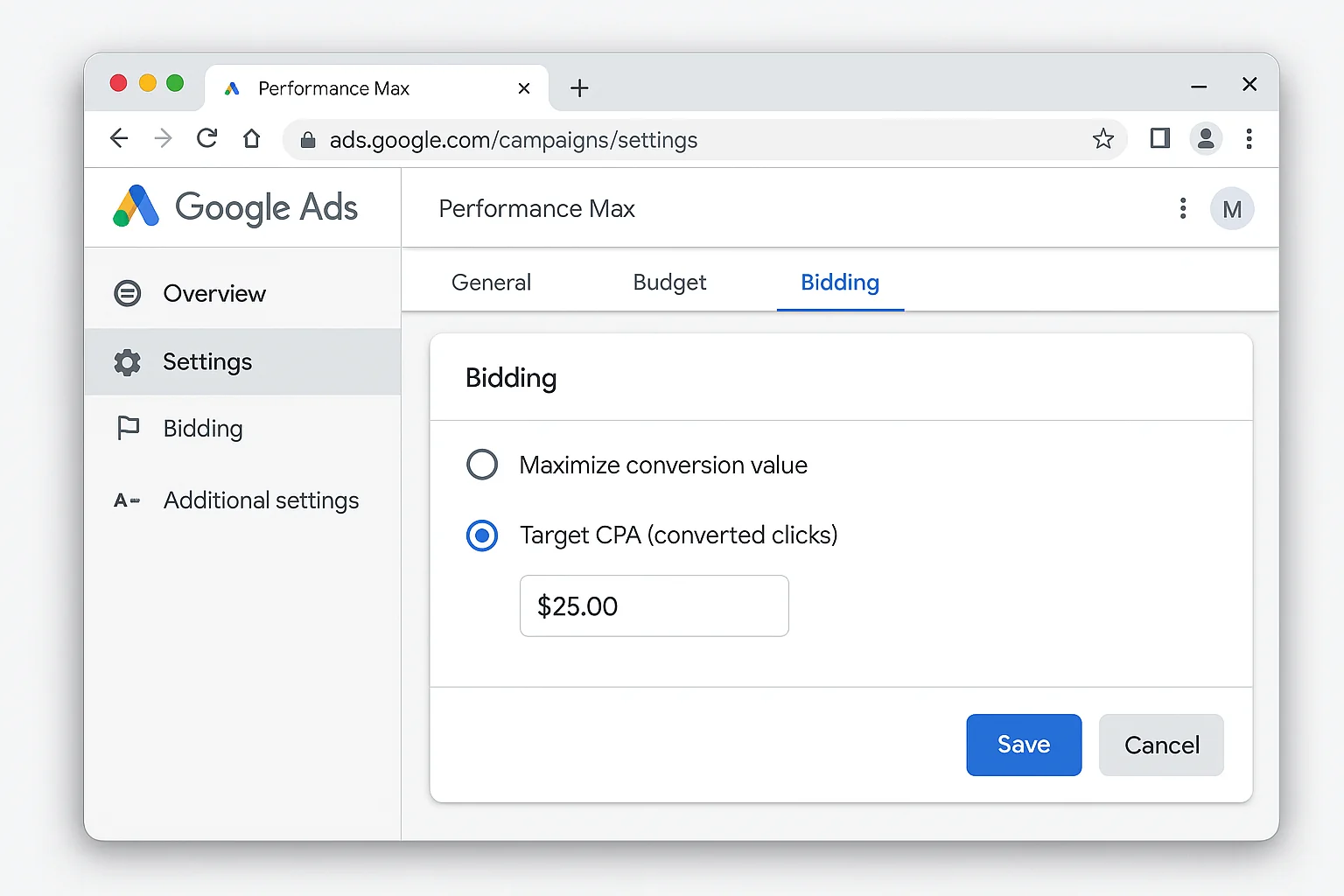
- Set your bidding strategy to “Maximize conversions” with a target CPA, or “Maximize conversion value” with a target ROAS
- Set the target aggressively. Use your current Search campaign CPA as the ceiling, not the floor. If your Search CPA is $25, set the PMax target CPA at $25 or even $20.
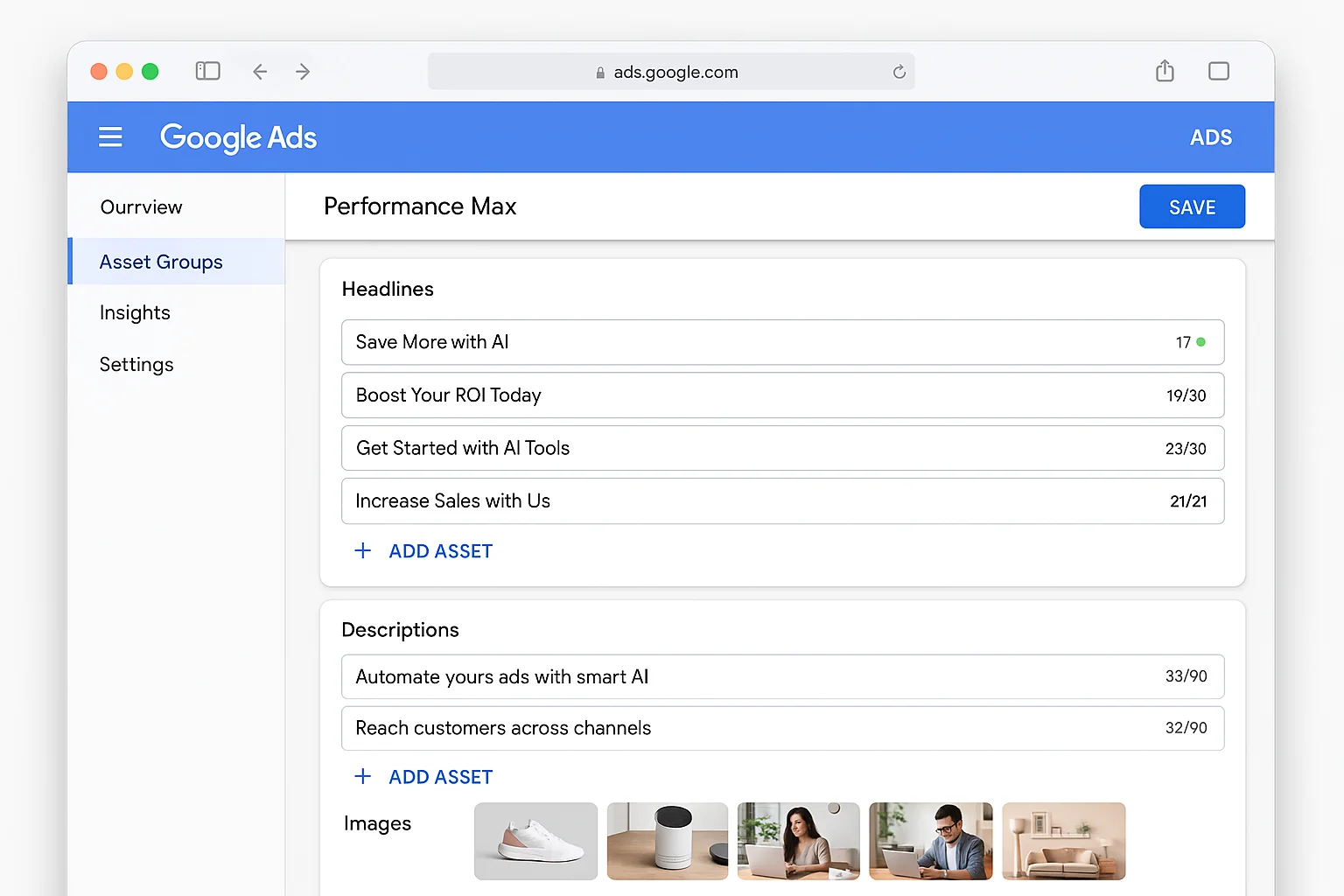
- Build out your asset groups with your best creative (headlines, descriptions, images, video if you have it)
- Add audience signals. Use your customer lists, website visitors, and in-market audiences.
- Set a daily budget you are comfortable testing with for 6 weeks
What Success Looks Like
After 6 weeks with a strict target:
- CPA is at or below your target. PMax found converting inventory efficiently.
- Search is the dominant channel in the insights tab. This confirms the strict target pushed PMax into search-first behavior.
- Conversion volume increased compared to your standard Search campaigns alone.
If PMax hits your targets with strict constraints, you have just proven that Google’s AI can handle full automation for your account. You are ready for AI Max.
If PMax struggles even with strict targets, that is a signal to investigate your conversion tracking, landing page experience, and creative assets before adding more automation.
The takeaway: Performance Max with a strict target CPA is the closest thing to an AI Max dry run. If PMax delivers at your targets, AI Max will too. If it does not, fix the fundamentals first.
Step 4 - You Are Ready for AI Max (Here Is How to Activate It)
If you made it through all three steps with positive results, congratulations. You have battle-tested every component that AI Max uses:
- Broad match proved Google’s AI can match your ads to relevant queries
- Dynamic ad groups proved keywordless targeting works for your site
- Constrained PMax proved full AI automation can deliver within your targets
Now turning on AI Max is a logical next step, not a leap of faith.
How to Activate AI Max
- Open your Google Ads account and select an existing Search campaign
- Navigate to Campaign Settings
- Look for the “AI Max” section in the settings menu
- Toggle AI Max ON
- Choose which features to enable. You can turn on search term matching, asset optimization, and final URL expansion individually.
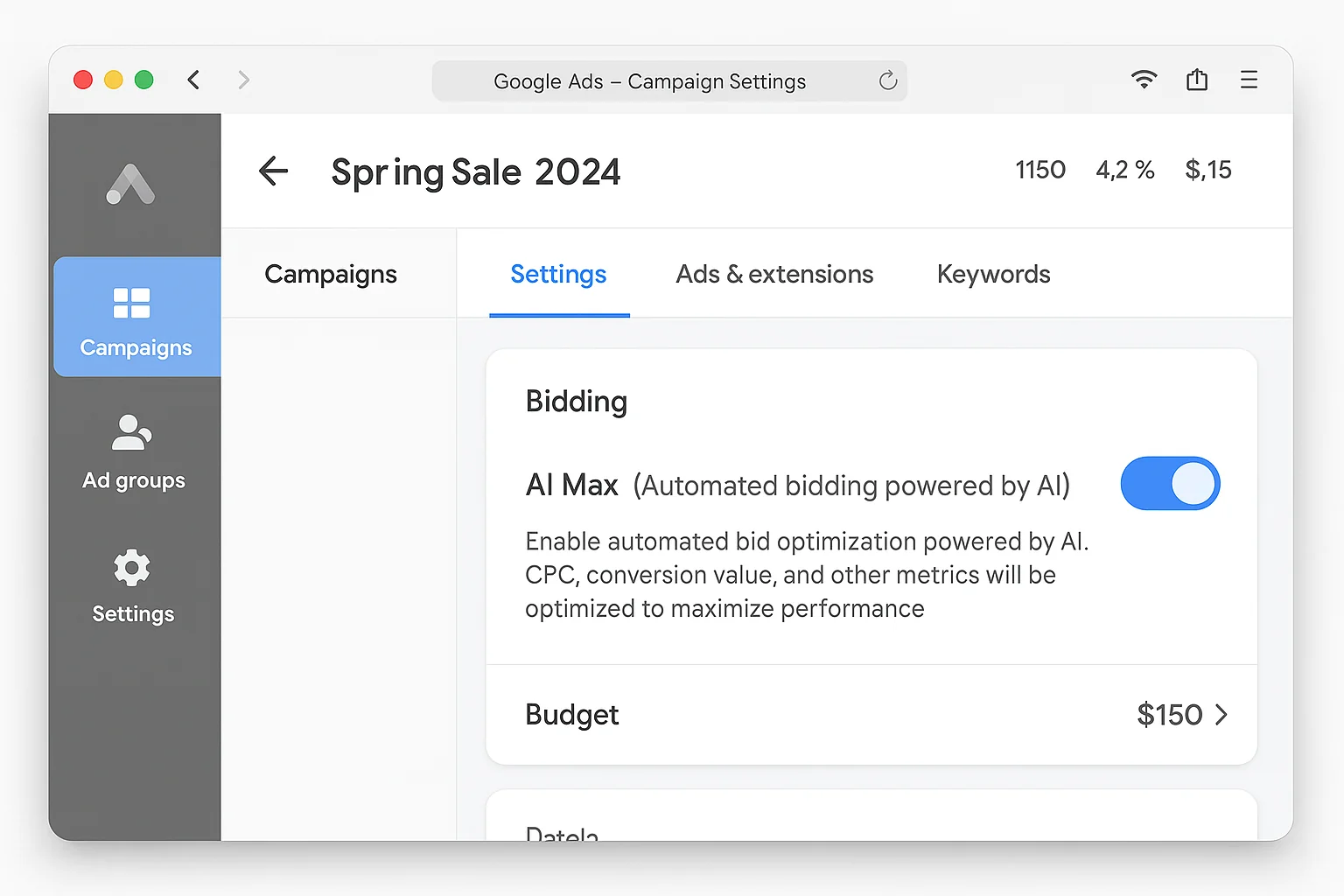
Here is the key: you do not have to enable every AI Max feature at once.
Based on your readiness testing:
- If broad match worked, enable search term matching
- If dynamic ad groups worked, enable final URL expansion
- If your creative testing has been strong, enable asset optimization
Start with the features that correspond to your successful tests. Add the rest later.
What to Monitor in the First 4 Weeks
Keep a close eye on these metrics:
- Search terms report. AI Max will expand your query matching. Make sure the new queries are relevant.
- Landing page report. If you enabled final URL expansion, check which pages Google is sending traffic to.
- Cost per conversion. Compare to your pre-AI Max baseline from the same campaign.
- Conversion volume. AI Max should increase volume. If it decreases, something is wrong.
The takeaway: AI Max is modular. Enable features based on the automation tests you already passed. You do not have to go all-in on day one.
The AI Max Readiness Scorecard
Before you touch that toggle, rate yourself honestly on each criterion.
Score each item 0 (never tested), 1 (tested but poor results), or 2 (tested with positive results):
- Broad match keyword experiment with acceptable CPA
- Dynamic ad group with relevant search term matching
- Performance Max campaign hitting target CPA/ROAS
- Conversion tracking verified and accurate (using offline conversions or enhanced conversions)
- At least 30 conversions per month in your account
Your score:
- 8-10: You are ready. Turn on AI Max with confidence.
- 5-7: You are close. Revisit the steps where you scored lowest before activating.
- 0-4: You are not ready yet. Start at step 1 and work through the framework.
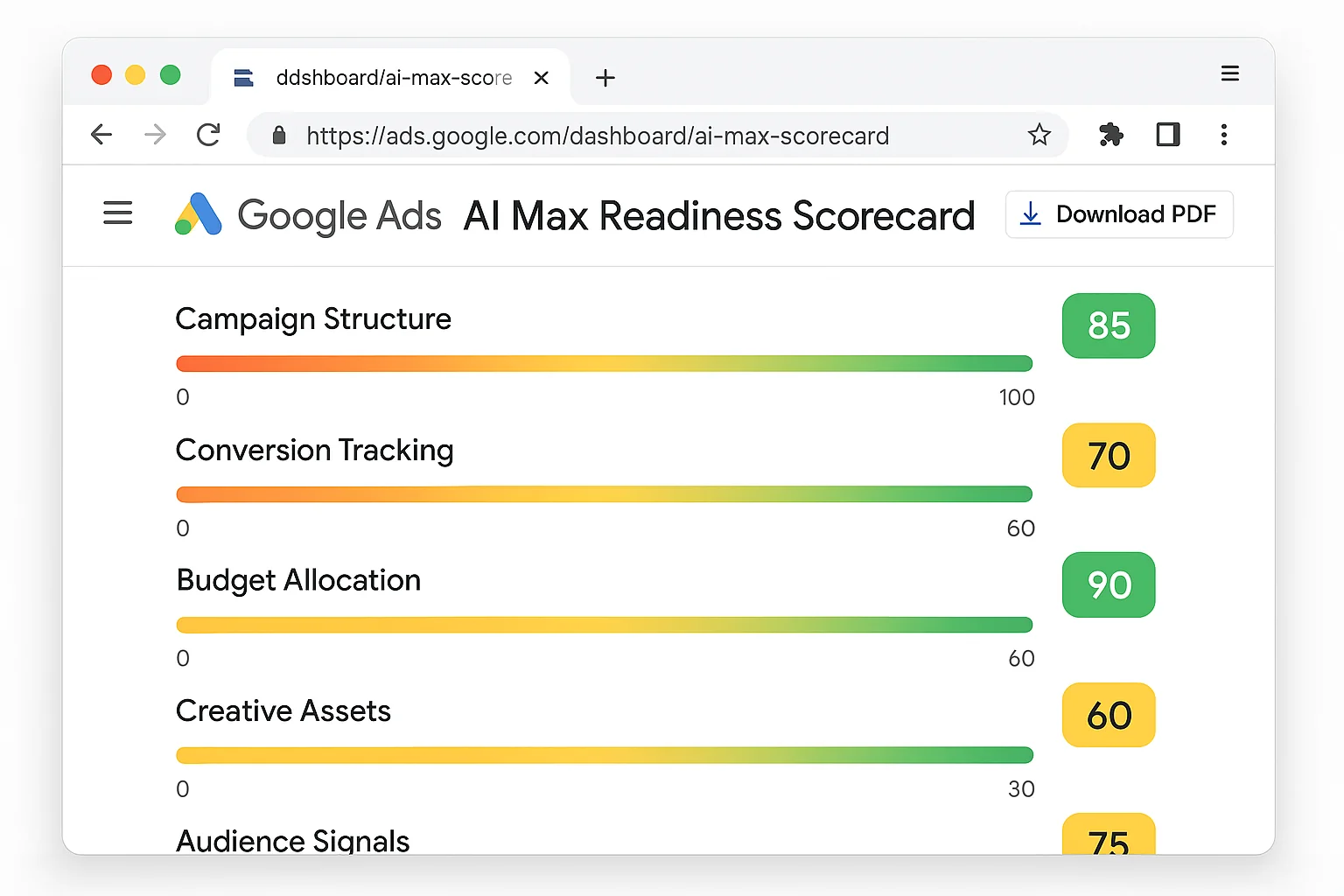
There is no shame in scoring low. The advertisers who get burned by AI Max are the ones who skip the assessment entirely and flip the switch because Google told them to.
The ones who succeed are the ones who earn their way there.
What Happens If You Skip the Steps and Go Straight to AI Max
Let’s be direct about this.
If you are running only exact match keywords today, you have total control over every query your ads show for. Every click is intentional. Every dollar is accounted for.
Turning on AI Max from that position is handing over the steering wheel, the GPS, and the brake pedal all at once.
Here is what typically happens. Your search terms report explodes with queries you have never seen. Some are relevant. Many are not. Your CPA spikes because Google’s AI is in learning mode, testing inventory and audiences. Your landing pages get swapped because final URL expansion sends traffic to pages you did not intend.
You panic. You turn it off after 5 days. You declare AI Max “does not work.”
But the real problem was skipping the prerequisites.
Going from exact match to AI Max is like going from crawling to running a marathon. You need the intermediate steps. Broad match teaches you to trust query expansion. Dynamic ad groups teach you to trust keywordless targeting. PMax teaches you to trust full automation.
Each step builds a layer of confidence and gives Google’s AI the data it needs to perform well in AI Max.
According to Google’s own research on AI-powered campaigns, advertisers who use AI Max see an average of 27% more conversions at a similar cost per conversion. But that average includes advertisers who were already using broad match, smart bidding, and other automation features.
If you are starting from zero automation, your results will look very different from that average.
5 Key Takeaways for Your AI Max Adoption Plan
1. AI Max is the finish line, not the starting line. Treat it as the culmination of a progressive automation journey, not a shortcut.
2. Broad match experiments are your first readiness test. If Google’s AI can find relevant queries through broad match, the search term matching in AI Max will work for you.
3. Dynamic ad groups are the most underrated step. They test keywordless targeting in isolation, which is exactly what AI Max’s final URL expansion does.
4. Performance Max with strict targets is your AI Max dress rehearsal. Set an aggressive target CPA or target ROAS to force PMax into search-first behavior and prove automation works for your account.
5. AI Max is modular. You can enable search term matching, asset optimization, and final URL expansion independently. Start with what you have tested.
You do not need to fear AI Max. You just need to earn your way there.
Go run that broad match experiment this week. Step one. That is all.