The Google Ads Minimum Budget Formula - How To Calculate Exactly What You Need To Spend
TL;DR
The minimum Google Ads budget formula is simple: get at least 10 clicks per day. If your average cost per click is $10, that means a daily budget of $100 and a monthly spend of $3,000. Spend less than that threshold and Google’s algorithm learns slower, your data is unreliable, and your conversion rate needs to be 10%+ just to see a single lead. This post breaks down the exact math, shows you how to calculate your number in 60 seconds, and gives you 5 ways to hit the 10-click threshold even on a tight budget.
In This Post You’ll Learn
- The budget formula that connects your CPC to your minimum daily spend
- Why spending below your minimum actually wastes MORE money long-term
- How to calculate your exact minimum budget in 60 seconds
- The conversion rate math that determines if your budget can even work
- 5 ways to hit 10 clicks per day even if $100/day is out of reach
The Google Ads Budget Formula Most Agencies Will Not Tell You
Here is the Google Ads minimum budget formula that top PPC practitioners use. It takes 5 seconds to calculate and it works for every industry.
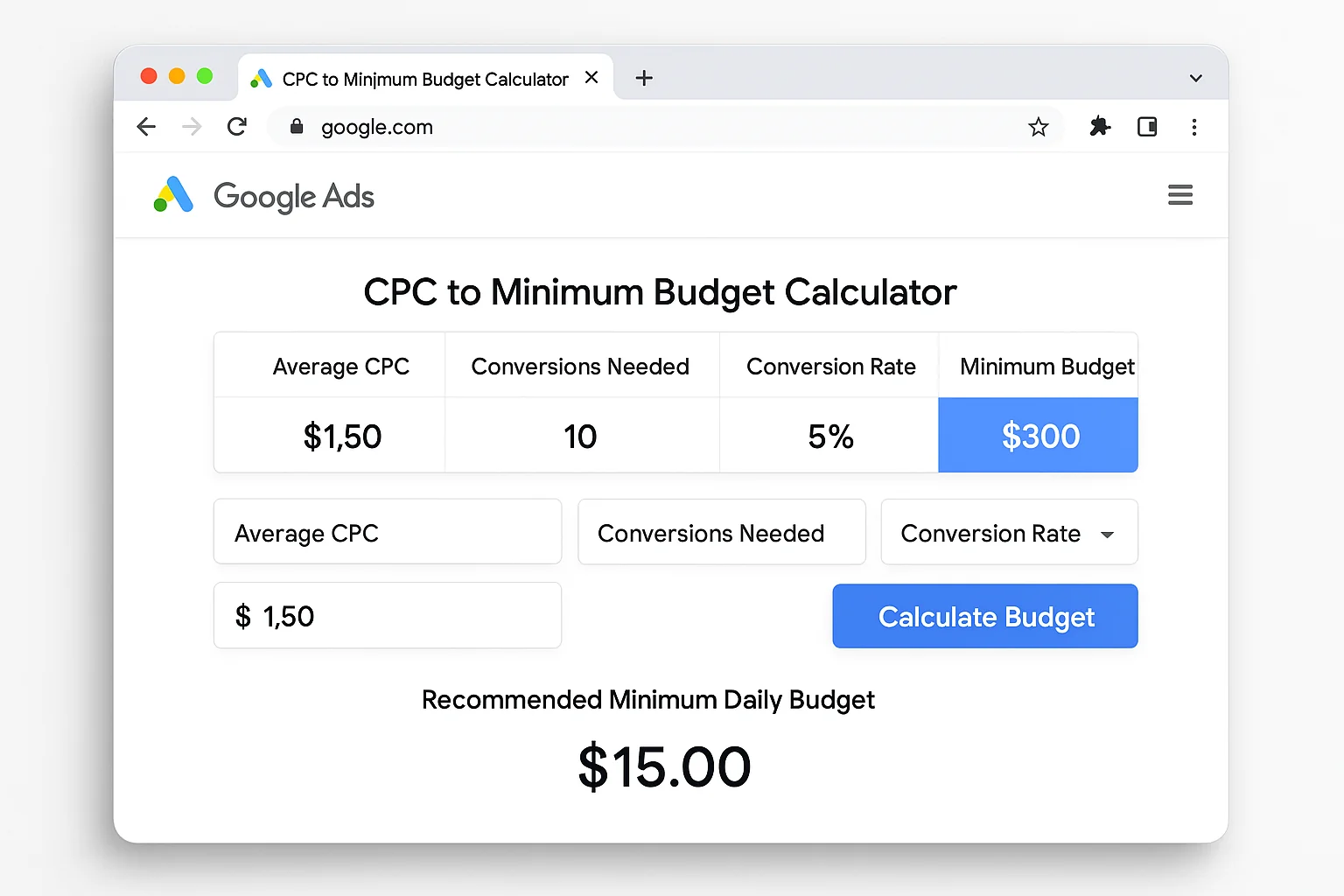
Your minimum daily budget = your average cost per click x 10.
That is it.
If your average CPC is $5, your minimum daily budget is $50. If your CPC is $10, it is $100. If your CPC is $20, it is $200.
The “10” in that formula is the minimum number of clicks per day your campaign needs to generate meaningful data. Fewer than 10 clicks and Google’s Smart Bidding algorithms do not have enough signal to optimize your campaigns. They are flying blind with a tiny sample size.
According to Google’s own documentation on bidding and budgets, your daily budget sets a spending limit per campaign, and Google may spend up to 2x your daily budget on high-traffic days (capped at 30.4x your daily budget per month). But that documentation never tells you the minimum you should set. It just explains the mechanics.
The 10 clicks/day formula fills that gap. It gives you a data-backed floor, not a vague “it depends” answer.
Here is what the math looks like across different industries:
| Average CPC | Min. Daily Budget | Min. Monthly Budget |
|---|---|---|
| $2 | $20 | $608 |
| $5 | $50 | $1,520 |
| $10 | $100 | $3,040 |
| $15 | $150 | $4,560 |
| $20 | $200 | $6,080 |
Those monthly numbers are calculated at 30.4 days (the average month length Google uses). Your actual spend may vary by a few percent, but this table gives you the planning floor.
The takeaway: Your minimum Google Ads budget is not a random number. It is your average CPC multiplied by 10 clicks, multiplied by 30.4 days. Anything below that line and your campaigns are starved of data.
Why Spending Less Than Your Minimum Kills Your Campaigns
Most small business owners hear “$3,000 a month” and immediately think that is too much.
Fair enough. That reaction is completely normal.
But here is what actually happens when you spend below the minimum. And this is the part that costs small businesses thousands of dollars in wasted ad spend every year.
Say you set a $1,000/month budget with $10 CPCs. That works out to about $33 per day. At $10 a click, you are getting roughly 3.3 clicks per day.
Three clicks per day is not enough data for Google’s algorithm to learn anything useful.
Google’s Smart Bidding (Target CPA, Target ROAS, Maximize Conversions) uses machine learning to predict which auctions are most likely to convert. But machine learning needs volume to identify patterns. With 3 clicks per day, you are giving the system about 90 data points per month. With 10 clicks per day, you are giving it 300.
That is the difference between the algorithm guessing and the algorithm knowing.
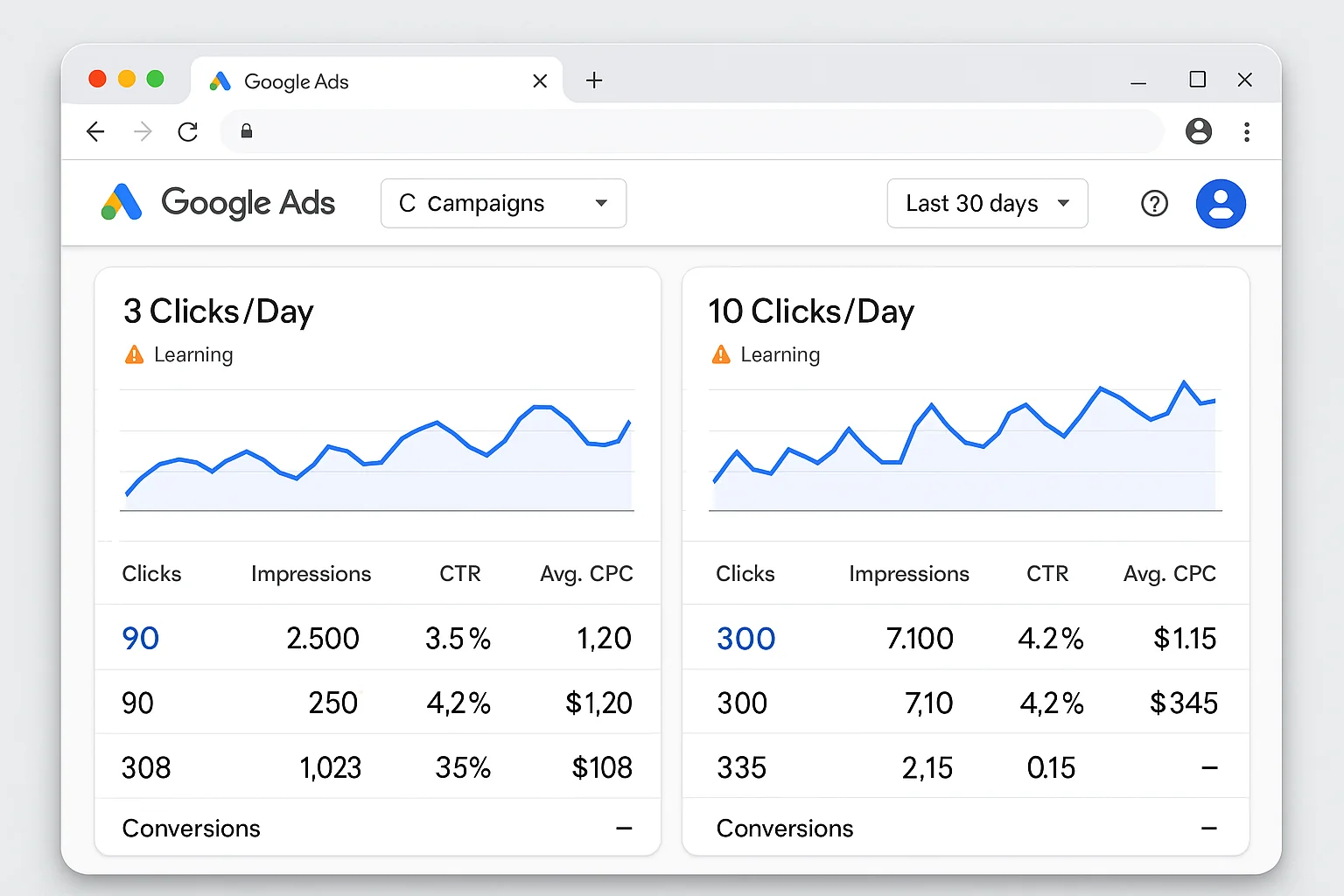
According to WordStream’s analysis of Google Ads benchmarks, the average conversion rate across all industries is 4.40% for Search campaigns. At 10 clicks per day, a 4.40% conversion rate means you will see roughly 1 conversion every 2 to 3 days. Enough for the system to learn.
At 3 clicks per day with that same 4.40% conversion rate, you are looking at 1 conversion every 7 to 8 days.
The algorithm needs approximately 30 conversions in a 30-day window to optimize effectively. At 3 clicks per day, hitting 30 conversions in a month is mathematically impossible at average conversion rates.
Here is the gut punch. You are not saving money by spending less. You are spending the same amount over a longer period with worse results.
A $1,000/month budget that generates 2 conversions costs you $500 per conversion. A $3,000/month budget that generates 40 conversions costs you $75 per conversion.
The “cheaper” budget is 6.7x more expensive per result.
This is the paradox of underspending on Google Ads. The smaller budget feels safer, but it produces dramatically worse unit economics. You end up spending 3 to 6 months of $1,000/month ($3,000 to $6,000 total) trying to figure out whether ads work for your business, when $3,000 in a single well-funded month would have given you the answer.
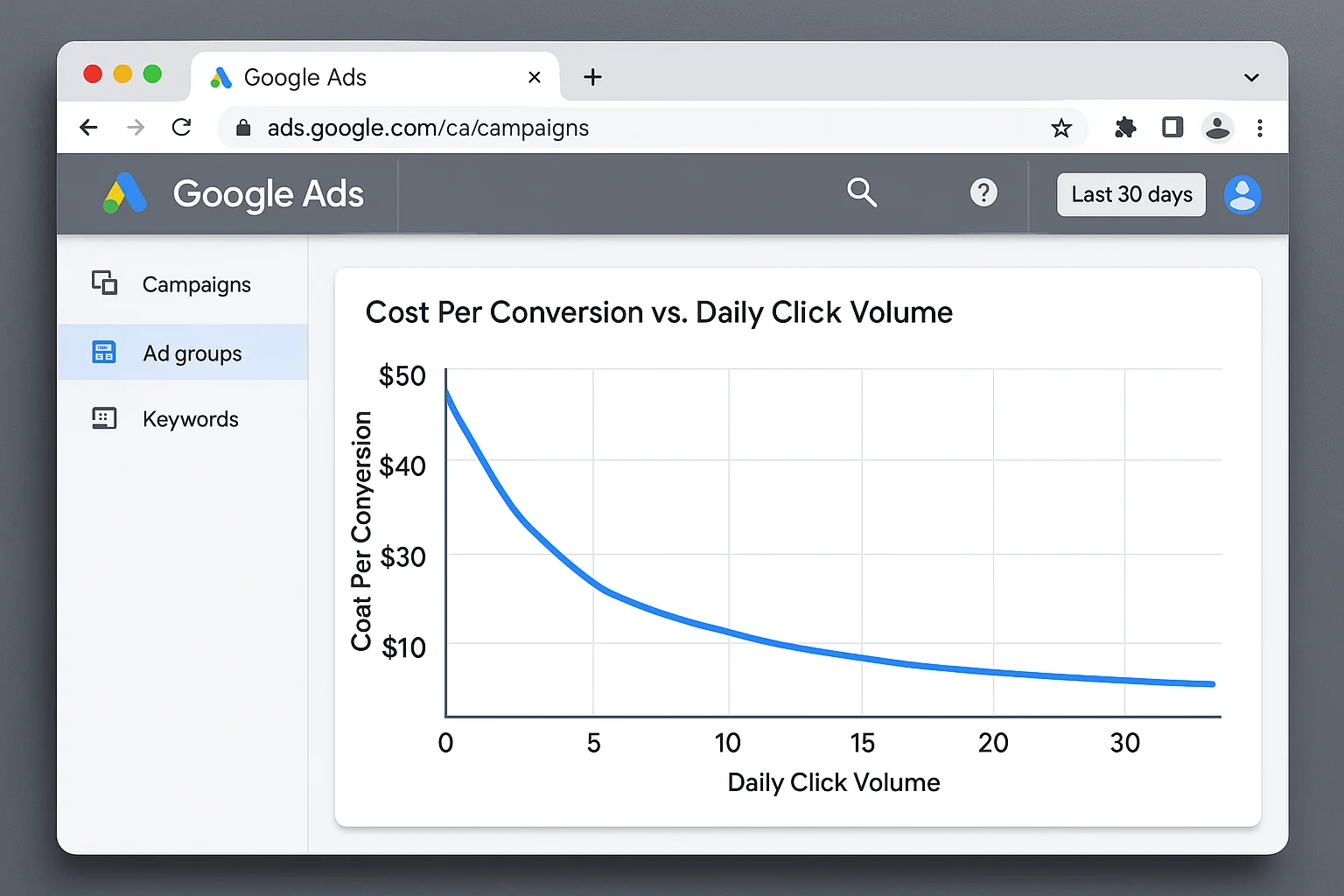
The takeaway: Underspending does not save money. It wastes it slowly. Three clicks per day gives Google’s algorithm almost nothing to work with, which means your cost per conversion stays high and your campaigns never improve.
How To Calculate Your Minimum Google Ads Budget in 60 Seconds
Here is the exact process. Three steps. One minute.
Step 1: Find your average CPC.
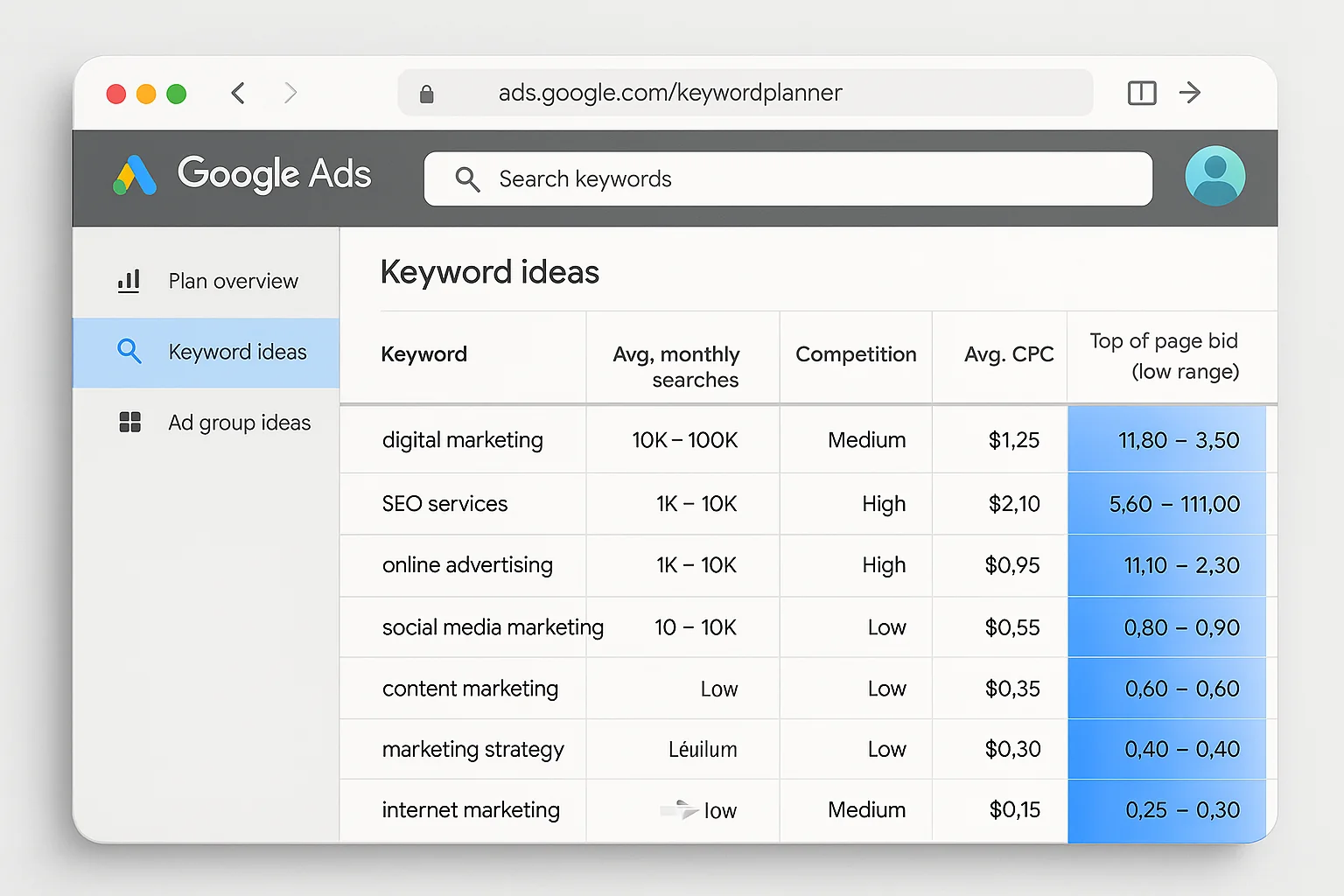
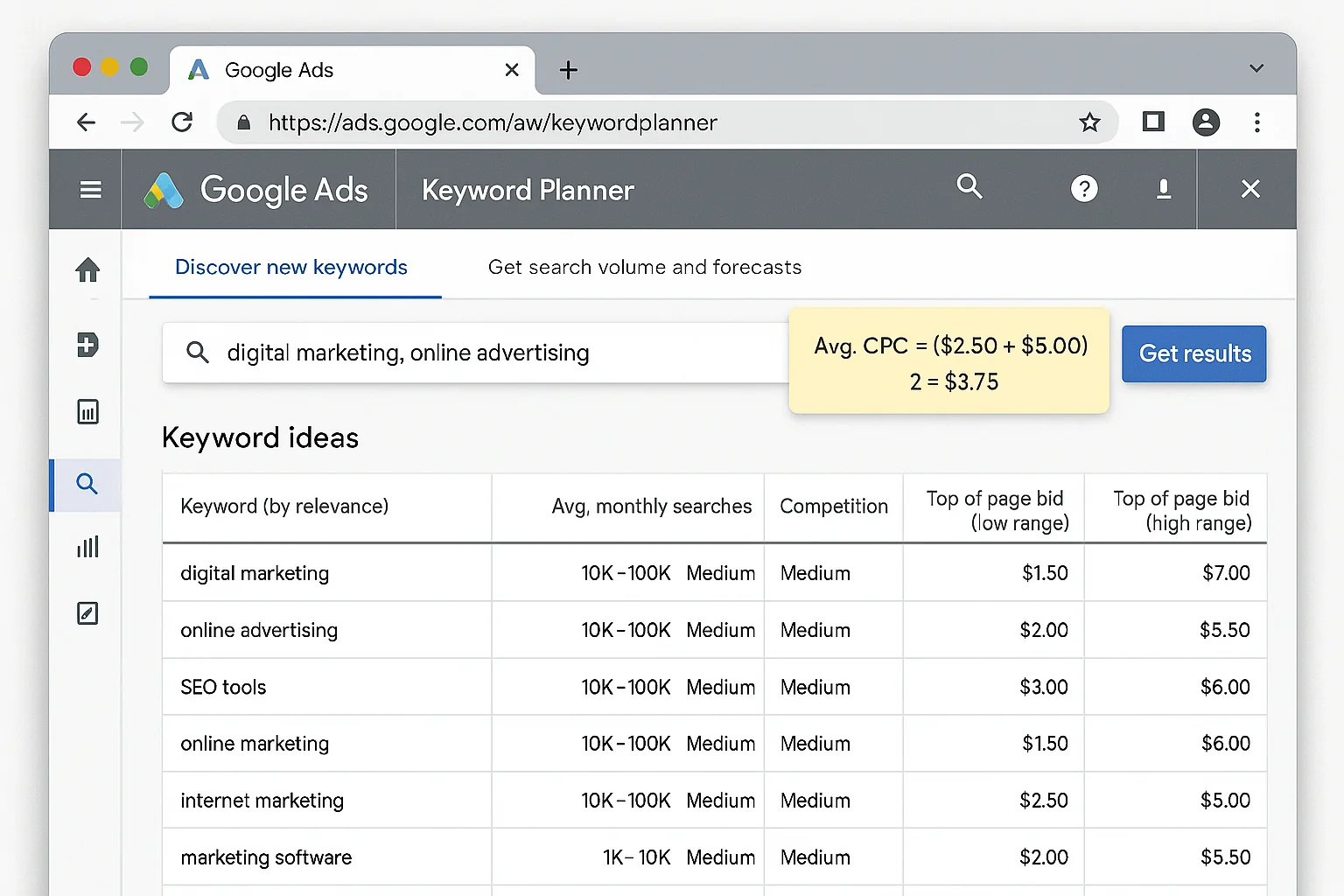
Open Google Keyword Planner (free with any Google Ads account). Enter your top 5 to 10 target keywords. Look at the “Top of page bid (high range)” column. Average those numbers.
For example, if your top 5 keywords show CPCs of $8, $12, $10, $14, and $6, your average CPC is $10.
Step 2: Multiply by 10.
$10 CPC x 10 clicks = $100 minimum daily budget.
Step 3: Multiply by 30.4.
$100/day x 30.4 days = $3,040 minimum monthly budget.
Done.
Write that number down. That is your floor. Going below it means your campaigns will take significantly longer to learn, optimize, and deliver results.
If that number makes you uncomfortable, keep reading. The section on reducing your CPC and hitting 10 clicks on a smaller budget is coming.
The Conversion Rate Trap That Makes Low Budgets Mathematically Impossible
This is the part nobody talks about.
Budget and conversion rate are connected. If you cannot afford 10 clicks per day, your conversion rate needs to compensate. And at some point, the required conversion rate exceeds what is realistically achievable.
Here is the math.
At 10 clicks per day with a 3% conversion rate, you generate about 9 conversions per month. That is enough for Google’s algorithm to start learning, and it is enough for you to evaluate whether the campaign is working.
At 3 clicks per day with the same 3% conversion rate, you generate 2.7 conversions per month.
Two conversions per month tells you nothing. You cannot determine whether the campaign is bad, the landing page is the problem, or the keyword targeting is off. With 2 data points, there is no clarity. So you keep spending $1,000 a month hoping for answers that never come.
To make a 3-click-per-day budget viable, your conversion rate needs to be at least 10%. That is 3 to 4x the industry average.
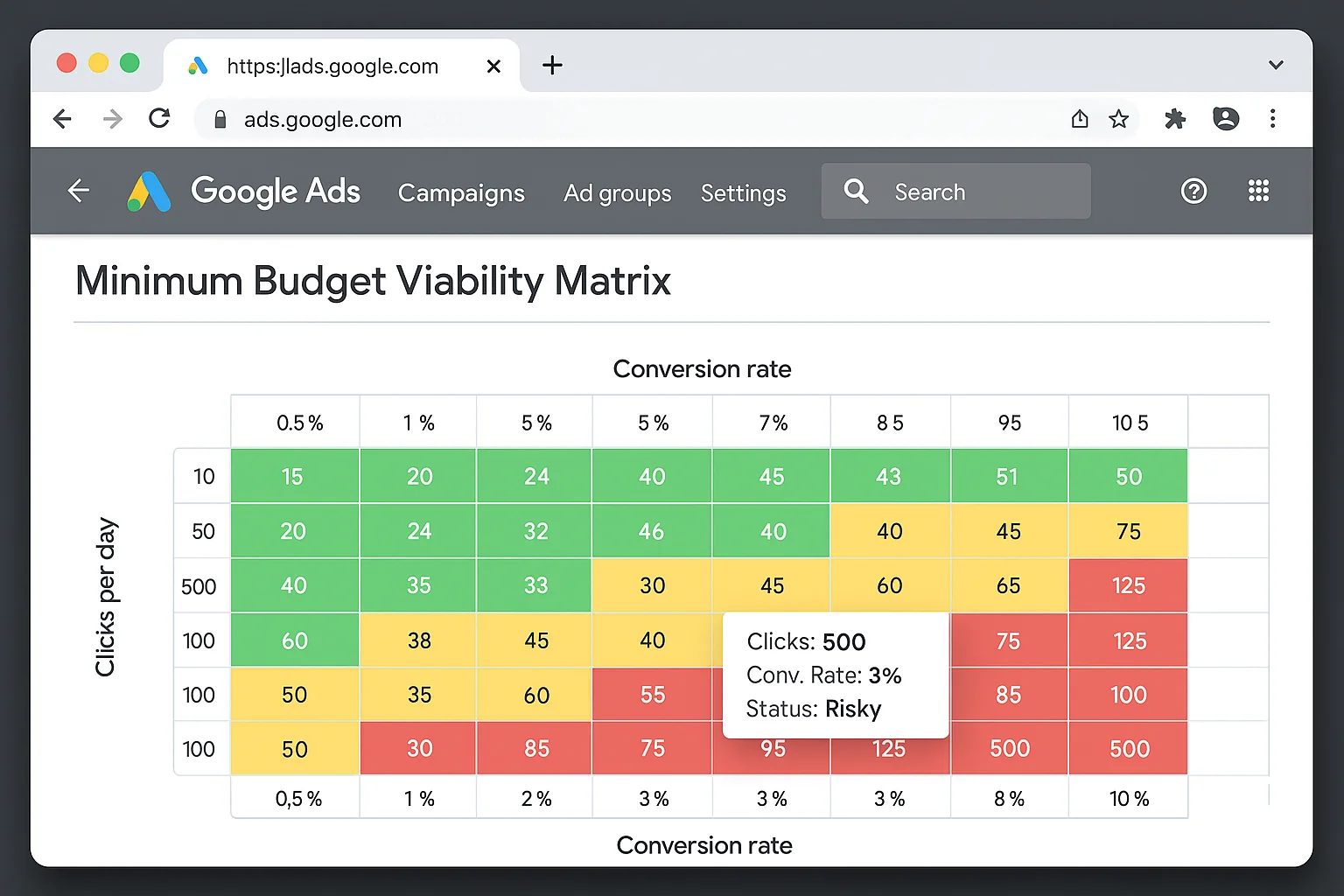
Here is a breakdown:
| Clicks/Day | Conversions at 3% CR | Conversions at 5% CR | Conversions at 10% CR |
|---|---|---|---|
| 3 | 2.7/month | 4.5/month | 9/month |
| 5 | 4.5/month | 7.5/month | 15/month |
| 10 | 9/month | 15/month | 30/month |
| 15 | 13.5/month | 22.5/month | 45/month |
The magic number is 30 conversions per month. That is the threshold where Smart Bidding can reliably optimize. Only the 10+ clicks/day rows hit that mark at realistic conversion rates.
The takeaway: If your budget only allows 3 clicks per day, your conversion rate needs to be 10%+ for the campaign to generate enough data to optimize. Most industries average 3-5%. The math does not lie.
What To Do When 100 Dollars a Day Is Not in the Budget
You ran the formula. Your minimum is $100/day. Your actual budget is $40.
Do not panic.
The formula gives you the ideal floor, but there are 5 proven tactics to hit 10 clicks per day on a lower budget. They all work by reducing your effective CPC so that fewer dollars buy more clicks.
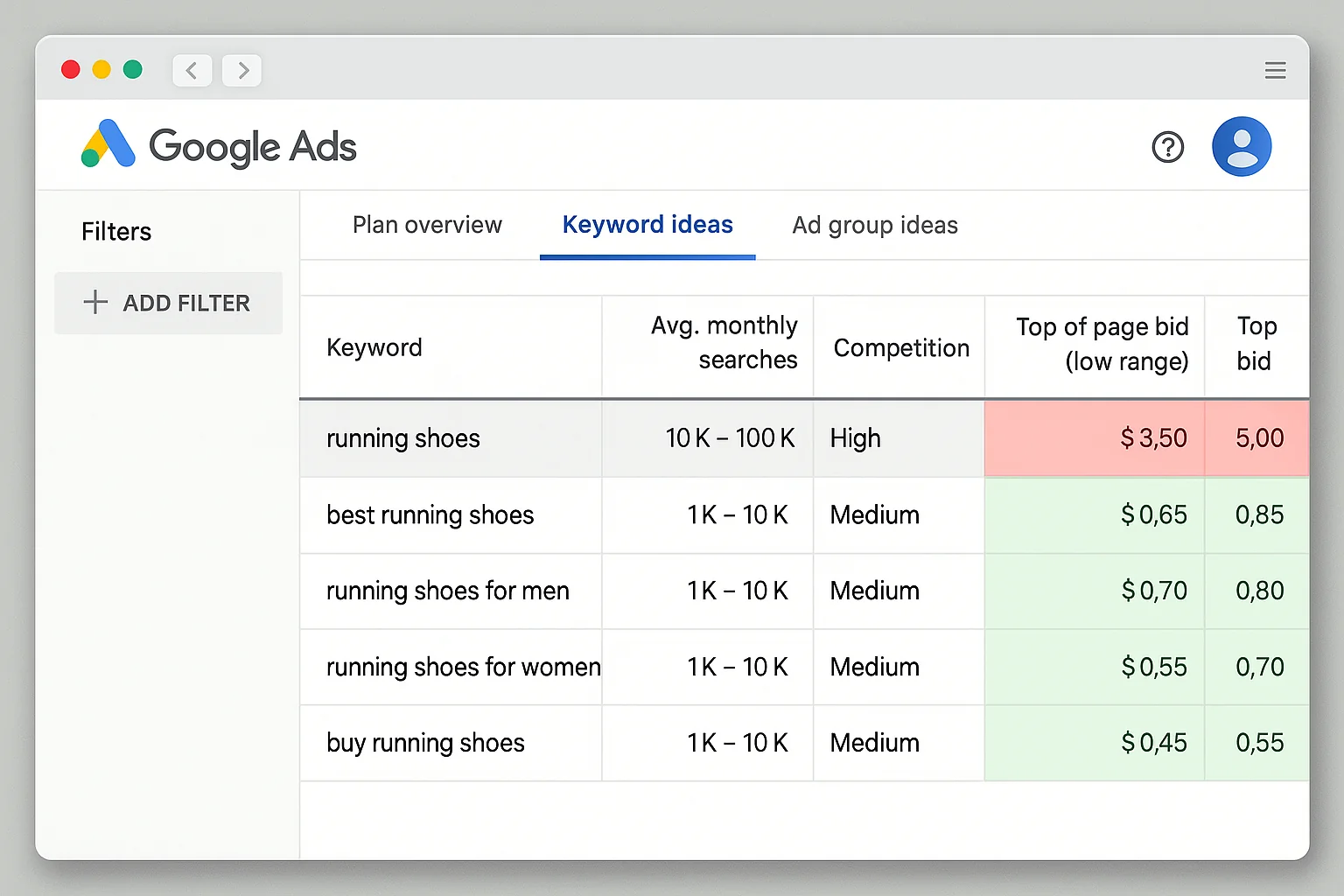
Tactic 1: Go long-tail with your keywords.
Broad, competitive keywords cost the most. “Personal injury lawyer” runs $50+ per click. But “personal injury lawyer for car accidents in Phoenix” drops to $15. Long-tail keywords are more specific, less competitive, and cheaper. They also convert at higher rates because the search intent is more specific.
Tactic 2: Tighten your geo-targeting.
Running ads nationwide when your business serves one metro area is burning budget on clicks that will never convert. Narrow your targeting to a 15 to 25 mile radius around your service area. This reduces competition and drops your CPC.
Tactic 3: Use ad scheduling to bid only during peak hours.
Review your conversion data (or industry benchmarks) to identify the hours and days when your audience is most active. A B2B service company running ads at 2 AM on Saturday is wasting clicks. Schedule your ads for Monday through Friday, 8 AM to 6 PM, and concentrate your budget where it counts.
Tactic 4: Build a strong negative keyword list.
Every irrelevant click at $10 is $10 you did not need to spend. Add negative keywords aggressively. If you are a high-end furniture store, negate “cheap,” “free,” “DIY,” and “IKEA.” Google’s guide to negative keywords walks through the setup process.
Tactic 5: Run single keyword ad groups (SKAGs) or tight theme groups.
Instead of 20 keywords in one ad group, create small, tightly themed groups with 3 to 5 closely related keywords each. This improves your Quality Score, which directly lowers your CPC. A Quality Score of 8 or 9 can reduce your actual CPC by 30 to 50% compared to a score of 5.
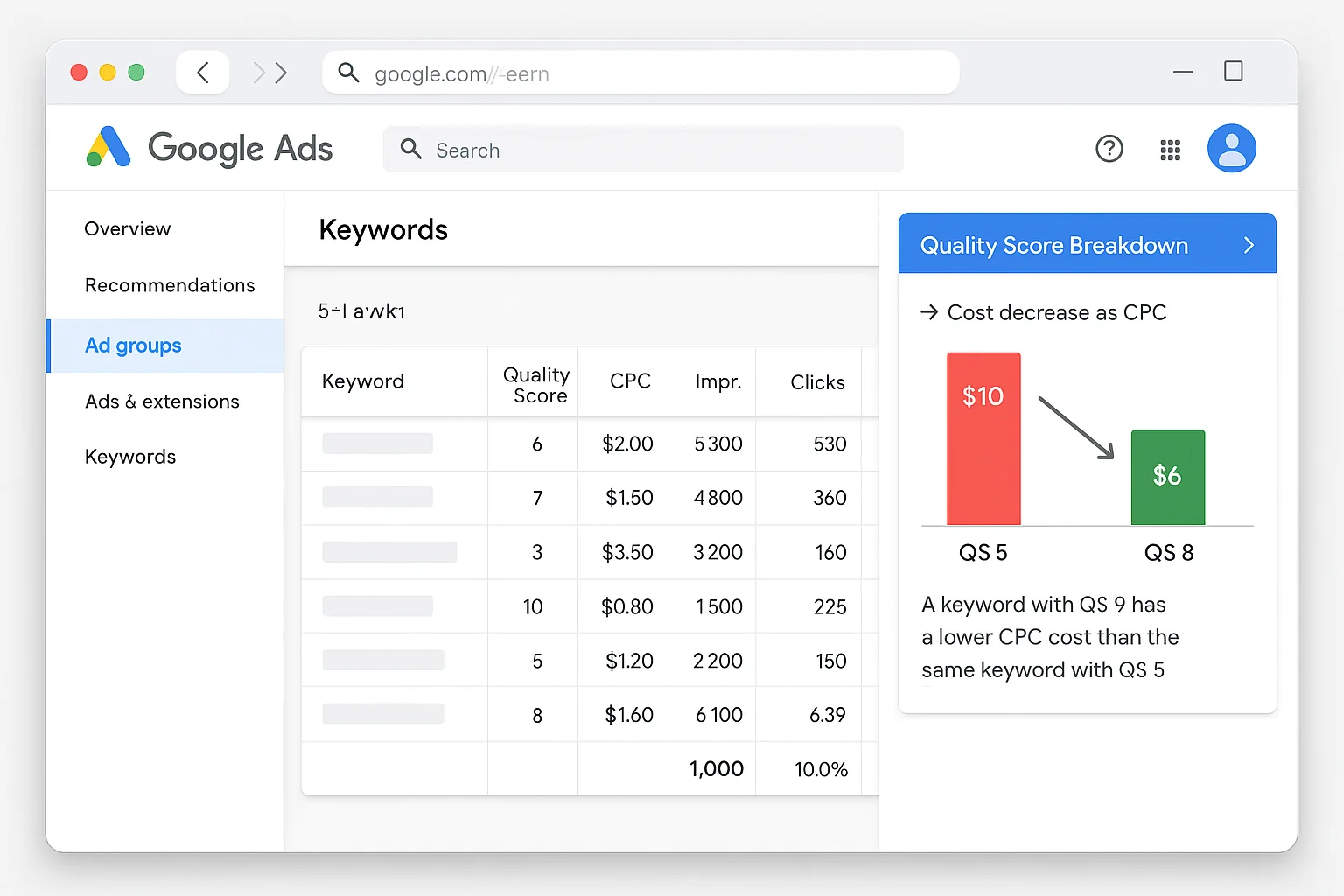
The takeaway: If $100/day is too much, do not just set a lower budget and hope for the best. Reduce your CPC using long-tail keywords, geo-targeting, ad scheduling, negative keywords, and tight ad groups. The goal is always 10 clicks per day, even if you reach that number at a lower cost per click.
The Break-Even Math That Makes Budget Decisions Easy
Budget decisions get simple when you flip the calculation around and start with revenue.
Here is the formula:
Monthly budget = (Target number of customers x CPC) / Conversion rate
Say you are a home services business. Your average job is worth $2,000. You need 10 new customers this month. Your CPC is $8 and your landing page conversion rate is 5%.
10 customers / 0.05 conversion rate = 200 clicks needed.
200 clicks x $8 CPC = $1,600 monthly budget.
$1,600 / 30.4 = $52.63 daily budget.
At $8 CPC, that gives you 6.6 clicks per day. Below the 10-click ideal, but with a strong conversion rate and high customer value, it can work.
Now check the ROI: 10 customers x $2,000 = $20,000 revenue on $1,600 ad spend. That is a 12.5x return on ad spend (ROAS).
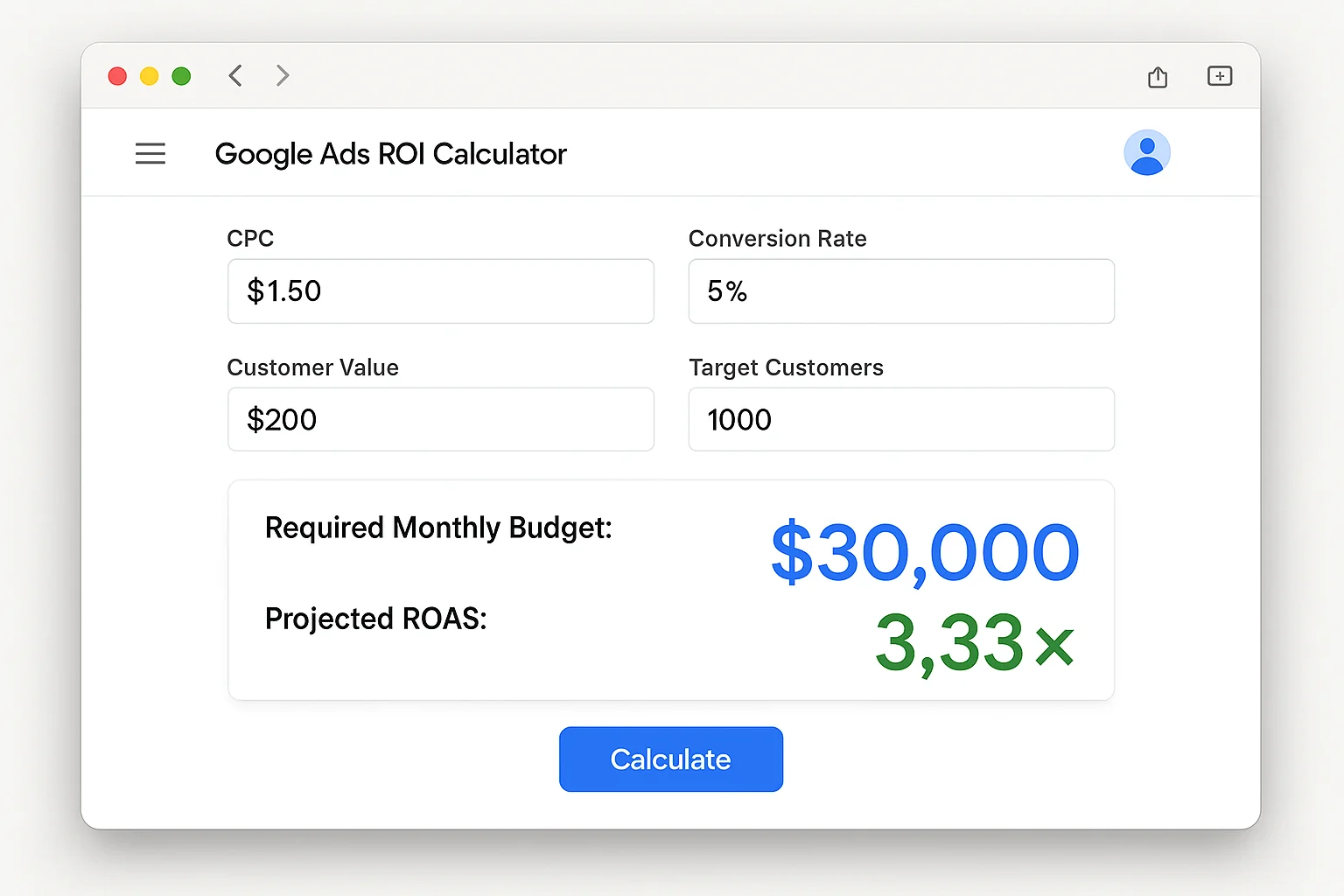
When you see the return on paper, the budget stops feeling like a cost and starts feeling like an investment.
This is how every successful Google Ads advertiser thinks about budget. They do not ask “how much can I afford to spend on ads?” They ask “how much revenue does each dollar of ad spend generate?”
If the answer is $5 or more for every $1 spent, you do not have a budget problem. You have a scaling opportunity.
The takeaway: Work backward from revenue. Calculate how many customers you need, how many clicks that requires at your conversion rate, and what those clicks cost. When the ROAS makes sense, the budget justifies itself.
Set Your Google Ads Budget and Stop Second-Guessing
Here is your action plan. Four steps. Do this today.
- Look up your average CPC in Google Keyword Planner for your top 10 target keywords. Write down the average.
- Multiply by 10 for your minimum daily budget. Multiply by 30.4 for your monthly floor.
- If the number is too high, apply the 5 CPC reduction tactics (long-tail keywords, geo-targeting, ad scheduling, negative keywords, tight ad groups) and recalculate.
- Run the break-even formula with your customer lifetime value. If the ROAS is 3x or higher, fund the budget. If it is below 2x, fix your conversion rate or customer value before spending on ads.
The formula is CPC x 10 clicks x 30.4 days. That is your minimum. Below that line, Google’s algorithm cannot learn fast enough and your cost per conversion stays inflated.
Above that line, the algorithm gets smarter every day and your campaigns compound.
Every week you run at or above the minimum, Google learns more about who converts, when they convert, and what ad copy makes them click. That compounding effect is worth more than any budget optimization trick.
Now open Keyword Planner, run your numbers, and set a budget based on math instead of guesswork.
Go run the formula.