Smart Bidding Exploration in Google Ads: How To Unlock 18% More Converting Search Queries

TL;DR
Smart Bidding Exploration is a new Google Ads feature that uses AI to find high-performing search queries your campaigns would never reach on their own. Google’s data shows campaigns using it see an 18% increase in unique search query categories with conversions and a 19% increase in total conversions. The catch: it only works well if your account meets four specific prerequisites. Here’s exactly how to know if you qualify, how to set it up, and how to monitor it.
In This Post You’ll Learn
- What Smart Bidding Exploration actually does under the hood (and why it matters for growth)
- The 4 prerequisites your account needs before you turn this on
- How to set up Smart Bidding Exploration in your account in 5 minutes
- When this feature makes sense and when it will waste your budget
- How to monitor performance and know when to turn it off
Google Just Gave Search Advertisers a New Growth Lever
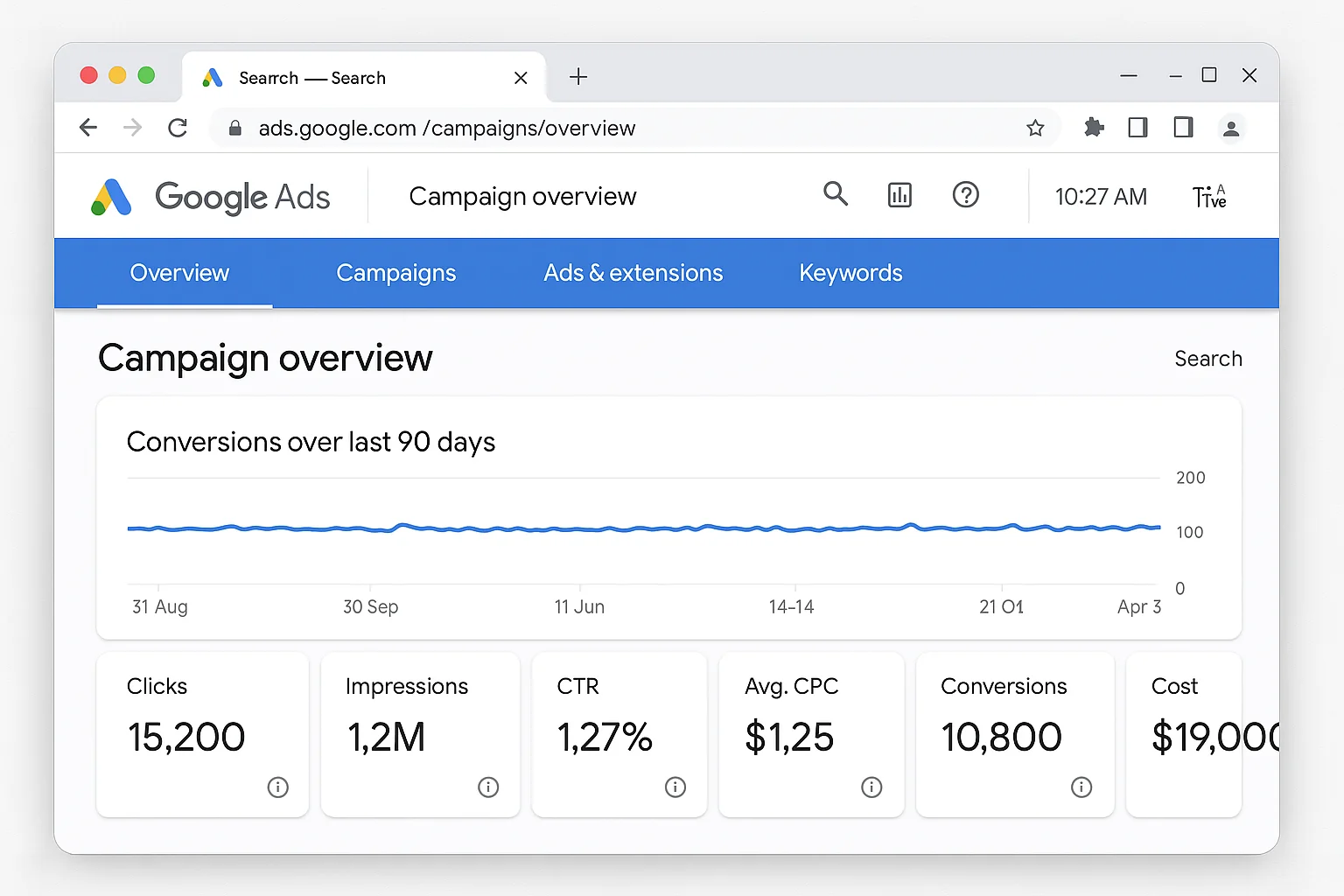
There’s a ceiling in every mature Google Ads account.
You’ve built tight keyword lists. Your Quality Scores are solid. Your Target ROAS is hitting consistently. Your budget is spending. Your campaigns are profitable.
And then growth flatlines.
You’ve captured all the search demand your current keywords can reach. The queries people type that match your keywords are maxed out. There is no more juice to squeeze. EVERY keyword is covered.
This is the problem Smart Bidding Exploration solves.
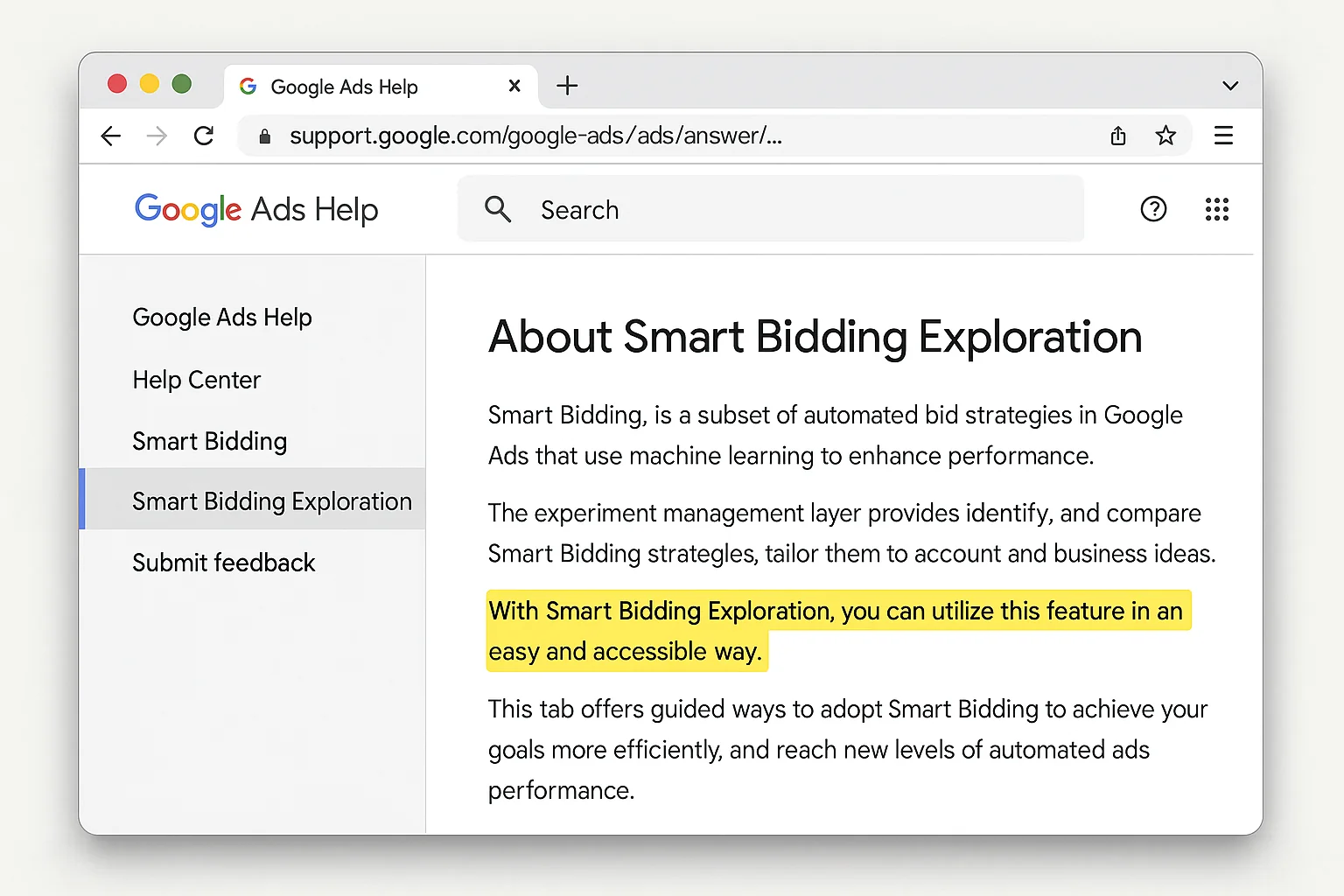
Google announced Smart Bidding Exploration at Google Marketing Live 2025 and rolled it into open beta in May 2025. The feature had been in closed beta since late 2024 with select advertisers testing it.
The pitch is simple. Let Google’s AI explore search queries outside your current reach, using a temporarily flexible ROAS target, to find new pockets of converting traffic you would never find on your own.
The early numbers back it up. According to Google, campaigns using Smart Bidding Exploration see, on average:
- 18% increase in unique search query categories with conversions
- 19% increase in total conversions
Those are not small numbers. For a campaign spending $50,000 per month that is already profitable, a 19% conversion lift means real revenue.
But there is a catch. This feature is not for everyone. And turning it on in the wrong account will burn budget on low-quality exploratory traffic that never converts.
The key is knowing whether your account is ready.
What Smart Bidding Exploration Actually Does Under the Hood
Smart Bidding already optimizes your bids auction by auction. It looks at device, location, time of day, audience signals, and dozens of other factors to set a bid for every single search query.
But standard Smart Bidding stays within a lane. It bids on queries that match your keywords, your match types, and your existing targeting. It optimizes within your current traffic universe.
Smart Bidding Exploration expands that universe.
When you turn on Smart Bidding Exploration, you give Google permission to bid on search queries your campaign would not normally be eligible for. Queries that are adjacent to your keywords. Queries that Google’s AI predicts will convert based on patterns it has learned from your existing conversion data.
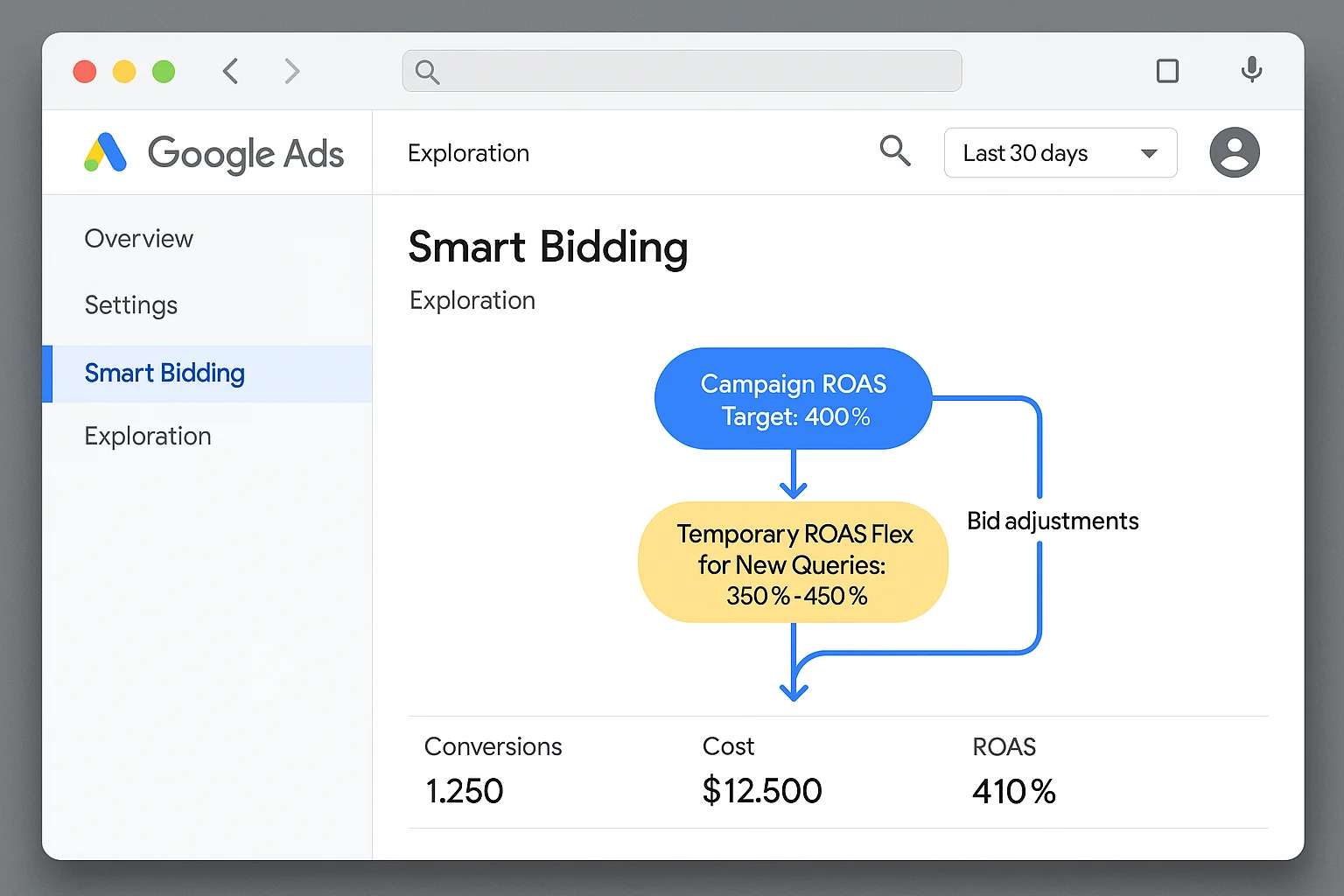
Here’s how it works mechanically.
How Flexible ROAS Targets Unlock New Traffic
The feature uses what Google calls “flexible ROAS targets.” When exploring new queries, Smart Bidding Exploration temporarily lowers your effective ROAS target to give the algorithm room to test.
Think of it like this. Your campaign runs on Target ROAS at 400%. That means for every $1 you spend, you expect $4 back in conversion value. Standard Smart Bidding will only bid on queries where it is confident it can hit that 4:1 ratio.
Smart Bidding Exploration says: “What if we temporarily accept a 300% ROAS on some new queries to see if they convert?”
If those new queries convert, the algorithm learns and incorporates them into your regular traffic mix. If they do not convert, the algorithm pulls back and stops bidding on them.
Your overall campaign ROAS target stays the same. The exploration is designed to be budget-neutral over time. Google explains in its official documentation that the flexible ROAS applies only to exploratory queries, while your core traffic continues to be optimized at your set target.
The net effect: you discover new converting search terms you never would have found by adding keywords manually.
Smart Bidding Exploration vs AI Max for Search
Google announced both features at Marketing Live 2025, and it is easy to confuse them.
AI Max for Search is a broader feature. It gives Google more control over your entire search campaign, including creative elements, keyword matching, and landing page selection. It is a comprehensive automation layer.
Smart Bidding Exploration is narrow and specific. It only affects which queries your bids compete on. It does not change your ad copy, your landing pages, or your keyword matching behavior. It is purely a bidding signal expansion.
If AI Max is a renovation of your entire house, Smart Bidding Exploration is adding one new room.
The takeaway: Smart Bidding Exploration expands the pool of queries your campaign bids on by temporarily flexing your ROAS target. It is a surgical tool, not a campaign overhaul.
The 4 Prerequisites You Need Before Turning This On
This is where most guides fall short. Google’s documentation tells you how to flip the switch. It does not tell you whether your account is actually ready.
Experienced paid ads practitioners who tested this in closed beta consistently point to four preconditions. If you do not meet all four, Smart Bidding Exploration will likely underperform or waste budget.
Prerequisite 1: You Must Be Running Target ROAS
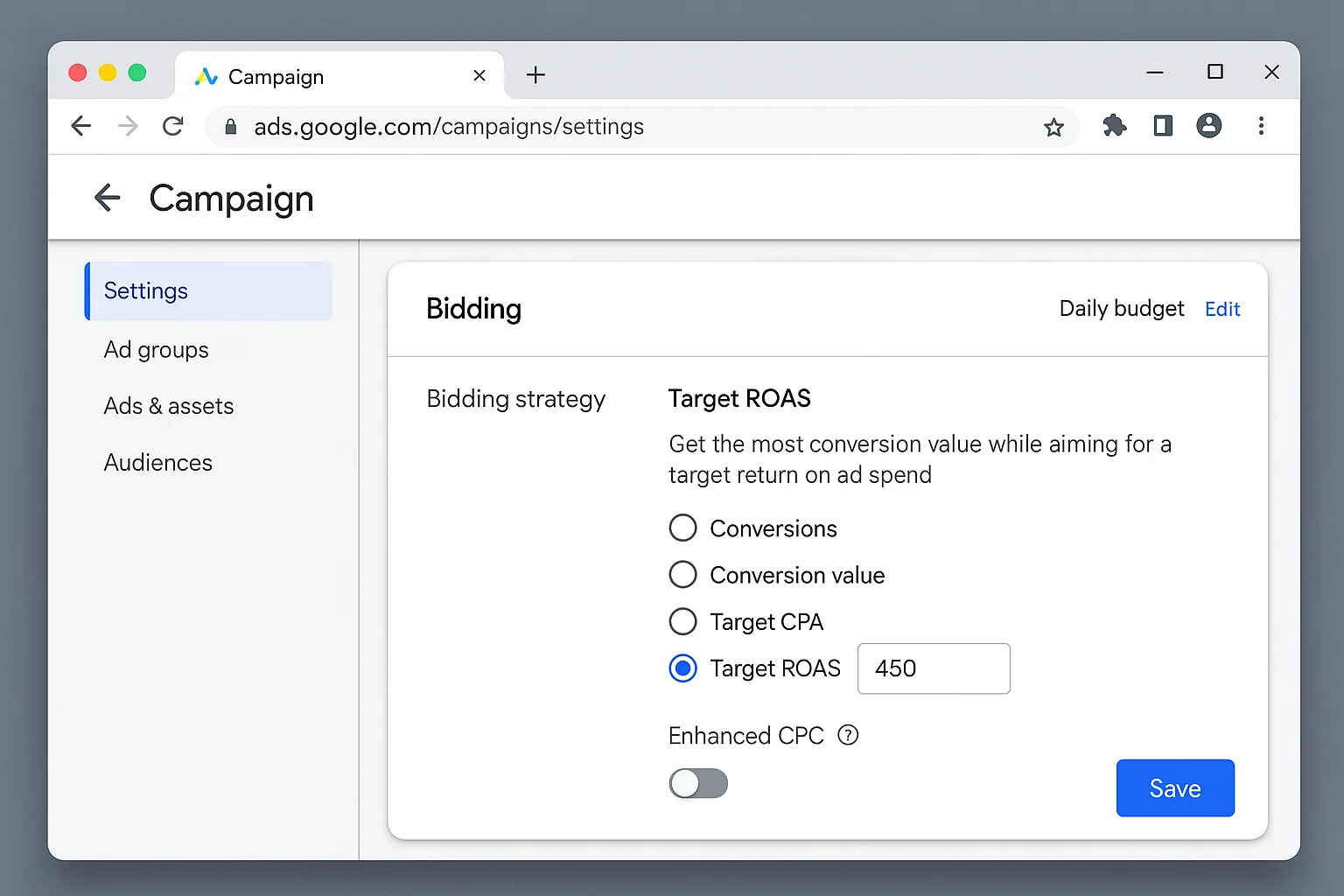
Smart Bidding Exploration is currently available only for campaigns using the Target ROAS bid strategy. If your campaign runs Maximize Conversions, Target CPA, or Maximize Conversion Value, you cannot enable this feature.
This makes sense. The entire mechanism depends on temporarily flexing a ROAS target. No ROAS target, no flex, no exploration.
If you are on Maximize Conversion Value and want to try Smart Bidding Exploration, add a Target ROAS to your strategy first. Give the campaign 2-4 weeks to stabilize on Target ROAS before enabling exploration.
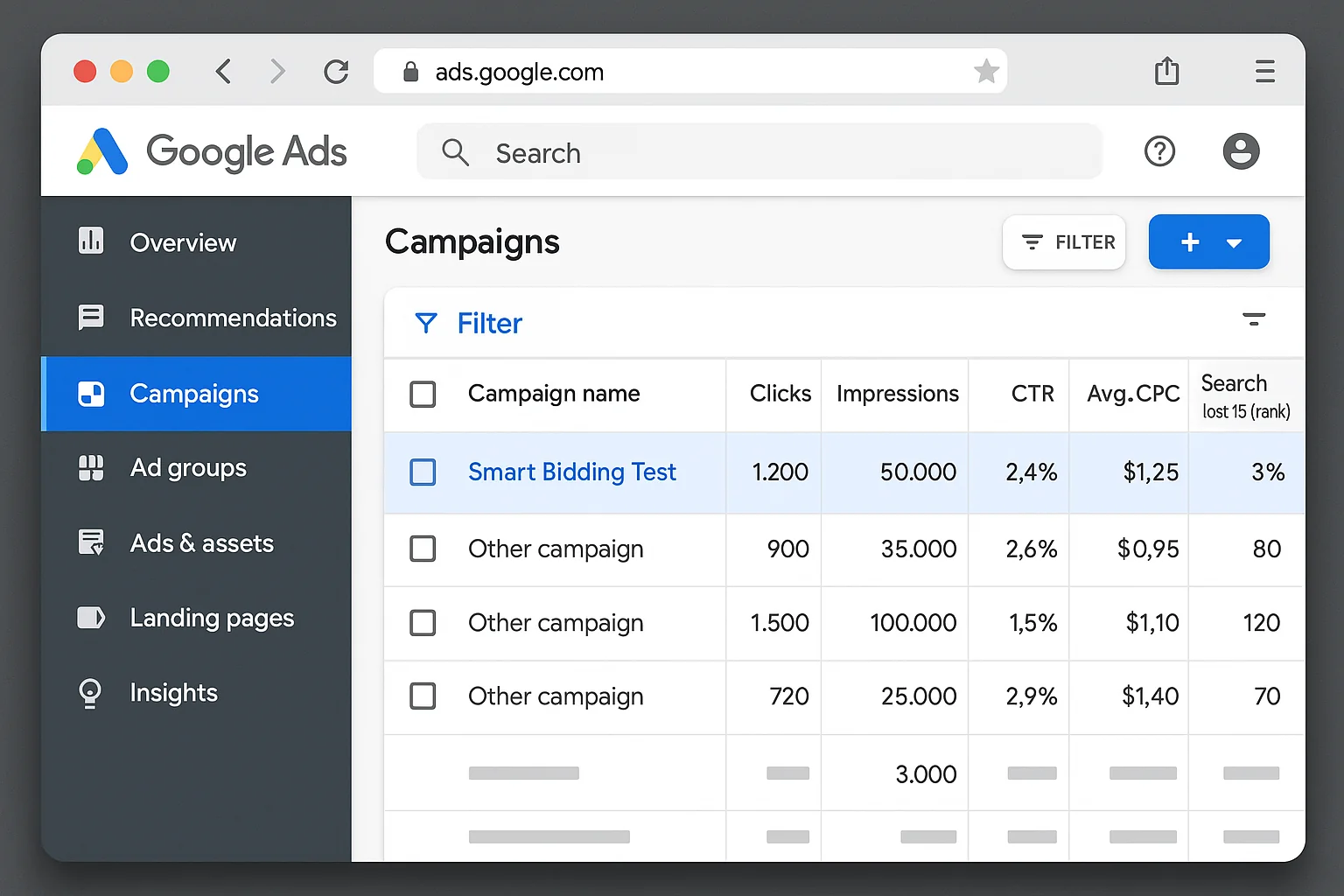
Prerequisite 2: Minimal Search Lost Impression Share Due to Rank
Pull up the “Columns” menu in your campaign view and add “Search lost IS (rank).” This metric tells you what percentage of impressions you are losing because your Ad Rank is too low.
If your search lost impression share due to rank is above 15-20%, you have bigger problems to solve first. Low Ad Rank means your existing keywords are not competing effectively. Exploring new queries when you cannot even win on your current ones is throwing money into a hole.
Fix your Ad Rank first. Improve your ad relevance. Improve your landing page experience. Then come back to exploration.
If your search lost IS (rank) is below 10%, you are in good shape. Your current campaigns are competing well, and new queries have a realistic chance of performing.
Prerequisite 3: Generally High Quality Score
Quality Score is Google’s rating of the relevance of your keywords, ads, and landing pages. It directly affects your Ad Rank and cost per click.
If your average Quality Score across active keywords is 7 or above, your account sends strong relevance signals. Google’s AI can leverage those signals when exploring new queries because it knows your ads and landing pages deliver a good experience.
Quality Score is built on expected click-through rate, ad relevance, and landing page experience. If any of these components are “Below Average” on your core keywords, fix them before adding exploration into the mix.
A low Quality Score combined with exploration means Google is testing new queries with ads and landing pages that already underperform. That is a recipe for wasted spend.
Prerequisite 4: Budget Headroom
Smart Bidding Exploration needs room to experiment.
If your campaigns are already spending 100% of their daily budget every day, there is no room for the algorithm to test new queries. Exploration traffic competes with your existing converting traffic for the same budget.
The ideal setup: your campaign has 15-25% of daily budget that is not being fully utilized. This gives the algorithm budget to allocate toward exploratory queries without cannibalizing spend on your proven traffic.
If your budget is fully tapped, you have two options. Increase the budget by 15-25% to create headroom specifically for exploration. Or accept that exploration will redirect some spend away from your existing queries.
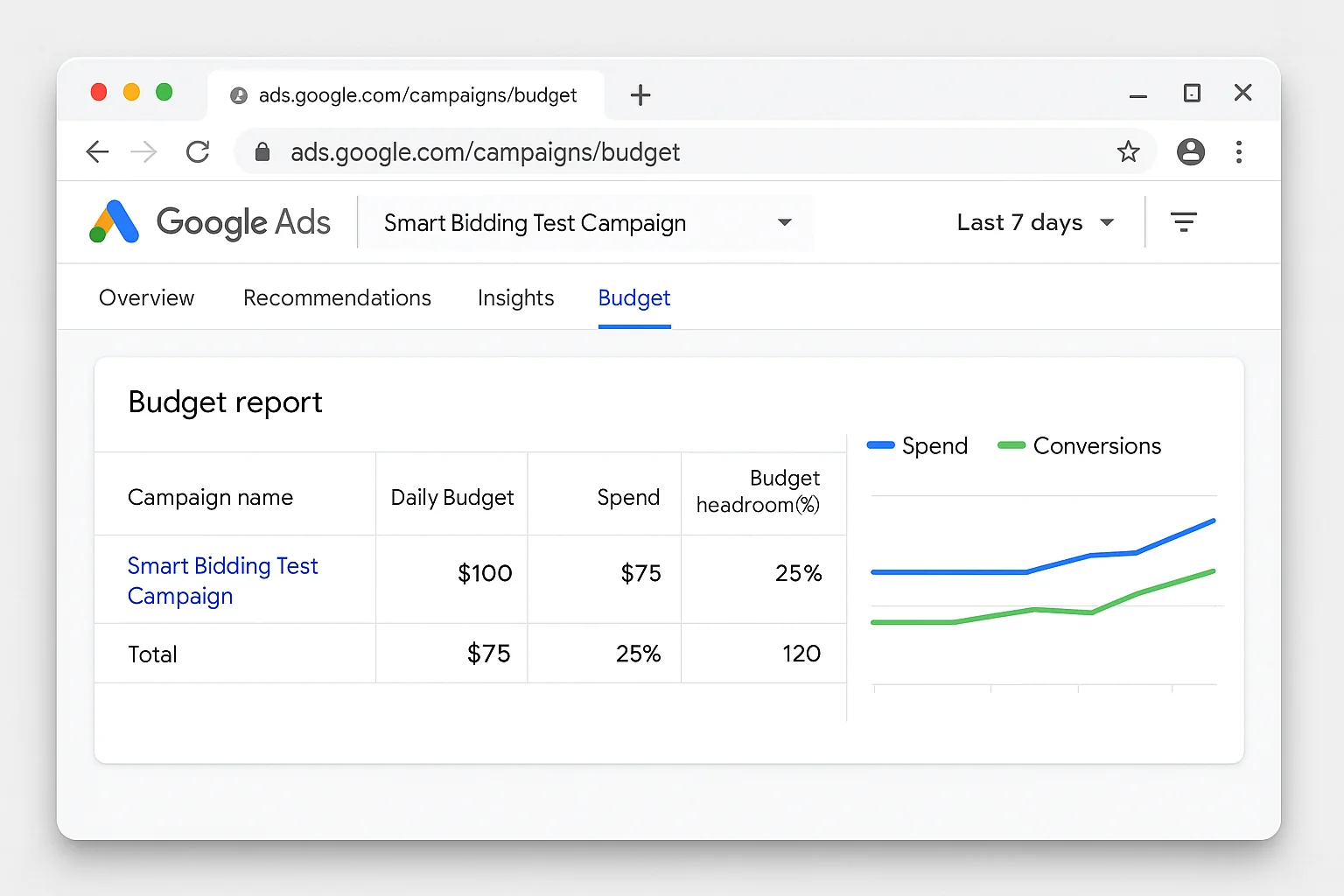
The takeaway: All four prerequisites must be met. Target ROAS active, low lost impression share due to rank, high Quality Score, and budget headroom. Miss one and you are exploring with a handicap.
How To Set Up Smart Bidding Exploration in 5 Minutes
The setup itself is simple. Meeting the prerequisites is the hard part.
Once you have confirmed all four preconditions:
-
Open your Google Ads account and navigate to the search campaign you want to enable exploration on.
-
Click “Settings” in the left-hand page menu for that campaign.
-
Scroll to the “Bidding” section. You will see your Target ROAS setting and, below it, a section labeled “Bidding exploration.”
-
Click to expand “Bidding exploration.” Check the box next to “Allow Smart Bidding to explore new traffic.”
-
Save your settings. The feature is now active.
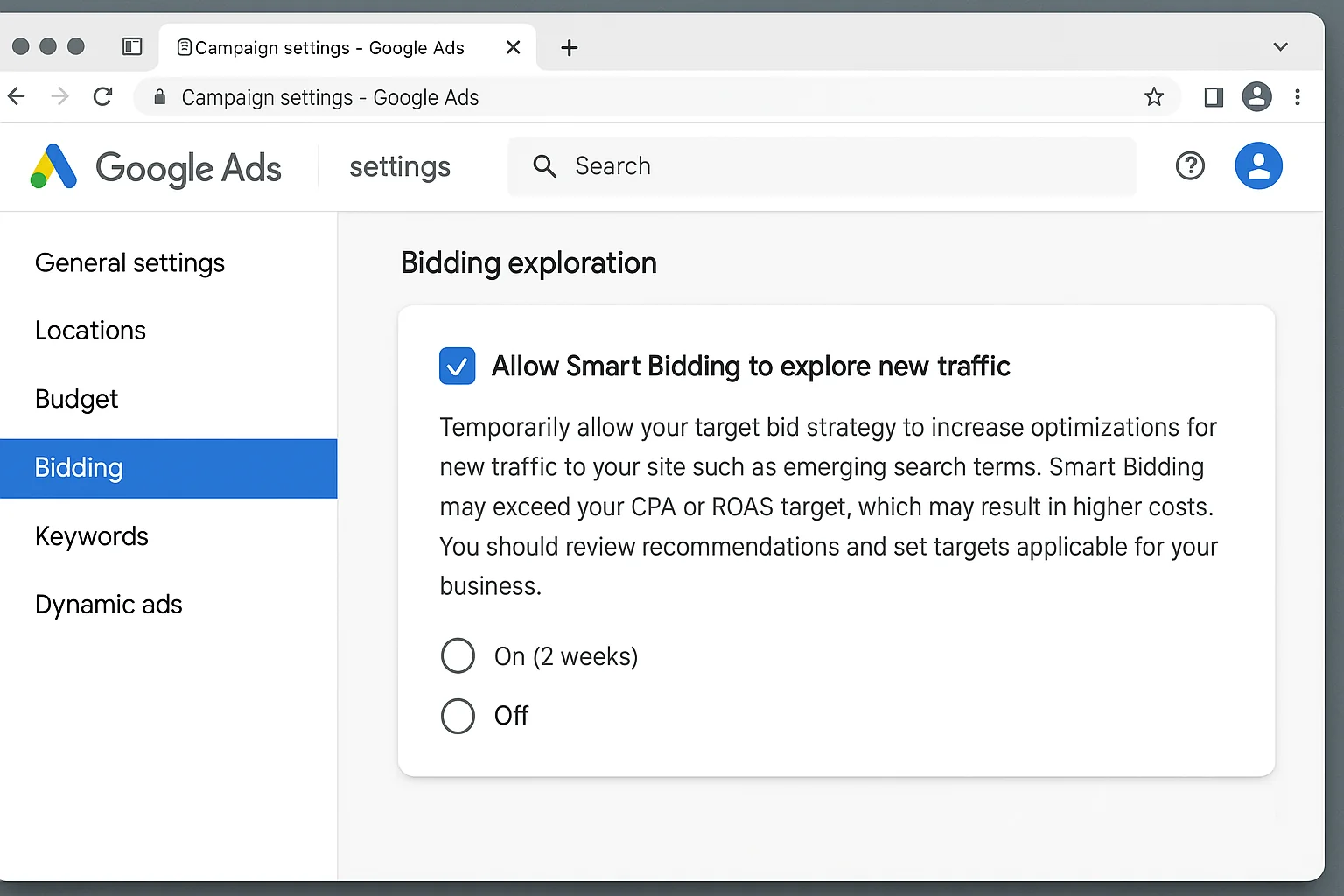
That is it. FIVE clicks.
The algorithm will begin exploring new queries immediately. You will not see a separate campaign or ad group for exploration traffic. It runs within your existing campaign structure.
One important note: Google states that Smart Bidding Exploration will lower your effective ROAS target on exploratory queries. You may see a temporary dip in overall ROAS during the first 1-2 weeks as the algorithm tests. This is expected.
When Smart Bidding Exploration Makes Sense (And When It Does Not)
The Ideal Candidate
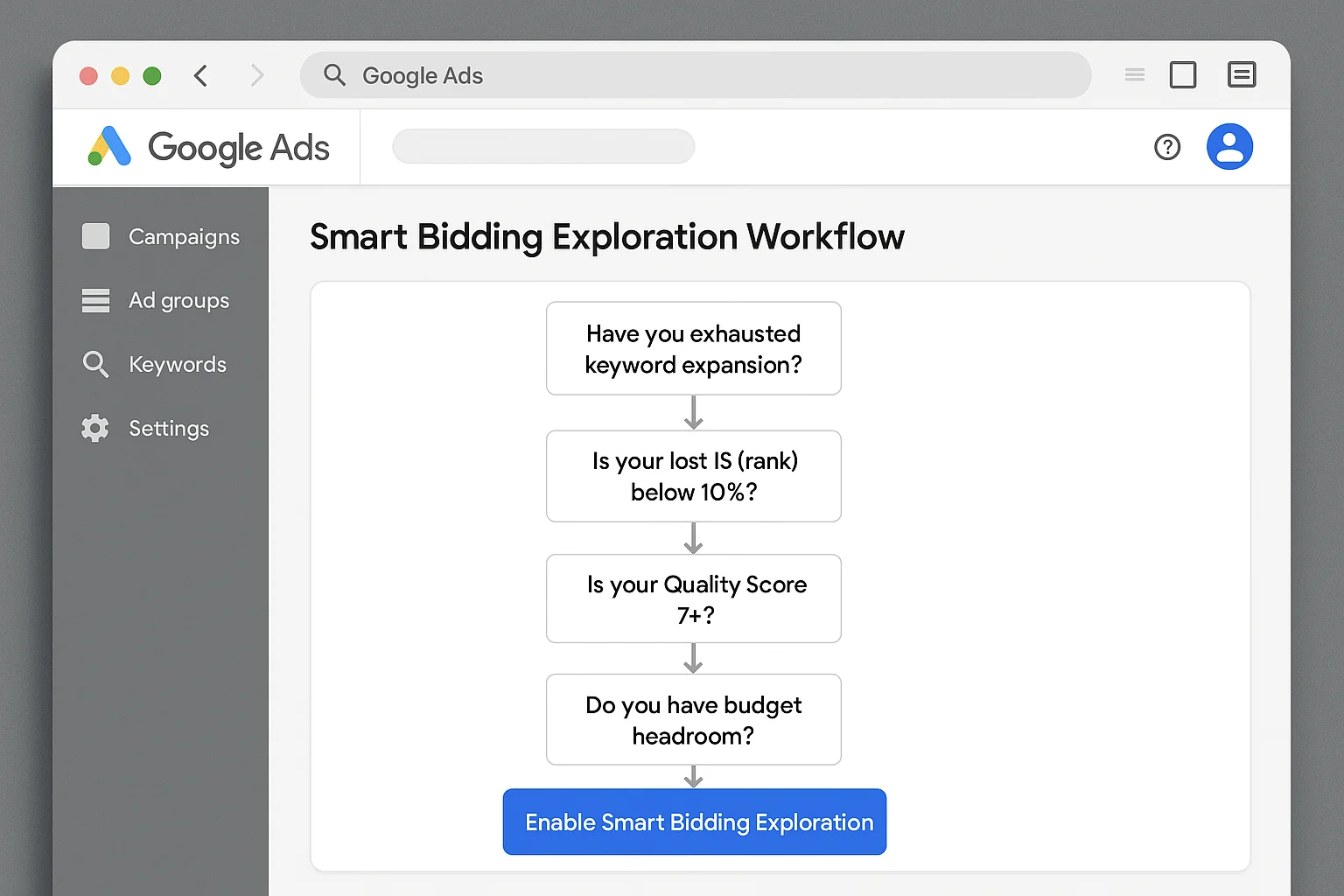
You are the ideal candidate for Smart Bidding Exploration if:
- Your search campaigns have been running on Target ROAS for 60+ days with consistent performance
- Your search lost IS (rank) is below 10%
- Your average Quality Score is 7+
- You have 15-25% budget headroom
- You have already exhausted your keyword expansion opportunities
That last point is the big one. If you still have untapped keyword ideas, negative keyword gaps, or match type expansion opportunities, do those first. They are cheaper and more controlled than algorithmic exploration.
Smart Bidding Exploration is for advertisers who have ALREADY done the work and hit the ceiling.
When It Does Not Make Sense
New campaigns with limited conversion data. The algorithm needs historical conversion patterns to predict which new queries will convert. Without that data, exploration is essentially random.
Accounts with high search lost IS due to rank. Fix your Ad Rank first. Exploring new territory when you cannot win on your home turf is backwards.
Tight budgets with zero headroom. If every dollar is already allocated, exploration will cannibalize your best-performing traffic. You will be trading proven conversions for unproven experiments.
Campaigns not on Target ROAS. The feature requires Target ROAS. If you run Target CPA or Maximize Conversions, you need to restructure your bidding first.
The takeaway: Smart Bidding Exploration is a growth tool for mature, well-optimized accounts. It is not a fix for underperforming campaigns and not a substitute for solid keyword research.
How To Monitor and Optimize After Turning It On
You turned it on. Here is your monitoring playbook.
Week 1-2: The Learning Phase
Let the algorithm explore. Do not panic if your ROAS dips slightly during this period. Google is testing new queries and learning which ones convert.
Check your search terms report daily. Look for new queries appearing that you have never seen before. This is the exploration in action.
Do not make changes during these two weeks. No bid adjustments. No budget changes. No pausing. Let the data accumulate.
Week 3-4: The Evaluation Phase
Pull your campaign performance for the full period since enabling exploration. Compare to the 4 weeks before you enabled it.
Look at three numbers:
- Total conversions: Did they increase? Google’s benchmark is a 19% lift.
- ROAS: Is your overall ROAS still within an acceptable range of your target?
- Unique search query categories: Are you seeing new types of queries converting?
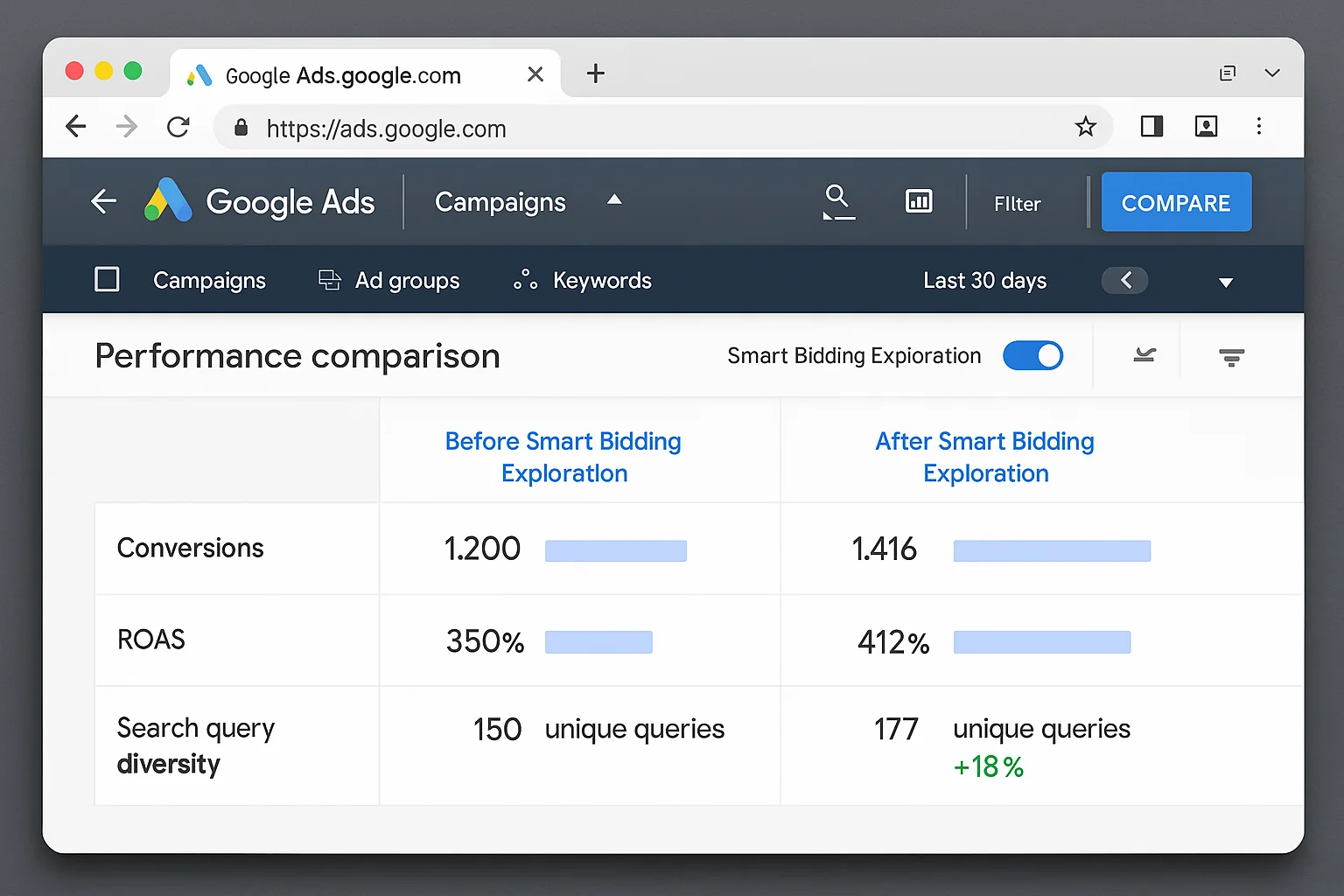
If conversions are up and ROAS is holding steady (or only slightly below target), the feature is working. Keep it on.
If conversions are flat and ROAS has dropped meaningfully (more than 15-20% below your target), the exploration is not finding profitable traffic. Turn it off. Revisit in 3 months when you have more conversion data for the algorithm to learn from.
Ongoing: Mine Your Search Terms Report
The real value of Smart Bidding Exploration shows up in your search terms report.
New converting queries that the algorithm discovered are potential keyword additions. If a query converts consistently through exploration, add it as an exact match keyword. That locks in the traffic without needing the exploration feature.
Over time, this turns Smart Bidding Exploration into a keyword discovery engine. The algorithm finds new queries. You verify they convert. You add them as keywords. Your account grows.
As Search Engine Land reported, this cycle of explore, verify, and add is how the most sophisticated advertisers use the feature. Not as a set-and-forget automation, but as an active discovery tool.
The takeaway: Smart Bidding Exploration is most powerful when you treat it as a keyword prospecting tool. Let the AI find new queries. Verify they convert. Add the winners as permanent keywords. Repeat.
Your Move
Your campaigns are optimized. Your keywords are maxed out. Your ROAS is steady. You have been staring at flat growth for months.
Smart Bidding Exploration is the crowbar that opens the next door.
Check those four prerequisites. Flip the switch. Watch your search terms report like a hawk.
Go find some new traffic.