How To Find AI Search Queries In Google Search Console With One Regex Filter
TL;DR
Google Search Console already contains data on AI-driven searches. You just need one regex filter to find it. The pattern (\b\w+\b\s){7,} isolates queries with 7 or more words, which surfaces the natural-language searches people use with AI Overviews and AI Mode. Use this free, 60-second hack to find EXACTLY what AI users are searching for, then build content that targets those queries.
In This Post You’ll Learn
- How to find AI-driven search queries hiding inside your Google Search Console data
- The exact regex pattern that filters for 7+ word natural-language queries
- Why long queries are the fingerprint of AI search behavior
- How to turn those AI queries into content that ranks in AI Mode
- The 3-step process to replicate this for your site today
Google Will Show You AI Searches (If You Know Where to Look)
Here’s something most SEOs and marketers don’t realize: Google Search Console already contains your AI search data.
You don’t need Semrush. You don’t need Ahrefs. You don’t need any paid tool.
Google’s own free tool is sitting on a goldmine of information about how people interact with your site through AI Overviews and AI Mode.
The problem: GSC doesn’t label it.
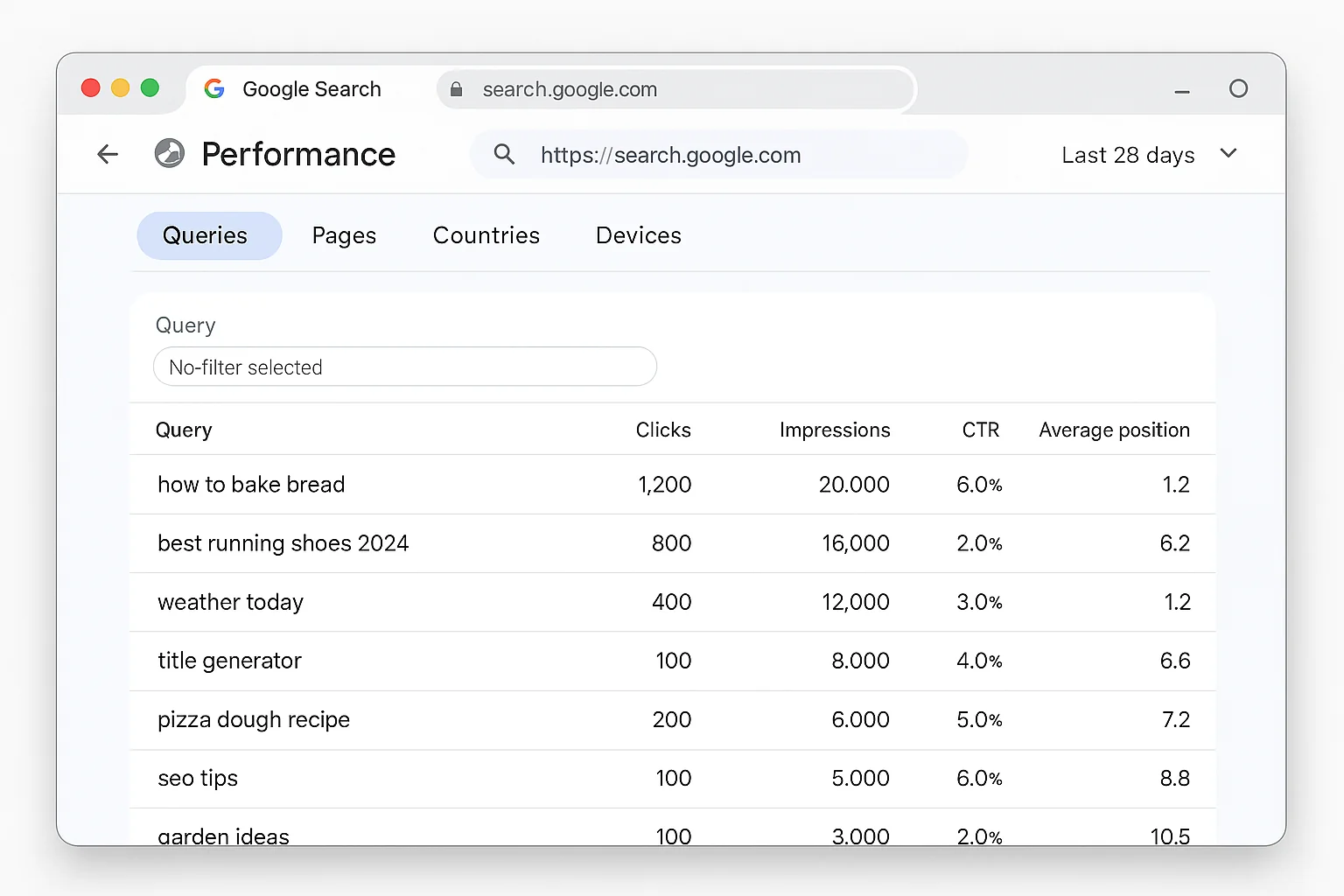
There’s no “AI Overview” column. No “AI Mode” tag. Google Search Console’s Performance report groups all clicks and impressions together, regardless of whether the user typed a traditional 3-word keyword or asked a full conversational question through AI.
So everyone assumes the data isn’t there.
It is. You just need to know how to extract it.
Most people open GSC, glance at their top queries, and close the tab. They see the same 20 branded keywords and think that’s all there is. Meanwhile, buried underneath those familiar queries are hundreds of long, conversational searches that tell a completely different story about how people are finding their site.
These aren’t “best CRM” or “running shoes men” searches. These are full sentences. Questions. The kind of queries that only happen when someone is talking to AI.
The trick is filtering by query length.
When someone searches using AI Overviews or AI Mode, they don’t type “best running shoes.” They type “what are the best running shoes for flat feet on concrete in summer.”
That’s the behavioral shift. AI has trained people to search in full sentences.
And there’s one regex pattern that catches every single one of those queries.
The 7-Word Regex That Reveals AI Search Queries
Here’s the exact workflow. It takes about 60 seconds.
Step 1: Open Google Search Console.
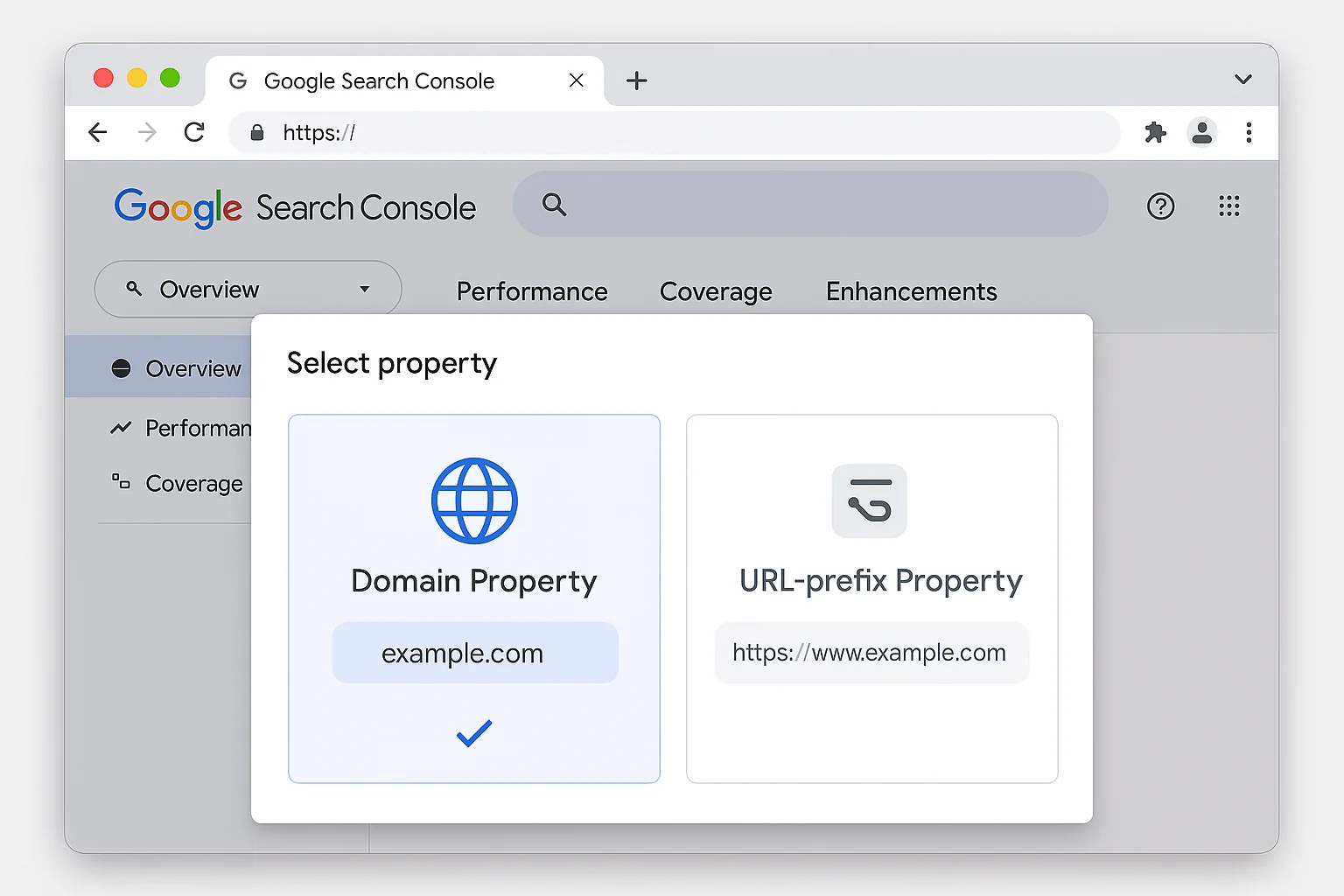
If you haven’t submitted your site yet, do it now. Go to Google Search Console, click “Start now,” and submit your site as a Domain Property. A Domain Property captures data across all subdomains and protocols, so you get the FULL picture.
Important: use Domain Property, not URL Prefix. Domain Property aggregates data from www, non-www, HTTP, and HTTPS versions of your site. URL Prefix only covers one version. You want everything in one place.
Step 2: Go to Performance.
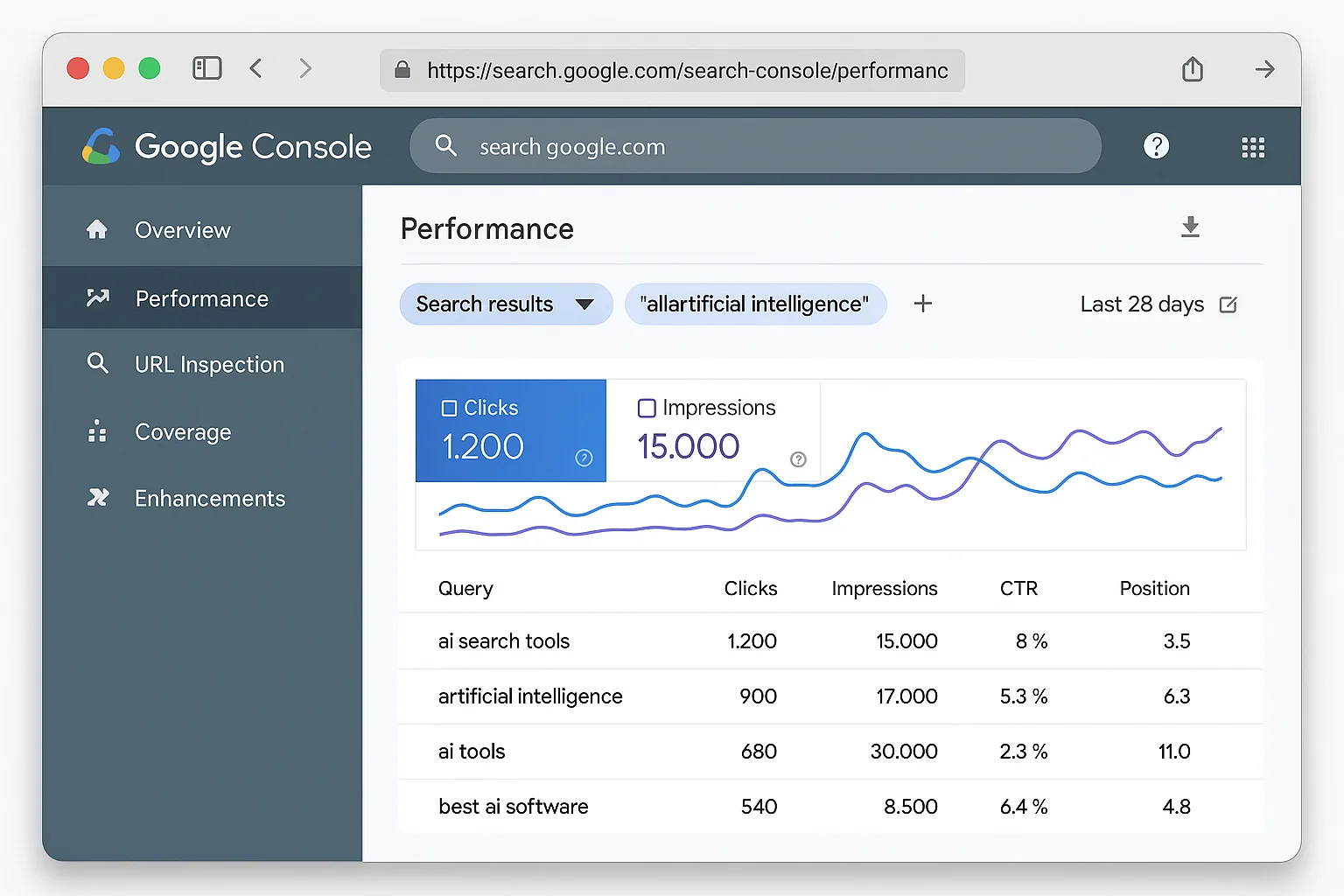
Click “Performance” in the left sidebar, then click “Search Results.” This shows you every query your site appeared for in Google Search. By default, you’ll see the last 3 months of data. You can extend this to 16 months if you want a bigger dataset to work with.
Step 3: Add a Query filter.
Click “Add filter” at the top of the report. Select “Query.” In the dropdown that says “Queries containing,” click it and switch to “Custom (regex).” This is where most people stop. They don’t even know regex is an option in GSC.
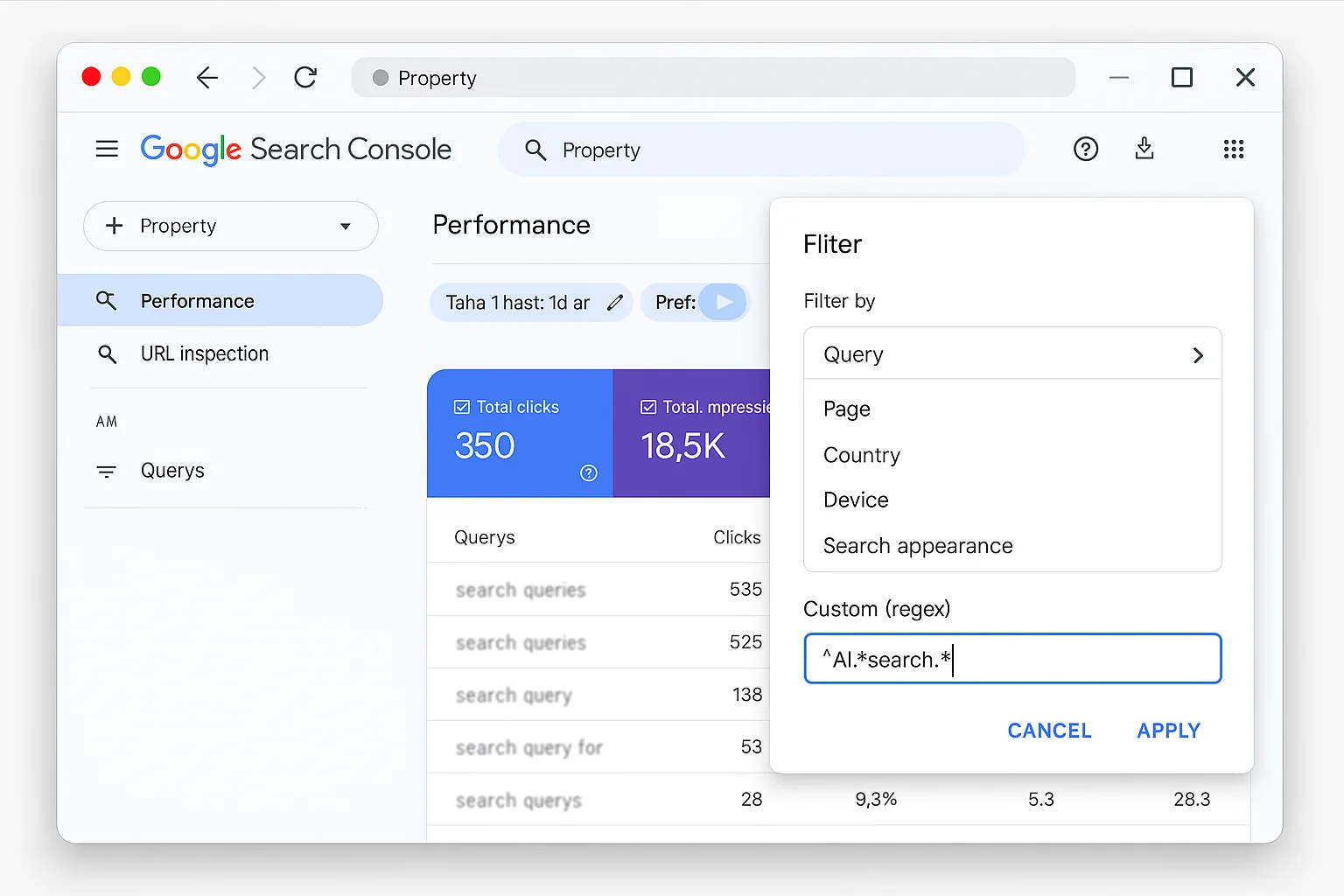
Step 4: Paste the regex.
Copy and paste this exact pattern:
(\b\w+\b\s){7,}
Click “Apply.”
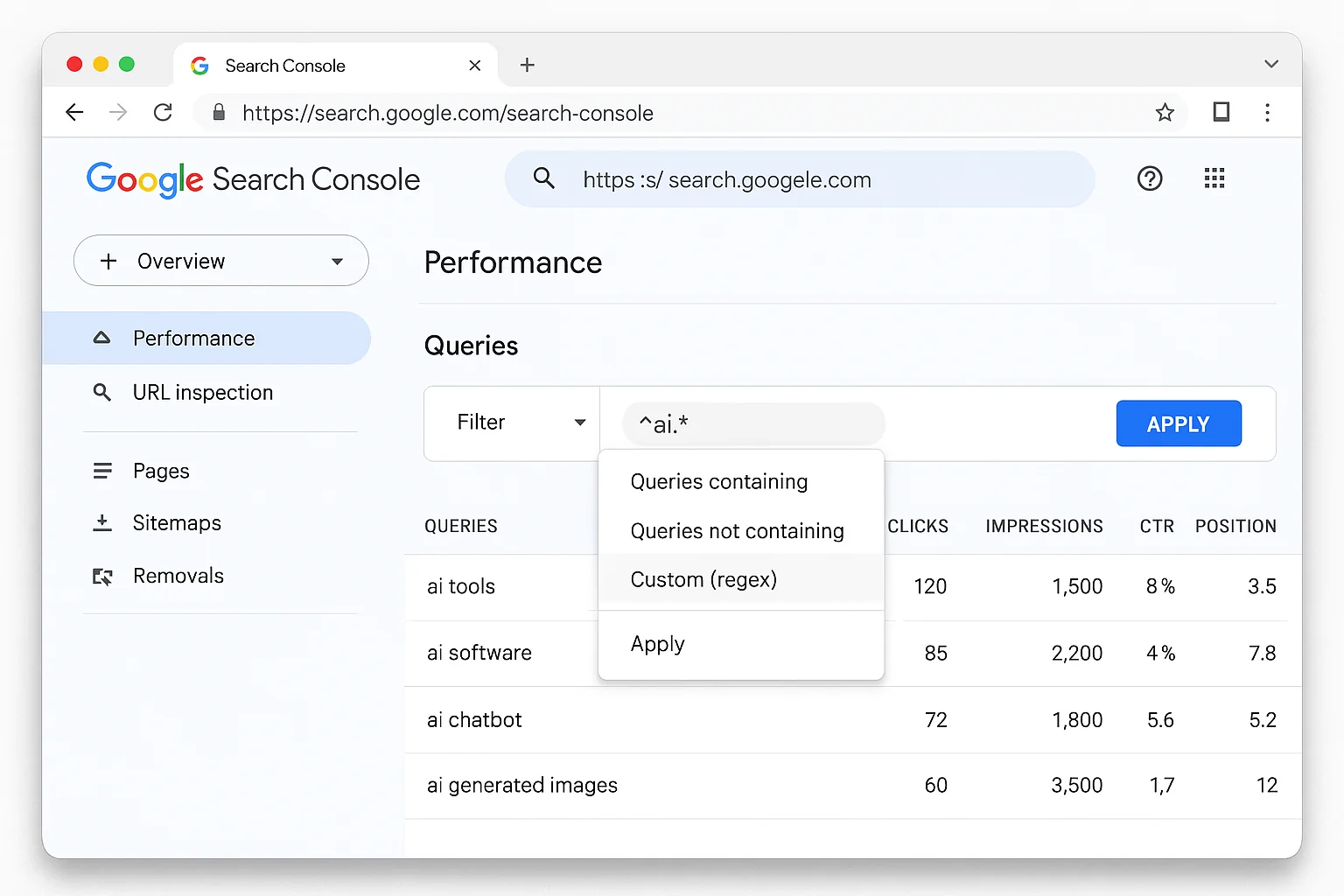
That’s it.
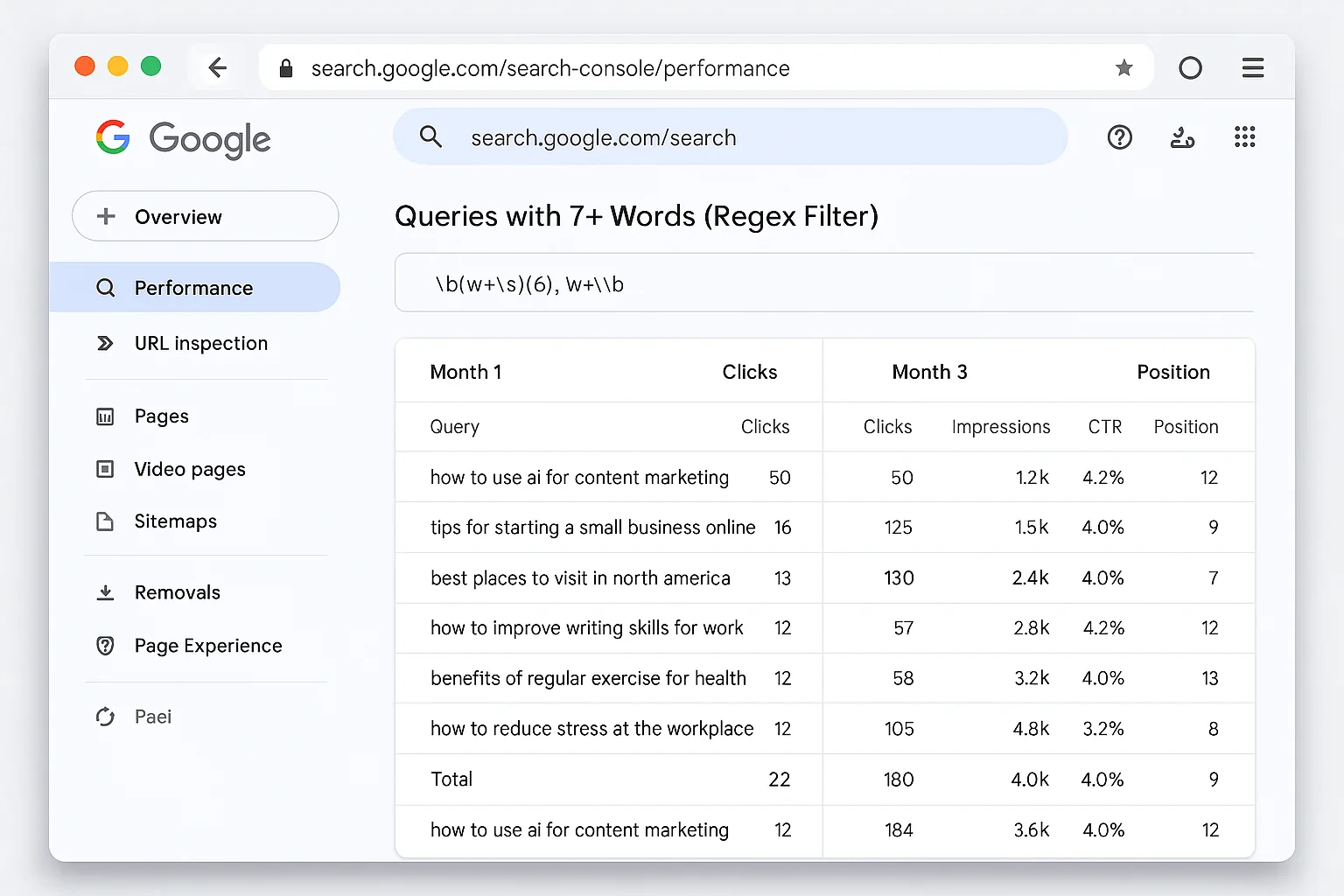
Your Performance report now shows ONLY queries that are 7 or more words long. These are the natural-language, conversational queries that people type when using AI Overviews, AI Mode, or when they’ve been trained by AI to search in full sentences.
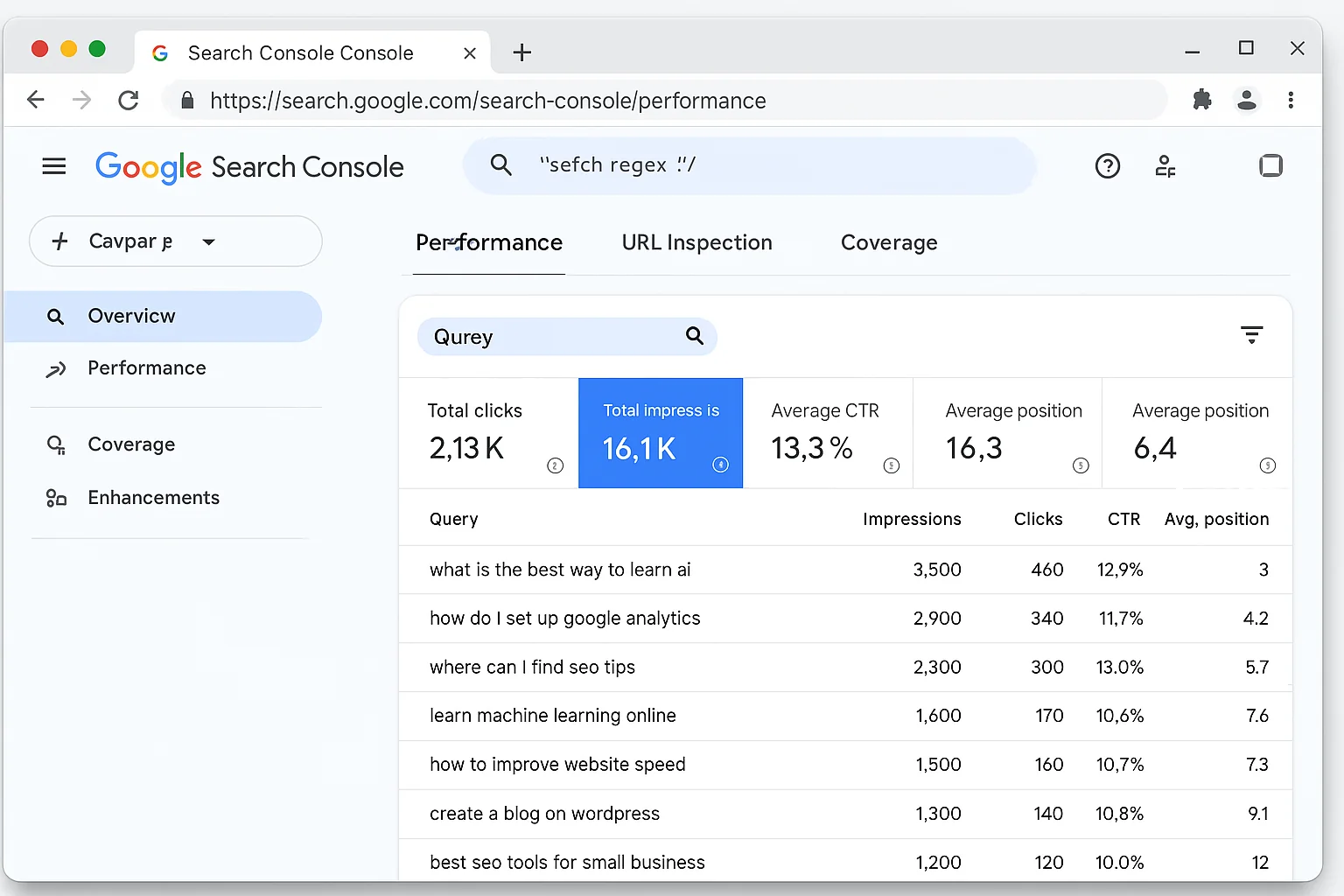
Scroll through that list. You’ll see queries that read like someone talking to a friend, not typing into a search box.
“how to set up google analytics for a small business website”
“what is the best email marketing platform for ecommerce in 2025”
“why is my website not showing up in google search results”
These are the EXACT questions people are asking AI. And Google is already showing your site for them.
Here’s what makes this so powerful. Every other keyword research method gives you estimated data. Ahrefs gives you estimated volume. Semrush gives you estimated difficulty scores. Google Keyword Planner gives you broad ranges.
This filter shows you REAL searches. Real people. Real queries. From your own Google data.
No estimates. No third-party guessing. Just the raw truth about what people type when they talk to AI about your topic.
And the data is already waiting for you. Every site with GSC enabled has been collecting these queries in the background. You just need the filter to surface them.
Why 7+ Words Means AI
This works because of a fundamental shift in search behavior.
Traditional Google searches average 3-4 words. “Running shoes men.” “Best CRM software.” “Pizza near me.”
People learned to speak Google’s language: short, keyword-packed queries.
AI changed that. Google’s own research on AI search behavior confirms that users interact with AI Overviews using longer, more conversational queries. When people see the AI answer box, they instinctively type like they’re asking a person, not a machine.
7 words is the threshold where queries shift from traditional keyword syntax to natural language. Below 7 words, you get a mix. Above 7 words, the vast majority are conversational.
Think about it. Nobody types “what is the best way to increase my website conversion rate for mobile users” into Google unless they’re in a conversational mode. That’s an AI query. And the regex catches it.
That single regex filter separates the two worlds.
The takeaway: The regex pattern (\b\w+\b\s){7,} is a free AI search detection tool hiding inside Google Search Console. No paid software required.
How to Read Your AI Search Data Like a Growth Playbook
Finding the queries is step one. Knowing what to DO with them is where the growth happens.
Once you apply the regex filter, sort your results by Impressions (highest first). This tells you which AI-driven queries Google considers your site relevant for, even if users aren’t clicking through yet.
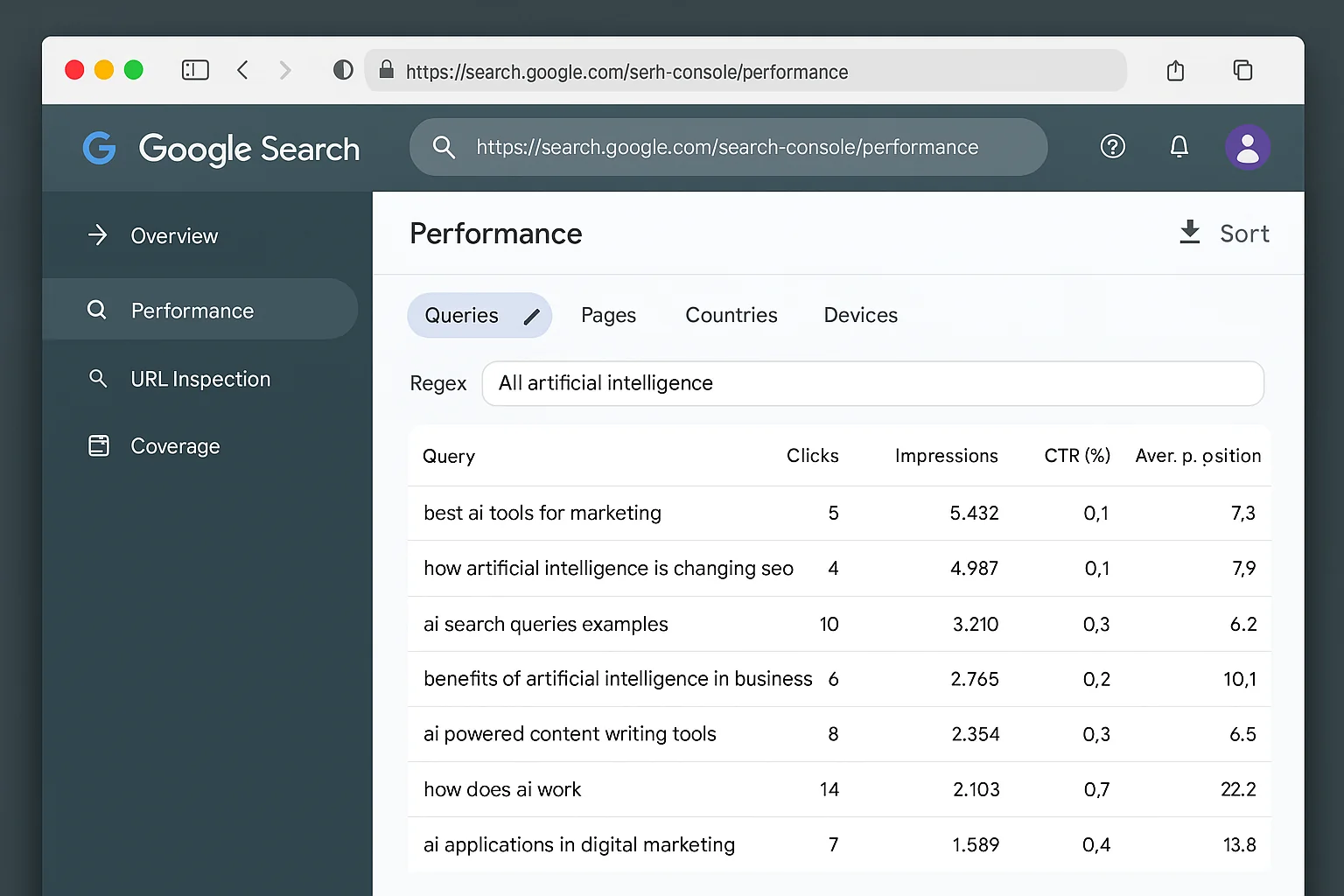
Here’s what to look for:
High impressions, low clicks. Google is showing your site in search results for this AI query, but users aren’t clicking. The AI Overview is answering the question before they reach your site, or your existing page doesn’t match the intent well enough. Both are opportunities.
Queries you don’t have dedicated content for. Scan the list. You’ll find questions your site shows up for accidentally, through a related page that partially touches the topic. Content gaps waiting to be filled.
Clusters of similar queries. AI users ask the same question five different ways. “How do I improve my website speed” and “what are the best ways to make a website load faster” and “why is my site so slow on mobile” are all the same content opportunity. Group them.
Queries with commercial intent. Look for words like “best,” “top,” “vs,” “for small business,” “pricing,” “alternative to.” These are people ready to make a decision. AI is helping them compare. Your content needs to be in that conversation.
This is your AI search playbook. Every line in that filtered report is a content opportunity that 99% of your competitors don’t even know exists.
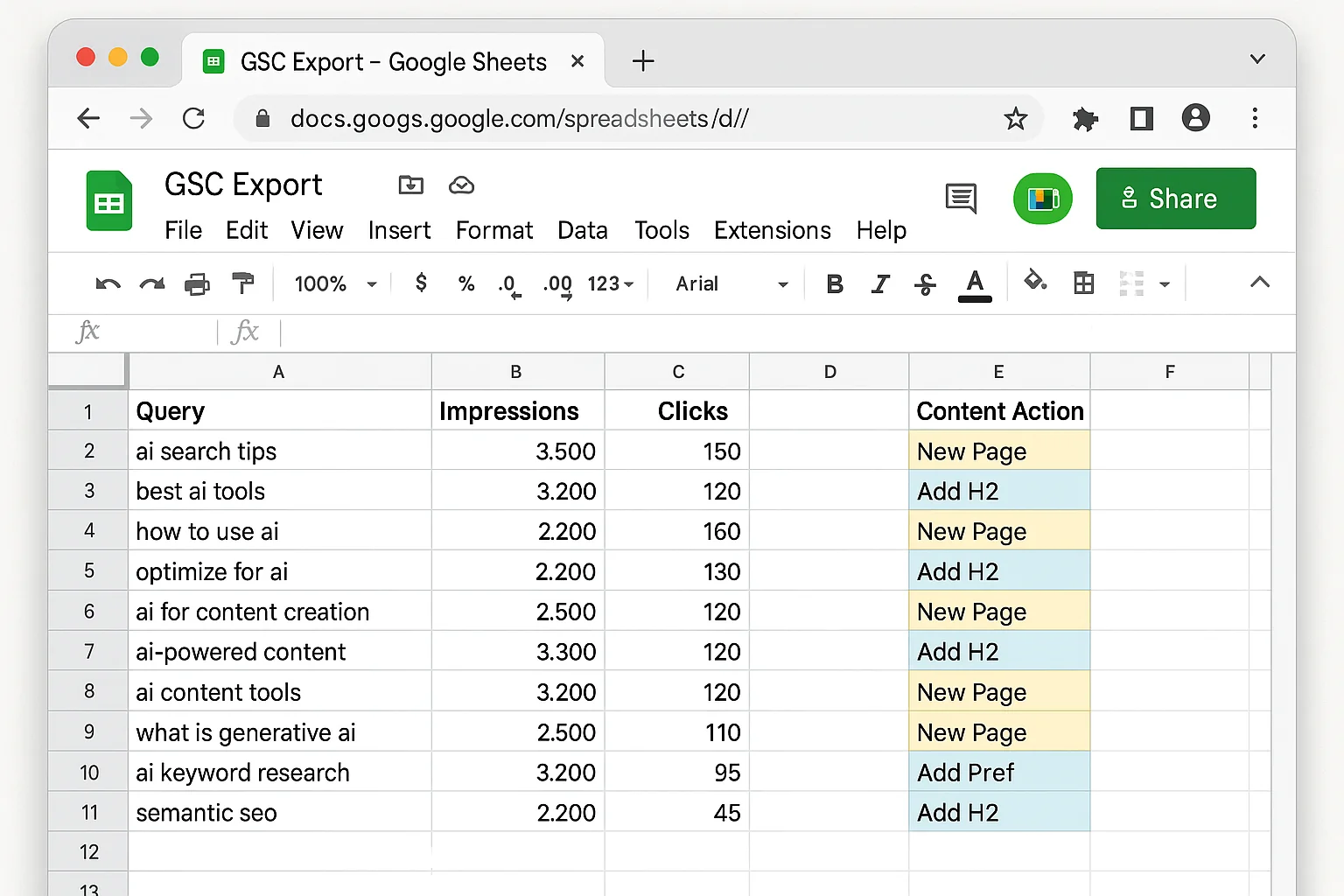
Export this data. Open Google Sheets. Create columns for the query, impressions, clicks, CTR, and your planned action. This spreadsheet becomes your AI content calendar. Update it monthly, and you’ll always know exactly what to write next.
The takeaway: Sort by impressions, look for high-impression and low-click queries, group similar questions into clusters, and flag anything with commercial intent. That’s your prioritized hit list.
Turn AI Queries Into Content That Ranks in AI Mode
You have the data. Now build content around it.
There are two plays here, depending on the volume and relevance of each query cluster.
Create Dedicated Landing Pages for High-Volume AI Queries
If you see a cluster of related AI queries with significant impressions (hundreds or thousands), create a dedicated page targeting that topic.
The page should answer the conversational query directly in the first paragraph. AI Overviews pull from content that gives a clear, complete answer early.
According to Semrush’s research on AI Overview optimization, pages that target long-tail keywords with structured, direct answers are the most likely to be cited in AI results.
Structure the page with H2s that match variations of the query. If the core query is “how to set up google analytics for a small business website,” your H2s should cover the related sub-questions:
- H2: What You Need Before Setting Up Google Analytics
- H2: The Step-by-Step Setup for Small Business Sites
- H2: The 3 Reports Every Small Business Should Check Weekly
Each H2 answers a specific angle of the conversational query. This gives AI Overviews multiple sections to pull from and cite.
One more thing: include a direct, concise answer in the first 2-3 sentences of each section. AI Overviews favor content that gives the answer upfront, then explains the reasoning. Front-load the value. Put the “what” before the “why.”
Add H2 Sections to Existing Pages for Lower-Volume Queries
Not every AI query deserves its own page. For lower-volume queries (tens of impressions, not hundreds), add an H2 section to an existing relevant page.
Let’s say you have a blog post about email marketing platforms. Your regex filter reveals that people are searching “what is the best email marketing platform for ecommerce stores with less than 1000 subscribers.”
Add an H2 to your existing post: “Best Email Marketing Platforms for Small Ecommerce Stores (Under 1,000 Subscribers)”
Answer the question directly in 2-3 paragraphs under that heading. Faster than creating a new page. And it strengthens your existing content by covering more of the conversational query landscape.
Moz’s Whiteboard Friday on AI Overview optimization emphasizes that comprehensive pages with well-structured subheadings consistently outperform thin, single-topic pages in AI results.
Here’s a real-world example. Say your regex filter surfaces 12 queries about “email marketing for ecommerce.” Eight of them are variations of “what is the best email marketing platform for online stores.” That cluster gets its own page. The other four are niche variations like “can I use Mailchimp for Shopify dropshipping” and “email marketing automation for Etsy sellers.” Those become H2 sections on your main email marketing page.
Simple system. Massive coverage. Zero guesswork.
The takeaway: Every AI query in your GSC data is a signal telling you exactly what content to create. High-volume clusters get dedicated pages. Lower-volume queries get H2 sections on existing pages.
3 Steps to Replicate This for Your Site Today
Here’s the complete workflow, condensed into three action steps:
1. Set up and filter your GSC data.
Open Google Search Console. Go to Performance. Click “Add filter,” select “Query,” choose “Custom (regex),” and paste (\b\w+\b\s){7,}. Hit Apply. You now see every 7+ word query your site shows up for.
2. Identify your top AI query opportunities.
Sort by Impressions. Look for high-impression, low-click queries. Group similar queries into clusters. Flag queries with commercial intent. Export the data to a spreadsheet if you want to track it over time.
3. Create or update content targeting those queries.
For each cluster: if it has high volume, create a dedicated page. If it has low volume, add an H2 section to an existing relevant page. Answer the conversational query directly in the first paragraph. Structure with H2s that match query variations. Front-load the answer in every section so AI can pull it cleanly.
Repeat this monthly. AI search behavior is evolving fast. New queries will appear as more users adopt AI Mode and conversational search patterns.
The sites that track and respond to these shifts first will own the AI search results.
The takeaway: This entire process uses one free tool (Google Search Console) and takes less than 10 minutes to set up. You get a competitive advantage that paid keyword tools can’t replicate, because this data is YOUR search data, not estimated volume from a third-party database.
Why This Matters More Than You Think
Most SEOs are still optimizing for 3-word keywords. They’re chasing “best CRM software” and “email marketing tips” and fighting over the same crowded SERPs.
Meanwhile, AI is changing how people search. Queries are getting longer. More specific. And the people typing them have higher intent, because they’re asking AI to help them make a real decision.
Search Engine Journal reports that Google Search Console doesn’t natively separate AI Overview traffic from regular search traffic. Most site owners have zero visibility into how AI is affecting their search performance.
The regex filter changes that. It gives you a proxy for AI search behavior using data Google is already collecting for you.
For free.
The sites that figure this out early will have a massive head start. They’ll be creating content for queries their competitors don’t even know people are searching.
And here’s the compounding effect: every piece of content you create targeting an AI query makes your site more relevant for related AI queries. Google sees that you answer conversational questions well and starts surfacing your site for more of them. You build a flywheel where AI search data feeds content creation, which feeds more AI visibility, which feeds more data.
This takes 60 seconds to set up and zero dollars to run.
The sites running this playbook right now are building a moat that will be nearly impossible to catch once AI Mode becomes the default search experience. Every month that passes without you checking this data is a month your competitors could be reading the same queries and building content around them first.
Bookmark this one. Set the filter. Check your data. Start building.