How To Prove Your Social Media Marketing Is Working Using Google Search Console in 60 Seconds
TL;DR
Branded search volume is the single best metric to prove your social media marketing is actually working. Use ChatGPT to generate a regex pattern for all variations of your brand name, paste it into Google Search Console’s query filter, then compare the last 3 months to the previous 3 months. If branded clicks are going up, your social media is driving real brand awareness. One example showed branded clicks nearly 2x in a single quarter. This takes 60 seconds and costs $0.
In This Post You’ll Learn
- Why branded search volume is the one metric that proves social media ROI
- How to use ChatGPT to build a branded search regex in 10 seconds
- The step-by-step GSC workflow to track branded search growth over time
- Google’s new built-in branded filter and when to use it vs regex
- How to interpret your branded search data and take action on it
- 3 ways to accelerate branded search growth through social content
The One Metric That Proves Your Social Media Marketing Is Working
Most marketers measure social media with vanity metrics. Followers. Likes. Impressions. Reach.
Those numbers feel good. They look great in a slide deck.
But they don’t tell you whether your social media marketing is actually driving business results.
Here’s what does: branded search volume.
Branded search volume is the number of people who go to Google and type YOUR brand name, YOUR URL, or some variation of it. They saw your content on Instagram, TikTok, or LinkedIn, remembered your name, and went looking for you.
That is the purest signal of brand awareness you can measure.
And you can track it for free, in 60 seconds, using a tool you already have access to: Google Search Console.
Here’s the thing about social media. The ROI conversation is broken. Marketers have been arguing about whether social media “works” for over a decade. The problem is that most people look for the ROI in the wrong place.
They look at social media metrics ON social media. Likes. Shares. Comments.
But the real impact of social media shows up in Google.
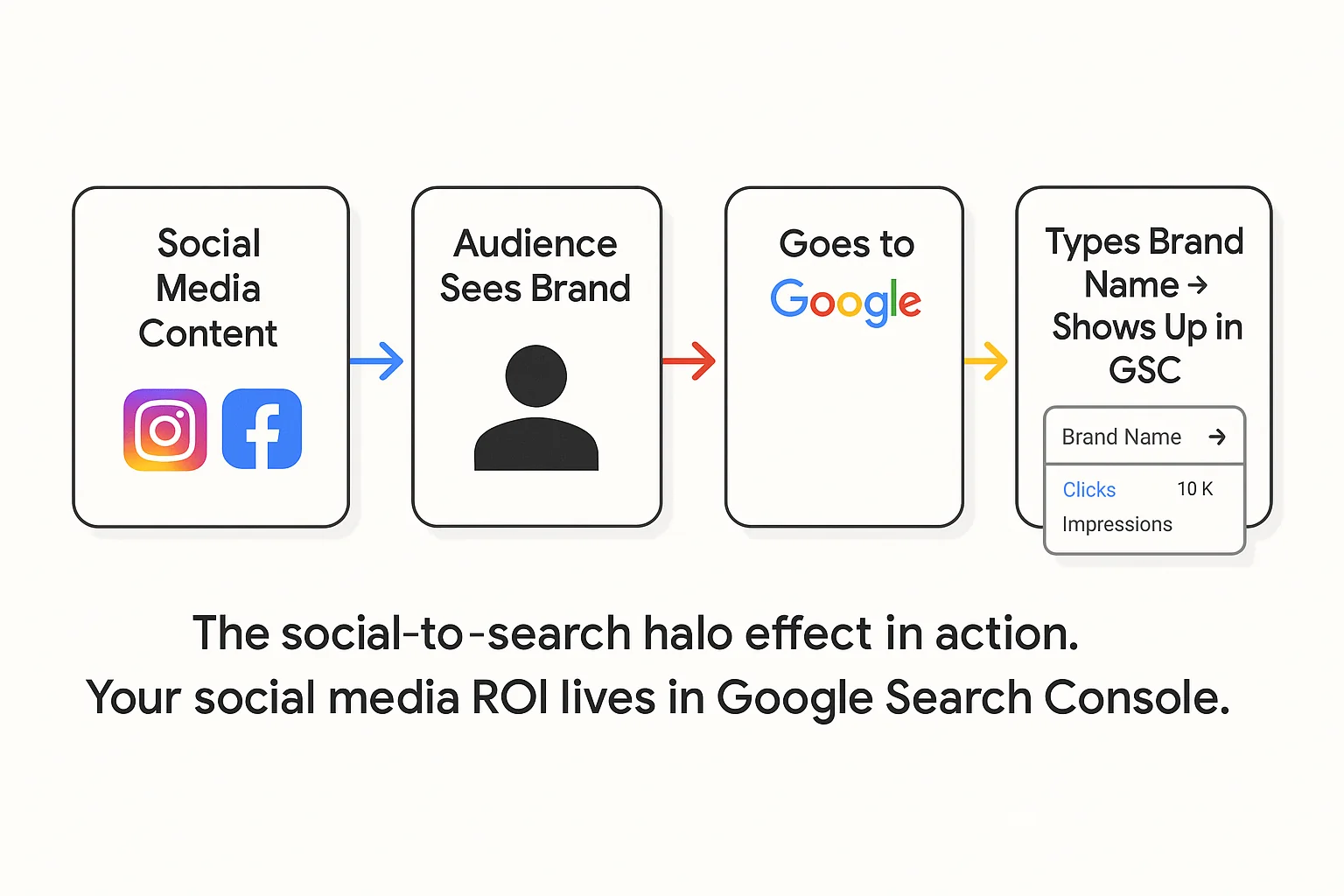
When someone sees your brand on Instagram three times in a week, they don’t click your bio link every time. Most of them do something else entirely. They go to Google and search your brand name.
That behavior has a name. Practitioners in the SEO and social media space call it the social-to-search halo effect. Social content creates curiosity. Curiosity becomes a Google search. And that Google search shows up in your Search Console data as a branded query.
The takeaway: Stop measuring social media ROI inside social media. Measure it in Google Search Console, where the real buying behavior shows up.
Why Branded Search Is the Best Social Media ROI Metric You Are Ignoring
Here’s why branded search beats every other brand awareness metric.
It measures intent, not exposure. An impression means someone scrolled past your post. A branded search means someone actively typed your name into Google. One is passive. The other is deliberate. Only one leads to revenue.
It’s free and first-party. No expensive brand tracking software. No surveys. No guessing. Google Search Console gives you the exact queries people use to find you, with real click and impression counts, straight from Google’s own data.
It isolates the social media effect. If you’re running organic social media campaigns and NOT running paid search ads on your brand name, then any increase in branded search volume is almost entirely driven by off-site awareness. That means social media, PR, word of mouth, and podcast appearances. For most companies running active social campaigns, social media is the primary driver.
According to Sprout Social’s brand awareness measurement guide, the most reliable brand awareness metrics combine direct measurement (like branded search) with social listening. Branded search gives you the direct measurement piece for free.
It trends over time. A single snapshot is useful. But the REAL power is in the trend. Compare this quarter to last quarter. Compare this month to the same month last year. If branded search is climbing, your marketing is building momentum.
Most brand awareness guides will tell you to run surveys, monitor social mentions, or pay for brand tracking tools. Those have their place. But branded search in GSC is the fastest, free, and most reliable signal you can get.
The ChatGPT Regex Method to Filter Branded Searches in GSC in 60 Seconds
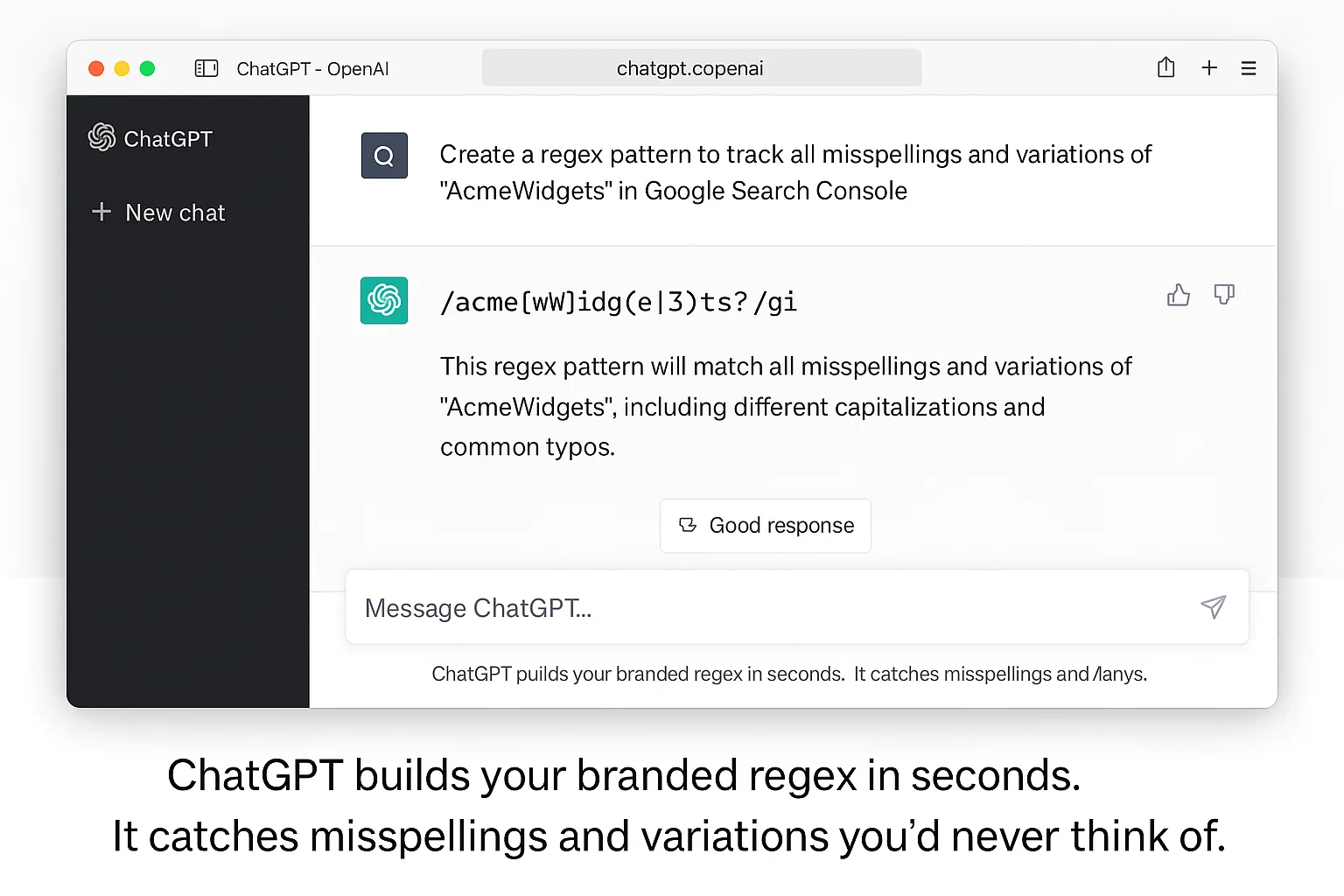
Here’s the core tactic. Growth practitioners discovered that you can use ChatGPT to generate a regex pattern that captures EVERY variation of your brand name, then paste that regex into Google Search Console’s query filter to isolate branded searches instantly.
This takes 60 seconds. Here’s exactly how to do it.
Step 1: Ask ChatGPT for your branded search regex.
Open ChatGPT and type this prompt:
“My brand name is [your brand name]. My URL is [your URL]. Give me regex for Google Search Console to filter for only branded searches. Include any possible variations.”
ChatGPT will generate a regex pattern that includes your brand name, common misspellings, abbreviations, your URL without the protocol, and other variations people type when looking for you.
For example, if your brand is “GrowthSpark” and your URL is growthspark.com, ChatGPT will return something like:
(growthspark|growth spark|growthsparc|grothspark|growthspark\.com|growthspark com)
Step 2: Copy the regex and open Google Search Console.
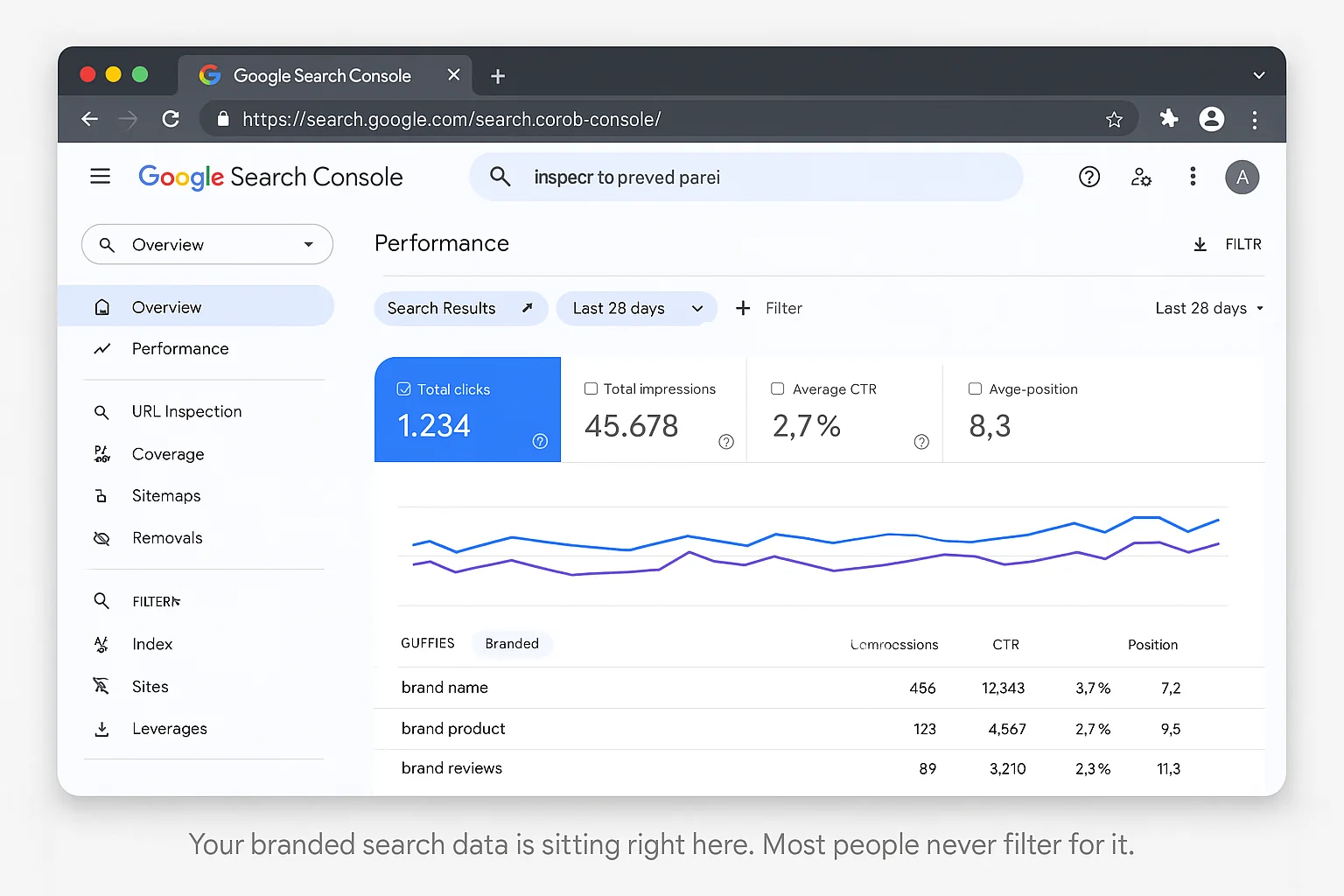
Go to Google Search Console. Click on Performance, then Search Results.
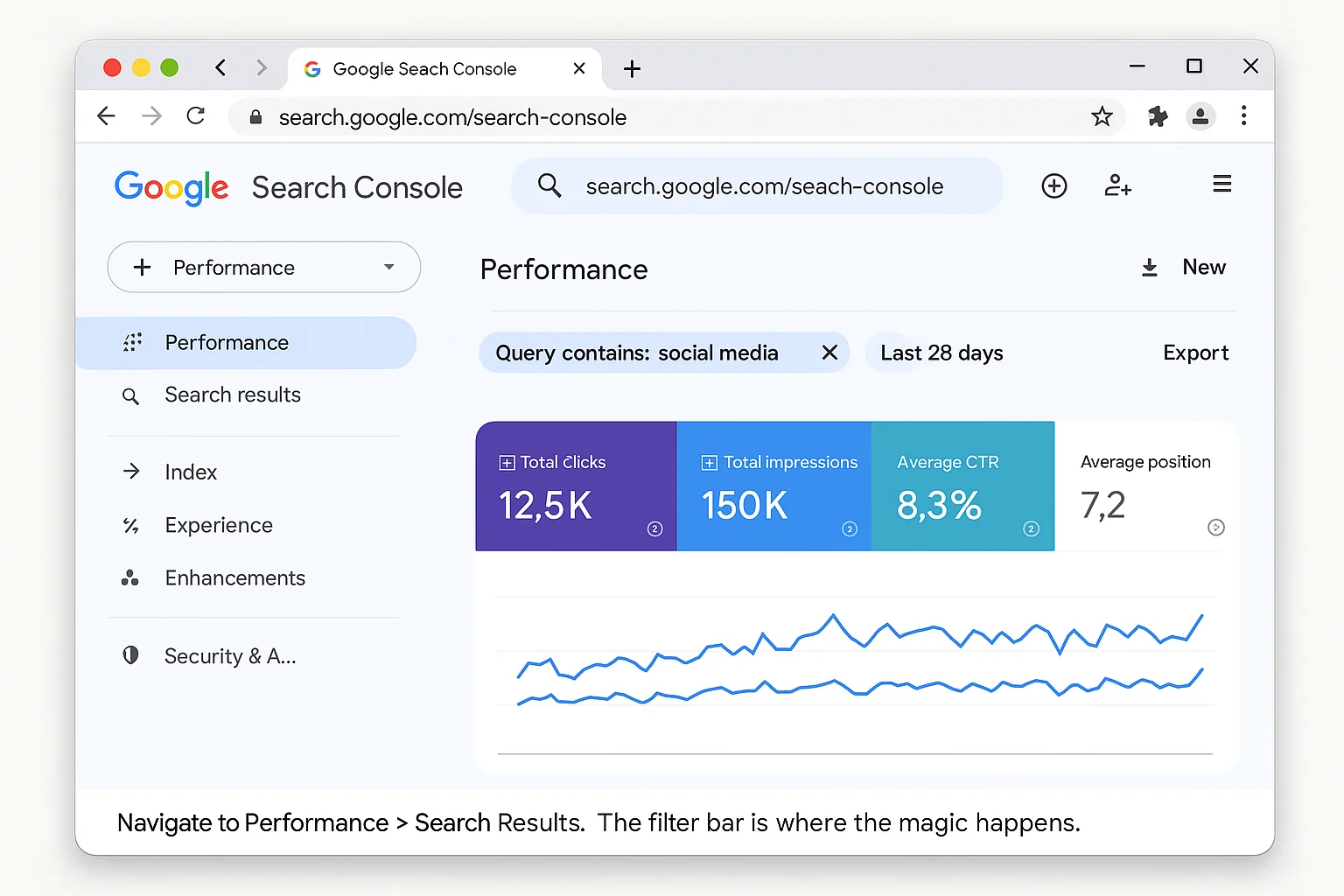
Step 3: Add a regex query filter.
Click ”+ New” (or “Add filter”) in the filter bar. Select Query. Change the filter type from “Queries containing” to “Custom (regex)”.
Paste the regex that ChatGPT gave you into the field. Click Apply.
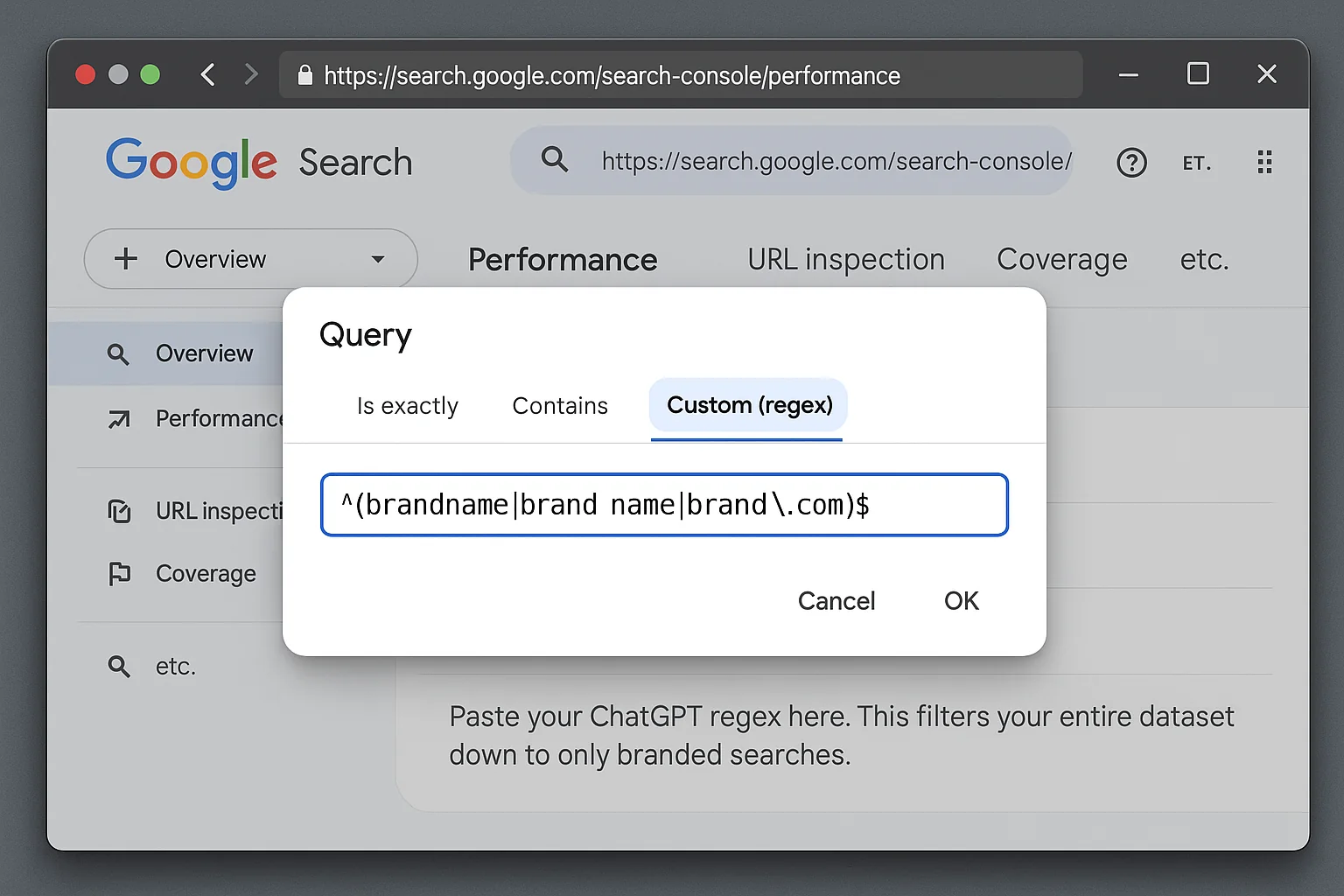
Your Performance report now shows ONLY branded searches. Every query displayed is someone who searched for your brand name, your URL, or a close variation.
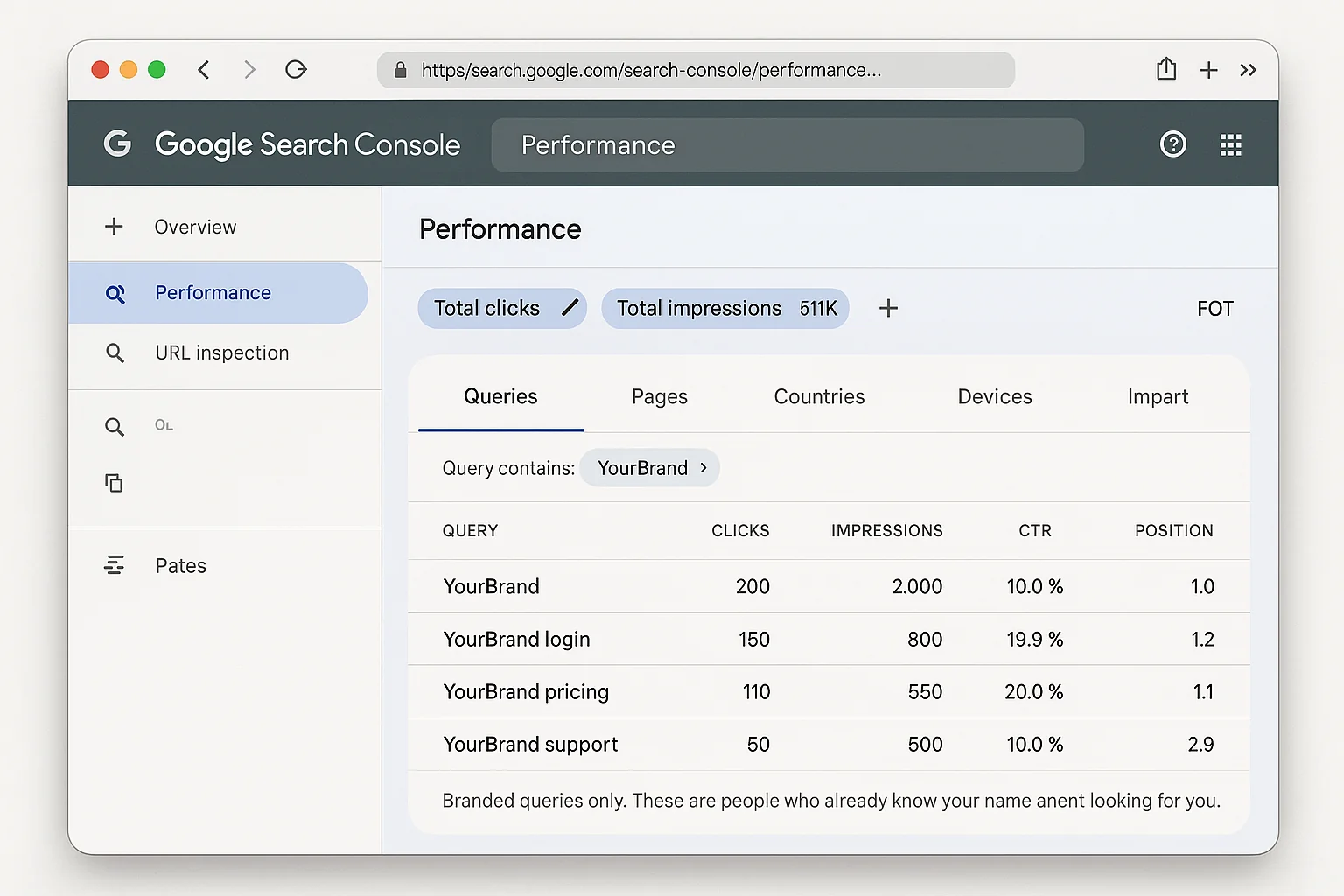
The takeaway: You just isolated your branded search data in under 60 seconds using a free AI tool and a free Google tool. Zero paid software. Zero manual regex writing.
How To Compare Branded Search Growth Over Time in GSC
Filtering branded searches is useful. But the real proof comes from the trend.
Here’s how to see whether your social media marketing is actually growing your brand awareness over time.
Step 4: Enable date comparison.
With your branded regex filter still active, look for the date range at the top of the Performance report. Click on it and select “Compare”.
Choose “Compare last 3 months to previous period.”
Click Apply.
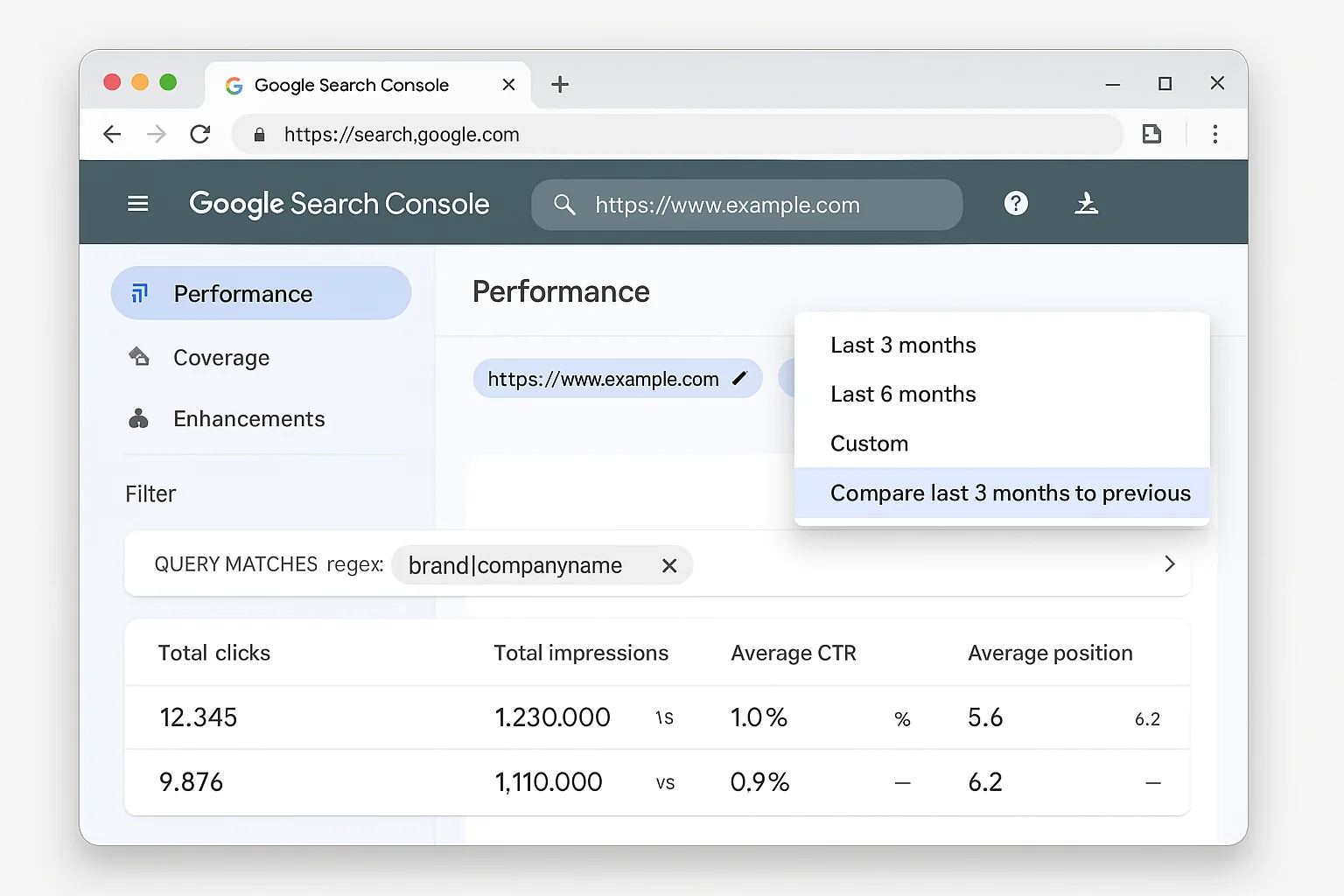
Step 5: Read the results.
GSC will now show you two sets of numbers side by side. You’ll see total clicks, total impressions, average CTR, and average position for BOTH periods.
The number you care about most: total clicks for branded queries.
If the most recent 3 months show significantly more branded clicks than the previous 3 months, your off-site marketing is working. People are searching for your brand more often, and more of them are clicking through to your site.
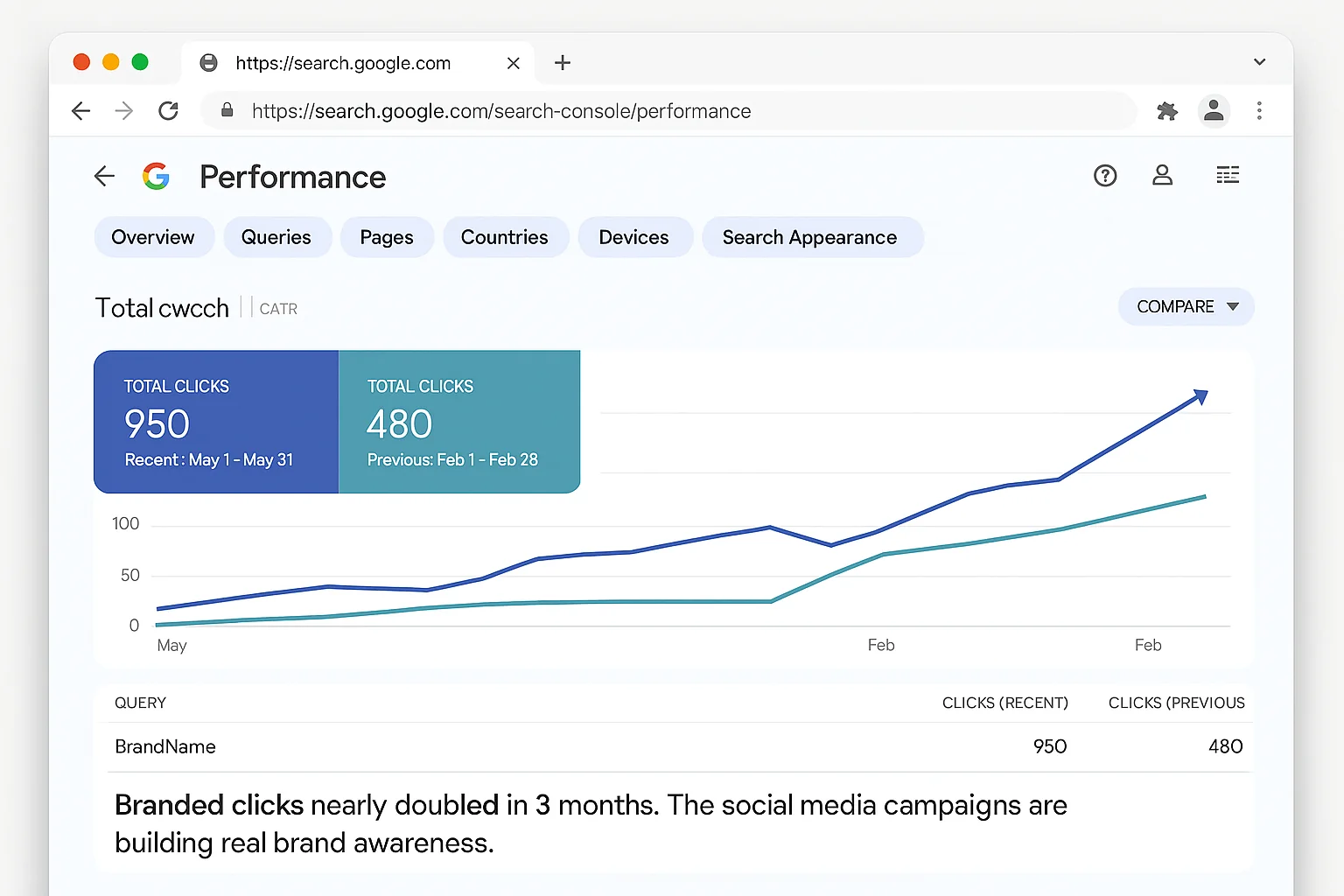
In the original case study that inspired this tactic, branded clicks from the most recent 3 months were almost double the clicks from the previous 3 months. The off-site marketing, largely social media, was clearly working.
That is the kind of data that ends the “is social media even working?” conversation in your next team meeting.
Step 6: Check the query breakdown.
Scroll down to the Queries table. With the comparison active, you can see which specific branded variations are growing the fastest.
Maybe “your brand name” searches are up 40%, but “your brand name reviews” searches are up 120%. That tells you people are moving from awareness to evaluation. Your social media is doing more than building awareness. It’s building purchase intent.
The takeaway: The 3-month comparison is where branded search data becomes proof. One number, one comparison, one answer to “is our social media working?”
The Built-in Branded Filter From Google and When To Use Regex Instead
Here’s something most people don’t know yet.
In November 2025, Google launched a native branded queries filter directly inside Search Console. You can now toggle between “Branded” and “Non-branded” without writing any regex at all.
This is a big deal. Google uses AI to automatically identify which queries are branded for your property, including variations, misspellings, and associated product names.
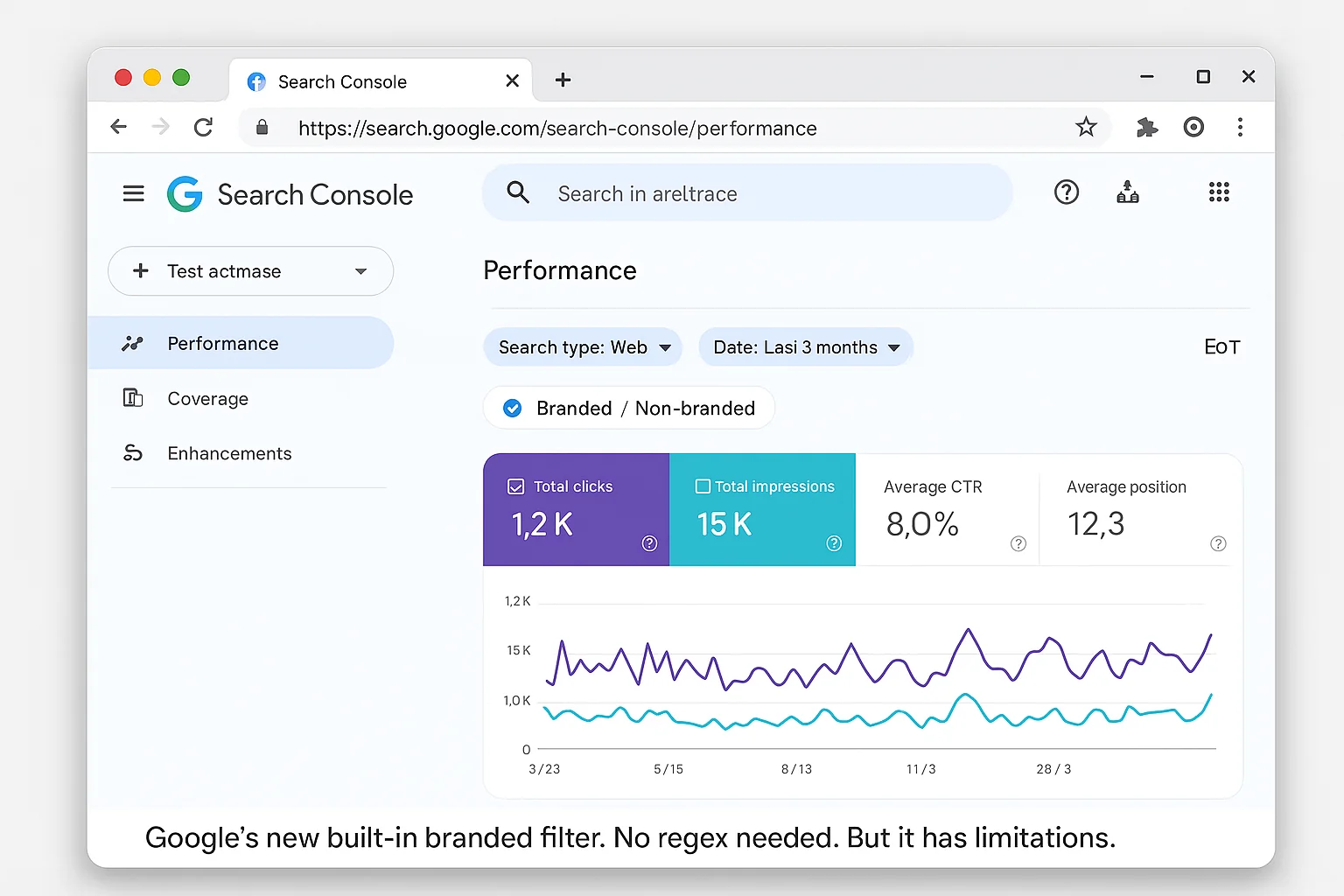
Each method has a sweet spot. Here’s when to use which.
Use the native filter when: - You want a quick, one-click view of branded vs non-branded traffic - You trust Google’s AI to correctly identify all your branded variations - You need a fast sanity check during a meeting or report
Use the ChatGPT regex method when: - You want full control over what counts as “branded” - Your brand name is a common word (like “Apple” or “Square”) and Google’s AI will over-match - You want to include very specific URL variations or abbreviations - You want to track a subset of branded queries (e.g., only brand + product name) - You’re comparing historical data from before the native filter existed
Both methods work for the date comparison technique. The workflow is identical. Filter first, compare second.
For most small-to-medium businesses, the native filter is the fastest path. For brands with unusual names, common-word names, or complex product lines, the regex method gives you precision the native filter can’t match.
How To Read Your Branded Search Data and Take Action
You’ve got the data. Here’s how to interpret branded search trends and what to do with each scenario.
Scenario 1: Branded search is growing (up 20%+ quarter over quarter).
Your social media marketing is working. People are seeing your content and remembering your name. Keep doing what you’re doing, but dig deeper.
Look at which specific branded queries are growing fastest. If “brand name + product” queries are climbing, your product-focused content is resonating. If “brand name + reviews” is climbing, people are in evaluation mode. Time to make sure your review presence is strong.
Scenario 2: Branded search is flat.
Your social media is generating impressions but not sticking. People see your content but don’t remember your name well enough to search for it later.
This usually means one of three things: your content is generic and interchangeable with competitors, your brand name is hard to remember or spell, or you’re not posting frequently enough to build recall. The fix is to increase posting frequency and make your brand name more prominent in your content (say it, show it, repeat it).
Scenario 3: Branded search is declining.
This is a red flag. Something changed. Possible causes: you reduced posting frequency, you lost a key social platform presence, a competitor started dominating your space, or your audience simply moved on.
Compare the decline against your social media posting calendar. If the drop started when you stopped posting on a specific platform, that correlation tells you which channel was driving the most brand awareness.
The takeaway: Branded search data tells you IF social media is working AND what to do next.
3 Ways To Accelerate Branded Search Growth With Social Media
Now that you can measure it, here’s how to grow it faster.
1. Say your brand name out loud in video content.
This sounds obvious. It’s not. Most short-form video creators focus on delivering the tip or the hook and forget to say their brand name. When people watch your Reel or TikTok, they need to hear and see your brand name if you want them to search for it later.
Put your brand name in your intro, your outro, and on-screen as text. The more repetitions, the more recall. The more recall, the more branded searches.
2. Create content that triggers “I need to look that up” moments.
The best social media content for branded search growth is content that teaches something your audience can’t fully implement from the post alone. They need to go to your site for the full guide, the template, the tool, or the next step.
A post that says “here’s a trick you can do in Google Search Console” makes people open Google and type your brand name to find the full walkthrough. A post that fully explains everything in 60 seconds gives them no reason to search.
Give 80% of the value. Make them come find the other 20%.
3. Post consistently on the same platform for at least 90 days before measuring.
Branded search growth doesn’t happen overnight. It compounds. The first 30 days of consistent posting builds familiarity. The next 30 builds recall. The next 30 builds habit.
This is exactly why the 3-month comparison window in GSC works so well. It matches the natural timeline of brand awareness building.
If you run the comparison after only 2 weeks of posting, you won’t see anything. Give it 90 days. Then pull the data.
[SCREENSHOT PLACEHOLDER: Optional infographic showing the 90-day branded search growth timeline: Familiarity > Recall > Habit > Branded Search Growth.]
Go Measure What Actually Matters
Open ChatGPT. Get your regex. Open Google Search Console. Filter for branded queries. Compare 3 months to the previous 3 months.
That’s it. 60 seconds. Free tools. Real proof.
The next time someone asks “is our social media even working?” you’ll have the answer sitting in your GSC dashboard.
Stop guessing. Start measuring.
Bookmark this one and try it this week. Follow The Growth Hacker for more tested growth tactics that actually move the needle.