How To Rank for AI Search Queries Using Google Search Console, Competitor Analysis, and ChatGPT

TL;DR
You’re already ranking for AI-driven search queries. You just can’t see them yet. One regex filter in Google Search Console (^(?:\S+\s+){6,}\S+$) reveals every 7+ word query your site appears for. These are the conversational searches people type with help from LLMs. Take those queries, analyze the top-ranking competitors’ headings with the Detailed Chrome extension, feed everything to ChatGPT for an optimized draft, then layer in YOUR experience and real media. This four-step workflow turns invisible AI search data into content that outranks the competition.
In This Post You’ll Learn
- How to find AI-assisted search queries you already rank for in Google Search Console
- The exact regex filter that isolates 7+ word conversational queries
- How to extract competitor heading structures in 30 seconds with one Chrome extension
- The ChatGPT prompts that turn competitor research into an optimized article draft
- Why the human editing layer is what separates this from generic AI content
You’re Already Ranking for AI Searches (You Just Don’t Know It Yet)
Here’s what most marketers miss about AI search: you don’t need to start from scratch.
Your Google Search Console data already contains the AI-assisted queries people use to find your site. These are long, conversational searches (7+ words) that sound like someone talking to a friend, not typing keywords into a box.
“What is the best project management tool for remote teams with less than ten people.”
“How do I set up conversion tracking in Google Analytics for a Shopify store.”
Those aren’t traditional keyword searches. Those are queries typed with help from ChatGPT, Perplexity, or Google’s AI Mode. And your site is ALREADY appearing for them.
The problem is that Google Search Console’s Performance report doesn’t label these as AI searches. There’s no filter. No tag. No column. Everything is lumped together.
So most people never see them.
This workflow changes that. It’s a four-step pipeline that finds these hidden AI queries, analyzes what’s currently ranking for them, uses ChatGPT to build an optimized article, and then layers in the human proof that makes it rank higher than everything else.
The entire process takes less than an hour. You don’t need paid tools. You don’t need a team. You need Google Search Console, one Chrome extension, and ChatGPT.
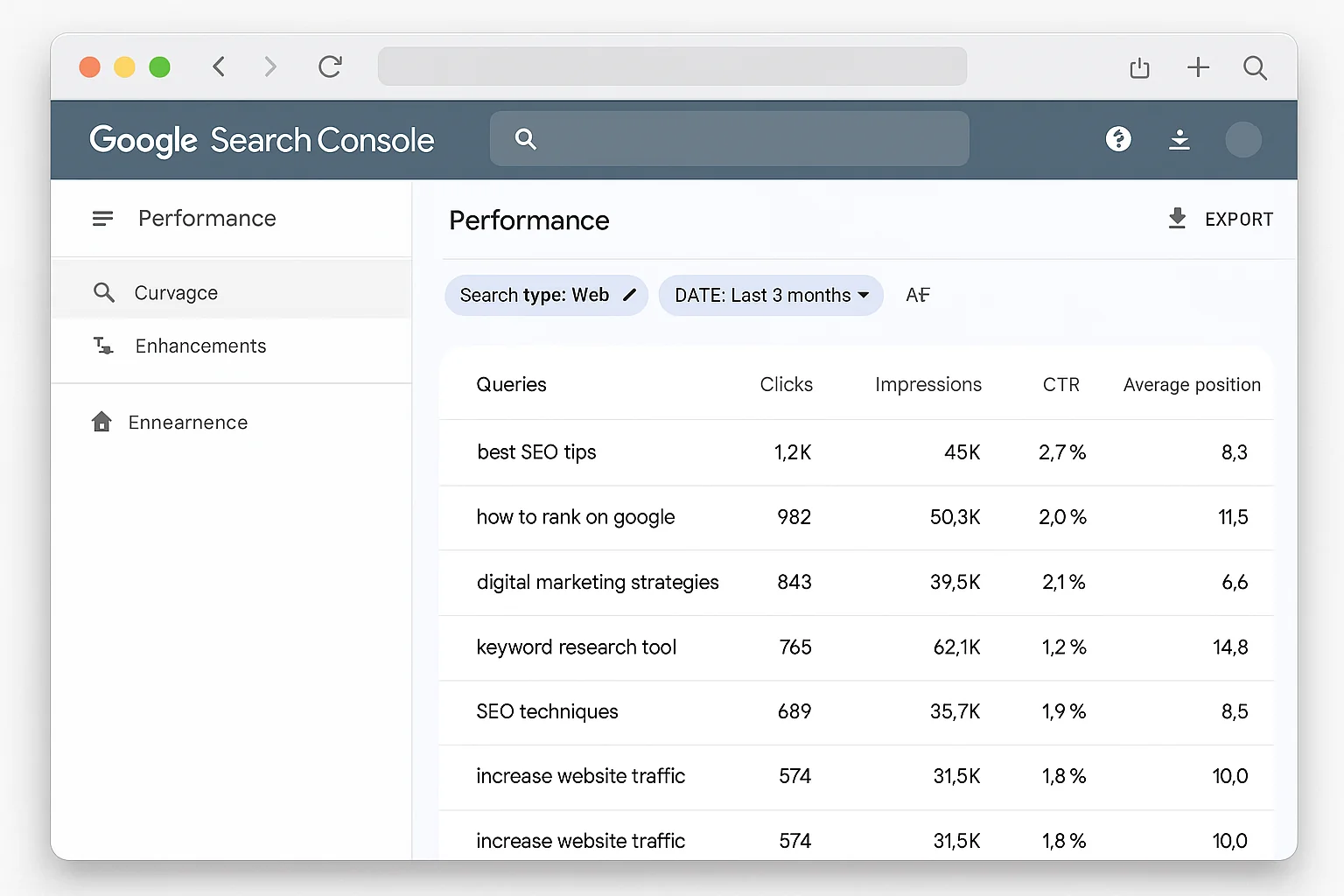
Step 1 - The GSC Regex Filter That Surfaces AI-Assisted Queries
Open Google Search Console. Go to Performance, then Search Results.
Click “Add Filter” at the top. Select “Query.” Change the dropdown from “Queries containing” to “Custom (regex).”
Paste this pattern:
^(?:\S+\s+){6,}\S+$
Click Apply.
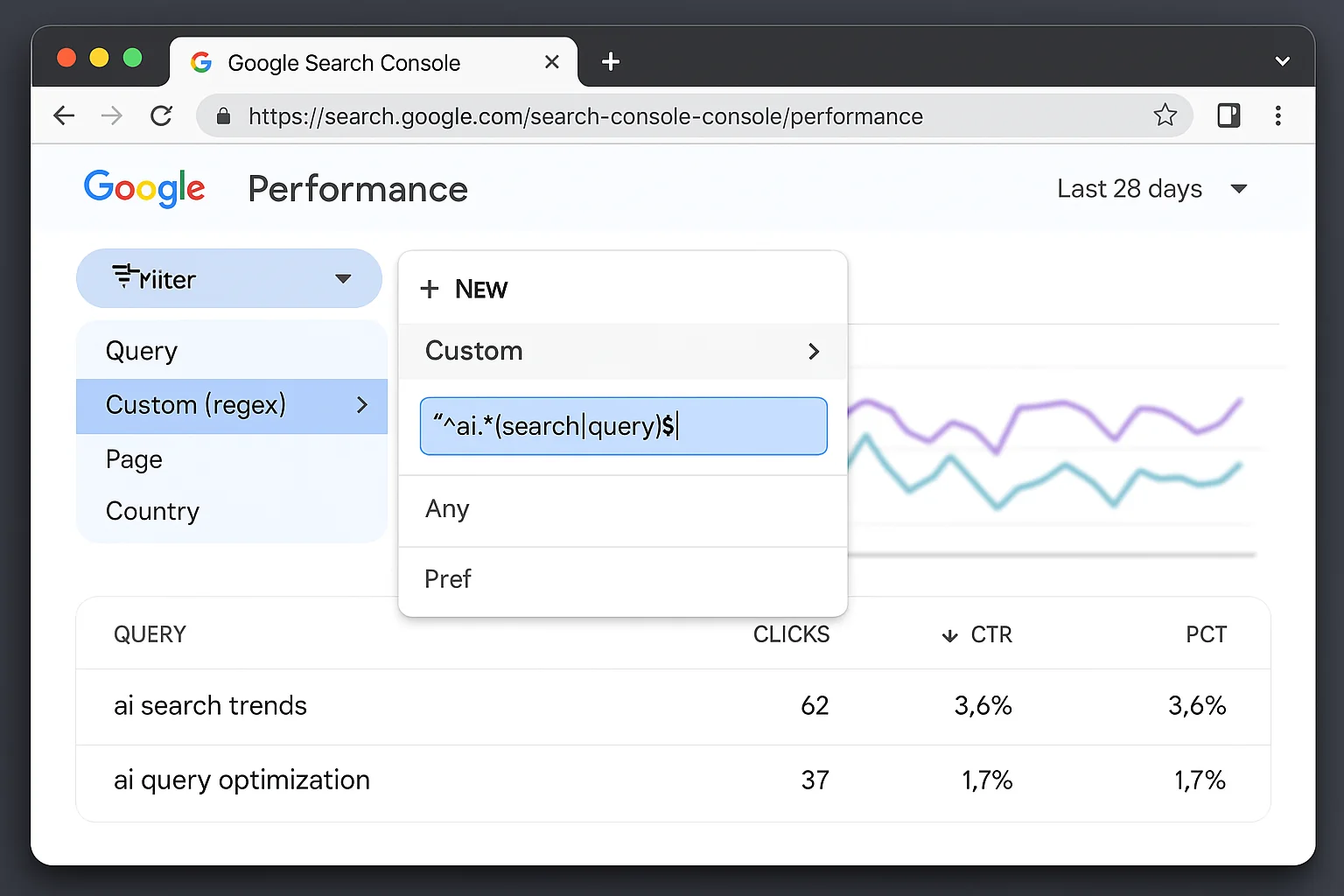
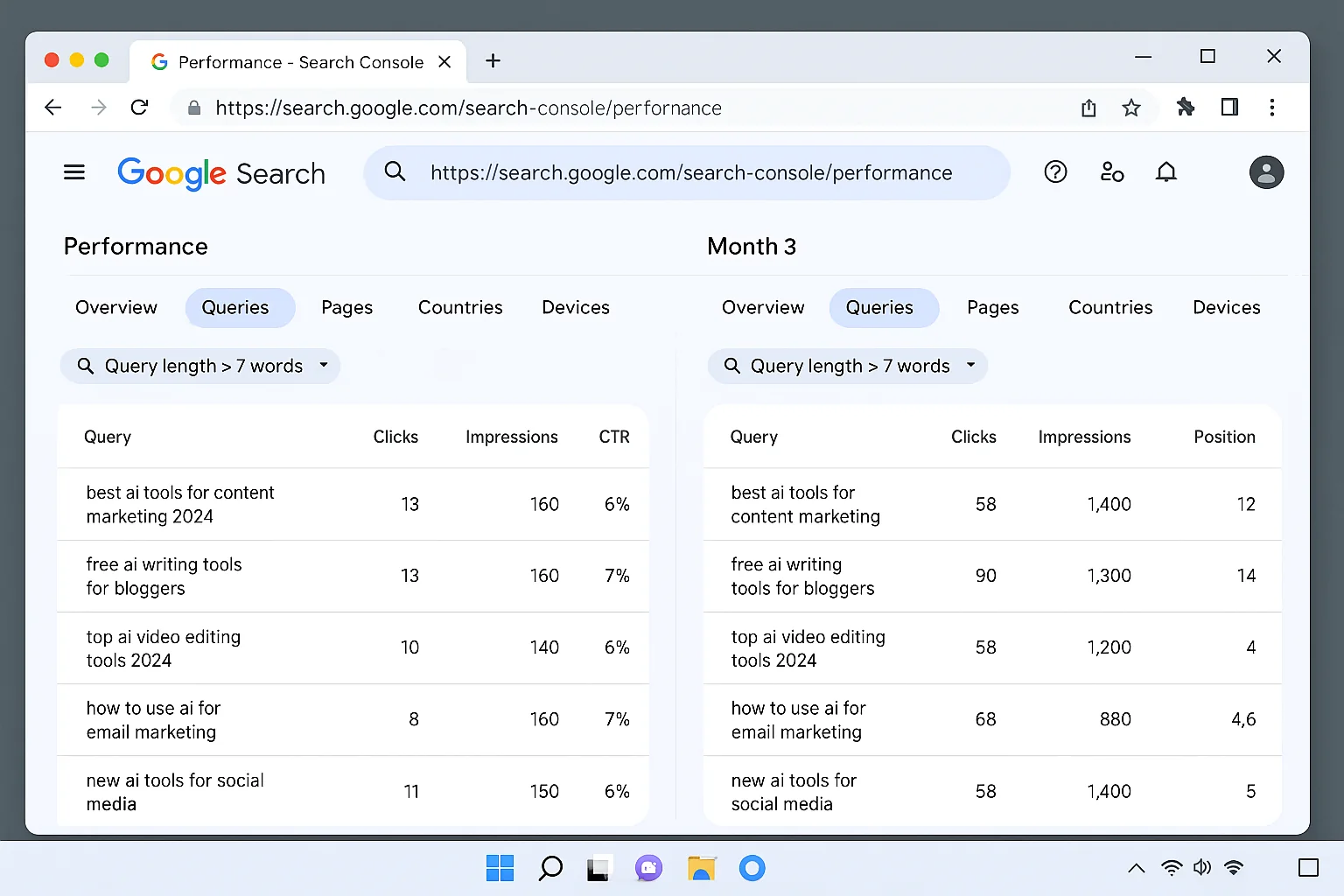
That’s it. Your Performance report now shows ONLY queries with 7 or more words.
These are the conversational, natural-language searches that happen when people use AI tools to help them search. Traditional Google searches average 3-4 words. “Best CRM.” “Running shoes men.” “Pizza near me.”
AI-assisted searches are different. People type full sentences. Full questions. The kind of queries that only happen when someone is in a conversational mode with an AI.
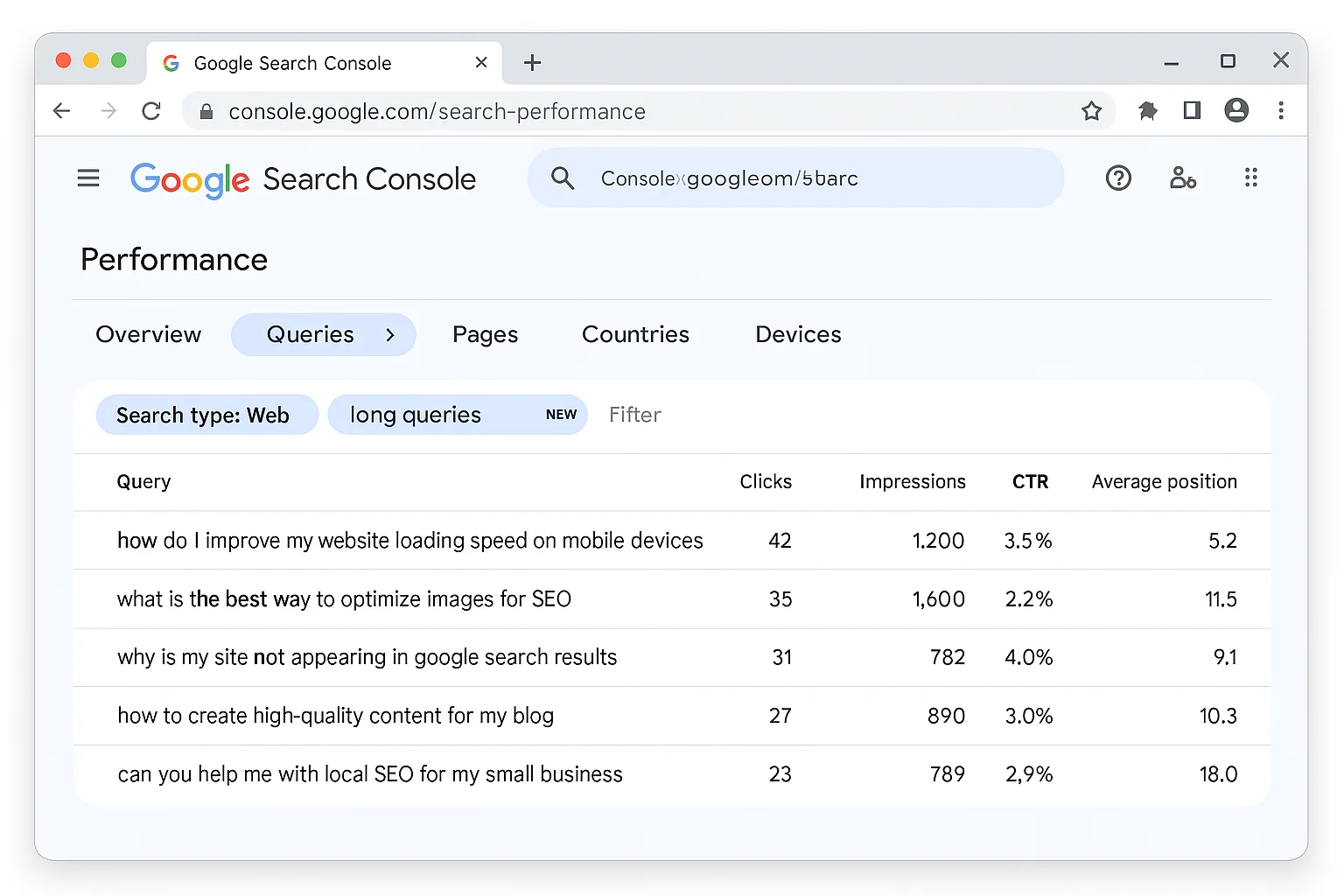
Scroll through this list. Every query you see is something you ALREADY rank for in Google. That’s the key insight here.
You’re not doing cold keyword research hoping to rank someday. You’re finding queries where Google already considers your site relevant. The goal is to move from position 15 to position 3.
That’s a fundamentally easier game to win.
According to Google’s guidance on AI search, longer, more detailed queries are becoming increasingly common as users interact with AI Overviews and AI Mode. The 7-word threshold is where traditional keyword behavior ends and conversational AI behavior begins.
Pick one query from your filtered list. Something with decent impressions where you’re not already in the top 3.
Copy it.
The takeaway: The regex ^(?:\S+\s+){6,}\S+$ is a free AI search detection tool inside GSC. It shows you the exact conversational queries your site already ranks for. Pick the ones with the most potential and build content around them.
Step 2 - Steal Your Competitors’ Heading Structure (In 30 Seconds)
Paste your chosen keyword into Google.
Look at the top 3 results. These are the articles currently beating you for this query. Instead of guessing what to write, you’re going to reverse-engineer exactly what’s working for them.
Install the Detailed Chrome extension if you haven’t already. It’s free. It extracts every heading (H1, H2, H3) from any webpage with one click.
Open the first result. Click the Detailed icon in your browser toolbar. You’ll see a clean list of every heading on the page, organized by hierarchy.
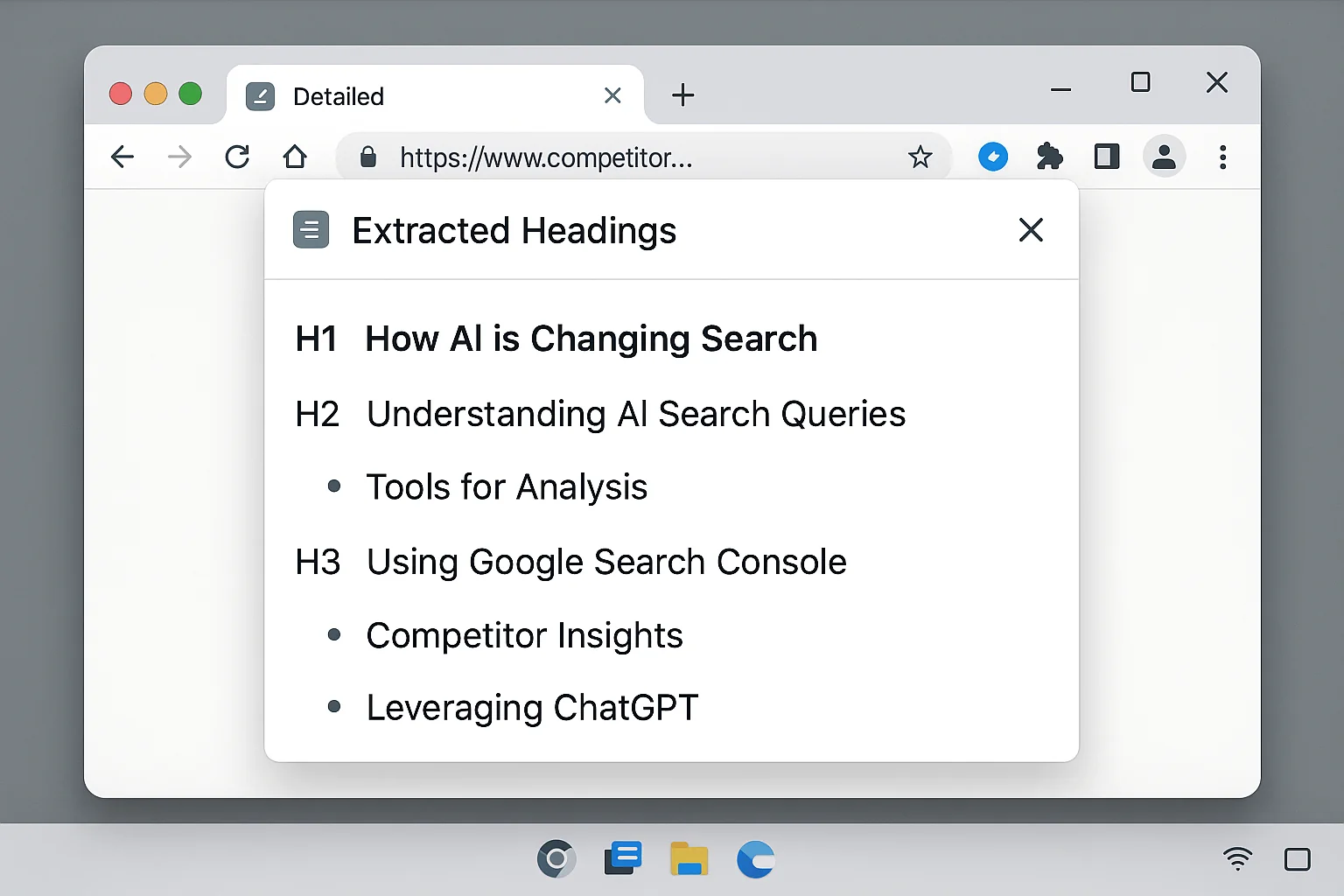
Click “Copy” to grab all the headings.
Do this for all three top results. You now have the complete heading structure of the three articles Google thinks are the BEST answers for your target query.
This takes about 30 seconds per page. 90 seconds total.
Paste all three sets of headings into a document. You’ll immediately see patterns. The same topics appear across multiple articles. The same sub-questions get addressed. And you’ll also see gaps: topics one article covers that the others miss entirely.
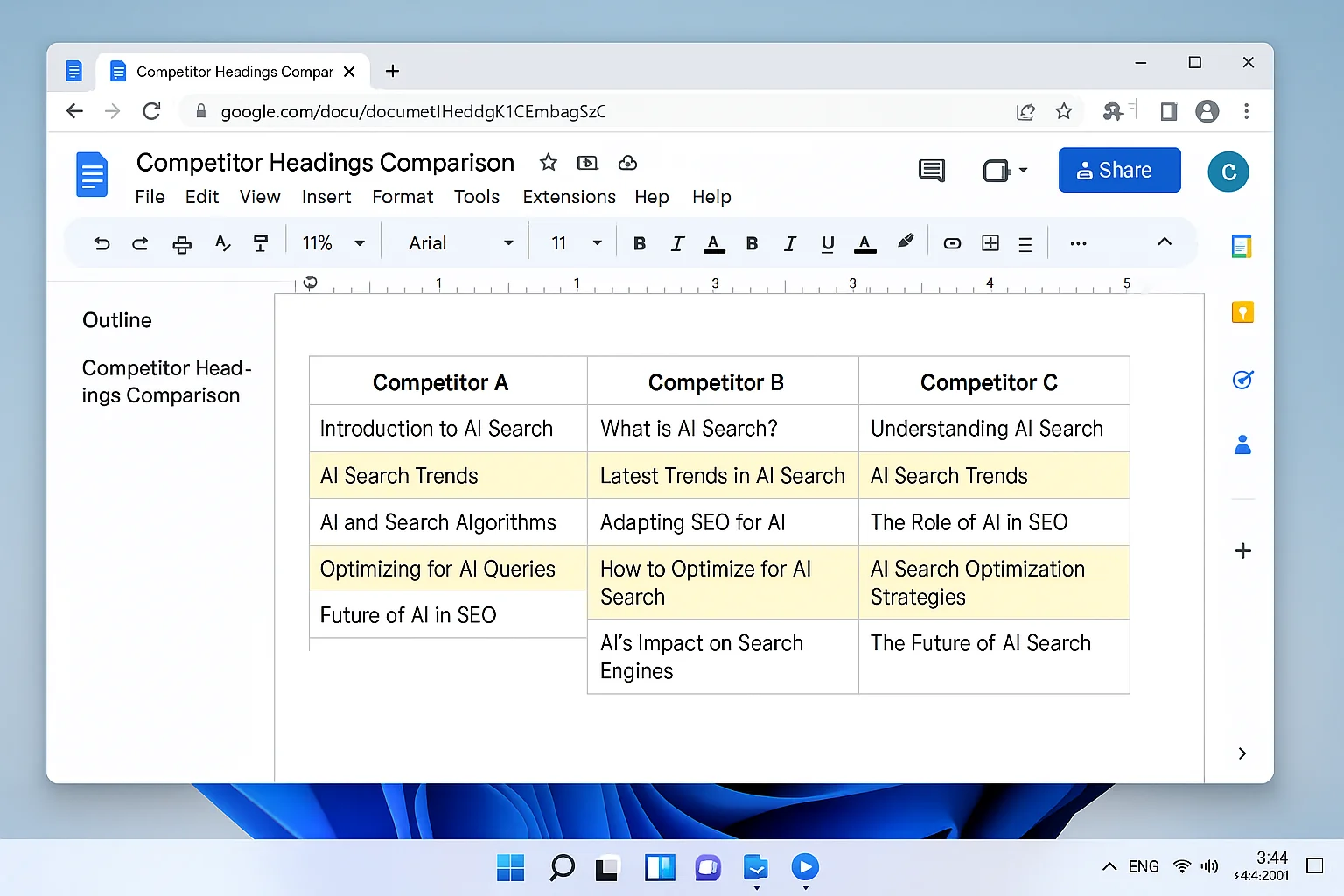
Here’s why heading extraction matters more than reading the full articles. Headings are the skeleton. They tell you what topics Google rewards for this query. The body text matters for depth, but the structure determines whether the article covers the right ground.
Most people try to write SEO content by “doing research” (reading articles for 45 minutes and taking scattered notes). This approach gives you the structural blueprint in 90 seconds. Every single topic the top results cover, laid out in plain text.
The takeaway: The Detailed Chrome extension lets you extract the heading structure of any article in one click. Do this for the top 3 results and you have a complete map of what Google rewards for your target keyword.
Step 3 - Let ChatGPT Build Your Optimized Outline and Draft
Open ChatGPT. Paste the competitor headings and use this prompt:
“These are the headings for the top 3 rankings for the keyword [PASTE YOUR KEYWORD]. Write headings for my own article that combines the best of everything. Share the headings below.”
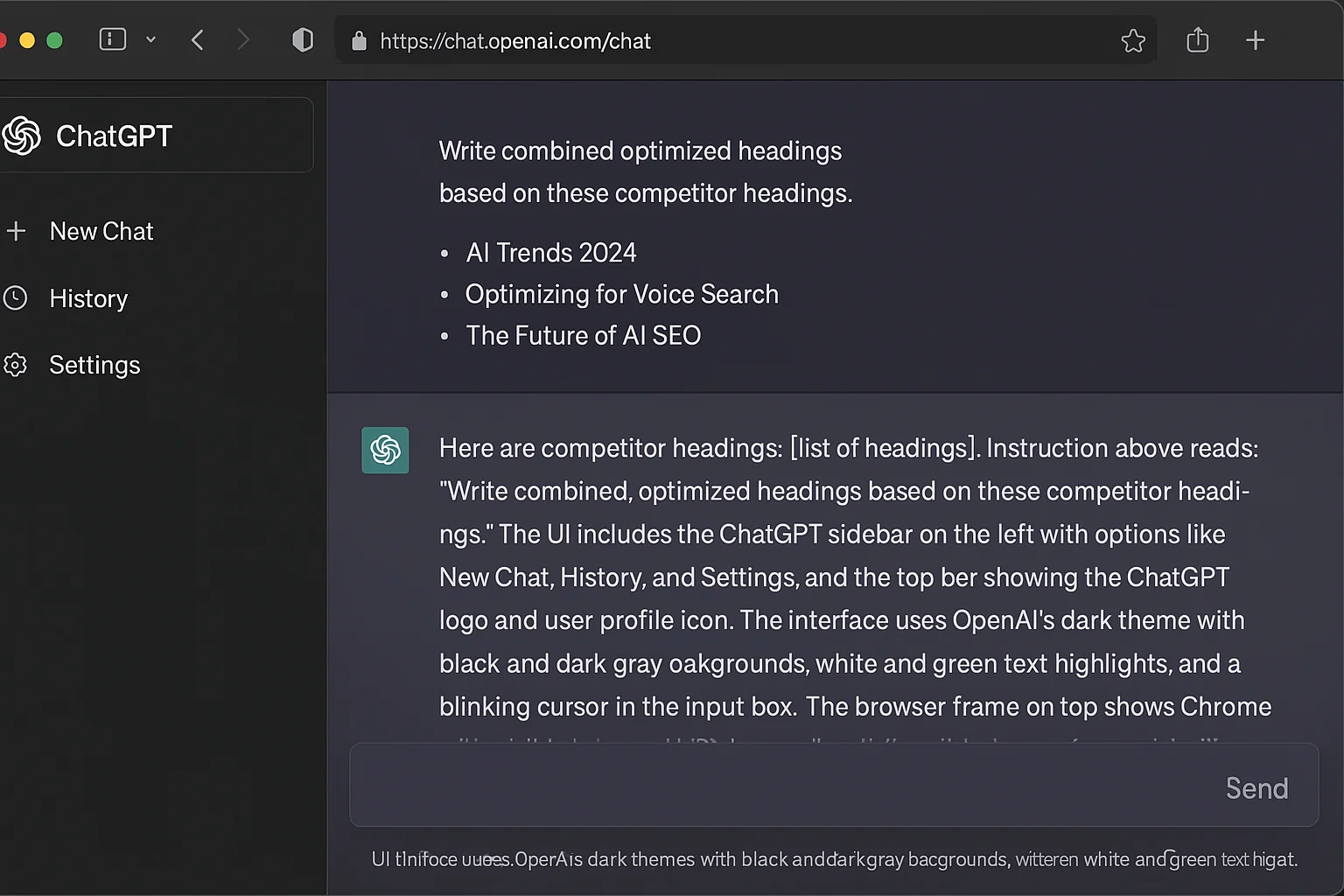
ChatGPT will analyze the patterns, identify the strongest sections, fill gaps, and generate an outline that covers everything the top results cover, plus opportunities they miss.
The output looks like a clean set of H2 and H3 headings structured for your article.
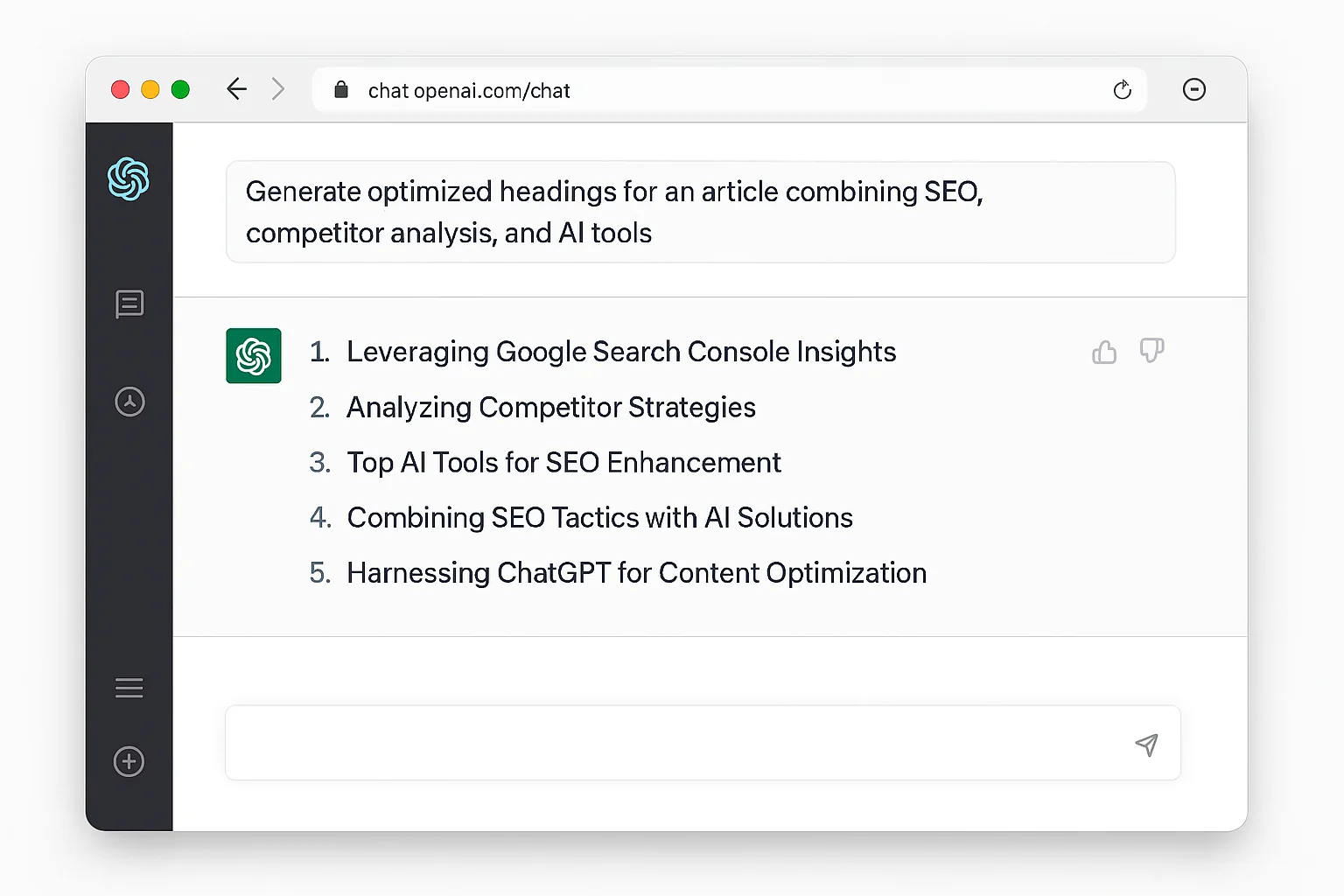
Review the headings. If something looks off or irrelevant to your audience, adjust it. ChatGPT gives you the 90% draft. Your judgment handles the last 10%.
Once you’re happy with the outline, send the follow-up prompt:
“Good. Use this outline to write my SEO article for the keyword [PASTE YOUR KEYWORD].”
ChatGPT will generate a full article draft based on the optimized outline.
This draft is a starting point. It covers the right topics in the right order with the right structure. But it’s still AI-generated content.
And publishing raw AI content is a losing strategy.
Google knows what AI content looks like. Your readers know what AI content feels like. Flat tone. Generic examples. Hedged claims. The draft gets you 60% of the way there. The next step gets you the other 40% that actually wins rankings.
The takeaway: Use ChatGPT as your drafting engine, not your publishing engine. Feed it competitor heading data and your target keyword. It will give you a structurally sound draft. The differentiation happens in the next step.
Step 4 - The Human Layer That Makes This Actually Work
This is the step that separates content that ranks from content that sits on page 4.
Before you publish ANYTHING ChatGPT gives you, do these five things:
1. Read it over thoroughly and rewrite in your voice.
AI-generated text has a specific cadence. Readers feel it even if they can’t name it. Read every paragraph out loud. If it sounds like a textbook or a corporate blog, rewrite it. Add your personality. Add the way you actually talk about this topic.
2. Add your own experience.
This is the single biggest ranking signal you can add. Did you test this tactic? Share the result. Have you seen clients struggle with this problem? Tell that story. Google’s Helpful Content guidelines favor first-hand experience over generic advice. A single paragraph about what YOU saw when you tried this is worth more than five paragraphs of general information.
3. Add logos, real photos, and videos.
ChatGPT can’t give you these. Your competitors’ AI-generated articles can’t give you these either. Drop in logos of companies you’ve worked with. Add screenshots from your actual dashboard. Include photos from your office, your team, or your process. Film a 60-second video walkthrough.
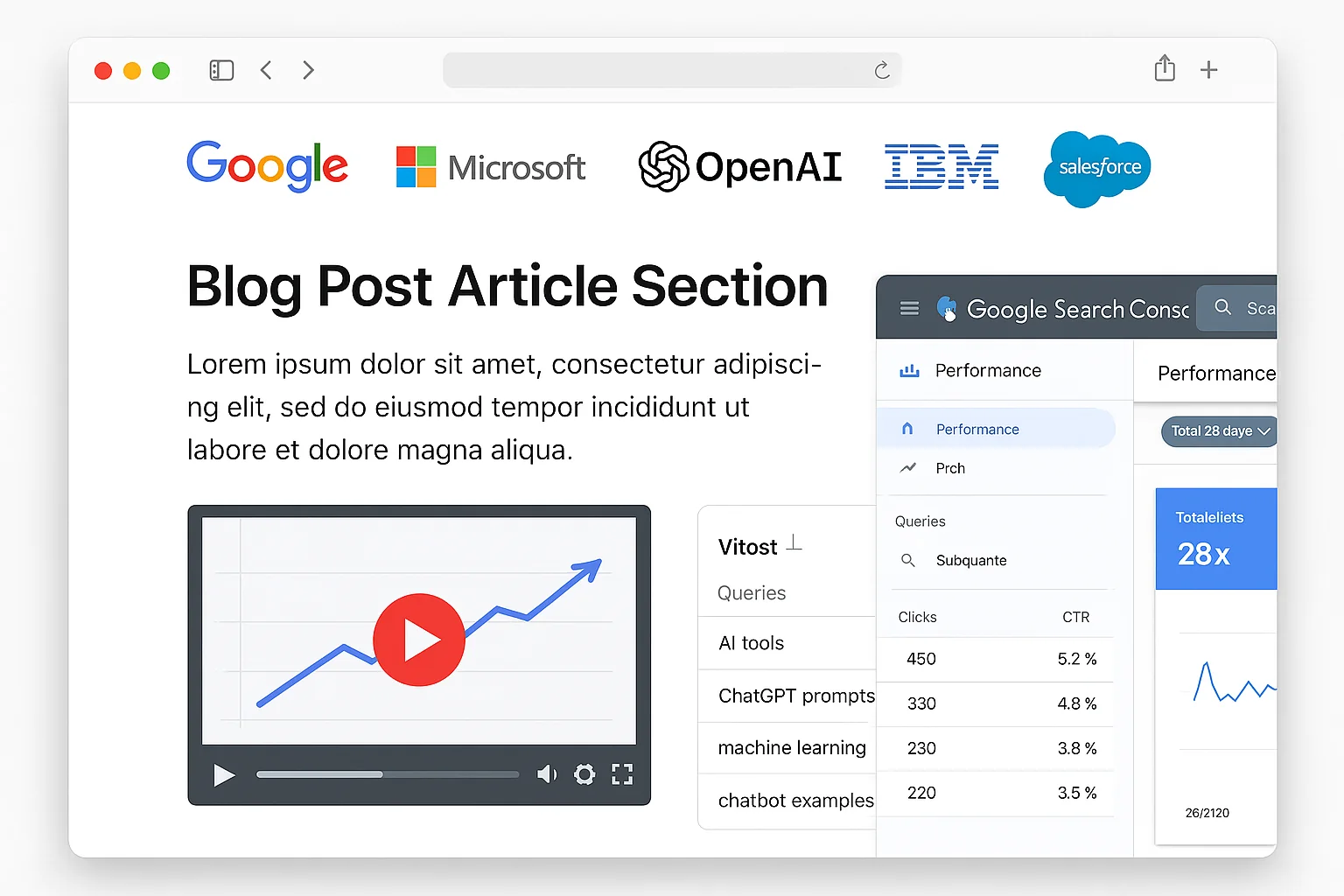
Rich media does two things. It builds trust with readers (proof you’re real). And it increases time-on-page, which Google measures. An article with 7-9 images and an embedded video keeps people engaged far longer than a wall of text.
4. Remove AI writing patterns.
Strip out em dashes. AI tools love them. Real writers use them sparingly. Remove phrases like “in today’s rapidly evolving landscape” and “it’s important to note that.” These are telltale AI signatures. Replace them with direct, specific language.
5. Add data and specific numbers.
ChatGPT will give you general claims like “this can significantly improve your rankings.” Replace those with specifics. “This moved our target keyword from position 14 to position 3 in 6 weeks.” Precision builds trust. Precision ranks.
According to Ahrefs’ research on what ranks in AI Overviews, pages that combine topical depth with unique, first-hand insights are far more likely to be cited than generic content, regardless of domain authority.
This editing process takes 20-30 minutes. That’s 20-30 minutes that 95% of your competitors won’t spend. They’ll publish the raw ChatGPT output, wonder why it doesn’t rank, and blame the algorithm.
You’ll publish something better. Something with proof. Something with personality. Something Google can distinguish from the flood of AI-generated pages targeting the same keyword.
The takeaway: Raw AI content is table stakes. Everybody has access to ChatGPT. Your experience, your proof, your media, and your voice are the competitive moat. Spend 20-30 minutes editing every draft before publishing.
Why This Workflow Compounds Over Time
This isn’t a one-and-done tactic. It’s a system that gets stronger the more you use it.
Every article you publish targeting an AI-assisted query makes your site more relevant for related conversational searches. Google sees you answering these long, detailed questions well. It starts surfacing your site for MORE of them.
Go back to GSC next month. Run the same regex filter. You’ll see NEW 7+ word queries appearing. Queries that weren’t there before, because your new content is pulling in new AI-driven traffic.
That’s the flywheel.
GSC data reveals AI queries. You build content. Content generates more AI visibility. More visibility generates more queries. Repeat.
Most SEO workflows are linear. You find a keyword, write an article, move on. This workflow is circular. Every iteration feeds the next one.
And because you’re starting from queries you ALREADY rank for, the effort-to-result ratio is dramatically better than cold keyword targeting. You’re not trying to break into a SERP from nothing. You’re climbing from position 12 to position 3 for queries Google already associates with your site.
Here’s the math. Say you publish 4 articles per month using this workflow. Each article targets a cluster of 3-5 related AI queries. After 3 months, you’ve covered 36-60 AI-driven queries with optimized, human-edited content. Your competitors are still publishing generic listicles targeting “best CRM software” while you’re owning the long, high-intent conversational queries that AI users actually type.
According to Search Engine Journal’s reporting on AI search visibility, the majority of site owners have zero visibility into how AI search affects their performance. Running this workflow puts you ahead of everyone who hasn’t figured out GSC regex filtering yet.
Which, right now, is almost everyone.
The window is wide open. AI search adoption is accelerating FAST. The sites that build this muscle now will own conversational search results for years. The sites that wait will be playing catch-up against content libraries that are already entrenched and compounding.
Replicate This Workflow in 5 Steps
Here’s the complete system, compressed into action steps:
1. Filter GSC for AI queries.
Go to Google Search Console. Performance. Search Results. Add Filter. Query. Custom (regex). Paste ^(?:\S+\s+){6,}\S+$. Apply. You now see every 7+ word query you rank for.
2. Pick a high-potential query. Sort by impressions. Find a query where you have decent impressions but aren’t in the top 3 yet. Copy it.
3. Extract competitor headings. Paste the query into Google. Open the top 3 results. Use the Detailed Chrome extension to copy each article’s heading structure.
4. Generate your outline and draft in ChatGPT. Paste the competitor headings into ChatGPT. Ask it to write combined, optimized headings for your article. Then ask it to write the full article using those headings and your target keyword.
5. Add the human layer and publish. Read the draft. Rewrite in your voice. Add personal experience, real screenshots, logos, photos, and video. Remove AI patterns. Add specific numbers. Publish.
Repeat monthly. New AI queries will keep appearing as your content library grows and more users adopt conversational search.
Set a calendar reminder. First Monday of every month. Open GSC. Run the filter. Pick your targets. Execute the pipeline. Four articles per month at this pace is realistic for a solo operator. A team can do 8-12.
The takeaway: This five-step workflow uses three free tools (Google Search Console, Detailed extension, ChatGPT) and takes less than an hour per article. You start from queries you already rank for, which means faster results than cold keyword targeting. Run it every month and you build a compounding AI search presence.
Do this once and you’ll see the opportunity. Do it monthly and you’ll own it.