Meta Ads Value Rules: How to Control Age, Gender, and Placement Targeting Without Killing Your Algorithm

TL;DR
Meta Ads value rules let you adjust bids by age, gender, and placement instead of excluding entire audience segments. This means you keep your audience pool wide (so Meta’s algorithm can actually optimize) while spending less on the segments that drag down your results. If you have ever removed Audience Network, restricted to ages 25-54 only, or targeted a single gender because of quality issues, value rules are the better move.
In This Post You’ll Learn
- Why hard audience restrictions are secretly costing you conversions
- What value rules actually do and the “information gap” principle behind them
- How to use value rules for gender, age, and placement control (step-by-step)
- How to set up your first value rule in under 5 minutes
- How to pick the right bid adjustment percentage for your business
Why Excluding Age Groups, Genders, and Placements Is Costing You Conversions
Here is what most advertisers do when they spot a problem in their Meta Ads.
They see low-quality leads from ages 18-24. So they exclude ages 18-24.
They notice Audience Network eating budget with garbage placements. So they remove Audience Network entirely.
They realize 85% of their buyers are women. So they restrict the campaign to women only.
Every single one of those moves shrinks your audience pool and starves Meta’s algorithm.
Meta’s delivery system is built to find the cheapest optimized actions across the widest possible audience. When you chop out an entire age group, gender, or placement, you are not just removing the bad performers. You are removing the good ones hiding inside that segment too.
That 18-year-old who was about to convert is now invisible to your campaign. That one Audience Network placement that actually drove a sale last month is permanently off the table. That male buyer who represented 15% of your revenue just got blocked.
All gone. All because of a blanket exclusion that was supposed to “improve” performance.
The fix is not to let Meta run wild with zero controls. You DO have information that Meta does not.
The fix is value rules.
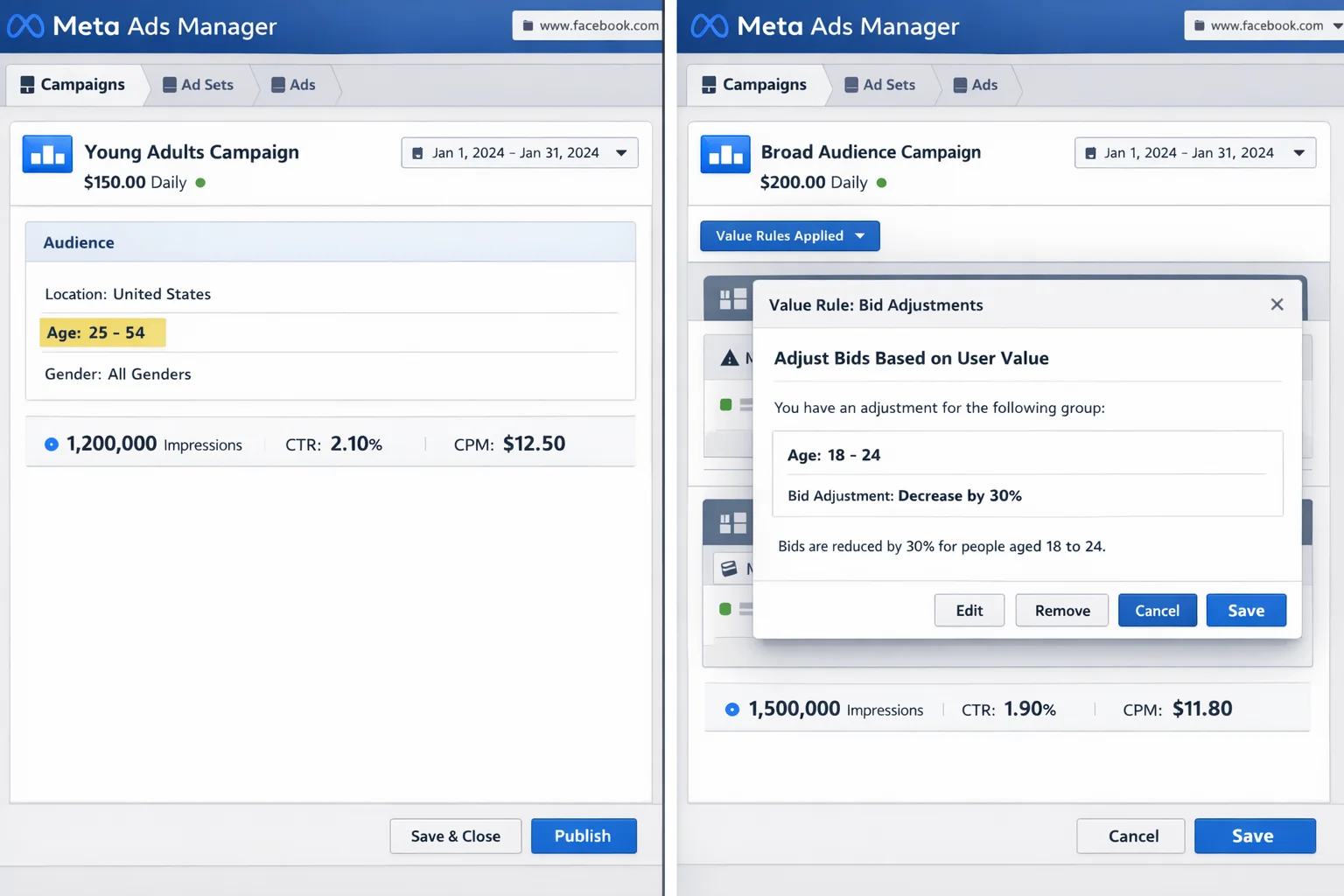
Value rules let you tell Meta: “Spend LESS here” instead of “never spend here.” You keep the door open for conversions while steering budget toward the segments that perform best.
What Meta Ads Value Rules Actually Do (And Why They Exist)
According to Meta’s Business Help Center, value rules let you “express value across audience, placement, and conversion location criteria and consolidate campaigns to drive performance.”
In plain English: you tell Meta which audiences and placements are worth more (or less) to your business, and Meta adjusts its bids accordingly.
Here is the key concept.
Meta optimizes for cheap actions. You optimize for profitable actions. Those two goals do not always align.
Meta does not know that your 18-24 age group has a 40% lower lifetime value. Meta does not know that Audience Network conversions for your SaaS product are mostly accidental taps. Meta does not know that male customers return products at 2x the rate of female customers for your brand.
You know these things. Value rules are how you communicate that knowledge to the algorithm.
Instead of pulling the plug on an entire segment, you set a bid modifier. Something like: “Bid 30% less on ages 18-24” or “Bid 50% less on Audience Network placements.”
Meta still can show your ads there. But it will only do so when the predicted conversion is strong enough to justify the lower bid.
This is the difference between a blunt instrument and a scalpel. Audience restrictions are a sledgehammer. Value rules are precision.
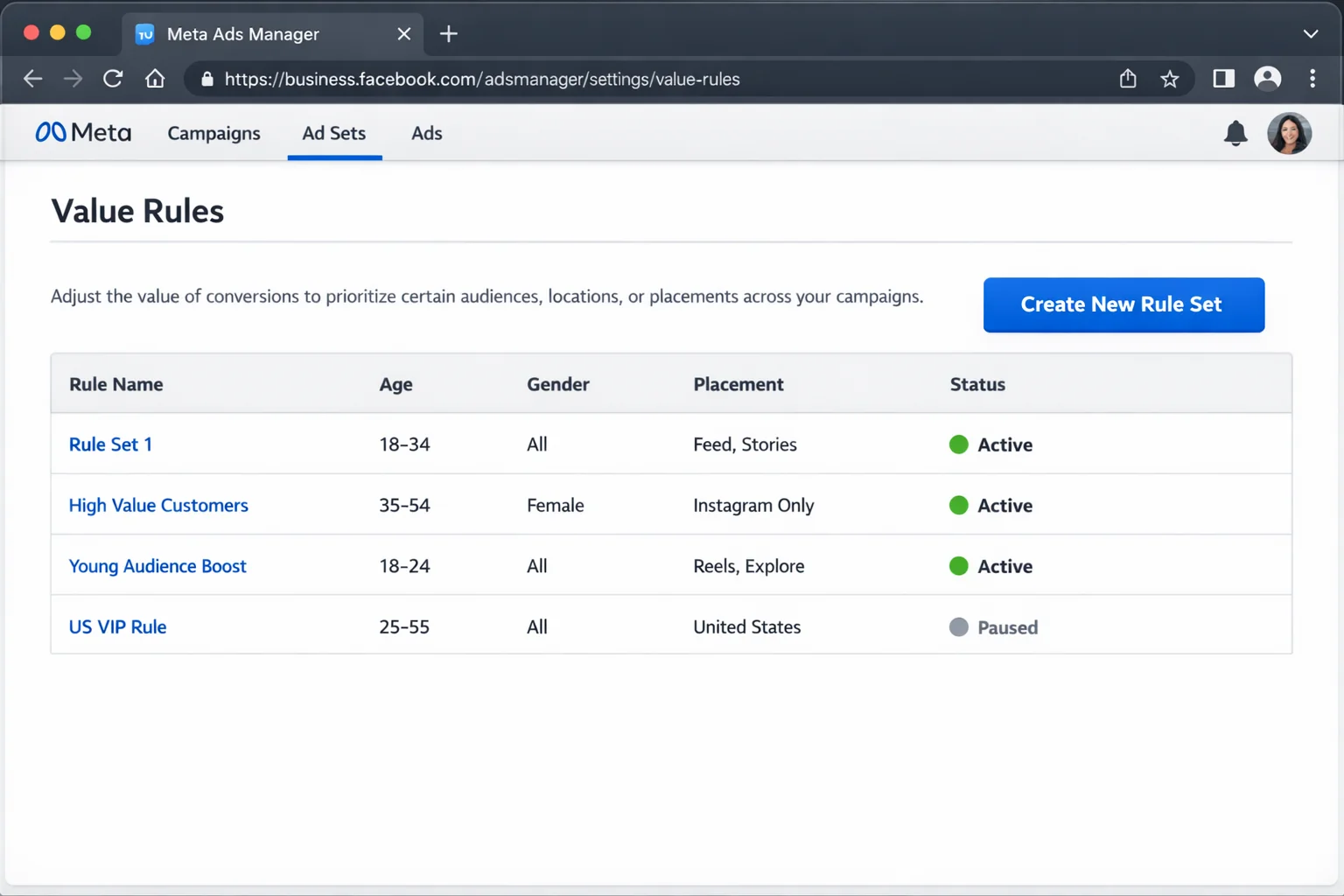
There are five dimensions you can create value rules around:
- Age (specific age brackets like 18-24, 25-34, etc.)
- Gender (male, female)
- Placement (Facebook Feed, Instagram Stories, Audience Network, Reels, etc.)
- Location (country or region-level adjustments)
- Operating System (iOS vs. Android)
You can stack multiple rules in a single rule set. One rule for age, another for placement, another for gender. All applied to the same campaign at once. That is the power of this feature.
The 3 Problems Value Rules Solve Better Than Audience Restrictions
This is the core playbook. Three real scenarios. Three value rule setups. Zero hard exclusions.
Stop Restricting by Gender. Adjust Bids Instead.
Let’s say you sell women’s skincare. Historically, 90% of your buyers are female. Your instinct says: target women only.
Here is why that is a mistake.
When you restrict to women only, you lose the 10% of male buyers (gift purchases, shared accounts, partners buying for someone) AND you shrink the total audience pool Meta can optimize against.
The value rule move: Keep all genders targeted. Create a value rule that bids 30-50% less on male audiences.
Meta will still show your ads to men occasionally, but only when the algorithm predicts a high-probability conversion. You capture the male gift buyers that a hard restriction would have killed, and you spend the vast majority of budget on women.
This is especially important around holidays and gifting seasons. During Q4, male purchases of women’s products can spike to 20-25% of total revenue. A gender exclusion would block all of that. A value rule lets Meta find those buyers automatically when the signal is strong enough.
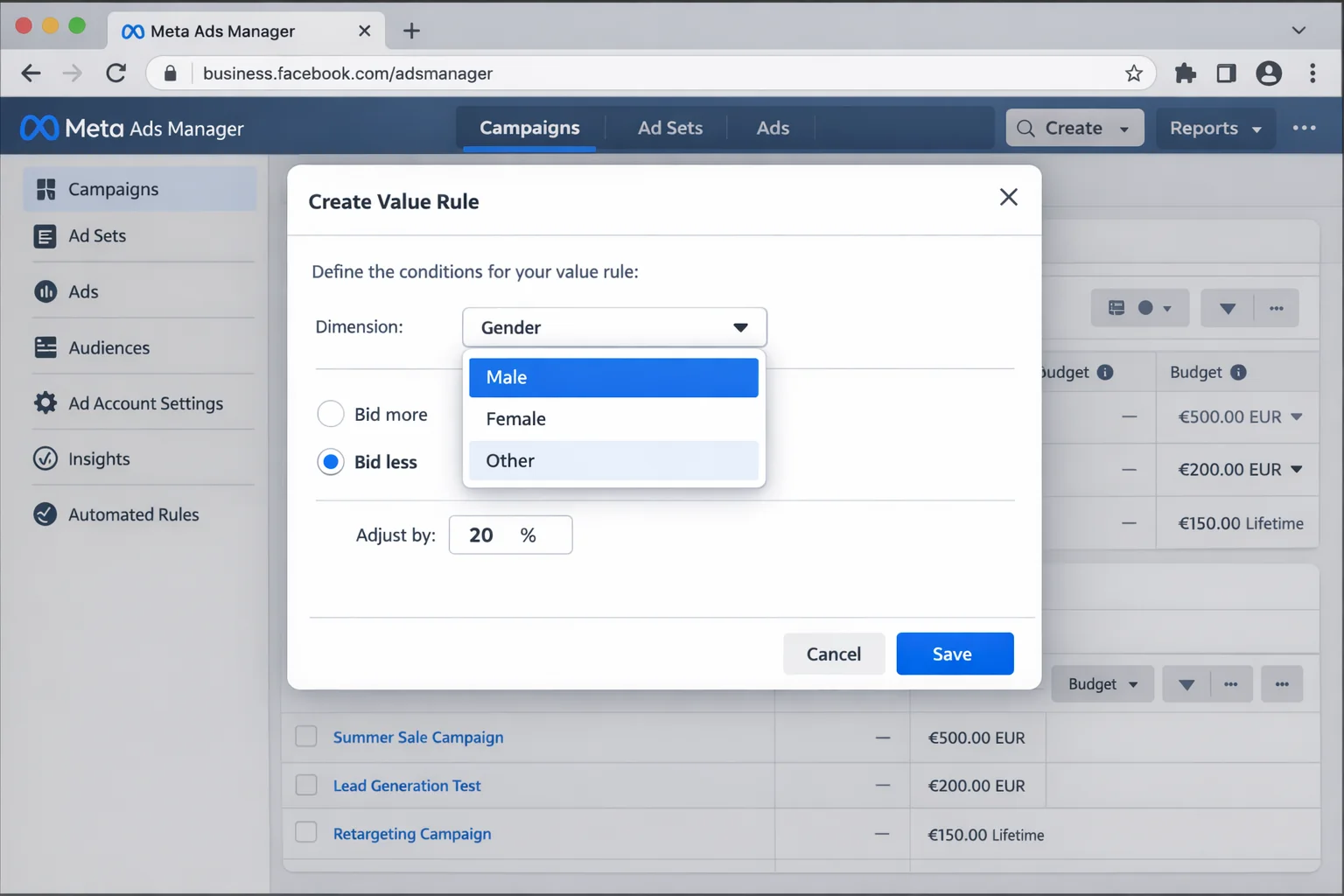
The takeaway: Never exclude a gender entirely. Use a value rule to reduce bids on the lower-performing gender so you keep the algorithm’s optimization pool intact while directing most spend where it matters.
Stop Restricting by Age Group. Adjust Bids Instead.
This one is HUGE.
You run a B2B SaaS product. Your best customers are 30-55. Ages 18-24 generate tons of cheap leads, but they never convert to paid. Ages 55+ have low volume but decent quality.
Most advertisers would restrict to ages 25-54. Some would go even tighter to 30-50.
Every restriction you add forces Meta to find conversions in a smaller and smaller pool. Your CPMs go up. Your frequency increases. Your cost per acquisition climbs.
The value rule approach: target ALL age groups. Then create rules:
- Ages 18-24: Bid 40-50% less
- Ages 25-29: Bid 10% less (decent but not your sweet spot)
- Ages 30-55: No adjustment (this is your baseline)
- Ages 55+: Bid 20% less
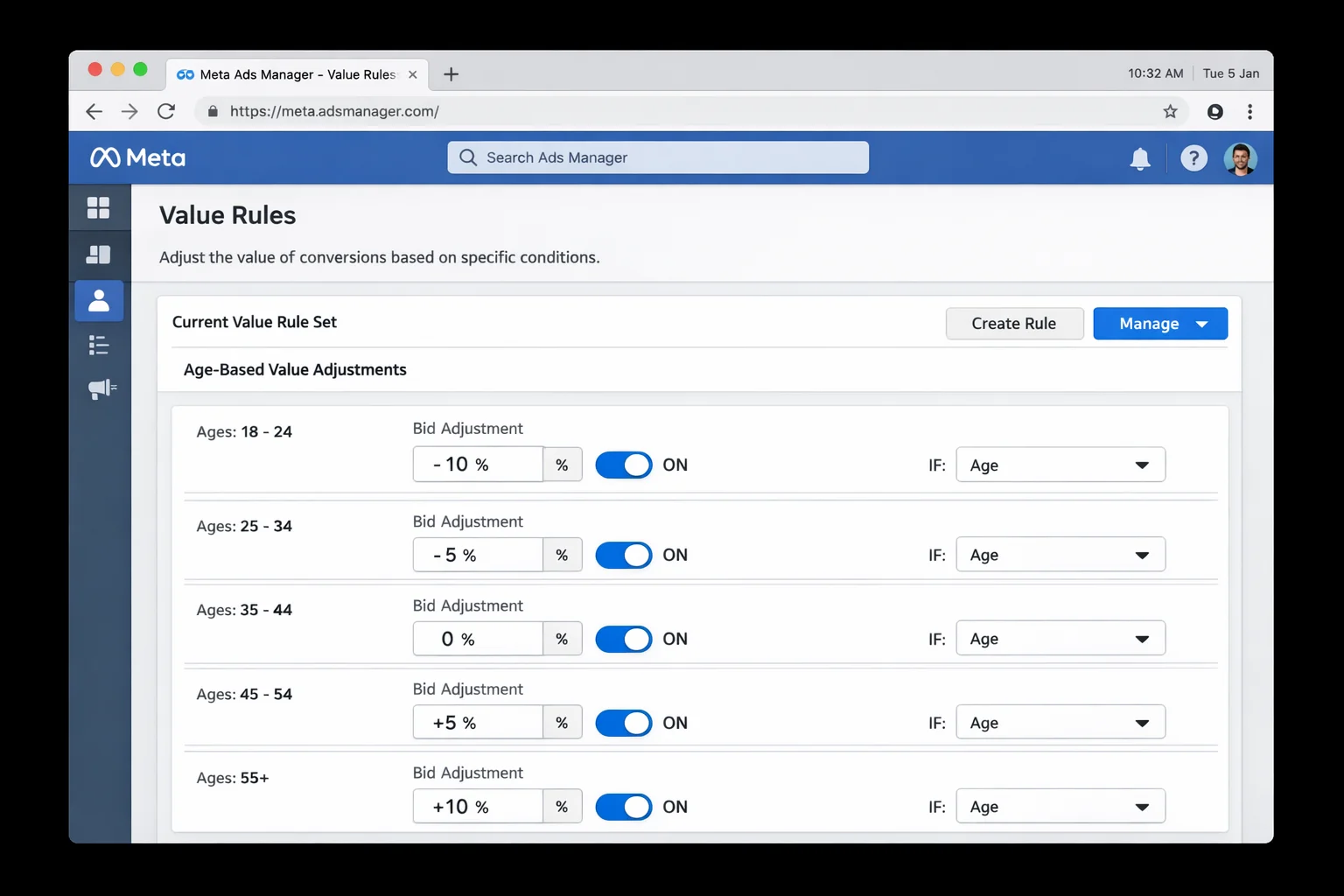
Now Meta has the full audience to work with. It will naturally push most budget toward 30-55 (where bids are highest and conversions are cheapest), spend a small amount on 18-24 (only on high-confidence signals), and allocate a reasonable amount to 55+.
You get the same result as age restriction. Better, actually. Because you catch the outlier conversions that hard exclusions would have blocked.
Here is a concrete example. Say you spend $100/day. With age restrictions (25-54 only), Meta allocates that $100 across a restricted pool and your CPM is $15. With value rules (all ages, but 18-24 bid down 40%), Meta allocates roughly $5-8 on 18-24, $80-85 on 25-54, and $10-12 on 55+. Your effective CPM drops to $11-12 because the wider pool gives Meta more auction options.
The $5-8 on 18-24 is not wasted. It is insurance. If even 1 out of 50 of those younger leads converts to paid, you made the money back.
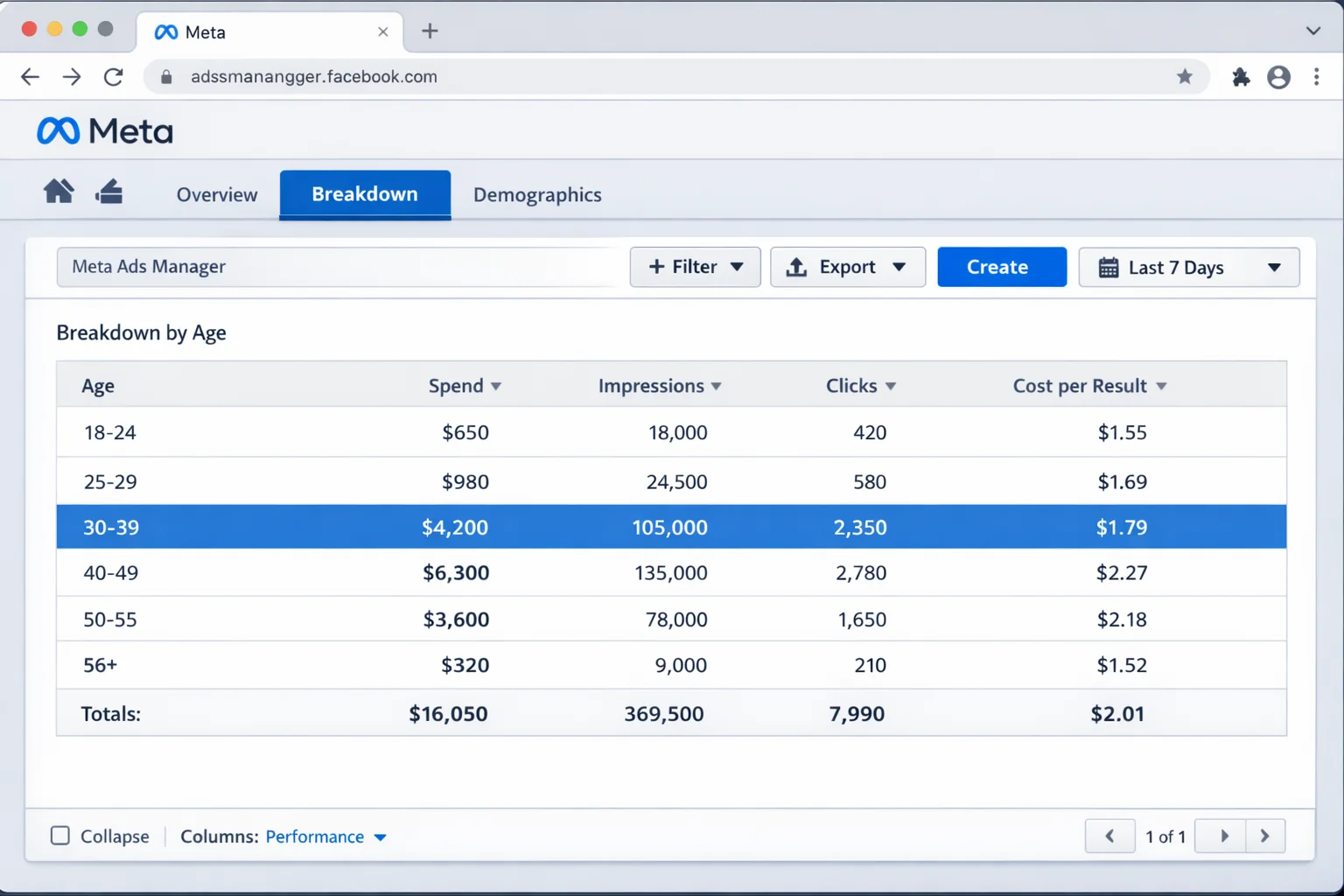
The takeaway: Target all ages and use value rules to bid less on underperforming age groups. You control spend distribution without shrinking the algorithm’s optimization pool.
Stop Removing Audience Network. Reduce Bids on It Instead.
Audience Network is the most controversial placement in Meta Ads.
Plenty of advertisers remove it entirely. They see low-quality clicks, accidental taps, and sketchy app placements. And they are not wrong. For some campaign types, Audience Network IS lower quality.
But removing it completely has a cost.
As Jon Loomer explains, when you disable Audience Network (or any Advantage+ placement), you are overriding Meta’s delivery optimization. Meta designed Advantage+ placements to distribute budget across all surfaces based on where conversions are cheapest. Disabling placements breaks that system.
The value rule alternative: Keep Audience Network enabled. Create a value rule that bids 40-60% less on Audience Network placements.
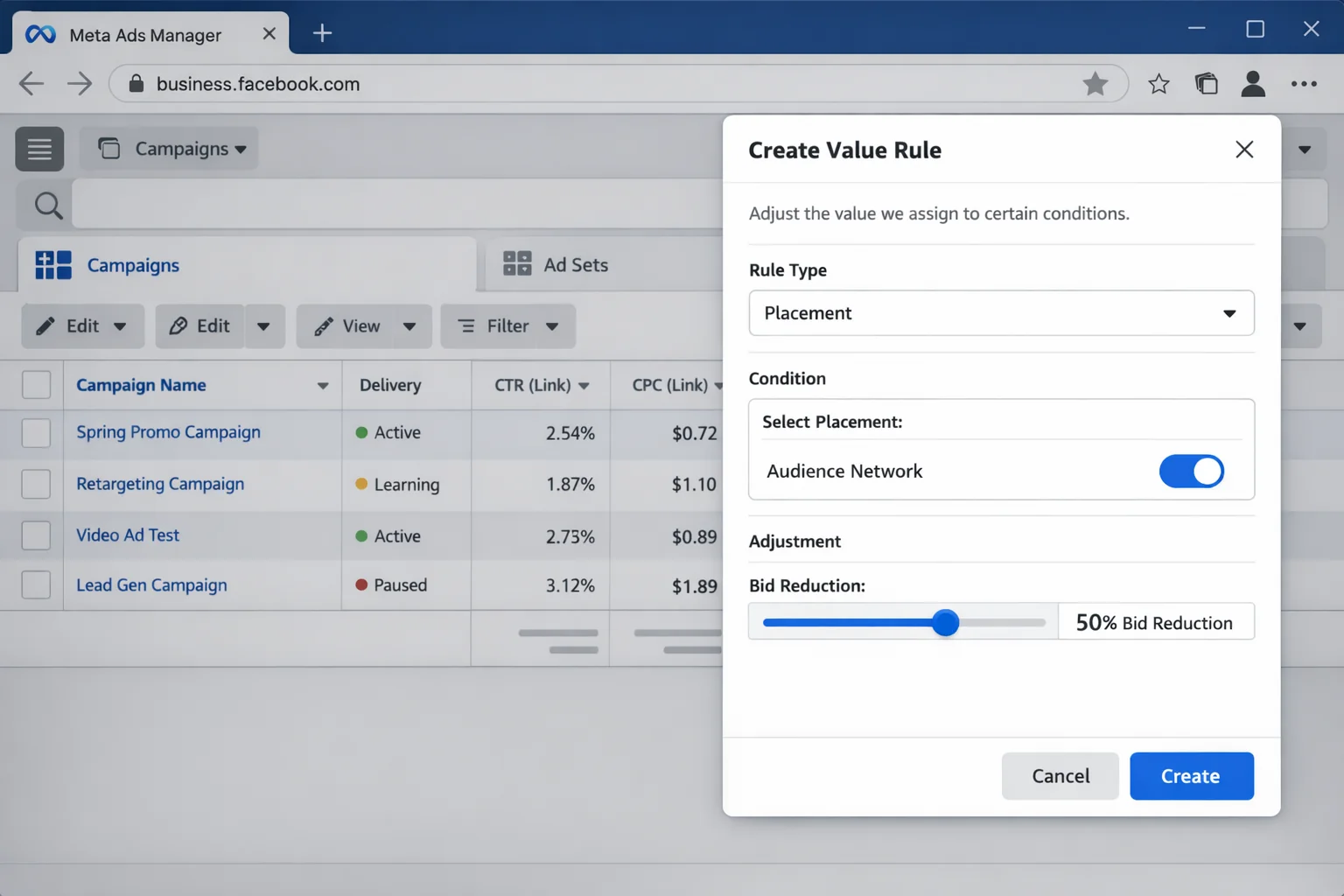
Meta will barely spend on Audience Network with a 50% bid reduction. But when it does, it will only be for extremely high-confidence conversion signals. You avoid the junk traffic while keeping the occasional legitimate conversion that Audience Network delivers.
And you keep Advantage+ placements fully intact. Meta’s full optimization system stays operational.
This matters more than most people realize. When you disable ANY Advantage+ placement, Meta shows a warning for a reason. The algorithm is designed to distribute impressions across every available surface. Removing one surface forces reallocation, and that reallocation is not always efficient. The algorithm was already spending minimally on Audience Network for most campaigns. Removing it often makes zero difference to spend distribution but triggers a recalibration of the entire delivery system.
A value rule is cleaner. The algorithm stays intact. The spend drops where you want it to.
The takeaway: Audience Network does not need to be removed. It needs to be deprioritized. A 40-60% bid reduction through value rules achieves the same spend control without disabling Advantage+ optimization.
How to Set Up Your First Value Rule in 5 Minutes
Here is the exact walkthrough. Follow along in your Meta Ads Manager.
- Open Ads Manager. In the left-hand navigation, click “Advertising settings.”

-
Find Value Rules. Under “Your business,” click “Value rules.” You will see any existing rule sets here.
-
Create a new rule set. Click “Create rule set.” Give it a descriptive name like “Age Bid Adjustments” or “Placement Controls.”
-
Add individual rules. Each rule uses one or two criteria. Select the dimension (age, gender, placement, location, or operating system) and set the bid adjustment percentage.
-
Set the direction. You can bid MORE (for high-value segments) or bid LESS (for low-value segments). For the use cases in this article, you will mostly bid less on underperformers.
-
Save and apply. Attach the rule set to your campaign. Value rules apply at the campaign level, so every ad set within that campaign will follow the same rules.
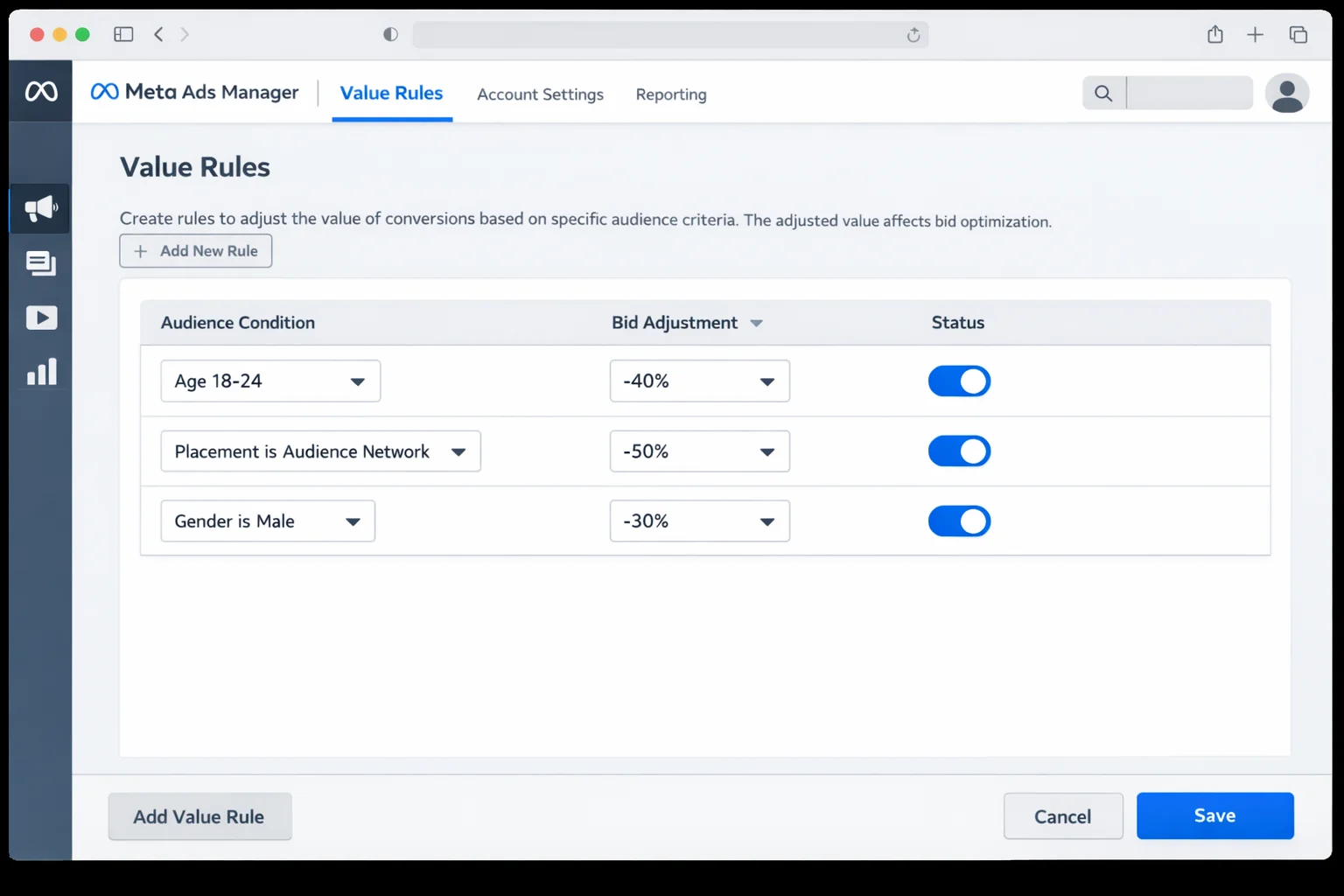
That is it. Five minutes. No campaign restructuring. No audience segmentation headaches. One rule set handles what used to require three separate campaigns.
Important note: Value rules apply at the campaign level, not the ad set level. This means every ad set in that campaign inherits the same rules. If you need different rules for different ad sets, you need separate campaigns. For most advertisers, one rule set per campaign is plenty.
Also, you can combine criteria within a single rule. For example, you can create a rule that says “Bid 40% less on males aged 18-24 on Audience Network.” That is three dimensions in one rule. This lets you get surgical about specific intersections without creating dozens of separate rules.
How to Decide Your Bid Adjustment Percentage
This is where most guides go silent. They tell you value rules exist. They do not tell you WHAT numbers to use.
Here is a practical framework.
Start at 30%. For most use cases, a 30% bid reduction is a strong starting point. It meaningfully reduces spend on a segment without shutting it off completely.
Go to 50% for clear problems. If you have hard data showing a segment delivers consistently poor quality (e.g., Audience Network generating zero real conversions over 30 days), bump the reduction to 50%.
Use 10-20% for “slightly worse” segments. Maybe ages 25-29 convert, just not as well as 30-45. A small bid reduction nudges the algorithm without aggressive cuts.
Never go above 70%. At that point, you are effectively excluding the segment anyway. If the data says 70%+, you probably have a case for a hard restriction. But try 60% first and give it two weeks.
Read the data every 7 days. After applying a value rule, use the Value Rules breakdown in Ads Manager to see how rules are being applied. Check your cost per result, conversion volume, and spend distribution by the dimension you adjusted.
Adjust in increments of 10%. If 30% is not enough, go to 40%. If 50% cut too much volume, drop to 40%.
This is not set-and-forget. It is calibration.
What Happens When You Stop Restricting and Start Adjusting
When you swap hard restrictions for value rules, three things change.
Your audience pool stays large. Meta’s algorithm has more data signals to work with. More potential converters to evaluate. More optimization surface area. This typically drives down CPMs because you are not competing for a narrow slice of inventory.
Your campaign structure simplifies. Instead of running separate campaigns for different demographics (one for women, one for men at lower budget; one for ages 25-34, another for 35-44), you run ONE campaign with value rules attached. Fewer campaigns means less budget fragmentation and faster exit from the learning phase.
You catch outlier conversions. The 22-year-old who buys enterprise software. The male customer who buys women’s jewelry as a gift. The Audience Network placement that actually delivers a qualified lead. Hard restrictions kill these opportunities. Value rules keep the door cracked open.
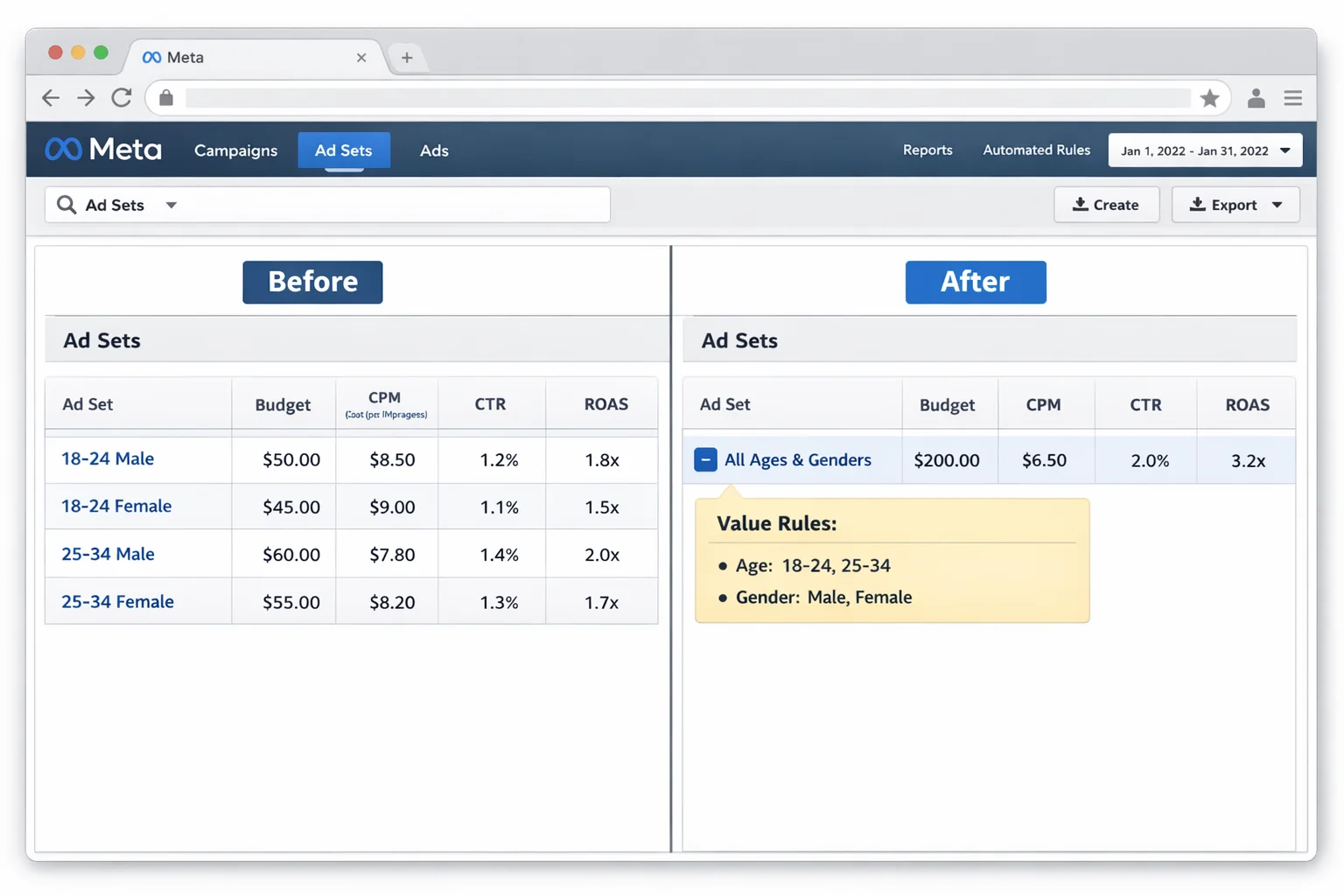
The compound effect is real. A wider audience pool means better optimization. Better optimization means lower costs. Lower costs mean more conversions for the same budget. More conversions mean more data. More data means even better optimization.
It is a flywheel. And it starts the moment you stop restricting and start adjusting.
One thing to remember: value rules work best when you are running campaigns optimized for value (like “Maximize value of conversions”). If you are running campaigns optimized for volume (“Maximize number of conversions”), value rules still apply, but the effect is less pronounced because Meta is already chasing the cheapest action regardless of quality.
For the strongest results, pair value rules with value-based optimization in Meta Ads. Tell Meta what a conversion is worth AND tell it which segments are worth more or less. That is the full picture.
Here is the simplest way to think about it. Hard restrictions are like firing an employee because they had one bad week. Value rules are like reducing their hours until they prove themselves again. One is permanent and destructive. The other is adjustable and reversible.
You can update value rule percentages anytime. You can remove rules entirely. You can add new ones as you learn more about your audience. The flexibility alone makes value rules the smarter default for audience control in Meta Ads.
Go Set Up Your First Value Rule Today
Stop excluding. Start adjusting.
Your algorithm will thank you.