How To Set Up Google Ads Performance Max Campaigns That Actually Convert (And Avoid the 5 Mistakes That Waste Your Budget)
TL;DR
Performance Max campaigns account for over 80% of Google Shopping ad spend in 2025, yet the majority of advertisers running them are bleeding budget on the wrong setup. The 5 most common PMax mistakes (single asset groups, no audience signals, auto-generated videos, wrong bidding strategy, and killing campaigns too early) can burn through $5,000+ before you even realize something is broken. This guide walks you through the exact setup that makes PMax work, step by step, with the specific fixes for each mistake.
In This Post You’ll Learn
- Why most advertisers fail with PMax (and the 5 specific mistakes that cause it)
- The asset group structure that gives Google’s AI what it needs
- How to build audience signals that actually improve performance
- The bidding strategy sequence that prevents wasted spend
- When PMax is the WRONG campaign type for your business
Why 76% of Advertisers Get PMax Wrong (And Waste Thousands Doing It)
Performance Max is the most polarizing campaign type in Google Ads history.
Google pitches it as the all-in-one, set-it-and-forget-it solution. One campaign. All channels. Full automation. Just add budget and let the AI do its thing.
That pitch is a trap.
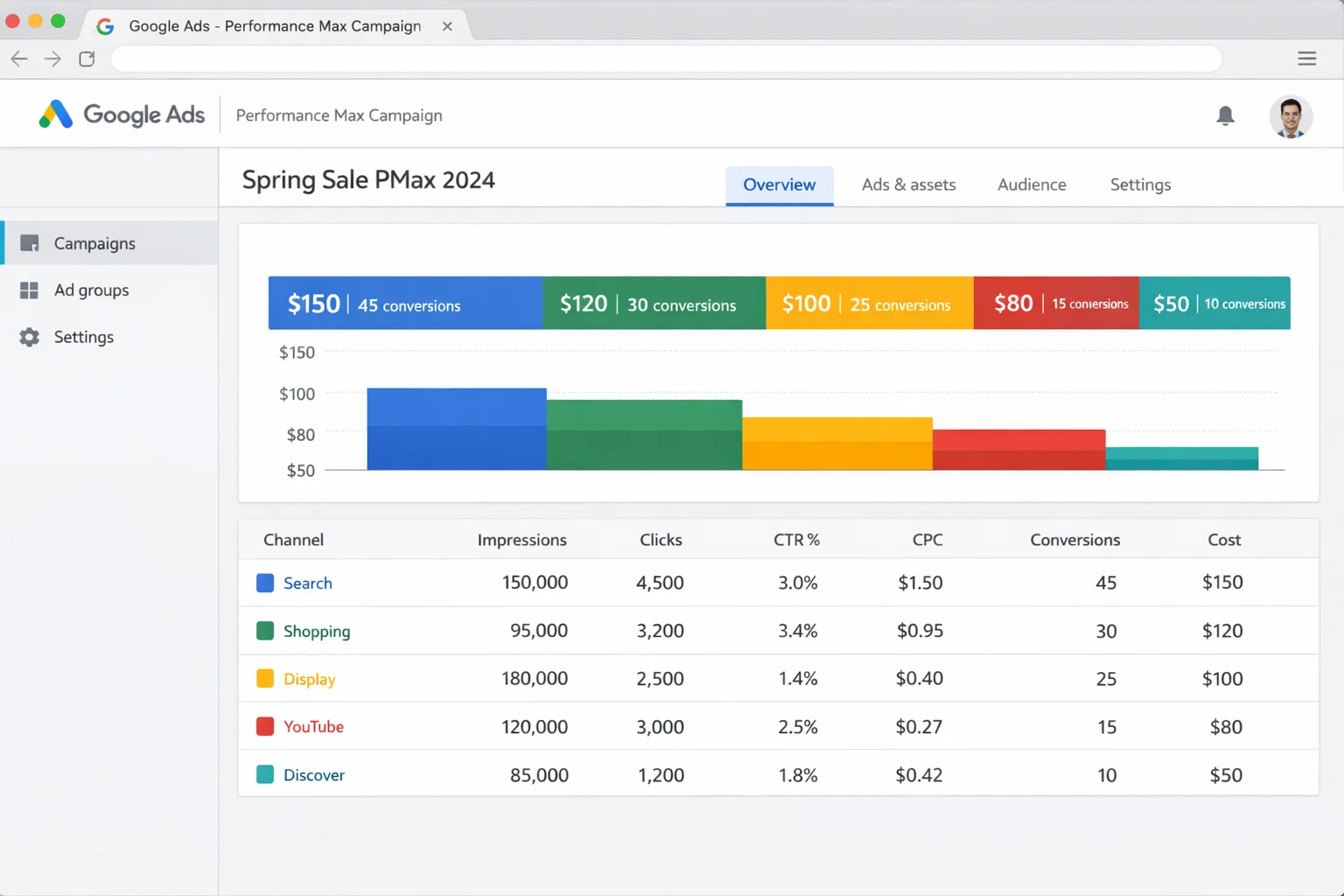
PMax spans Search, Shopping, YouTube, Display, Discover, Gmail, and Maps. That is seven different ad surfaces, each with different creative requirements, audience behaviors, and performance expectations. Treating them as one homogenous blob is how you burn $5,000 in two weeks with nothing to show for it.
But here is the other side of the coin.
When you understand PMax’s complexity and set it up correctly, it delivers results that no other campaign type can match. The full weight of Google’s AI, trained on billions of signals, optimizing your ads across every surface in real time. According to Google’s own documentation, Performance Max advertisers see an average of 18% more conversions at a similar cost per action.
The difference between PMax disaster and PMax dominance comes down to setup. Avoid the 5 mistakes below and follow the framework that makes the AI work FOR you.
The 5 PMax Mistakes That Burn Your Budget
Top Google Ads practitioners have identified a consistent pattern. The advertisers who lose money on PMax make the same five mistakes. EVERY time.
Here is each one with the specific fix.
Mistake #1: Running One Giant Asset Group for Everything
This is the most common PMax killer.
Google lets you create one asset group and throw every product, every audience, and every creative asset into a single bucket. Most beginners do exactly that because it feels simpler.
The result: Google’s AI has no idea what to optimize for. It gets confused by mixed signals. Your running shoes are competing with your hiking boots for the same audience targeting. Your high-margin products get the same budget allocation as your $12 accessories.
A recent Search Engine Land analysis found that following Google’s default setup advice is one of the primary reasons new advertisers underperform with PMax. The defaults are built for simplicity, not performance.
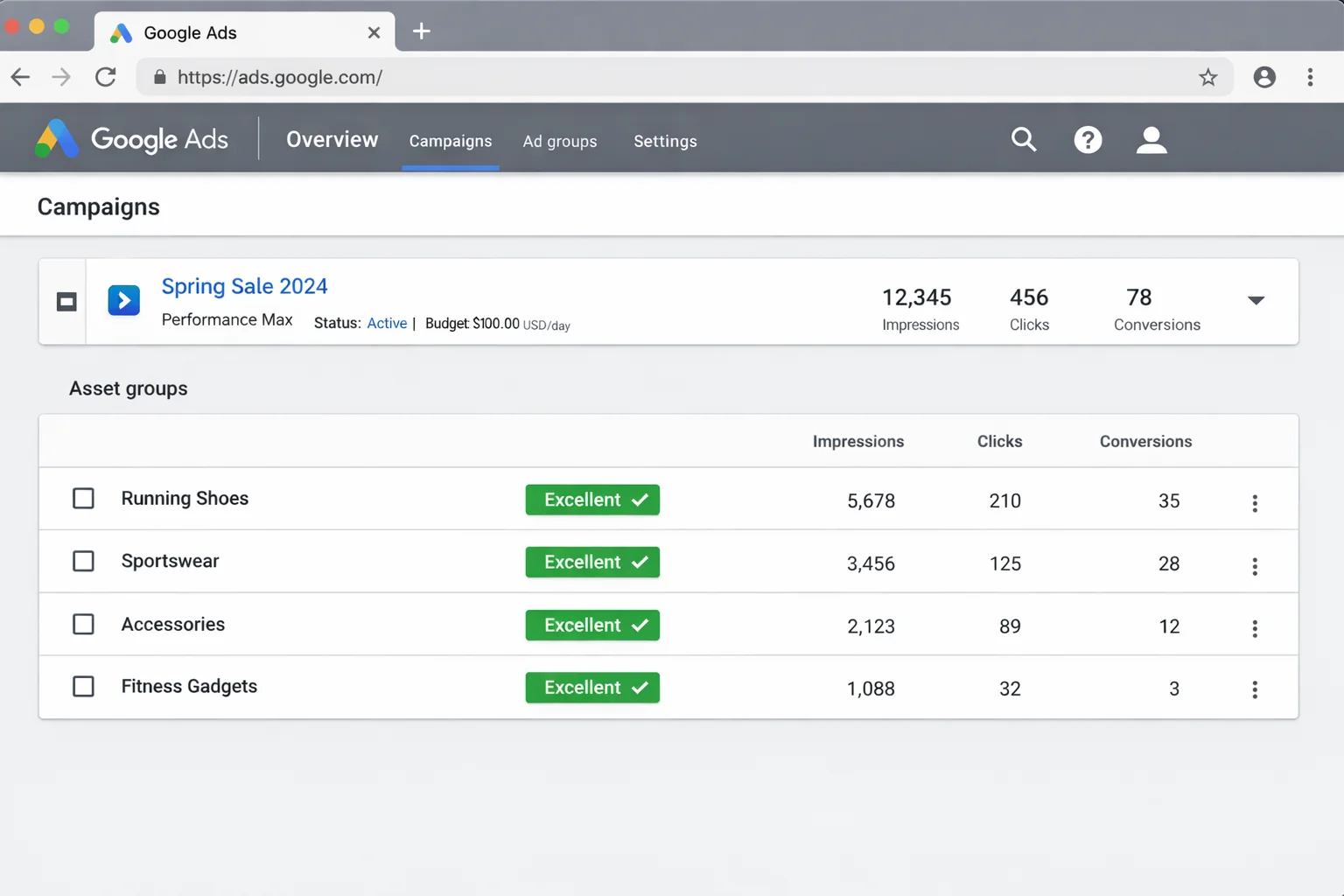
The fix: Segment your asset groups by product category, margin tier, or audience intent. One asset group per logical product cluster. If you sell shoes, that means one group for running shoes, one for hiking boots, one for casual sneakers. Each group gets its own tailored headlines, descriptions, images, and audience signals.
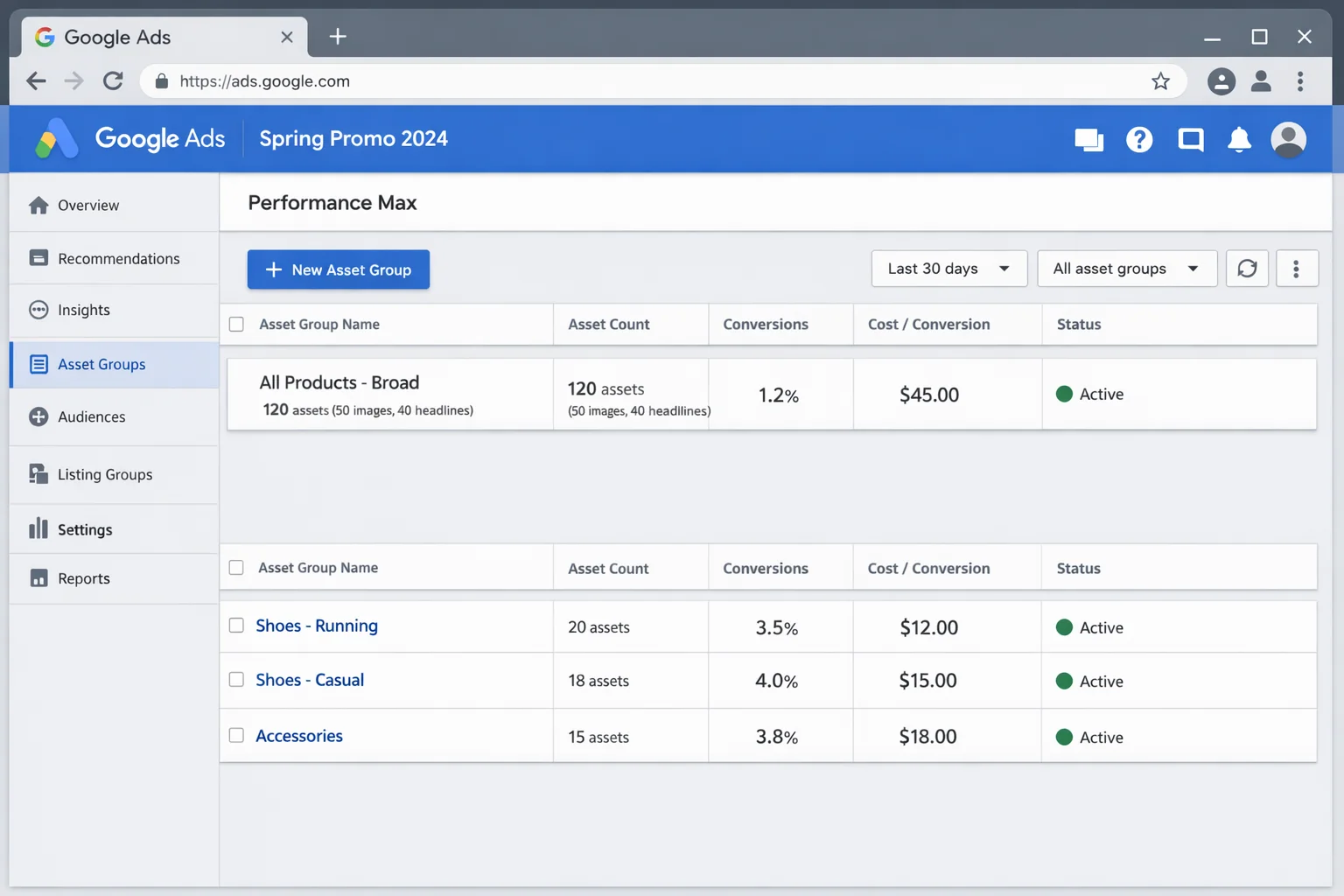
The takeaway: One asset group for your entire catalog is like putting every item in your store into a single shopping bag and asking a stranger to sell them. Segment by product category or margin tier so Google’s AI knows what it is optimizing.
Mistake #2: Skipping Audience Signals (Or Using Garbage Ones)
Audience signals are the single most misunderstood feature in PMax.
Here is what most people get wrong. They think audience signals are targeting. They are not. Audience signals are suggestions to Google’s AI about where to start looking for your ideal customer. Google will go beyond those signals, but without them, the AI starts cold with zero context.
Skipping audience signals entirely means you are forcing Google to spend your budget figuring out who to target from scratch. That learning period eats weeks and thousands of dollars.
The opposite mistake is equally destructive. Uploading a garbage customer list (old emails, purchased lists, mismatched segments) teaches the AI to find the wrong people.
The fix: Upload your best first-party data. Your highest-value customers from the last 12 months. Add custom segments based on people who searched for your top-performing keywords. Layer in in-market and affinity audiences that match your buyer profile.
The quality of your audience signals directly determines how fast PMax learns and how efficiently it spends.
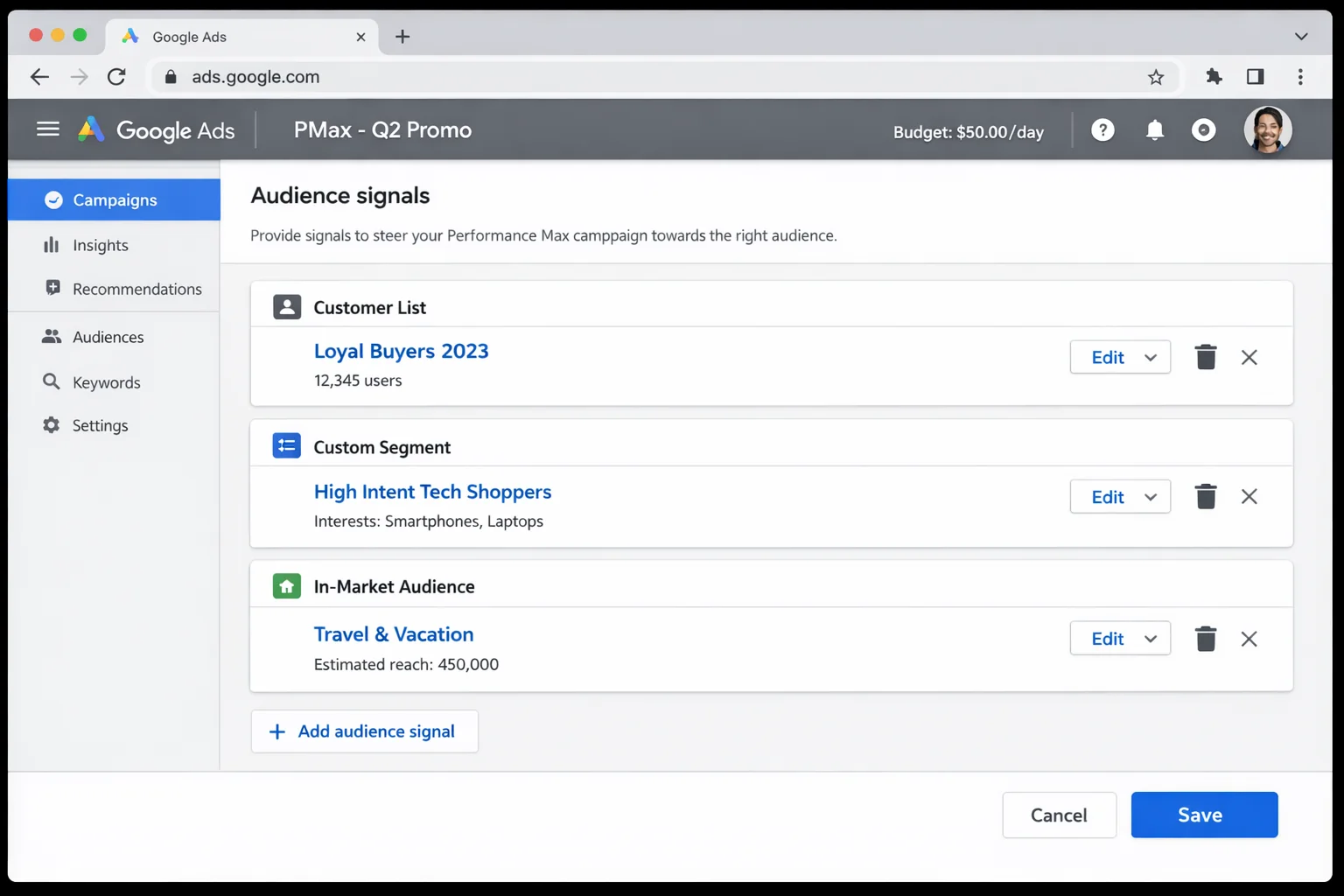
The takeaway: Audience signals are your AI’s starting compass. Feed it your best customer data and high-intent keyword segments. Bad signals (or no signals) mean wasted budget during learning.
Mistake #3: Letting Google Auto-Generate Your Video Assets
If you do not upload a video asset to your PMax campaign, Google will create one for you automatically.
These auto-generated videos are terrible. They look like a slideshow made in PowerPoint by someone who has never used PowerPoint. Blurry product images sliding across the screen with generic text overlays.
Your brand is running on YouTube with content that looks like it was made in 2008. And because PMax allocates budget across channels automatically, your money IS going to YouTube. You just have no control over how it looks.
The fix: Record a 15 to 30 second video. It does not need to be professional. Shoot your product on a table with your phone. Walk through your service in a screen recording. Even a simple talking-head video outperforms Google’s auto-generated option by a MASSIVE margin.
Upload it in landscape (16:9), square (1:1), and vertical (9:16) formats to cover YouTube, Shorts, and Display placements.
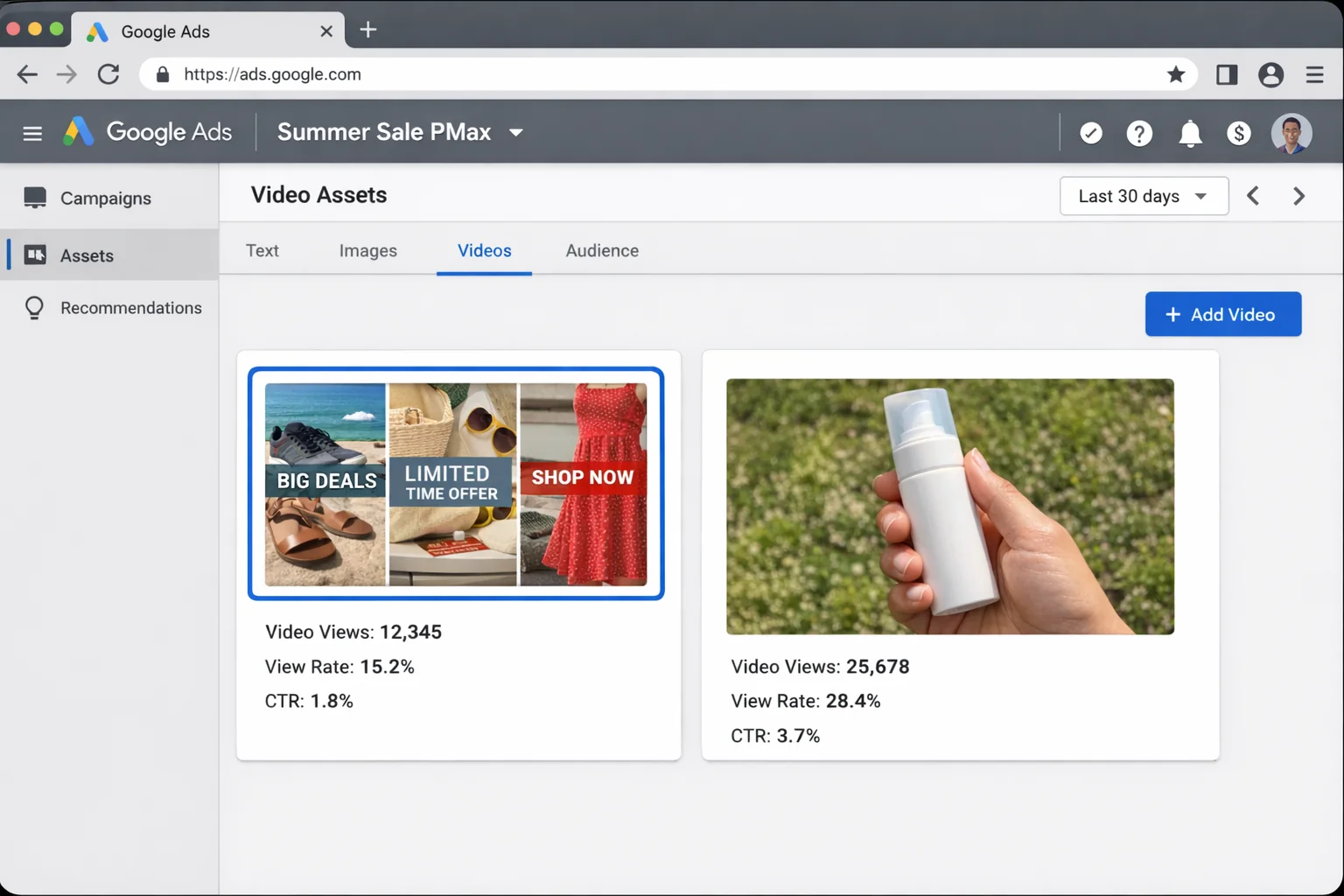
The takeaway: A 15-second phone video you shoot in your kitchen will outperform Google’s auto-generated slideshow every time. Upload at least one real video in all three aspect ratios.
Mistake #4: Using Maximize Conversions Before You Have Conversion Data
Bidding strategy is where sophisticated advertisers separate from everyone else.
Google’s default recommendation for new PMax campaigns is “Maximize Conversions.” Sounds logical. But there is a problem.
Maximize Conversions needs historical conversion data to work properly. If your account is new or your campaign is brand new, the algorithm has nothing to optimize toward. It will spend aggressively on low-quality placements trying to generate ANY conversion, regardless of quality or cost.
Experienced PPC practitioners recommend a staged approach. Start with Maximize Clicks or a manual CPC campaign to build up conversion data first. Once you have 30+ conversions in a 30-day window, THEN switch to Maximize Conversions. When you have solid ROAS data, move to Target ROAS.
This staged approach according to Google’s own bidding strategy best practices gives the algorithm the data foundation it needs to make smart decisions.
The fix: Follow this sequence:
- Start with Maximize Clicks for the first 2 to 4 weeks
- Switch to Maximize Conversions once you hit 30+ conversions in 30 days
- Graduate to Target ROAS when you have enough data to set a realistic target
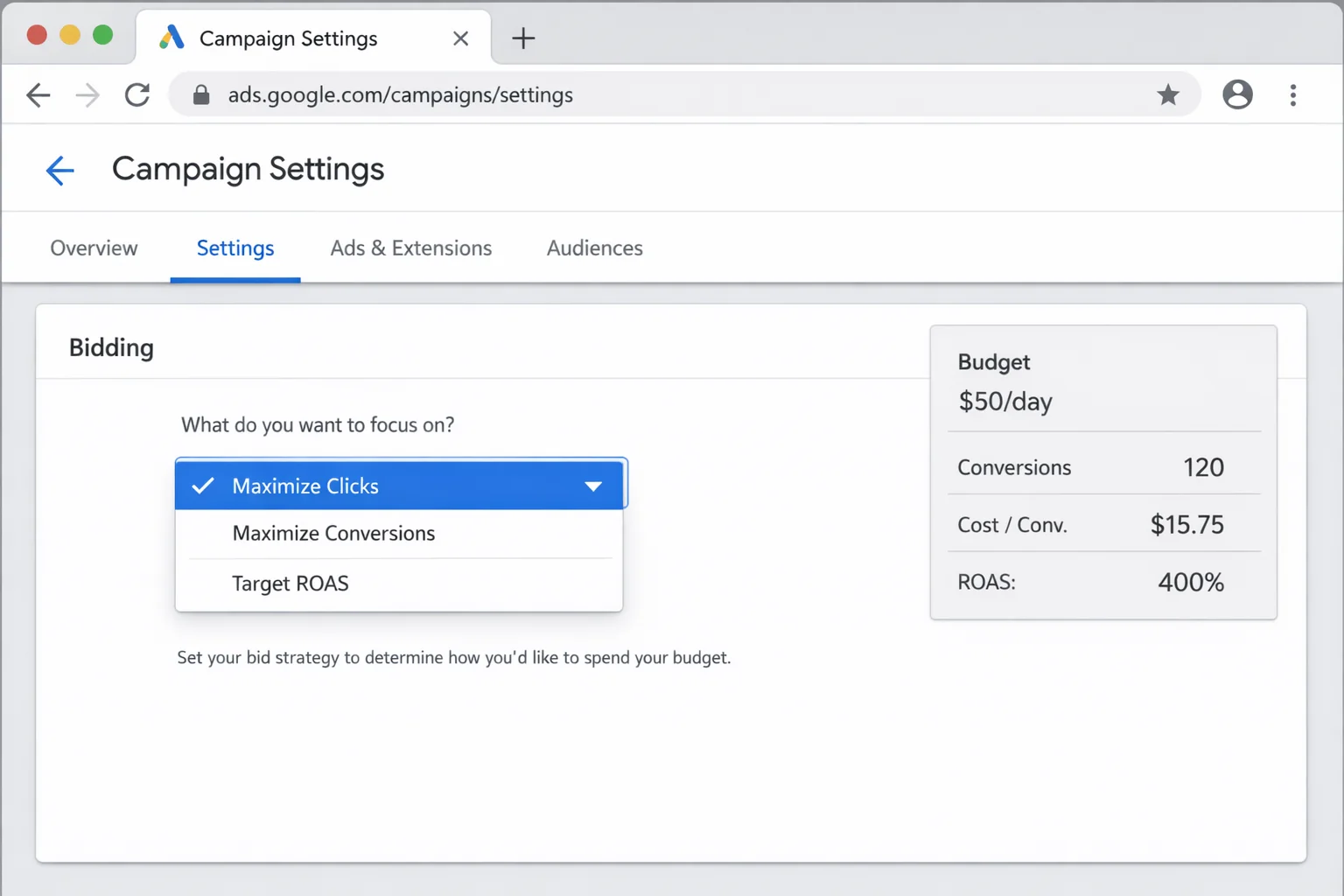
The takeaway: Maximize Conversions without conversion data is like asking GPS for the fastest route without telling it your destination. Build data first, then let automation take over.
Mistake #5: Killing the Campaign Before the Learning Phase Ends
This is the psychological trap.
You launch PMax. The first week looks rough. Cost per conversion is 3x your target. Click-through rates are low. You see budget going to Display and Discover placements that feel irrelevant.
So you pause the campaign.
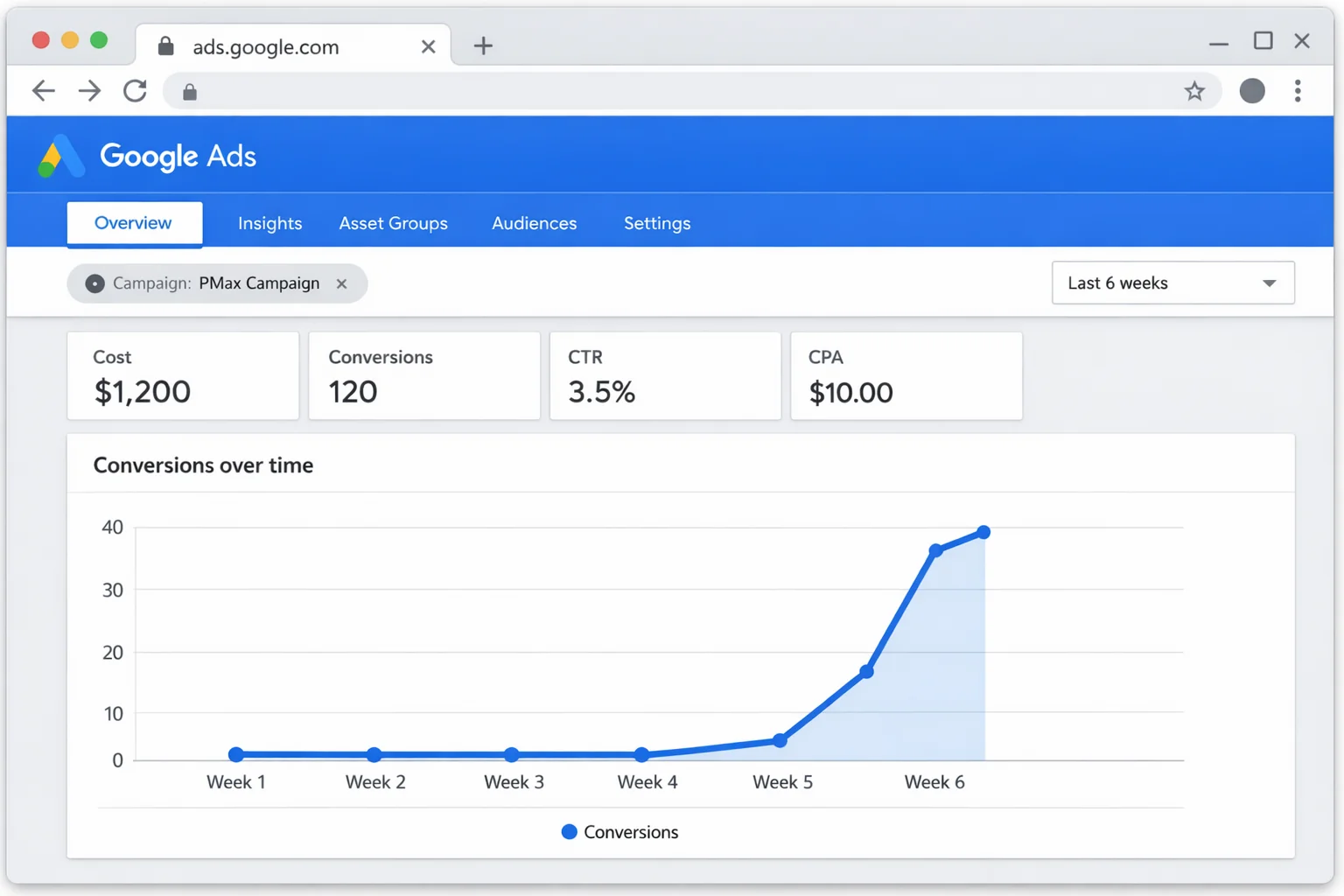
You just killed it right when the AI was learning. Google’s machine learning needs 4 to 6 weeks of consistent data to properly optimize a PMax campaign. The first 2 weeks are almost always ugly. The algorithm is testing audiences, placements, and creative combinations to find what works.
According to Google’s PMax troubleshooting guide, campaigns need at least 2 weeks of uninterrupted data collection before performance stabilizes, and full optimization can take 6 weeks or more.
Pausing, restarting, or making major changes during this period resets the learning. Every reset means another 2 weeks of expensive testing.
The fix: Set a learning phase budget you can afford to lose entirely. Treat the first 4 to 6 weeks as a sunk cost investment. Do not touch the campaign settings during this period. Monitor, but do not intervene.
The only exception: if you spot clearly fraudulent traffic or a policy violation, address it immediately.
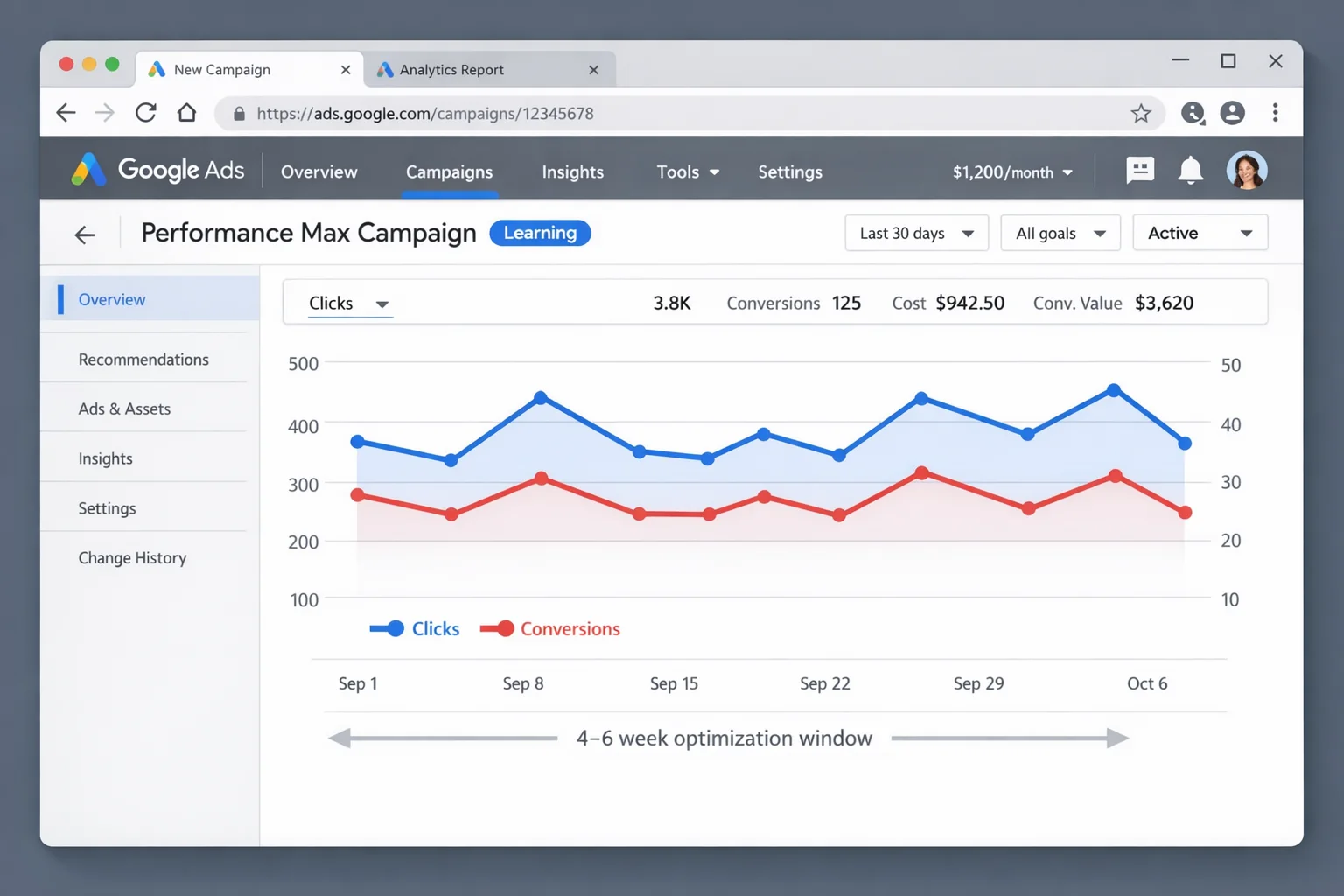
The takeaway: PMax’s first 2 weeks will look bad. That is normal. Set a learning budget you can afford to lose and give the algorithm 4 to 6 weeks before making judgment calls.
The PMax Setup That Actually Works (Step by Step)
Now for the other side. When you avoid those 5 mistakes and follow this framework, PMax becomes the most powerful campaign type in Google Ads.
Here is the exact setup, step by step.
Step 1: Structure Your Asset Groups Like a Pro
Think of each asset group as a mini-campaign. It should have a clear theme, targeted creative, and a specific audience signal.
For e-commerce, segment by product category or margin tier. For lead gen, segment by service type or buyer persona.
Each asset group needs:
- 5+ headlines (mix of benefit-driven, feature-specific, and urgency-based)
- 5+ descriptions (each highlighting a different value proposition)
- At least 3 high-quality images per aspect ratio
- 1+ videos (minimum, as covered above)
- A clear final URL that matches the asset group theme
Do not cross-pollinate. Your running shoe assets should never appear in your hiking boot asset group.
Step 2: Build Audience Signals That Feed the AI
Your audience signals should combine three layers.
Layer 1: First-party data. Upload your customer list. Specifically, your highest-value customers from the past 12 months. If you have enough data, create separate lists for repeat buyers, high AOV customers, and recent converters.
Layer 2: Custom segments. Create custom segments based on people who search for your top 10 to 20 performing keywords. This tells Google’s AI what search intent looks like for your ideal customer.
Layer 3: In-market and affinity audiences. Add 2 to 3 in-market audiences that closely match your buyer profile. These are people actively researching products in your category.
This three-layer approach gives the AI a strong starting point while still allowing it to discover new audiences on its own.
Step 3: Create Custom Video (Even If It Is Ugly)
You do not need a production studio.
Record a simple product showcase with your phone. Prop your product against a clean background, shoot 15 to 30 seconds of footage, and add a text overlay with your value proposition.
For service businesses, do a 30-second screen recording or a quick talking-head explanation of what you offer.
Export in three formats: 16:9 (landscape for YouTube), 1:1 (square for Discover and Display), and 9:16 (vertical for YouTube Shorts).
Upload all three to your asset group. Done.
Step 4: Choose the Right Bidding Strategy for Your Stage
Follow the three-stage progression as covered in Mistake #4.
For new campaigns and accounts: Maximize Clicks for 2 to 4 weeks, with a reasonable daily budget cap.
Once you have 30+ conversions tracked: Switch to Maximize Conversions.
Once you have reliable ROAS data across 30+ days: Graduate to Target ROAS with a realistic target (start conservative and tighten over time).
This progression is backed by PPC Hero’s analysis of PMax optimization showing that advertisers who stage their bidding strategy see significantly better long-term ROAS than those who start with Target ROAS on day one.
Step 5: Set the Learning Phase Budget and Wait
Calculate your learning budget: the amount you are willing to invest during the 4 to 6 week learning phase.
A good rule of thumb: 2x to 3x your target CPA, multiplied by 30 days. If your target CPA is $50, plan to spend $3,000 to $4,500 during the learning phase.
Set it. Launch it. Then walk away.
Check your campaign data weekly, but do NOT make changes for at least 4 weeks. No bid adjustments. No audience signal edits. No pausing and restarting.
After 4 to 6 weeks, evaluate performance against your KPIs. If it is meeting targets, scale budget gradually (increase by no more than 20% per week). If performance is still poor after 6 full weeks with proper setup, THEN make strategic adjustments.
When PMax Is the Wrong Choice for Your Business
Here is what nobody else on page one of Google will tell you.
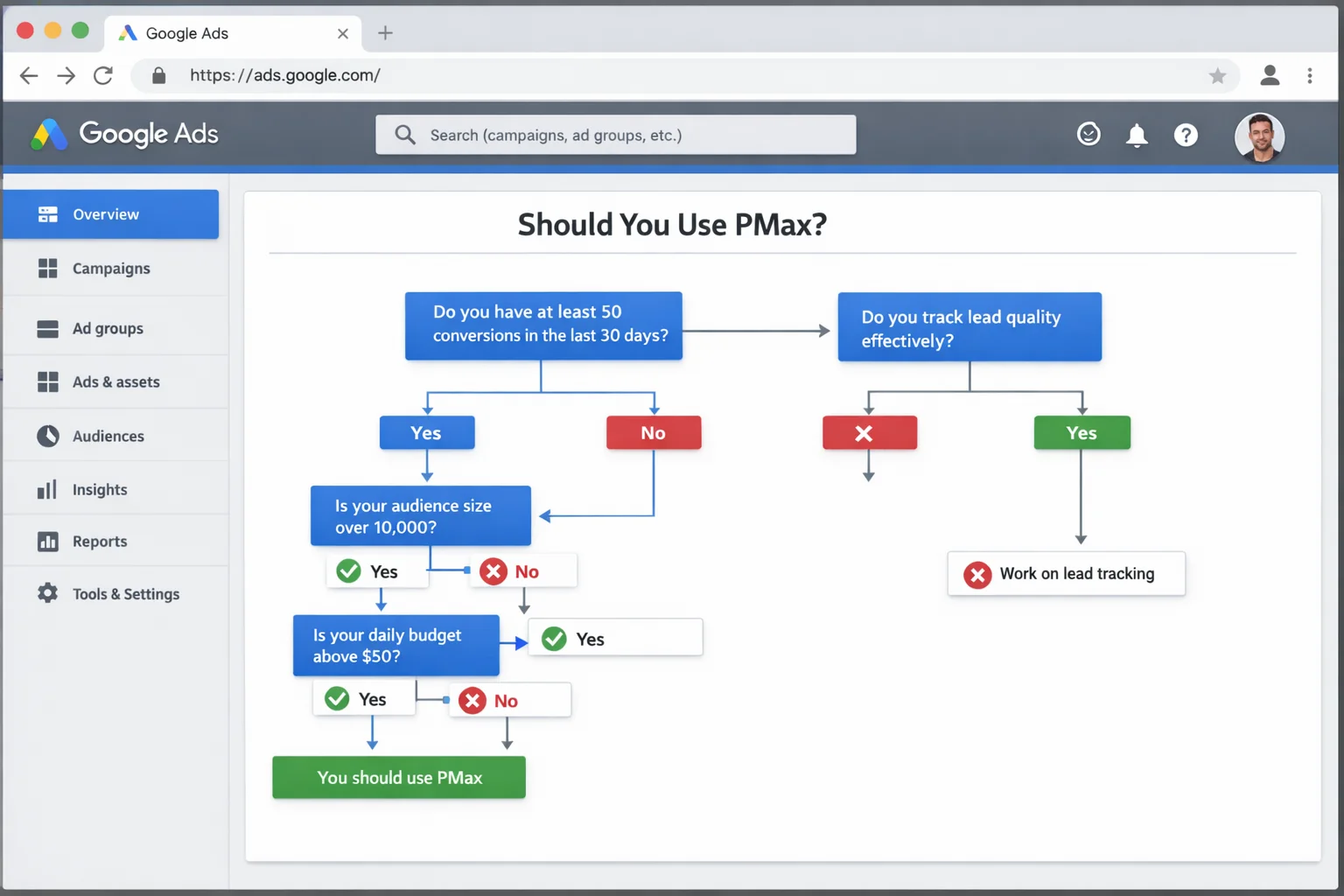
PMax is not always the right campaign type. Four scenarios where it will waste your budget regardless of setup:
Brand-new accounts with zero conversion data. Start with Search campaigns first. Give it 60 to 90 days and 50+ conversions before launching PMax.
Hyper-niche B2B with tiny addressable audiences. If your total addressable market is 500 companies, PMax’s broad reach is overkill. Use targeted Search and LinkedIn instead.
Lead gen with no lead quality tracking. PMax optimizes for whatever conversion action you give it. Without offline conversion tracking or CRM integration, it will flood you with spam leads.
Daily budgets under $30. PMax needs enough budget to test across multiple channels simultaneously. Under $30 per day, the AI cannot gather meaningful data.
The 4 Metrics That Tell You If PMax Is Working
After the 4 to 6 week learning phase, check these four numbers.
Cost per conversion (CPA). This should land within 20% of your target. A 6-week CPA still at 2x your target indicates a setup problem.
Conversion volume. Fewer than 5 conversions per week means the algorithm lacks the data to keep optimizing. Red flag.
Asset performance ratings. Check your asset performance labels in Google Ads. “Low” performing assets drag down the entire group. Replace them immediately.
Channel placement reports. Use the Insights tab to see where your budget goes. If 80% lands on Display and you are an e-commerce brand, your Shopping feed or asset group structure needs work.
Replicate This PMax Setup in 30 Minutes
Here is the action plan. Five steps. Thirty minutes.
- Audit your current PMax campaigns (or plan your first one). Check for the 5 mistakes above. If you are running one massive asset group, restructure it today.
- Segment your asset groups by product category, margin tier, or service type. Create 2 to 4 focused groups with tailored assets in each.
- Upload your best customer data as audience signals. Add custom keyword segments and 2 to 3 in-market audiences.
- Record and upload a video for each asset group. Phone quality is fine. Cover all three aspect ratios.
- Set your bidding strategy to match your data stage. New campaigns with no data start with Maximize Clicks. Campaigns with 30+ conversions move to Maximize Conversions. Campaigns with ROAS history graduate to Target ROAS.
Then set your learning budget and do not touch it for 4 to 6 weeks.
The takeaway: PMax is the most powerful campaign type in Google Ads when you respect its complexity. The 5 mistakes above account for the vast majority of PMax failures. Fix them, follow the setup framework, and let the AI do what it was built to do.
Bookmark this guide. Set up your first (or your next) PMax campaign this week. And stop letting Google’s “easy mode” positioning convince you to skip the work that actually matters.
Go build it.